Samsung Odyssey G5 27" Review: Immersive but Limited
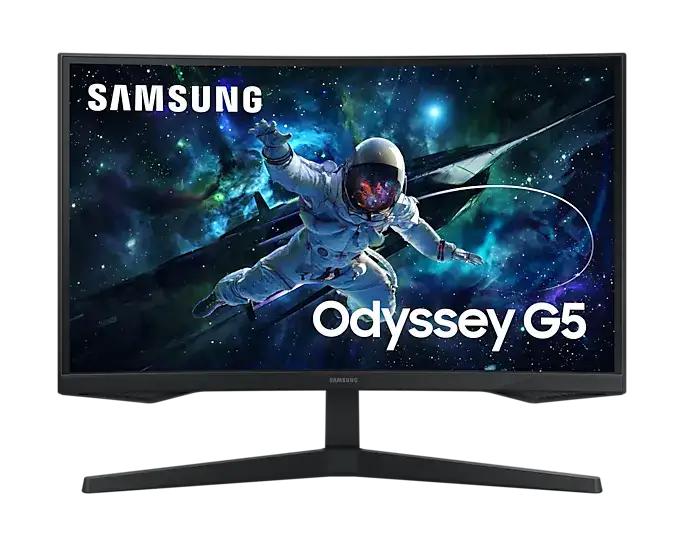
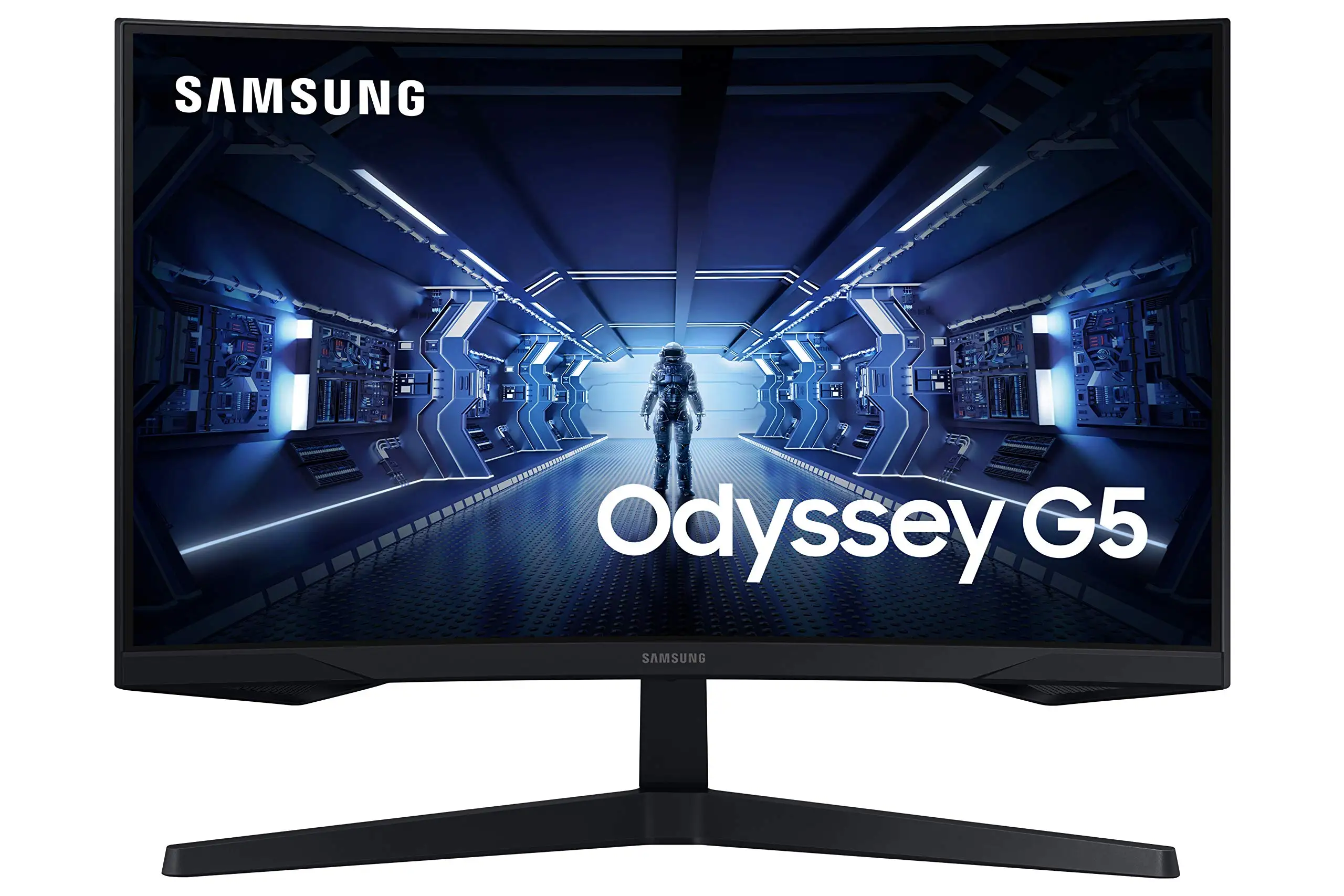
The SAMSUNG Odyssey G5 Series 27-Inch WQHD Curved Gaming Monitor inspires strong opinions, scoring between 4.3/5 and 4.7/5 on platforms like Best Buy, Amazon Renewed, and Newegg. In community terms, it’s seen as a “great monitor for the price” by console and PC gamers alike, yet faulted by some for washed-out colors, a rigid stand, and sparse connectivity options. It’s not universally perfect, but for certain setups it’s a high-value entry point into curved 1440p gaming.
Quick Verdict: Conditional buy — great if immersion and refresh rate are priorities, less ideal if color accuracy or ergonomics matter.
| Pros | Cons |
|---|---|
| Sharp WQHD resolution with 1000R curve | Stand tilt adjustment unclear or stiff, ergonomics limited |
| Smooth 144Hz–165Hz refresh rate | Colors can appear washed out for some users |
| Fast 1ms MPRT response for competitive gaming | Lacks speakers and multiple input/output options |
| AMD FreeSync Premium reduces tearing | Limited HDR impact in real-world use |
| Solid build quality; “sturdier than older models” | Occasional factory defects/shipping damage reported |
| Affordable for features offered | No USB-C or extra HDMI ports |
Claims vs Reality
Samsung touts “true immersion” via the 1000R curve, stating it matches the curvature of the human eye. Digging into user reports, this claim mostly resonates with gamers coming from flat or gentler curves. A Reddit user described it as “even better in terms of viewing comfort than this monitor’s ancestor,” noting reduced eye strain over long sessions. Console players on Best Buy also consistently point to the curve as heightening immersion in titles like Call of Duty, especially when paired with HDR10.
The “144Hz super smooth refresh rate” is another headline feature. In practice, many buyers confirm seamless performance at this speed, but Newegg reviewers stress that hitting 144Hz with 1ms response “requires a DisplayPort 1.4 cable of powerful caliber.” That hardware caveat isn’t mentioned in promotional material, yet is critical for PC gamers chasing competitive frame rates with fast response.
As for “truly realistic HDR,” the marketing glosses over brightness limitations. While rated for HDR10, multiple owners find the visual boost modest. One Best Buy user called it “amazing for the price” but wished “it hit 400 nits instead of 350” in the G50D variant. The result is HDR visuals that slightly enhance contrast but won’t rival top-tier HDR displays.
Cross-Platform Consensus
Universally Praised
The WQHD (2560x1440) resolution is a consistent highlight. For console users, that clarity translates directly into more detailed worlds—one Best Buy buyer wrote that on Xbox Series X it delivered “best graphics and response time without having to spend too much money.” PC gamers who upgraded from 1080p describe the jump as transformative for both work and play.
Refresh rate responsiveness earns wide applause. Whether capped at 144Hz or extended to 165Hz in newer models, the reduction in blur is tangible. A verified Newegg buyer said, “once I got it hooked up… games I play changed to new res setting” and described it as “rocked thus far” for fast-twitch shooters.
Build quality, though simple, meets expectations. One Newegg review contrasted the Odyssey G5 stand with older Samsung Syncmasters, calling it “sturdier & less scary to manipulate.” Even those critical of ergonomics admit the structure feels solid and durable.
Common Complaints
Ergonomics repeatedly trip buyers up. The stand technically tilts, but as one Newegg user vented, “I can’t figure out how to do it… it feels like the stand is 100% rigid & inflexible” with unhelpful instructions. Best Buy buyers also note the screen “isn’t adjustable,” forcing workarounds like desk risers.
Color reproduction is another sore point. While spec sheets promise 16.7M colors and HDR10, some find images muted. One 2-star Best Buy rating described the “color of the picture is very washed out,” despite good resolution and speed. This seems more noticeable to content creators or those used to IPS panels.
Connectivity is pared down—only one HDMI 2.0 and one DP 1.2 on most variants, no USB-C, speakers, or extra ports. For multi-device setups or daisy chaining, that’s a deal-breaker. As one Best Buy customer put it, “I wish you had more input ports… for more connectivity options.”
Divisive Features
The curve itself splits opinion. Immersion fans love it; others find it unnecessary for productivity or photo work. Reddit threads debating flat IPS alternatives note that curve benefits diminish if you sit far away or use multiple monitors.
HDR performance divides as well. Some console gamers call it “epic” for shadow detail, while PC buyers accustomed to OLED or high-nit monitors see it as barely perceptible. As a Newegg review suggested, HDR10 here offers “a kaleidoscope of shades” but not the luminance needed for standout highlights.
Trust & Reliability
While most Samsung Odyssey G5 owners have smooth experiences, cases of manufacturing defects or damage during shipping surface on forums. Newegg buyers warn of the “dreaded nightmare of getting this monitor then falling victim to factory defect,” though these appear occasional relative to sales volume.
Long-term use stories are encouraging. A Reddit poster who switched from VA panels plagued by ghosting noted “zero ghosting issues” on the G50D variant, praising vibrant colors and solid black levels after months. Durability seems aided by the sturdy stand construction—even among those frustrated by tilt mechanics.
Alternatives
Within Samsung’s ecosystem, flatter IPS options like the Odyssey G50D (180Hz, 350 nits) attract those prioritizing faster refresh or color accuracy over curve immersion. One Reddit buyer, after trying both VA and IPS, said the upgrade eliminated ghosting issues present in their Gigabyte VA model.
LG’s Ultragear 27GR83Q-B gets mentioned in decision-making threads, offering 240Hz at similar resolution and potentially stronger HDR due to higher brightness. However, several users cited price and curve preference as reasons they stuck with the Odyssey G5.
Price & Value
In community resale spaces like eBay, open-box Odyssey G5 units list from $180 to $230, suggesting decent value retention. New retail prices vary from $269 to $369 depending on refresh rate variant, with sales dipping under $230.
For budget-conscious gamers, Reddit users highlight pick-up strategies: price matching at Best Buy, buying renewed from Amazon for under $250, or waiting for holiday discounts. Given Samsung’s competitive pricing in the curved 1440p segment, those deals can make the G5 compelling despite its limitations.
FAQ
Q: Does the Odyssey G5 support 165Hz or only 144Hz?
A: Most 27-inch VA curved models cap at 144Hz, but specific variants such as the LS27AG550 hit 165Hz. Always check exact SKU before buying to avoid mismatched expectations.
Q: Is the stand height adjustable?
A: No height adjustment is included. Tilt is advertised (-2° to 18°), but some users struggle to activate it without feeling they might damage the mount.
Q: How good is HDR10 on this monitor?
A: HDR10 works but is limited by brightness; users describe subtle contrast gains rather than dramatic HDR effects seen on higher-nit or OLED displays.
Q: Can it handle competitive FPS gaming?
A: Yes, if paired with proper cabling—Newegg buyers stress using DisplayPort 1.4 to achieve full 144Hz and 1ms response with minimal input lag.
Q: Does it have built-in speakers?
A: No, like most gaming monitors it omits speakers. Buyers often pair it with external audio systems or headsets.
Final Verdict: Buy if you’re a gamer seeking an affordable, immersive 1440p curved display with high refresh—and can live with basic ergonomics and modest HDR. Avoid if you demand top-tier color accuracy or extensive connectivity. Pro tip from community: source a proper DisplayPort 1.4 cable and watch for $230–$250 sale prices to maximize value.





