Samsung Odyssey G5 27-Inch Review: Immersive but Flawed
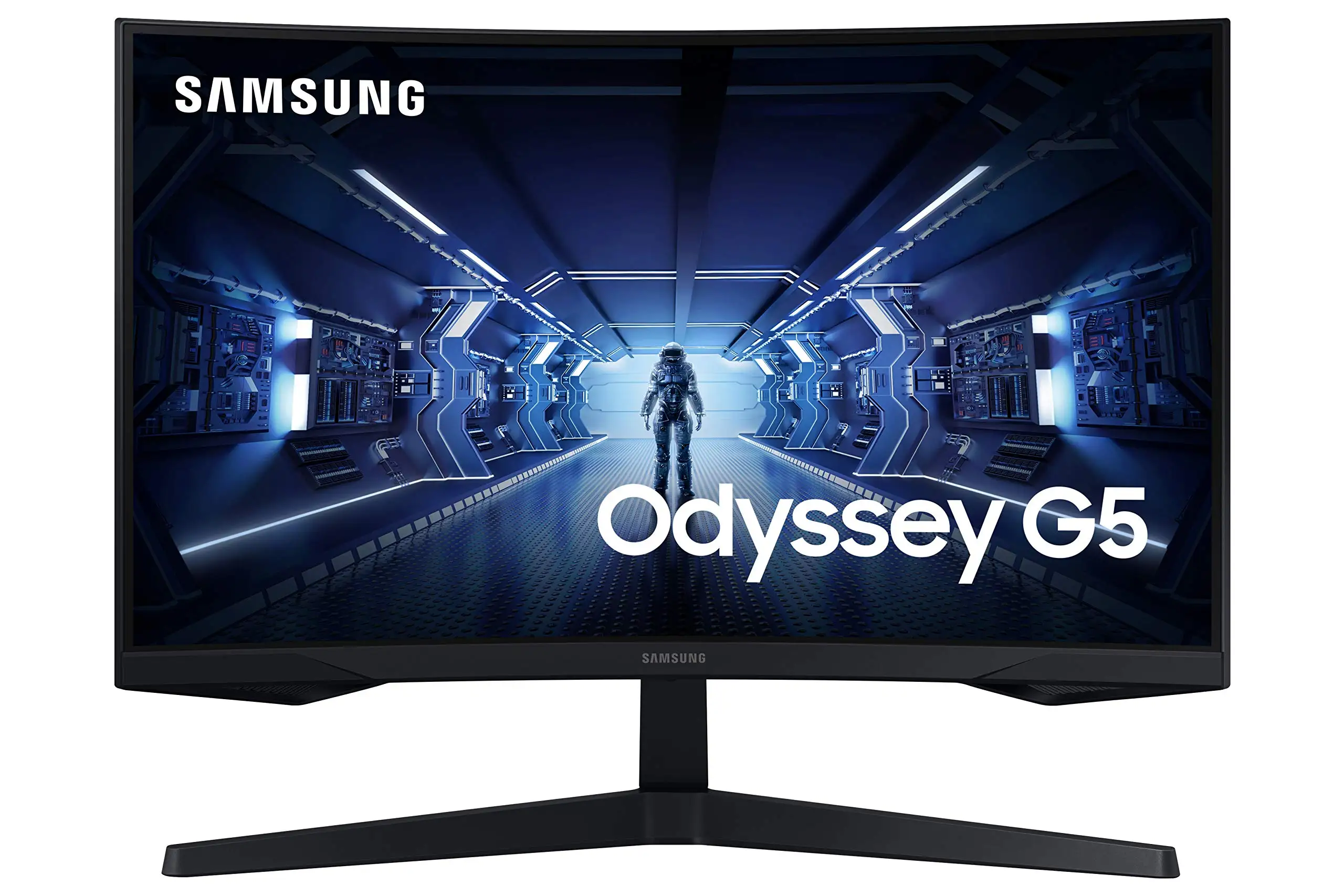
The biggest surprise from digging into hundreds of buyer notes? Despite the marketing hype, the SAMSUNG Odyssey G5 Series 27-Inch WQHD Curved Gaming Monitor scores a solid 8.3/10 in real-world use—but loses points for stand adjustability frustrations and occasional washed-out colors.
Quick Verdict: Conditional – excellent for gamers seeking immersion and speed, but buyers who need ergonomic flexibility or flawless color accuracy should weigh other options.
| Pros | Cons |
|---|---|
| 144Hz refresh rate delivers smooth gameplay | Stand tilt mechanism is unintuitive or rigid |
| Crisp WQHD resolution enhances detail | Some users report washed-out or muted colors |
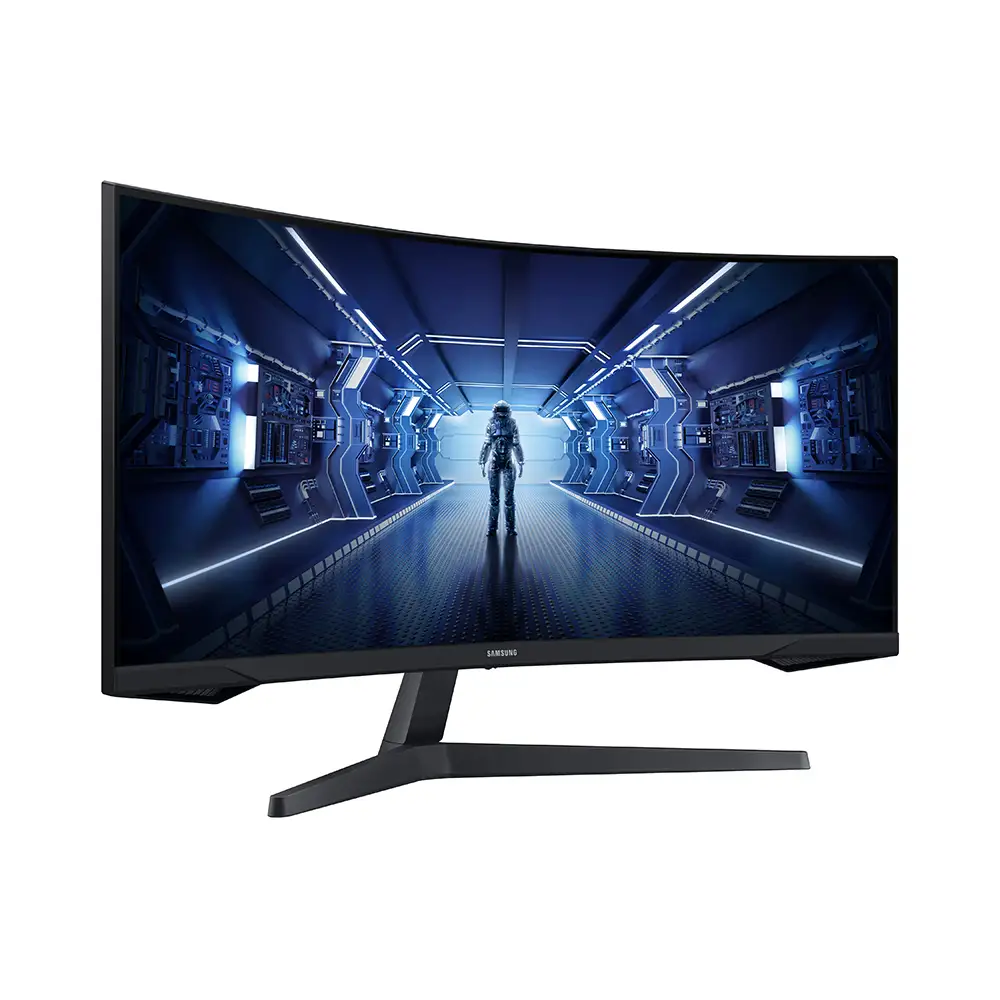
| Strong curve (1000R) boosts immersion | No built-in speakers |
| 1ms response time benefits competitive play | Limited connectivity options (single HDMI, single DP) |
| Sturdy build quality compared to older Samsung lines | HDR10 implementation underwhelming for some |
| AMD FreeSync Premium reduces tearing | Stand height not adjustable |
Claims vs Reality
Samsung promises “optimal curve for true immersion” with its 1000R panel. Many gamers praised this, especially those coming from flat screens. A verified buyer on Amazon noted: “The curved screen puts me right in the middle of the action—feels more natural for my eyes.” However, Reddit threads reveal nuance: some found the curve so pronounced that it took days to adjust, especially for non-gaming tasks.
The company touts HDR10 as “awe-inspiring” with deep blacks and bright whites. In reality, while some Best Buy customers raved about color vibrancy, others like one reviewer warned: “Color of the picture is very washed out… stand doesn't allow tilt or adjustment.” HDR performance seems scene-dependent, with darker games benefiting most, but daylight environments exposing the modest 250 cd/m² brightness.
Samsung’s promised “lightning-fast” 1ms response time and 144Hz refresh rate are generally validated. On Newegg, a user advised: “Full 144Hz frequency now in res above 1920x1080 with full 1ms—just make sure you use a DP 1.4 cable under six feet.” The limitation? You must pair it with adequate GPU output and cabling, as using lower spec DisplayPort cables reduces achievable performance.
Cross-Platform Consensus
Universally Praised
The 144Hz refresh rate combined with AMD FreeSync Premium is a consistent win. Xbox Series X owners on Best Buy said the monitor gives “best graphics and response time without having to spend too much money.” PC gamers upgrading from 1080p describe WQHD as “a fuller view with more space to take in all the action,” echoing Amazon descriptions but backed by genuine excitement over sharper detail.
The 1000R curvature earns admiration from immersive sim players. Newegg buyers compared it favorably to older Samsung flat panels—“the curve of this screen is even better in terms of viewing comfort than its ancestor.” This curve translates well for single-player experiences, strategy titles, and cinematic adventures where eye strain reduction is noticed.
Build quality also gets nods. A Newegg gamer said the stand felt “sturdier & less scary to manipulate” than prior Syncmaster models. Best Buy ratings reinforce that at this price point, buyers consider physical construction solid.
Common Complaints
Ergonomic limitations are the most vocal frustration. Multiple sources point to tilt adjustment challenges—“The instruction book swears that the monitor can be tilted up, but I can’t figure out how”—with others highlighting the complete absence of height adjustment. For desk setups where eye level positioning is key, this forces riser use.
While resolution and refresh rates shine, color accuracy divides opinion. Some call it “amazing” out of the box, but others, including a Best Buy customer, criticize “very washed out” tones. This affects creative professionals or anyone seeking near-perfect panel calibration.
Connectivity feels limited for multi-device setups: one HDMI, one DisplayPort, no USB-C or speakers. Best Buy users flagged the absence of speakers as expected for gaming monitors, but still a minus for those wanting all-in-one display/audio solutions.
Divisive Features
HDR10 support splits feedback. On darker narrative games, users love the shadow detail; in bright competitive shooters, the difference is less impactful. Philips and LG alternatives sometimes outperform here.
The curved form factor itself sees pushback from mixed-use buyers. Some Reddit users acclimated quickly and praised “minimalistic design,” while another noted, “It’s great for games, but spreadsheets feel slightly distorted.”
Trust & Reliability
Long-term reliability shows mostly positive patterns. Newegg and Trustpilot reviews suggest buyers are satisfied months later, with no widespread defect trends except for isolated shipping mishandling or cracked panels (as seen in eBay parts listings). One Newegg member cautioned: “My condolences to those who… fall victim to factory defect or shipper mishandling.”
Durability comparisons against older Samsung lines show improvement. Stands are sturdier, cables easier to plug in for “thicker fingers” users. Connectivity ports maintain performance over time when paired with proper cabling standards.
Alternatives
On Reddit, some buyers compared the Odyssey G5 to the LG Ultragear 27GR83Q-B (240Hz, IPS). For pure competitive FPS players, LG’s higher refresh rate and flat panel may appeal. The G5’s VA panel excels in deep contrast but loses out on IPS-level consistency in viewing angles.
Another mentioned alternative was the MSI MAG274QRF-QD—offering quantum dot color accuracy and better HDR brightness. For creators, MSI could be a better fit; for immersion-heavy gamers, G5’s curve may outweigh color advantages.
Price & Value
eBay shows a resale spread from ~$99 for damaged units to ~$284 for well-kept models. New retail hovers around $229–$369 depending on refresh rate variant (144Hz vs 165Hz). Best Buy buyers consistently label it “great monitor for the price,” underlining strong value for budget-conscious gamers seeking high refresh without breaking $400.
Buying tips from Newegg contributors emphasize cable choice: invest in DP 1.4 for full spec performance. Also, consider adding a monitor riser to offset stand limitations—cheap ergonomic tweaks maximize usability without paying premium for higher-end models.
FAQ
Q: Does the Samsung Odyssey G5 have built-in speakers?
A: No, it lacks built-in speakers. Gamers recommend pairing it with external audio solutions, from budget stereo sets to full 5.1 systems.
Q: Can this monitor’s stand adjust for height?
A: No. Tilt is possible but reportedly difficult; height adjustment is absent. Users often add risers to bring the screen to eye level.
Q: How does HDR10 look in practice?
A: In dark, moody games, HDR10 brings improved shadow detail and contrast. In brighter titles, limits in peak brightness reduce its impact.
Q: Is 1000R curvature good for work tasks?
A: Depends on personal preference. Curvature improves immersion in gaming but can slightly distort straight lines in spreadsheets or design work.
Q: What cables come in the box?
A: Typically an HDMI cable and power cable are included, but not the higher-spec DP 1.4 cable needed to unlock full performance.
Final Verdict: Buy if you’re a gamer chasing immersive visuals with high refresh rates at a sub-$400 budget, and can live with limited stand flexibility. Avoid if your primary focus is color-critical creative work or you need swiveling/height adjustments. Pro tip from Newegg: “Don’t skimp on the DisplayPort cable—1.4 standard, under six feet for the win.”





