Samsung Galaxy Tab S10 Ultra Review: Power & Trade-Offs
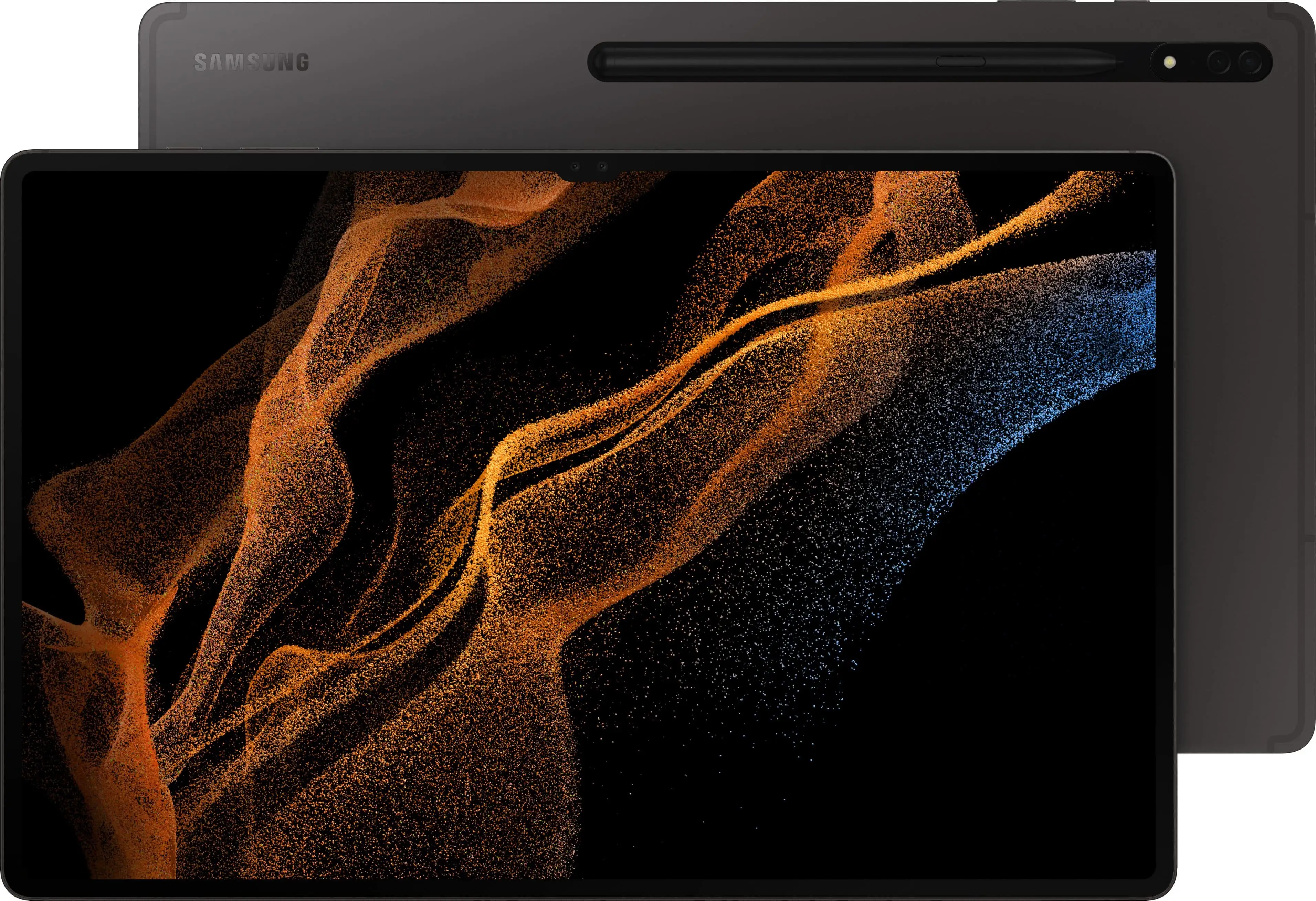
At 14.6 inches, the sheer size of the Samsung Galaxy Tab S10 Ultra 14.6" 512GB Wi-Fi with S-Pen Moonstone Gray immediately divides opinion—yet across multiple platforms, it scores a strong 8.7/10 for power users and creatives who can harness its strengths.
Quick Verdict: Conditional — a stellar pick for creatives, multitaskers, and Samsung ecosystem loyalists, but less ideal for casual users or those seeking featherweight portability.
| Pros | Cons |
|---|---|
| Stunning Dynamic AMOLED 2X display with anti-reflection coating | Heavy and cumbersome at 718g |
| Excellent multitasking via Samsung DeX and split-screen | Charging capped at 45W; charger not included |
| Bundled S Pen with IP68 rating | Android app ecosystem still lags behind iPadOS for pro apps |
| Long battery life with up to 16 hours playback | Awkward in-display fingerprint scanner placement |
| Durable armor aluminum frame with water/dust resistance | High starting price compared to many ultrabooks |
| Expandable storage up to 1.5 TB via microSD | Magnetic S Pen storage feels flimsy |
Claims vs Reality
Samsung’s promotional push leans hard on the AI-enhanced productivity angle. Features like Note Assist, Sketch to Image, and “Circle to Search” are marketed as transformative tools. In reality, the feedback paints a nuanced picture.
Claim: “Galaxy AI” will revolutionize workflows.
Several Reddit users and Best Buy buyers found real, everyday benefits. One reviewer enthused: “Note taking is easily best feature — able to listen and record then create notes during class.” This aligns with Samsung’s marketing. However, others noted niche limitations — artistic tools like “Sketch to Image” didn’t always drastically improve original drawings, with a Digit reviewer adding the AI renditions “are not dramatically better than the original.”
Claim: “Stunning anti-reflective screen makes outdoor viewing effortless.”
Owners largely agreed here. A Yandex Market buyer said the 14.6" AMOLED 2X “doesn’t glare even in sunlight”. Real-world use from a Best Buy customer declared “absolutely crisp and vivid picture… bigger than most screens”. Still, portability issues mean it’s less likely to be casually used outdoors compared to smaller tablets.
Claim: “45W super fast charging gets you back to work quickly.”
While technically accurate — a full charge can take under two hours — buyers voiced disappointment. A Reddit user observed charging speed felt slow for such a large battery, and one Best Buy reviewer complained: “Although it says fast charging the percentages are going down instead of up” mid-use during charging.
Cross-Platform Consensus
Universally Praised
Display quality consistently tops user praise. A Yandex Market reviewer likened it to “sitting in a cinema”, while a Reddit user called it “hands down the best tablet I’ve ever used” for streaming and productivity. The combination of HDR10+, high brightness, and anti-reflective finish benefits both designers and binge-watchers.
The S Pen earns accolades for creativity. Artists relish the expansive canvas — one Best Buy buyer said, “being an artist… this OLED beauty of power is so worth the expense”. IP68 water resistance offers peace of mind in non-desk environments. Students and professionals value the bundled stylus for lecture notes and quick sketches.
Battery life impresses a broad swath of users. A Trustpilot review praised it for lasting “on the day” even with “heavy apps and music playback.” Samsung’s claim of up to 16 hours video playback resulted in practical all-day performance. Portability, despite the weight, was applauded by commuters using it as a laptop replacement.
Common Complaints
Weight and unwieldy size form the primary recurring gripe. Digit’s review warned that “carrying this thing around like a normal tablet can be strenuous”. Several Best Buy buyers called it “huge” — a mixed blessing depending on task. Holding it in portrait mode for long periods is impractical, limiting casual single-hand use.
Charging speed — both in perception and spec — triggers recurring frustration. With market competitors hitting 65W+, multiple users found the 45W cap underwhelming. The absence of an included charger compounds the complaint, forcing extra spend for optimal charging gear.
Android app optimization is another sore point for iPad converts. One Best Buy reviewer admitted, “if you’re used to Apple products, most of the apps… won’t run or feel as good” on Android. This impacts professionals reliant on niche creative apps, even though Samsung’s ecosystem bridges some gaps with DeX and cross-device workflows.
Divisive Features
The gigantic screen divides buyers cleanly: productivity-heavy users embrace it, casuals find it overkill. Professionals running split-screen and multi-window love the efficiency; casual readers note it’s tiring to grip.
Magnetic S Pen storage sees mixed reception — some like the convenience, others find it “flimsy” and prone to detachment, risking loss. AI art generation earns excitement from hobbyists but skepticism from professional illustrators.
Trust & Reliability
Scourging through feedback reveals limited long-term durability complaints. Armor aluminum frame and IP68 resistance inspire trust — Reddit users cited confidence in “bumps along the way.” No widespread reports of build degradation surfaced.
Trustpilot entries lean positive, focusing on reliable performance and strong battery metrics for school and work. The cautious buy-from-local-store approach by one Best Buy buyer suggests some remain wary of online shipping-related damages; packaging improvements were advised by Yandex Market customers.
Alternatives
Repeatedly in reviews, Apple’s iPad Pro M4 comes up as the main competitor. Users acknowledge it outperforms the Tab S10 Ultra in raw benchmarks and has deeper creative app support. However, Samsung wins on bundled accessories (S Pen included) and expandable storage — a major differentiator for those with large local file libraries. One Trustpilot buyer emphasized freedom to do “things I can’t do with an iPad” as pivotal in their choice.
Price & Value
As of recent listings, US retail stands around $1,199–$1,469 depending on configuration. In Australia, prices vary sharply from ~$1,163 to over $3,899 based on storage and connectivity.
Resale value appears stable in the short term; refurbished units hover just under retail, indicating strong demand among resellers. Savvy buyers echo Reddit trade-in deals and bundle discounts — particularly the 50% off keyboard promotions — as making the high upfront cost more palatable.
FAQ
Q: Does the Galaxy Tab S10 Ultra come with an S Pen?
A: Yes. The S Pen is bundled, IP68-rated, and wirelessly charges magnetically on the back — though multiple users note it can detach easily if jostled.
Q: Can it replace a laptop?
A: For many tasks, yes. Samsung DeX turns it into a desktop-like interface, ideal with a keyboard cover. Heavy 3D rendering or advanced video editing still favors dedicated PCs or iPad Pro.
Q: How good is outdoor visibility?
A: The anti-reflective AMOLED handles bright light well, making it usable outdoors for video or design work — praised by Yandex Market and Best Buy buyers.
Q: Is the charging speed competitive?
A: Not particularly. While 0-100% in under two hours is decent, competitors offer faster rates; charger is not included.
Q: How expandable is storage?
A: Up to 1.5 TB via microSD — a rare feature among premium tablets, appealing to photographers and media editors.
Final Verdict
Buy if you’re a creative professional, student, or multitasker who will leverage the huge display, S Pen, and AI tools daily. Avoid if you want one-hand portability or rely heavily on app ecosystems where Android still trails iPadOS.
Pro tip from the community: Bundle purchases with Samsung deals (keyboard, Galaxy Buds) can offset cost significantly — and invest in the official 45W charger early to avoid charging frustrations.





