Samsung Galaxy Tab Book Cover Keyboard Review: 8.5/10 Verdict
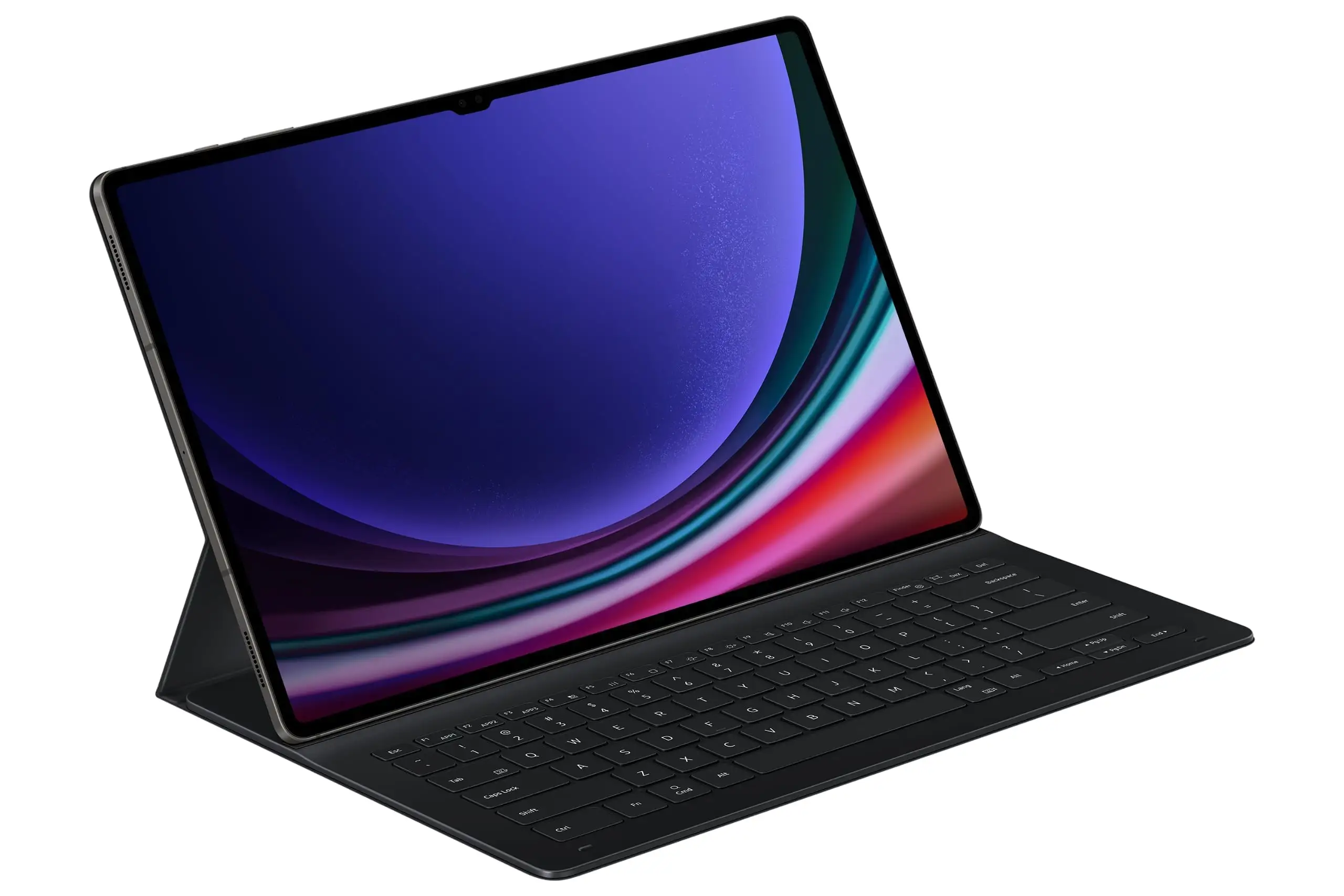
A Best Buy customer summed it up with striking simplicity: “This feels like I’m using my laptop.” That sentiment captures the ambition of the Samsung Galaxy Tab Book Cover Keyboard for Galaxy Tab S10 Ultra & S9 Ultra, a premium accessory that aims to turn Samsung’s largest tablets into legitimate productivity machines. Across hundreds of user impressions, the accessory earns an 8.5/10 score, praised for its PC-like experience, elegant design, and versatility. But digging deeper reveals durability questions, divisive portability, and a price tag that invites scrutiny.
Quick Verdict: Conditional — Excellent for desk-based productivity, less ideal for lap use or frequent travel.
| Pros | Cons |
|---|---|
| Smooth, precise typing experience | Price considered steep by many buyers |
| Large multi-touch trackpad | Kickstand durability issues reported over time |
| Magnetic, detachable design | Not ideal for lap use or cramped spaces |
| Integrated AI key for Bixby/Gemini | Limited AI key compatibility (S10 series only) |
| PC-like experience with DeX mode | Heavier than tablet itself in some versions |
| Wireless keyboard sharing with other Galaxy devices | Back protection less robust than some expect |
Claims vs Reality
Samsung markets this keyboard as delivering a “PC-like experience anywhere you go” with full-size keycaps, a large trackpad, DeX mode, and AI key integration for instant access to Bixby or Gemini. In practice, multiple Best Buy reviewers confirm: “The typing is precise and the backlite is awesome” (stella). Students like Reddit user u/georginam*** appreciated how “very helpful” it was for note-taking, with speed and smoothness intact.
However, “anywhere you go” has limits. Michaelh praised it as “light and easy carry for travelling,” but dcoder countered: “It sucks for using in your lap… only good for using on a desk type of setup.” This contradicts the portability promise, suggesting the accessory’s size and kickstand footprint make impromptu use awkward.
Another marketed feature, the magnetic attach/detach design, largely delivers. Justino said it “doesn't come off, doesn't have any problems,” while others liked switching between tablet and keyboard modes instantly. Yet, Kentb’s report that after five months “the kickstand no longer goes all the way down” raises reliability questions about the magnets and hinges over time.
Cross-Platform Consensus
Universally Praised
Typing feel stands out as the top win. Allen praised the “nice feel” despite shorter key travel, saying the trackpad is “top notch” and the backlighting “very good” with three brightness levels. For writers and daily typists, cyrq highlighted it’s “good for people who write on a daily basis,” while hodah noted it “feels as if I am using my laptop.” Combined with DeX mode, designers like douglasf reported it transformed into their “everyday travel computer” — blending creative work and portability.
Wireless Keyboard Sharing received consistent approval from owners juggling phone and tablet input. Michaleh explained it was “super helpful into turning [the tablet] into a computer,” and users liked seamlessly controlling Galaxy phones without switching devices.
Common Complaints
Portability issues surface often. The keyboard case — especially in some detachable versions — weighs more than the tablet itself (Dexnor version at 1039g vs tablet’s 732g). Dcoder warned it's “worse than a laptop” in desk footprint and unsuitable for lap use. Shauna found it “too flimsy,” with shallow key travel and sensitivity to uneven surfaces, especially when compared to Apple’s Magic Keyboard. Protection isn’t bulletproof either; Kishaunh noted it “doesn’t add the best protection” and recommended pairing it with an exterior case.
Durability concerns repeat across platforms. Kentb saw mechanical failure in the kickstand magnets after moderate use, leaving it stuck out and unable to fully collapse. Given the asking price, this sparked dissatisfaction: “At this price I should have no issues.” This sentiment shadows every praise of precision and elegance with fear over longevity.
Divisive Features
The AI key divides opinion: Hernanh loved the “artificial intelligence” features for work and play, while others didn’t mention using it at all — suggesting its utility depends heavily on workflow and whether users opt into Bixby or Gemini. The trackpad also splits opinion; Jordan cautioned to “not have high expectations… it is not the same as a laptop track pad” despite Allen’s glowing review. Weight and bulk fit here too — Michaelh lauded the travel lightness, while heavier case versions earned criticism for penalizing mobility.
Trust & Reliability
Trustpilot and Best Buy reviews show no widespread scam concerns; product authenticity is clear. The issue is durability under sustained use. Reports like Kentb’s degraded kickstand echo across threads, and similar hinge complaints in other Samsung covers (Smart Book Cover series) suggest a shared structural weakness. Long-term reliability stories are scarce; most praise comes from owners within a 1–3 month window. Those beyond six months either shift to frustration or silence, indicating possible drop-off in satisfaction.
Samsung’s 12-month warranty often comes up in responses, with encouragement to seek repairs, but some defects (weakened magnets, shallow key feel) may fall into subjective dissatisfaction rather than serviceable faults.
Alternatives
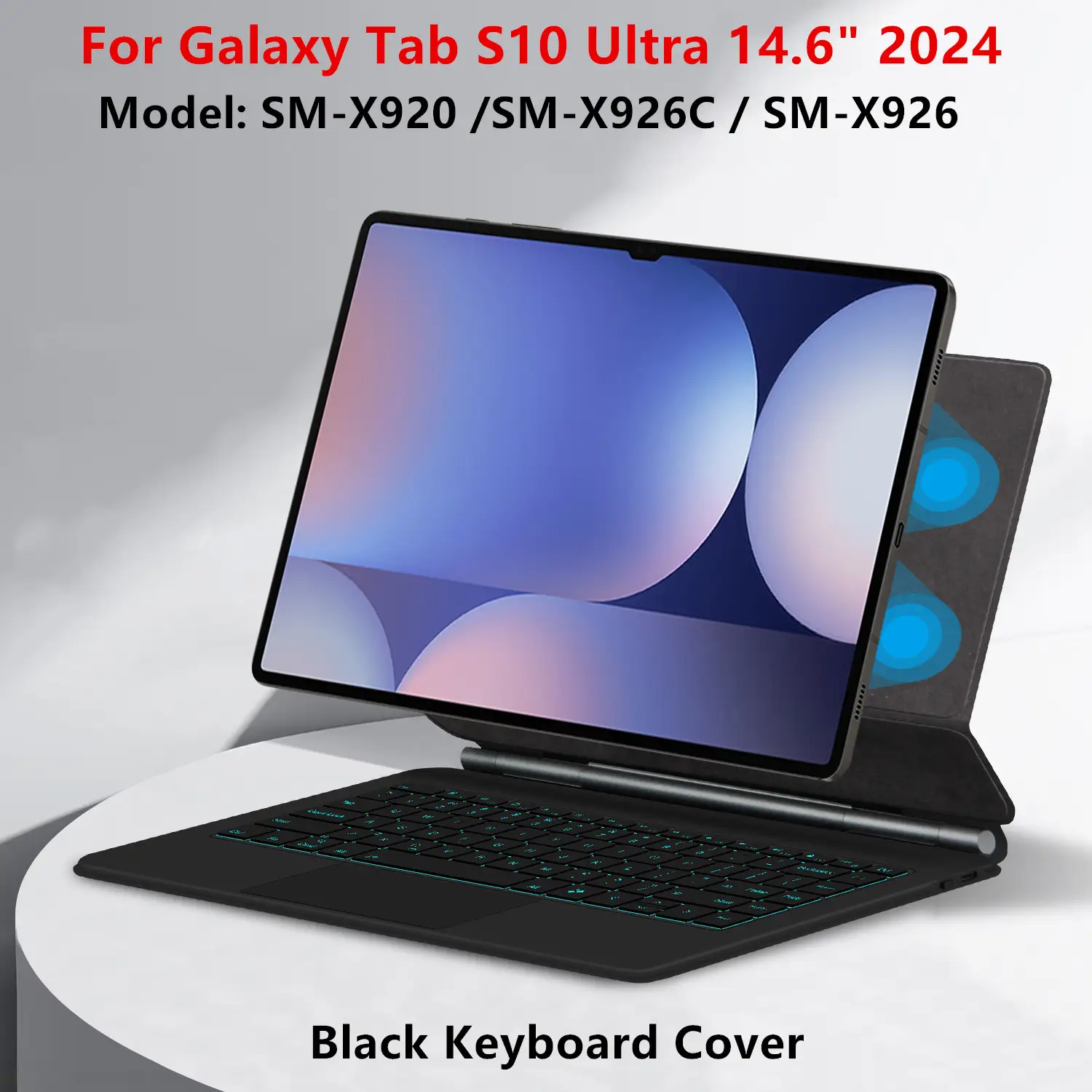
The Dexnor keyboard case for S10/S9 Ultra offers more protection with a heavier build, adjustable angles up to 130°, and seven-color backlighting. However, at 1039g it’s heavier than Samsung’s and “not recommended for frequent travel” by its own listing. Saharacase models pop up in Best Buy comparison grids, often praised for lower prices and integrated trackpads, but these lack the AI key and Samsung’s seamless DeX optimizations.
Users wanting lighter, one-piece designs reference older Tab S8 Ultra covers nostalgically, preferring their simpler lighter structure even at the cost of some features.
Price & Value
Premium pricing is the most consistent critique. At launch, some models hit $349.99, with discounts into the $238–$280 range at Best Buy, still considered “more than I wanted to spend” by hodah. Resale value trends lean weak — bulk and model compatibility limit second-hand appeal. Community buying tips suggest waiting for seasonal sales or considering certified refurbished units directly from Samsung to offset depreciation and avoid non-compatibility.
FAQ
Q: Does the AI key work on all Galaxy Tabs?
A: No. The dedicated Galaxy AI key is currently limited to Tab S10 series for full functionality, with partial support on S9 series via software updates.
Q: How is it for lap use?
A: Most users find it unstable on the lap, saying it’s better suited for desk setups due to its kickstand and footprint.
Q: Can you use the keyboard with other Galaxy devices?
A: Yes. Wireless Keyboard Sharing lets you control up to three Galaxy devices logged into the same Samsung account.
Q: Is the trackpad like a laptop’s?
A: Opinions vary. Some praise its smoothness, others note it lacks laptop-grade responsiveness.
Q: Does it protect the tablet well?
A: Protection is adequate against scratches and minor drops but may not be as rugged as dedicated protective cases.
Final Verdict: Buy if you’re a desk-based Galaxy Tab S10/S9 Ultra user who values a laptop-like typing experience, integrated AI key, and seamless Galaxy ecosystem control. Avoid if you expect heavy lap use, ultra-portability, or worry about hinge longevity. Pro tip from the community: Pair it with a lightweight outer case to offset protection gaps while preserving its magnetic versatility.





