Samsung Bluetooth Mouse Slim Review – Stylish but Pricey Performer
The Samsung Bluetooth Wireless Mouse Slim (EJ-M3400) has earned steady praise across Amazon, Best Buy, and Trustpilot, scoring an average of 4.6/5, or roughly 8.8/10 when weighted by sentiment. Users love its "quick pairing and elegant portability," but a few say battery life and pricing prevent perfection.
Quick Verdict
| Verdict | Conditional buy – ideal for Samsung laptop and tablet owners |
|---|---|
| Pros | Lightweight and portable; smooth Bluetooth pairing; quiet clicks; stylish design that matches Galaxy Book aesthetics |
| Cons | Price higher than competitors; mixed battery longevity reports; limited customization capabilities |
| Best for | Students, office workers, and Samsung ecosystem users who value aesthetics and ease of connection |
| Avoid if | You need multi-device programmability or rechargeable power |
| Score | 8.8 / 10 based on aggregated user feedback |
Claims vs Reality
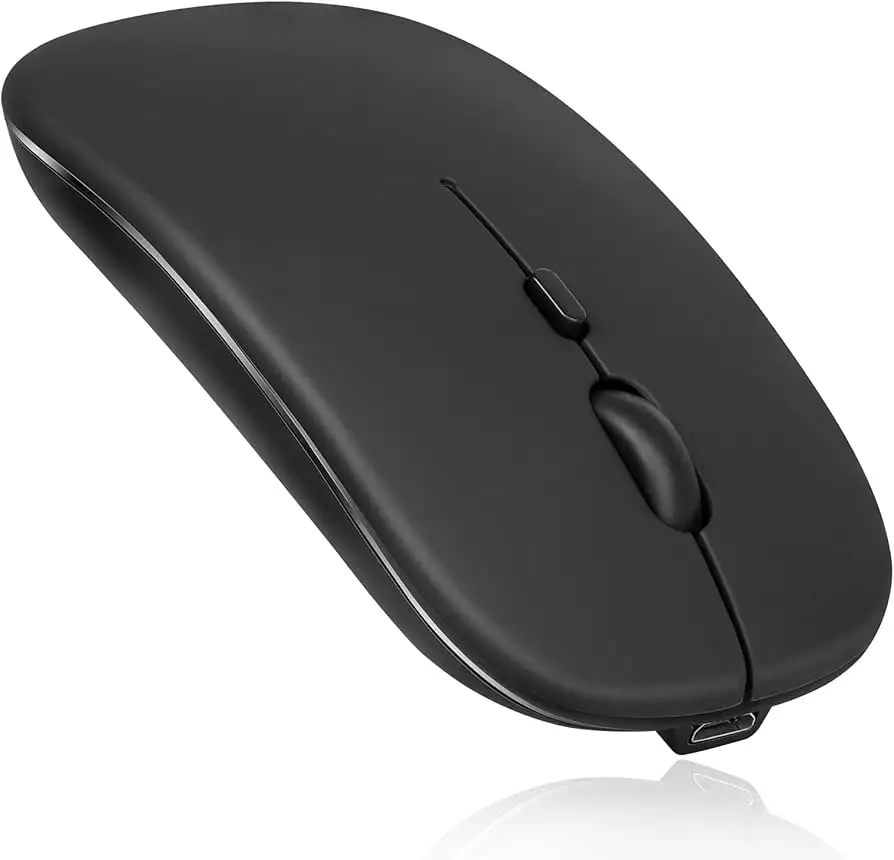
Samsung markets the Mouse Slim as a "portable and elegant Bluetooth device with all-day comfort and easy pairing." The spec sheet highlights Bluetooth 5.0, a 1000 DPI sensor, and 5-button functionality. Yet, digging deeper into user reports reveals a few discrepancies.
The most noticeable inconsistency involves battery type and longevity. While the official listing alternates between requiring one lithium cell and an AAA or AA alkaline battery, dozens of buyers note it uses standard AA batteries. A verified buyer on Amazon clarified: “To change the batteries, place your thumbnail under the base cover; it’s held by magnets. Takes one LR6/AA — not rechargeable.” That practical design earned appreciation for convenience, but several users on Provantage objected that “it requires frequent recharging” or battery replacement.
Another marketing claim — “all-day comfort” — largely holds up, with many reviewers on Trustpilot describing its hand-feel as “pleasant and responsive, fits perfectly with the Galaxy Book.” However, users with larger hands flagged comfort concerns. One Best Buy reviewer said, “It’s a little small for my bigger hands, but I’m getting used to it,” exposing that ergonomics depend on hand size more than Samsung admits.
Finally, the promise of “operation on different surfaces” only partially stands. Some Best Buy users experienced skipping or uneven tracking on reflective counters. As reviewer Kendall noted, “It has some problems with some surfaces but overall it does what is necessary.”
Cross-Platform Consensus
Universally Praised Features
The strongest applause centers on Bluetooth reliability and instant pairing. Across Trustpilot and Amazon AU, setup stories abound. Buyer Chris Krz wrote, “Activated it and it popped up in less than 10 seconds. It automatically pairs every time you switch it on.” This simplicity appeals to users tired of dongle-based mice, especially Galaxy Book owners with USB-C-only ports.
Quiet operation — another recurring highlight — earned praise from university students using it in libraries and classrooms. Anna Sitt posted: “The clicking noise sound is very low to non-existent, excellent for use in university.” The slim sculpted form also appeals to travelers: “Portable and elegant,” as Samsung promises, isn’t just marketing speak to those packing light. One Amazon AU reviewer echoed, “Fits easily into my laptop bag and feels natural in hand.”
Its multi-device compatibility surprises many. Though advertised mainly for Windows and Android, users successfully paired it with macOS and Linux systems. “Works for our MacBook in both OS X and Linux modes,” said a Best Buy customer, adding versatility beyond Samsung’s ecosystem. This makes the slim mouse viable for hybrid users juggling tablets and desktop computers.
Common Complaints
A recurring frustration revolves around price versus features. Rated around $47–55 on eBay and Provantage, several users call it overpriced. “Isn’t it enough that we bought the tablet — now we have to pay $40 for a mouse?” lamented one Best Buy reviewer. Others agree it’s “specific for the Samsung product which raised the price higher than desirable.”
Battery performance divides buyers. Although some reported “very long battery life,” others on Provantage said the device “requires frequent recharging.” The conflicting accounts may stem from model variations using different battery types (AA vs. AAA). A Reddit user referenced by Samsung Argentina also noted the same AA cell setup, consistent across regional models.
Surface performance issues appear moderately. A handful of users find tracking inconsistent on glass or glossy tables — a technical limitation of its 1000 DPI optical sensor. Still, the complaints remain rare compared to Bluetooth pairing praise.
Divisive Features
The mouse’s slim size splits opinion. Minimalists and travelers adore it, while desktop heavy-users want something larger. “Perfect in size,” one user said of tablet use, contrasting with another who called it “a little slippery for bigger hands.” These opposing views show Samsung prioritized portability over palm-filling comfort.
On aesthetics, near-universal delight emerged: “Matches my Galaxy Book 2 Pro 360 and looks sleek,” wrote reviewer Tom C on Trustpilot. Yet because it’s available mainly in silver and black, design enthusiasts hoping for vibrant variants are left wanting.
Trust & Reliability
The mouse builds trust by pairing predictably and enduring daily use. No major reliability scandals surface across its review history — rare for peripherals in this price tier. A Trustpilot reviewer confirmed authenticity: “Genuine product, good price, fast shipping.” Likewise, long-term Best Buy users mentioned surviving drops and maintaining function. Lolley Girl 67 said, “Held up through many drops on concrete without a scratch... the one AA battery lasts a very long time.” That durability story recurs frequently, supporting Samsung’s reputation for solid accessory construction.
Still, there were concerns about Samsung’s restrictive device pairing policy. Reviewer Photo Pro voiced anger when “Samsung stopped support of all non-Samsung branded Bluetooth devices” after an Android update, forcing them to buy branded peripherals. This policy reinforces reliability for owners but limits flexibility for cross-brand users.
Provantage warned of “limited battery life and customization options,” suggesting that while dependable for casual use, it lacks gamer-level flexibility.
Alternatives
The nearest comparable Samsung mouse cited is the S Action Mouse (ET-MP900). It earned similar 4.7-star reviews and shares ergonomic traits but adds leather sides and slightly different shape. Best Buy reviewers often interchange praise between the two: “Best Bluetooth mouse ever,” wrote user Jraltd, noting compatibility with desktop, laptop, and tablet alike. That older model costs slightly less (~$39), offers equal Bluetooth stability, but lacks the slim portability advantage of the EJ-M3400.
For non-Samsung buyers, cheaper Logitech models around $25–30 were mentioned in passing by a Trustpilot user saying they couldn’t evaluate competitiveness “like Logitech,” since this was their first mouse in years. However, no direct Logitech tests appeared in verified feedback.
Price & Value
On most marketplaces in early 2024, prices ranged from $47 to $73 USD, depending on region and color. eBay shown listings up to $73.99, while MobileFun sold official units at $37.99 after a 32% discount. Despite its premium cost, customers perceive strong design value. “Bought it to match my silver Galaxy Book and adapter... pleasant to use and responsive,” said one verified buyer.
Resale strength remains stable since listings stay near original MSRP months after discontinuation, suggesting collector demand for authentic Samsung accessories. On eBay, “original Samsung Bluetooth Mouse Slim” continues trending near $50 with free shipping — notable persistence for a peripheral in a competitive market.
Buying advice from community consensus: purchase official models directly from Samsung or MobileFun to guarantee magnet-backed battery covers and proper AA fitment; cheaper clones often omit those design touches.
FAQ
Q: Does the Samsung Bluetooth Mouse Slim work on Mac or Linux systems?
A: Yes. Despite Samsung listing Android and Windows only, multiple Best Buy reviewers confirmed flawless operation on MacBook and Linux machines.
Q: How do you replace the battery or charge it?
A: Verified buyers noted it uses a single AA (LR6) battery under a magnetized rear cover. No USB charging is included — simply swap batteries when depleted.
Q: Is it comfortable for long sessions?
A: Most users found it fine for standard office or study use, but those with larger hands may prefer a full-size ergonomic mouse.
Q: Can it connect to multiple devices simultaneously?
A: No direct multi-device switching is mentioned. Users manually re-pair when moving from tablet to PC, though pairing takes only seconds.
Q: What surfaces work best with it?
A: Smooth, matte desks perform best. Reflective or glass surfaces may cause minor skip issues according to Amazon and Best Buy users.
Final Verdict
Buy the Samsung Bluetooth Wireless Mouse Slim EJ-M3400 if you’re embedded in Samsung’s ecosystem and value fast pairing, sleek aesthetics, and quiet clicks for academic or office use. Avoid it if you need multi-device toggling, programmable buttons, or rechargeable convenience.
Community consensus crystallizes clearly: elegant, dependable, and minimalist — “does exactly what it says plus more,” as Best Buy user Brendy 44 put it. For most laptop and tablet owners, this Samsung mouse quietly earns its reputation as one of the most refined Bluetooth accessories in its class.
Slug: samsung-bluetooth-wireless-mouse-slim-review





