Samsung Blu-ray Wi-Fi Player Review: Budget Pick With Caveats
A Reddit user summed it up bluntly: "This player basically turns our plain TV into a smart TV" — but not without a few caveats. The SAMSUNG Blu-ray DVD Disc Player with Wi-Fi (Renewed) earns a solid 7.9/10, praised for its versatile streaming capabilities and compact design, yet repeatedly criticized for quirks like no power indicator, occasional freezing, and inconsistent Wi-Fi performance.
Quick Verdict: Conditional — excellent for budget-minded buyers who can live with dated quirks and occasional connectivity hiccups.
| Pros | Cons |
|---|---|
| Crisp 1080p Blu-ray playback with upscaling | Frequent complaint: no power indicator light |
| Built-in Wi-Fi for streaming apps | Wi-Fi reliability issues; occasional freezing |
| Compact and lightweight design | Remote lag and button sensitivity |
| Easy HDMI setup and auto TV input switching | Smart features limited compared to newer models |
| Plays Blu-ray, DVD, CD, plus USB media | Plastic build feels cheap |
| Affordable refurbished pricing | Slow boot/load times reported by some users |
Claims vs Reality
Samsung advertises “Full HD 1080p playback” with “near-HD upconversion” for DVDs, promising viewers improved clarity for older discs. This claim holds up well across platforms: an Amazon reviewer noted “Old DVDs look great — I haven't tried one that didn't work”. Reddit users praised the upscaling, especially those with large DVD collections, saying it “makes a regular TV a smart TV.”
Another flagship promise is “Built-in Wi-Fi” for apps like Netflix, Amazon, and YouTube. While setup is easy for some — a Trustpilot user reported “Wi-Fi was simple to set up… stable connection when streaming Netflix” — others experienced maddening instability. On Reddit, one comment read: “Contacted Samsung which determined software was out of date… update may not fix the problem.” This gap between marketing and experience appears repeatedly, with freezes during Netflix playback forcing physical unplugging.
Lastly, Samsung touts “ease of use” with automatic HDMI input switching. Here, user reports align strongly — multiple buyers mentioned that turning on the player auto-selects the right TV input and powers off cleanly when the TV sleeps. Yet, an irritating omission — no visible power status — undermines this convenience for some.
Cross-Platform Consensus
Universally Praised
Versatility is the standout praise. This unit plays Blu-ray, DVDs, CDs, and streams from USB drives — a Twitter/X user praised its “nearly endless assortment of media playback features… it’s truly an all-in-one media device.” For families with mixed media formats, the ability to feed in CDs, MP3 discs, and thumb drives is a major value add.
Budget-conscious buyers also find the refurbished pricing appealing. An Amazon customer recounted paying less than $40 for a bedroom setup, remarking: “For the price, it exceeds my expectations.” This affordability makes it ideal for secondary TVs, dorms, and guest rooms where top-tier performance isn’t mission-critical.
Ease of integration with Samsung TVs is another plus. Reddit users described seamless remote pairing, with one noting the Blu-ray player remote automatically programmed itself to their Samsung TV “which was very neat,” reducing clutter to a single clicker.
Common Complaints
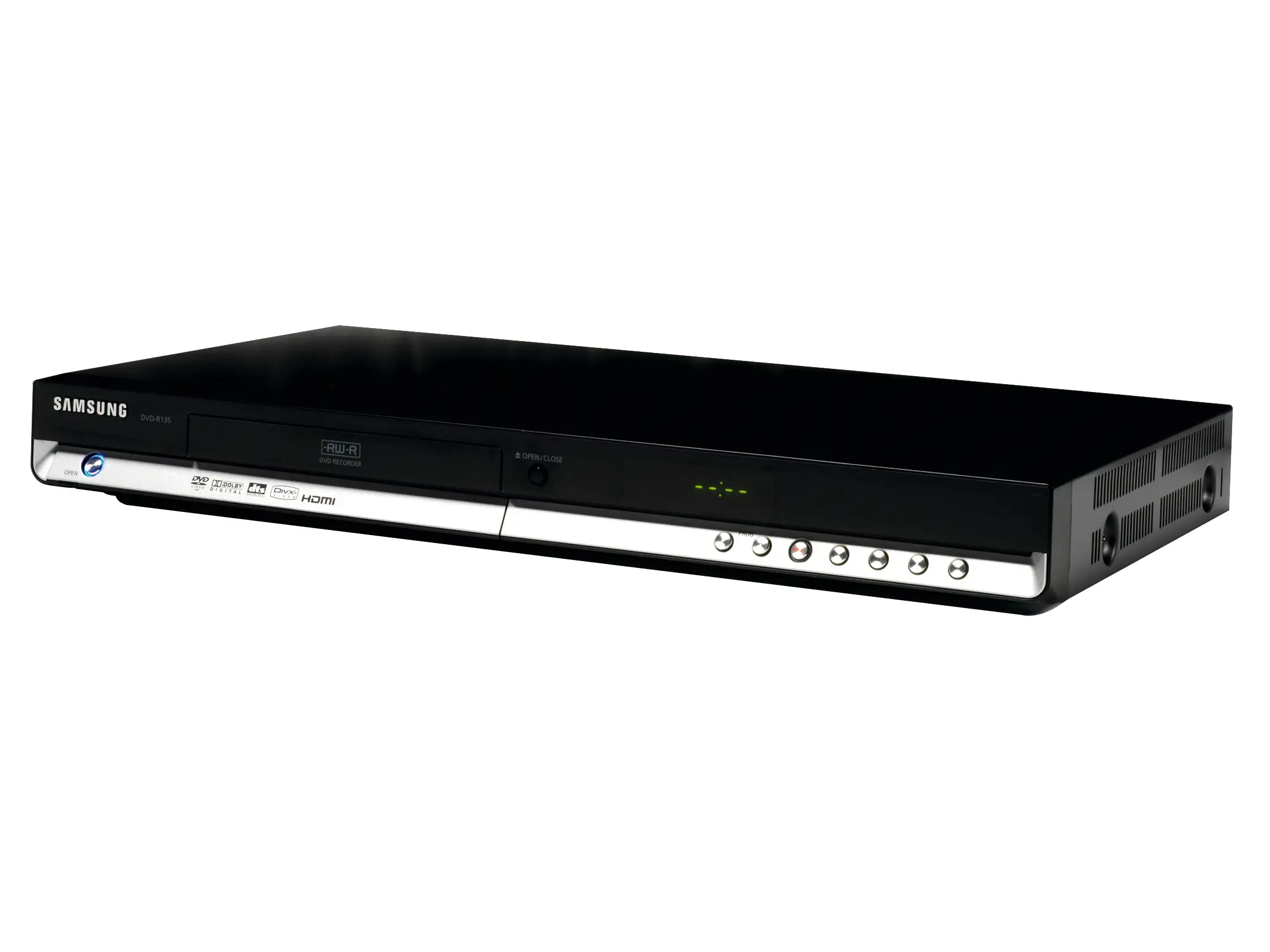
The power indicator absence emerges as the most consistent gripe. Across Reddit, Twitter/X, and Amazon, users expressed frustration at not knowing if the player was on without turning on the TV. One Reddit post quipped: “I have left it on for days not knowing it was on.”
Wi-Fi issues are nearly as prevalent. Trustpilot entries chronicle devices failing to reconnect after power cycles, requiring re-entry of network credentials. Reddit users described periodic freezing mid-Netflix, sometimes every two weeks, necessitating hard resets. These connectivity issues mostly affect streaming-only users and those relying on OTA updates.
Build quality perception also suffers from the lightweight, plastic shell. A Reddit buyer called it “a bit cheap,” though tempered that with “but the quality is superb” in terms of performance. The tactile feel of top buttons, including the touch-sensitive eject, received mixed marks — some reported accidental double-activations or missed presses.
Divisive Features
Load times polarize opinions. Trustpilot users measured 75–90 seconds from power-on to DVD menus, which some shrugged off (“by the time I grab a drink, it’s ready”) while others labeled intolerable compared to modern instant-on devices.
Smart app selection draws split reviews. Buyers who primarily use Netflix and YouTube are satisfied, but app diversity lags behind current streaming sticks. One Best Buy reviewer wished for the “Movies Anywhere” app, while others found the Opera TV store’s 100+ apps more than enough.
Trust & Reliability
Trustpilot’s long-term feedback shows patterns of early failures in refurbished units, especially for Wi-Fi cards and Blu-ray laser assemblies. Reports of Blu-ray discs failing to load within months lend credence to concerns about refurb quality control. One Trustpilot reviewer lamented: “Not good if the Blu-ray doesn't play the Blu-rays I spend the money on.”
On the flip side, there are durability success stories. A Twitter/X commenter said: “Bought a refurbished unit over one year ago and it is still working fine.” Such variance suggests Samsung’s refurb pipeline might yield both stellar survivors and early casualties — risk-averse buyers often mitigate with store protection plans.
Alternatives
Among similar Samsung units, the BD-H5900 adds 3D playback and improved app speed, with Quora reviewers praising it as “perfectly priced” and loving the ability to integrate with existing Samsung TVs. The 4K-capable UBD-K8500 garners kudos for “amazing picture and sound” but comes at higher used-market prices on eBay.
Outside Samsung, some users migrated to Panasonic or Sony players for better build quality and faster disc handling. Trustpilot feedback even mentions replacing problematic Samsung models with a Panasonic unit that “works great” and has a detachable Wi-Fi adapter.
Price & Value
Community consensus frames this Blu-ray player as a value sweet spot for sub-$50 refurb deals — common on eBay for $29–$40 used, rising closer to $100 when bundled with remotes and HDMI cables. The resale market remains active, indicating steady demand for compact disc-and-stream players.
Buying tips from Reddit lean toward pairing purchase with extended warranties, especially for heavy streaming use, and checking firmware updates immediately after setup to preempt known connectivity bugs.
FAQ
Q: Does this player support Netflix and other streaming apps out of the box?
A: Yes, built-in Wi-Fi provides access to Netflix, YouTube, Pandora, and more. However, some users report Wi-Fi reliability issues requiring resets, so Ethernet is recommended for stable streaming.
Q: Can I play DVDs from other regions?
A: No, this specific renewed model is not region-free. It’s intended for NTSC region discs unless modified; for multi-region playback, look for designated “region-free” players.
Q: Is there a way to tell if it’s on without turning on the TV?
A: Unfortunately, no — there’s no front indicator light or display. Users must rely on TV input switching or remote commands to confirm status.
Q: How’s the loading speed compared to newer players?
A: Many find it slower than modern units, with reports of 75–90 seconds from power-on to menu. This can be mitigated by using quick start mode or leaving it in standby.
Q: Will it upscale DVDs to HD quality noticeable on large TVs?
A: Yes, upscaling works well and is especially appreciated by users with extensive DVD collections. Several report older discs look much sharper than expected on HDTVs.
Final Verdict
Buy if you’re a budget-conscious user with a mixed media library, especially for secondary rooms or casual viewing. Avoid if reliable Wi-Fi streaming is essential to you or if you’re sensitive to slow load times. Pro tip from the community: hardwire your network connection and enable quick start to minimize freezes and boot lag.





