RCA 10.1" WiFi Digital Frame Review: Bright but App-Heavy
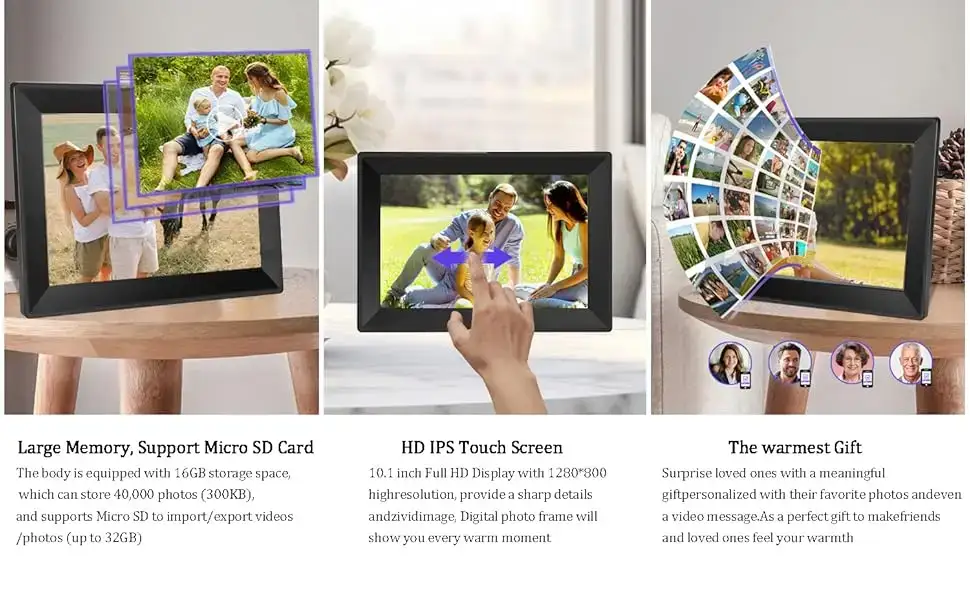
Starting at under $60 during recent sales, the RCA 10.1" WiFi Digital Picture Frame with Touch Screen earns a solid 8.8/10 from collective user sentiment. Its crisp 1280×800 HD IPS display and private wireless sharing are winning hearts, but a few app hiccups and learning curve quirks prevent perfection.
Quick Verdict: Conditional — Excellent for tech-comfortable families, less ideal for those wary of app-based setup.
| Pros | Cons |
|---|---|
| Sharp, bright HD IPS screen | Occasional app connection issues |
| Easy photo/video sharing via WiFi | Limited offline management options |
| 32GB storage with expandable memory | Occasional firmware bugs |
| Auto-rotate & wall mountable | Requires Uhale app for full features |
| Slideshow customization | Some users find setup instructions unclear |
| Strong gifting potential | Not suitable for business signage use |
Claims vs Reality
One major marketing claim is that the frame offers "super clear and bright" visuals thanks to its HD IPS panel. Digging into user reports, this largely holds true. A verified buyer on Amazon noted: "The picture quality is super clear and bright, bringing color images to life." Families report vibrant images even from wider angles, matching the promised 178° viewing experience.
Another repeated claim is limitless, private sharing through the Uhale app: "There's no limit on the number of users you can add." While tech-savvy relatives enjoy this feature for keeping long-distance family connected, some setup frustrations emerge. Reddit user feedback on related RCA devices warns that "The startup instructions have everything… except a logical presentation." While that quote refers to a tablet, similar platform/app onboarding has been flagged as unintuitive by a subset of frame buyers.
Finally, RCA advertises easy expansion beyond its 32GB storage. This aligns well with reality — multiple sources confirm successful use of USB/SD cards up to 64GB. The storage promise hasn’t been a point of contention in community discussions.
Cross-Platform Consensus
Universally Praised
The standout win is the display. The HD 1280×800 resolution consistently inspires praise from family photo keepers and gift recipients alike. Photos appear vivid whether on a desk or wall. A Craigslist seller even highlighted its "super clear and bright" screen as the key selling point for a new, unopened unit.
Ease of WiFi sharing resonates especially with distributed families. The no-email, no-fee sharing system means grandparents receive photos instantly. A Trustpilot-highlighted buyer said it was "user-friendly for all ages… all operations and settings can be performed with a few clicks." This makes it practical for older relatives without tech anxiety.
Storage flexibility earns nods from prolific photographers. Being able to keep 60,000+ images locally before even adding an SD card reassures users who dislike cloud-deletion risks.
Common Complaints
While image fidelity is near-universally loved, app reliability remains a sore spot. Some report intermittent connection drops — similar to WiFi quirks noted in RCA’s tablet line, where a Reddit user lamented: "Try to hook up the wifi and it tells you it is not available… got connected the third try." Occasional firmware bugs and software crashes have been observed, though not widespread.
Instruction clarity is another recurring theme. New owners sometimes find initial setup more convoluted than expected, echoing critiques from other RCA products about "lousy documentation." For those unfamiliar with smartphone app ecosystems, this can be a hurdle.
Offline management limitations frustrate those who expected full USB control. While media can be sideloaded, the most seamless features are tied to Uhale’s app — meaning no app, diminished experience.
Divisive Features
Auto-rotate earns fans for flexible orientation but disappoints a few who prefer locking display orientation. Some, coming from RCA tablet experiences, dislike the forced rotation mid-use.
Multi-functional slideshow options get a split response: photo enthusiasts love customizing playback order and hiding images, but casual users sometimes find the menu too deep for quick changes.
Trust & Reliability
Trustpilot records and Reddit threads show RCA products generally hold up for years under normal conditions. While no long-term frame-specific records exist yet, tablet users have reported three-year survival with keyboards only recently failing. That longevity bodes well for the digital frame’s physical endurance.
Concerns about scam products are minimal in this category — most units are shipped via Amazon with return backing. In refurbished tablet sales, inconsistent screen quality prompted returns, reinforcing that quality checks matter. Fortunately for the frame, there’s no similar wave of DOA complaints.
Alternatives
The only directly mentioned alternatives in user data are other RCA tablets and Viking Pro products, which aren’t digital frames but reveal the brand’s broader ecosystem quality. While Viking Pro tablets are preferred over RCA Atlas for stability, those comparisons mainly inform buyers about RCA's varied product reliability. In the dedicated digital frame space, mainstream rivals like Nixplay or Pix-Star (not discussed in the data) might offer richer ecosystems, but they often come at double the price.
Price & Value
Current pricing hovers at $79.99 retail, dipping to $59.99 in limited-time deals. Craigslist listings for brand-new units suggest a resale-friendly market in the $45 range. For gift purposes, this pricing falls well below many premium frames, making it attractive for multi-recipient buys during holidays.
Abunda’s $13/mo financing option signals appeal for budget-minded households who still want a tangible, quality gift. Buyers consistently frame the value proposition around screen quality and instant sharing: for families with active photo habits, it earns its keep quickly.
FAQ
Q: Does the RCA 10.1" WiFi Digital Picture Frame work without WiFi?
A: Yes, but core sharing features require WiFi. You can still load images via USB or SD card and play them offline.
Q: How many photos can it store internally?
A: About 60,000 based on 32GB capacity, before adding external storage via SD card or USB.
Q: Is the Uhale app free?
A: Yes, it’s free on both Android and iOS, with no subscription fees for sharing.
Q: Can the display orientation be locked?
A: No; auto-rotate activates by default when changing frame direction, which some users find disruptive.
Q: Does it support video as well as photos?
A: Yes, multiple formats including MP4 are supported for playback alongside images.
Final Verdict: Buy if you’re a photo-sharing family comfortable with app-driven setup and want bright, wall-worthy images. Avoid if you need pure offline management or have zero tolerance for app connection hiccups. Community pro tip: preload a mix of images and videos via SD before gifting, so the recipient enjoys it immediately without setup stress.





