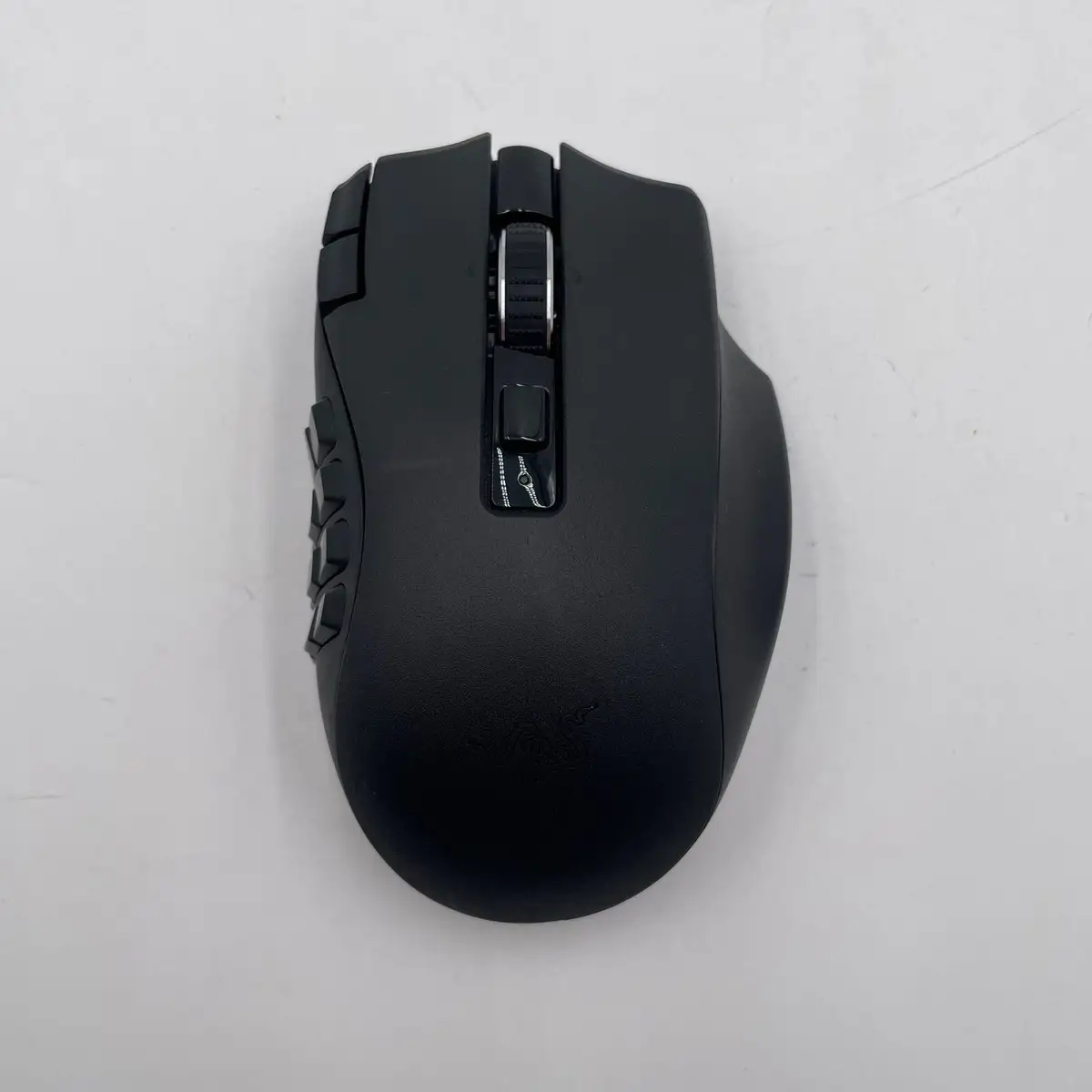
Razer Naga V2 HyperSpeed Review: Long Battery, Mixed Build
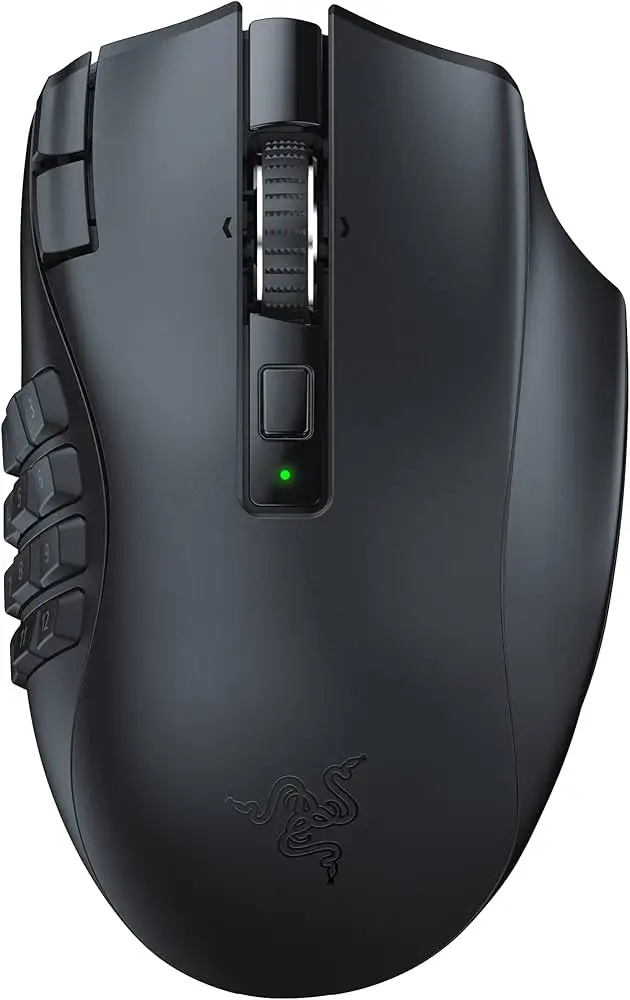
The Razer Naga V2 HyperSpeed Wireless Gaming Mouse earns a solid 8.4/10 from cross-platform user feedback. While marketed as a “best-in-slot” MMO mouse with up to 400 hours of battery life and 19 programmable buttons, actual user experiences reveal both impressive strengths and notable quirks. Its long battery life and multi-button layout are widely praised, but some buyers cite build quality concerns, awkward button placement, and the absence of RGB lighting as trade-offs for endurance.
Quick Verdict: Conditional — Best suited for MMO/RPG gamers who value wireless freedom and extended battery life over flashy aesthetics.
| Pros | Cons |
|---|---|
| Exceptional battery life (up to 400 hrs Bluetooth, 250 hrs 2.4GHz) | No RGB lighting |
| 19 programmable buttons ideal for MMO macros | Side button placement can lead to misclicks |
| Ergonomic design for right-handed users | AA battery only — no wired charging option |
| Responsive wireless performance | Scroll wheel noise in tactile mode |
| Accurate Focus Pro 30K sensor | Build feels light, raising sturdiness concerns |
| Hyperscroll free-spin/tactile modes | Bluetooth wake-up delay (~9 seconds reported) |
Claims vs Reality
One of Razer’s headline claims is up to 400 hours of battery life via Bluetooth and 250 hours using HyperSpeed wireless. This figure is echoed enthusiastically in community reactions. Reddit user feedback highlights the longevity: “400 hours o_o on Bluetooth sounds insanely good! gj,” while multiple Best Buy reviewers confirm extended life even under heavy MMO use. However, some note the trade-off — no RGB lighting — as a deliberate omission to maximize runtime.
Another claim is the 19 programmable buttons positioned for ergonomic control. Marketing materials emphasize MMO optimization, but actual reports vary. A Best Buy customer rated it 2/5, stating, “the two buttons added to the top left of the left click button are really poorly placed, you will click the left click almost every time you want to use one of those buttons.” Others, especially MMO players, find the grid indispensable, praising quick access to abilities and macros.
Finally, Razer promotes HyperScroll technology with tactile and free-spin modes for precision or rapid scrolling. While tactile mode is widely appreciated for its distinct steps, TechPowerUp’s review noted “elevated noise levels” in tactile mode. Some Reddit users mentioned scroll speed leading to misclicks, suggesting this feature may require user adjustment.
Cross-Platform Consensus
Universally Praised
The standout feature across platforms is battery endurance. MMO gamers who play long sessions without downtime find it transformative. A Best Buy reviewer wrote, “I play World of Warcraft and Overwatch 8+ hours a day… 2 weeks and it’s still kicking on that first battery!” For portable setups, Bluetooth longevity allows travel without spare batteries for days. This endurance is especially valued by users moving between desktop and laptop setups, as noted in Reddit discussions about leaving the dongle in one machine and using Bluetooth on another.
Wireless responsiveness is another highlight. TechPowerUp measured click latency at only 2.4 ms, close to the Pro model. Best Buy customers repeatedly describe “zero lag” and “snappy and responsive with the 2.4 dongle.” MMO and FPS players alike report smooth tracking from the Focus Pro 30K sensor, making it viable beyond RPGs.
Customization via Razer Synapse also earns consistent praise. Users enjoy remapping profiles for different games, and Hypershift doubles function layers. For MMORPG veterans, this adaptability streamlines complex rotations.
Common Complaints
Button placement is the most frequent frustration. Several users across Best Buy and Reddit complain of accidental presses, especially with the extra two buttons near the main click. Small side buttons are prone to misclicks during intense play, frustrating those used to older designs like the Logitech G600’s ring finger button.
Build quality perceptions vary. Some describe the mouse as lightweight to the point of feeling “less sturdy,” while others appreciate the reduced weight for maneuverability. The AA battery compartment cover is a recurring concern — one Best Buy user warns it “feels delicate,” fearing breakage during battery swaps.
The absence of RGB lighting divides opinion. While endurance-focused buyers accept it as a battery-saving measure, others miss the aesthetic cohesion with their setups.
Bluetooth connectivity, while functional, introduces a wake-up delay of around 9 seconds according to Reddit reports. This lag is negligible for casual use but irksome in fast-paced gaming contexts.
Divisive Features
The AA battery-only design is polarizing. Some celebrate the instant “5% to 100%” swap with rechargeables, avoiding downtime. Others lament the inability to charge via cable or use wired mode. This design choice impacts users who prefer an integrated battery with USB-C charging.
The scroll wheel’s tactile mode is appreciated for weapon cycling precision, but noise is a sticking point. Free-spin mode finds fans among those handling large documents or rapid in-game scrolling, yet MMO purists may rarely switch modes.
Trust & Reliability
On Trustpilot and Reddit, there is little evidence of widespread fraud or misrepresentation. The primary reliability discussions center on long-term durability. One Reddit user asked, “how was ur hyperspeed after 9 months?” — responses suggest mechanical switches hold up, with some users owning multiple Naga iterations over years. TechPowerUp confirms build quality matches the Pro version, with only a “minor rattle” in the scroll wheel.
However, the battery compartment concern and reports of fragile scroll toggles during travel (Best Buy Quora review: “plastic too fragile”) indicate potential weak points under heavy or mobile use. Bluetooth wake lag remains consistent across long-term reports, suggesting it’s a design trait, not a defect.
Alternatives
The Logitech G600 appears frequently as a comparison point. Fans of the G600 miss its ring finger button and sturdier feel, but acknowledge the Naga V2 HyperSpeed’s superior wireless performance and lighter weight. The Razer Naga V2 Pro offers hot-swappable side plates, optical switches, and RGB, but at a higher price and reduced battery life (150 hrs). Many Reddit users conclude that the Pro is worth it only if RGB or multiple layouts are essential.
Price & Value
Current retail prices vary: Amazon lists $59.99 on sale from $99.99, while eBay refurbished units run $64.99 with a two-year warranty. New listings on eBay reach $110–$139.96, showing moderate resale retention. Buyers advise watching for discounts, as several Best Buy reviewers scored deals under $80. The consensus is that it’s strong value for MMO players at ~$60–$80, but less compelling above $100 unless wireless endurance is critical.
FAQ
Q: Can the Razer Naga V2 HyperSpeed be used wired?
A: No, it’s strictly wireless via 2.4GHz or Bluetooth. It runs on a single AA battery with no cable charging option.
Q: Does the lack of RGB affect performance?
A: No — the omission is intentional to extend battery life, with some users appreciating the trade-off for endurance.
Q: Is Bluetooth wake-up delay real?
A: Yes, multiple Reddit and Best Buy users report a ~9-second wake time, noticeable when resuming play after idle.
Q: How durable are the buttons?
A: Mechanical Gen-2 switches are rated for 60 million clicks; users report consistent performance over months of daily gaming.
Q: Can it connect to two devices simultaneously?
A: No, it can pair with both wireless and Bluetooth, but not maintain active connections to two devices at once.
Final Verdict: Buy if you’re an MMO/RPG gamer who values ultra-long battery life, responsive wireless, and extensive button mapping without RGB frills. Avoid if you need wired charging, instant Bluetooth wake, or sturdier-feeling construction. Pro tip from community: keep a set of rechargeable AAs for instant swaps and longevity without downtime.