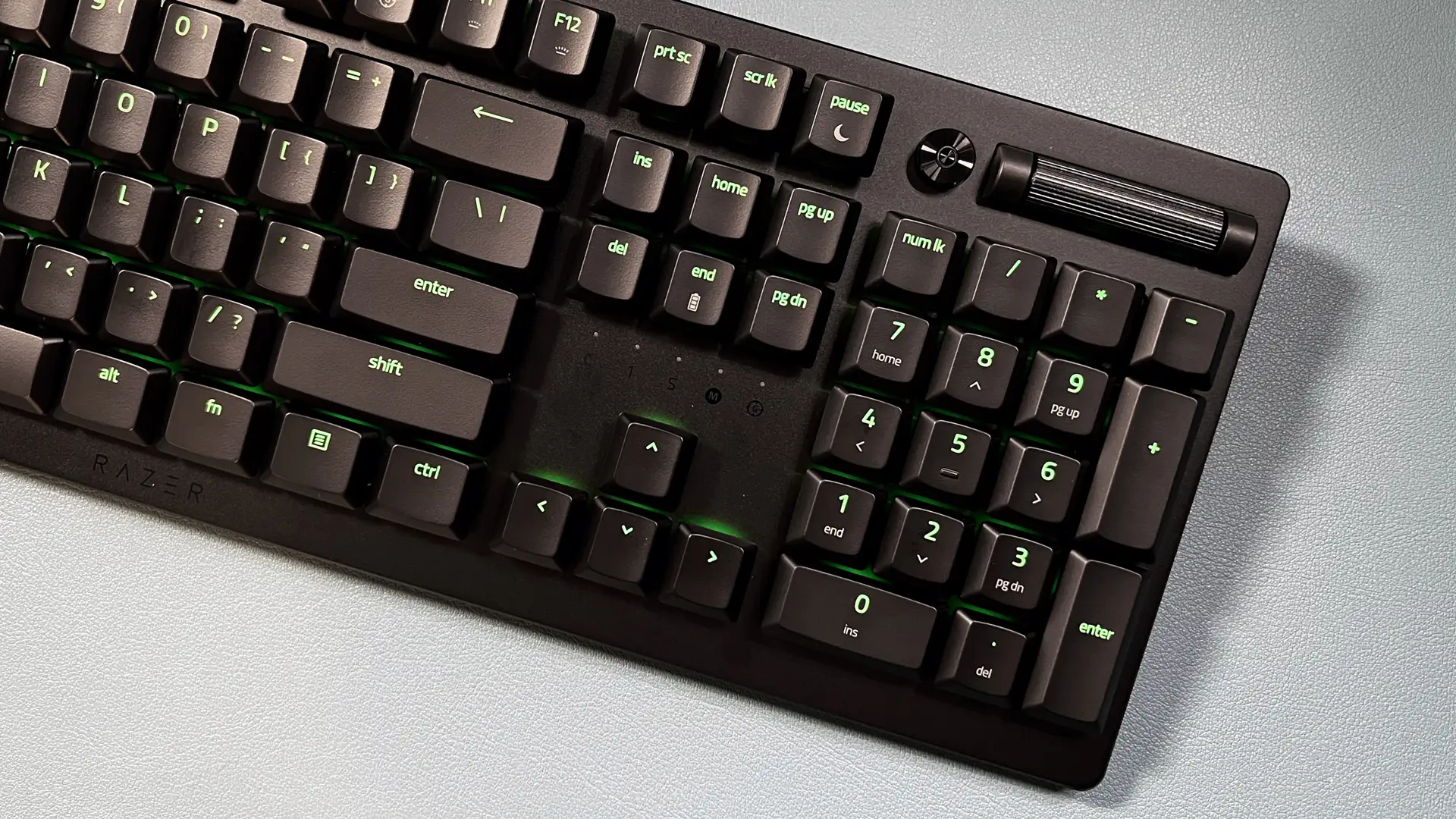
Razer DeathStalker V2 Pro TKL Review: Mixed Verdict
The most surprising takeaway from weeks of digging into user testimonies is that the Razer DeathStalker V2 Pro TKL Wireless Gaming Keyboard splits its audience right down the middle — some call it “one of the best keyboards on the market today” while others are warning about repetitive strain injury and charging failures. Based on collected feedback across Amazon, Reddit, Trustpilot, and Razer Insider, it lands at 7.2/10: excellent for certain playstyles, but riddled with avoidable pitfalls.
Quick Verdict: Conditional — great for low-profile wireless fans who can adapt to light actuation, risky for those needing durability or stronger tactile feedback.
| Pros | Cons |
|---|---|
| Extremely slim, comfortable profile for long gaming sessions | Red linear switches cause frequent accidental inputs for some users |
| Smooth, quiet low-profile optical switches | Battery life often far shorter than the 200-hour claim |
| Multi-device connectivity via HyperSpeed & Bluetooth | Persistent charging failures and connectivity drops reported |
| Premium aluminum top plate build | Non-replaceable keycaps and coating wear within months |
| Sleek design praised by reviewers from Windows Central and Tom’s Guide | High price point versus competitors with better reliability |
| Hot-swappable switch support | Some users experience mushy feel compared to traditional mechanical keyboards |
Claims vs Reality
One of Razer’s headline promises for the DeathStalker V2 Pro TKL is "up to 200 hours battery life." In practice, a Reddit user noted: “Battery life truly is shit… only decent if you turn off the LEDs entirely.” Others reported dropping over 20% overnight even with static lighting at 10%. While the spec sheet promises uninterrupted gaming across multiple days, heavy RGB use or wireless at full brightness drastically shortens the lifespan.
Another major claim is “top-class connectivity” via HyperSpeed Wireless and Bluetooth 5.0. While Bluetooth switching between three devices earns praise from multitaskers, Razer Insider threads tell a different story: “Keyboard flashes white… random reconnections… renders the keyboard unusable.” One buyer even had to abandon the much‑marketed single‑dongle multi‑device pairing because it disconnected both their keyboard and mouse mid‑FPS firefight.
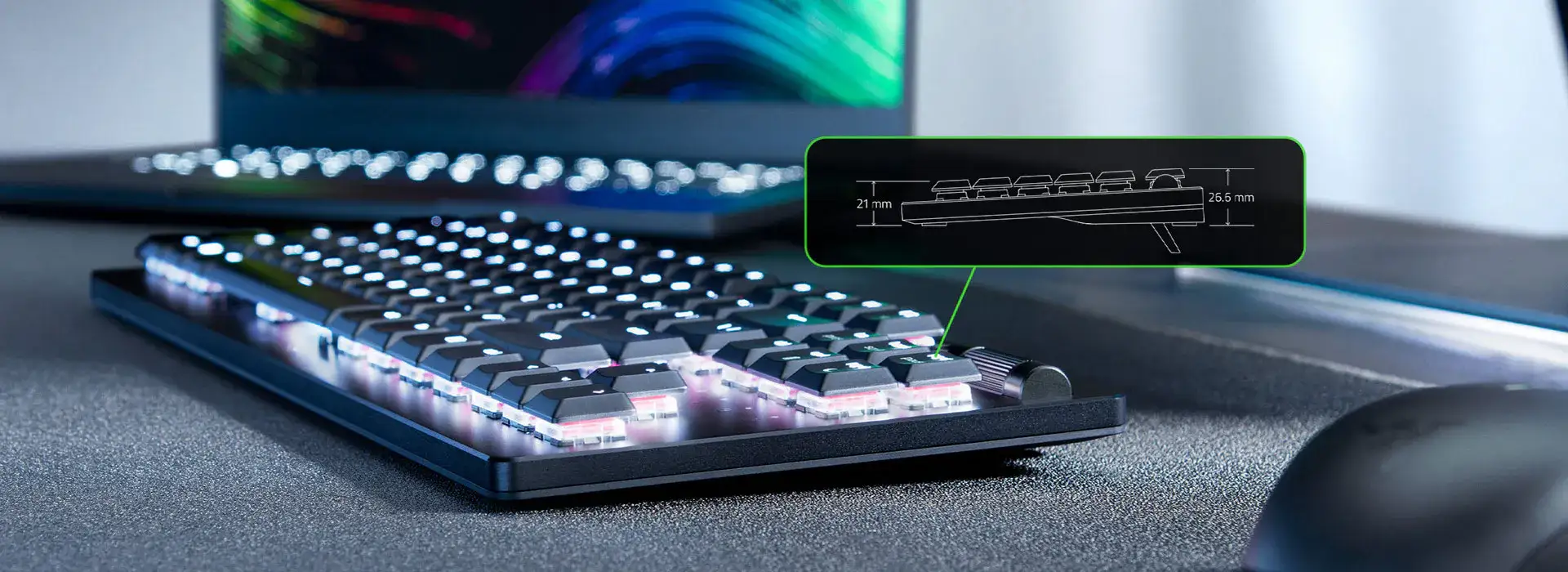
Finally, marketing leans heavily on “long-lasting ergonomics” from its low-profile design. For some, it’s perfect — Reddit user said: “I’d only purchase low profile keyboards from now on… spoiled by this keyboard.” But a Razer Insider poster warned of actual injury: “I’ve been getting repetitive strain injury… low actuation force means I can’t rest my fingers on the keys, keeping them tense for hours.”
Cross-Platform Consensus
Universally Praised
For gamers who thrive on speed and whisper-quiet keystrokes, the low-profile optical linear switches are a standout. A Reddit veteran using the red switches said they “constantly forget they’re even using the keyboard… feels like an extension of my body.” The ultra-slim casing gets matched applause — especially from mobile professionals — as one user highlighted its portability for tablet use via Bluetooth 5.0.
Music lovers and streamers benefit from the built‑in media roller and button. A year-long Reddit review celebrated “useful volume control + play/pause button on the top right corner,” adding that Fn+F11/F12 lighting shortcuts save software hassle. The aluminum alloy top plate wins design points, lending “a satisfying heft” without wrist strain in long sessions.
Multi-device pairing, when functional, is a boon for desk minimalists. Office users can swap seamlessly between PC, laptop, and tablet; gamers love plugging a compatible mouse into the same dongle for USB port conservation.
Common Complaints
The lightweight actuation force is the single most repeated caution. FPS players mention misinputs: “Why am I moving? Oh yeah — I’m holding down ‘A’ without realizing.” For some, especially those coming from membrane boards, the lack of resistance leads to accidental strafes or fatigue.
Battery performance often falls short. Not only do LED settings drain it fast, but charging failures plague numerous owners. A furious Razer Insider user wrote: “Gone to work and come back to the keyboard still nearly at 0%… no matter what I use to charge.” Others experienced outright shutdowns mid‑game or devices failing to hold charge after months.
Connectivity issues compound frustrations. Multi‑device dongle pairing occasionally triggers disconnections in both keyboard and mouse, rendering FPS matches unplayable. Reports of “keyboard flashes white before random unresponsiveness” repeat across threads.
Durability concerns creep in over time. Some lost the anti-oil coating within eight months; others discovered certain replacement keycaps won’t fit due to unique stabilizers. While advertised as long-lasting, users still report wear or incompatibility for aftermarket upgrades.
Divisive Features
Hot-swappable switches split opinion. Enthusiasts welcome the chance to swap reds for tactile or clicky variants, improving feel. But UK layout buyers lament that clicky models aren’t available, forcing manual switch changes. Ironically, some describe the reds as “mushy… like rubber domes,” while others prefer how effortlessly they actuate.
The ergonomic profile is another polarizer. Chronic RSI sufferers find the ultra-light touch harmful, yet other long-term owners claim it eliminated their fatigue compared to traditional mechanical builds. Adaptation seems critical — benefits arise if your typing style fits the low profile.
Trust & Reliability
Trustpilot and Insider reports suggest warranty support varies sharply. Overseas buyers, particularly in the Caribbean, describe “absolute lack of support” despite premium pricing. One purchase was tagged by Amazon as a “frequently returned” item, hinting at widespread product exchanges.
Long-term Reddit case studies show mixed durability. In one year of use, a reviewer saw coating wear and persistent Synapse 3 crashes, but the build itself remained intact. Conversely, another user claimed “none of my coating had worn off since day 1.” This variability points to inconsistent quality control rather than guaranteed decay.
Alternatives
Among alternatives mentioned, the Razer Ornata appears closer to the original DeathStalker’s membrane feel, possibly avoiding the ultra-sensitive actuation that triggered RSI in some buyers. Some users floated Logitech as a safer choice for battery longevity and wireless stability, albeit with less of Razer’s design flair.
For those drawn to the hot-swap promise but wary of the reds, low-profile Gateron switches (“banana” linear for subtle tactility) were successfully fitted by one Redditor — potentially making the DeathStalker V2 Pro TKL viable without waiting for Razer’s official purple clicky in this form factor.
Price & Value
Current Amazon listings hover around $110–$188 depending on region and layout, with eBay resale from $99 for used units to $186 for certified refurbs. That’s a steep drop from Razer’s $219 MSRP, suggesting aggressive depreciation. Many community members advise buying on discount — “I only grabbed it because it was at a lovely price” — and caution against paying full retail.
FAQ
Q: Can you change the lighting effects without Razer Synapse?
A: Yes. Six on-board presets can be toggled with Fn+Ctrl+2–7, and Fn+Ctrl+1 will turn lighting off entirely.
Q: Is it compatible with aftermarket keycap sets?
A: No. Both Razer PBT and Phantom sets won’t fit due to unique stabilizers for low-profile keys.
Q: Can it be used while charging?
A: Yes. A compatible USB Type‑A to Type‑C cable allows wired use during battery recharge.
Q: Do clicky purple switches require more actuation force than reds?
A: Feedback suggests clicky variants have more tactile resistance, potentially reducing accidental presses.
Q: Is battery life really 200 hours?
A: Under minimal backlight, yes; with full RGB, reports show significantly shorter runtimes.
Final Verdict: Buy if you want an ultra-slim, quiet, fast‑actuating wireless keyboard and can adapt to light key pressure — especially for travel, multi‑device setups, or minimalist desks. Avoid if you rely on long battery life with RGB or need heavier tactile feedback for precision gaming. Pro tip from community: If reds feel too mushy, hot‑swap to alternative low‑profile switches early for best experience.