Panasonic KX-TGD832M Review: Strong Call Blocking, Mixed Reliability
Digging into user reports, the Panasonic Cordless Phone with Answering Machine, Expandable System, 2 Handsets (KX-TGD832M, Metallic Black) emerges as a polarizing piece of home tech. With an average score hovering around 4.3–4.5 stars on Amazon and Best Buy, it clearly satisfies many buyers, especially those seeking robust call-blocking and clear audio. Yet, recurring complaints about charging issues, dropped calls, and dim keypads suggest that not every household will find it a perfect fit. Based on aggregated multi-platform feedback, the verdict lands at 7.5/10—strong for spam protection and ease of use for seniors, but with caveats around hardware durability and some missing modern conveniences.
Quick Verdict: Conditional — Buy if you prioritize call blocking and readability; avoid if you need flawless long-term reliability or bright keypad illumination.
| Pros | Cons |
|---|---|
| Effective call-blocking for spam, robocalls, and telemarketers | Reports of charging cradle contact issues causing “low battery” alerts |
| Clear audio quality, especially for voice calls | Dim keypad backlight; difficult to see in low light |
| Large, readable display suitable for elderly users | Dropped calls and inconsistent ringing reported by some users |
| Easy setup for most users, especially seniors | No phonebook import—manual entry only |
| Bilingual talking caller ID (English/Spanish) | Speakerphone volume could be louder |
| Expandable to 6 handsets | Some units failed within months, per multiple reports |
| Lightweight handsets with good ergonomics | Poor customer service experiences reported |
Claims vs Reality
Marketing heavily promotes the “Advanced Call Block” feature, promising to eliminate nuisance calls. In practice, Amazon reviewers confirm it works exceptionally well. One customer wrote: “Before purchasing, I would get at least 5 unwanted calls daily… since purchasing this, these calls have reduced to zero.” For retirees or anyone working from home, this feature delivers on its promise.
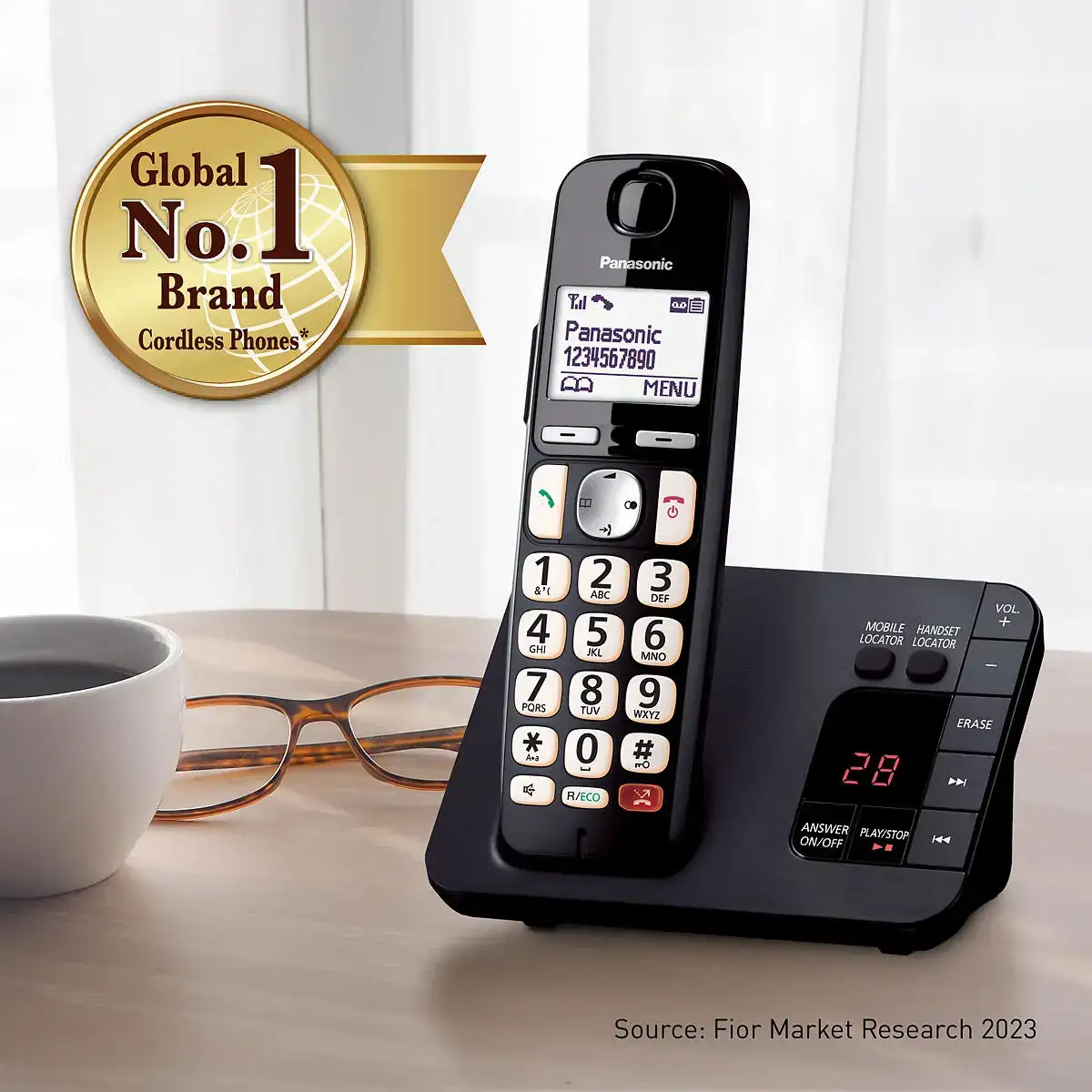
Panasonic also advertises “Easy to Read High-Contrast Display” and “Backlit Keypad.” While the display earns consistent praise for its size and clarity, feedback on the keypad lighting tells a different story. A user on Woot! complained: “Dial pad brightness is terrible… unlike the product photos… the keys themselves are barely viewable and dark.”
Another major claim is the “Long-Life Battery” with up to 10 hours of talk time and 5 days standby. While many confirm satisfactory battery life, others report serious failures. One Amazon reviewer said: “I couldn’t get these phones to hold a charge longer than 24 hours… tried multiple brands of batteries… then it just quit working.”
Cross-Platform Consensus
Universally Praised
Across Amazon, Best Buy, and Trustpilot, the call-blocking function stands out as the hero feature. It’s frequently cited as a reason for purchase, with Best Buy customers noting it “quickly blocks incoming scam calls” and Amazon buyers saying it “almost completely cut spam calls” within weeks. For older users, particularly those in their 70s and 80s, the bilingual talking caller ID provides independence. One Best Buy reviewer shared: “I am a blind individual who needed a phone that would announce who is calling. This phone does that and more.”
Ease of setup scores high with tech-averse buyers. A verified buyer on Amazon noted: “Easy programming… easy phone for her to use” when gifting it to their elderly mother. Best Buy’s “1st time buyer” review praised that “buttons light up when you need to place a call, and it stays charged for days off the hook.”
Audio quality also garners consistent praise. Several users say voices come through clearer than with competitor models. A Best Buy customer summed it up: “System has good reception… without static or dropped calls” in their experience.
Common Complaints
A recurring frustration is the charging cradle contact issue. One Amazon reviewer documented how the phone “could not maintain adequate electrical contact… displays ‘charging’ but problem returns within minutes.” This leads to repeated “low battery” alerts and beeping, which users describe as disruptive, especially at night.
Other hardware criticisms include dim keypad lighting, making it hard to operate in low light, and lightweight, unstable cradles that tip easily. Some users also report dropped calls and inconsistent ringing—“calls going directly to voicemail” or “only ringing 2–3 times then cutting off the caller.” These issues are compounded by poor customer service experiences, with multiple reviewers noting unhelpful or inaccessible support.
Another pain point: manual phonebook entry. Unlike older DECT models or smartphones, there’s no way to import contacts. One Amazon reviewer called this “archaic” and “worthless” for households with large contact lists.
Divisive Features
The speakerphone draws mixed reviews. While some appreciate the convenience and clarity, others find the maximum volume “not even close to sufficient” for voicemail playback or hands-free conversations. The aesthetic design also splits opinion—some like its compact, functional look, while others call it “cheap” compared to previous Panasonic models.
The bilingual talking caller ID is celebrated by visually impaired users but disliked by those who find the voice announcements intrusive. Some disable it entirely.
Trust & Reliability
Trustpilot and Amazon reveal a pattern: several units fail within 4–6 months. Complaints range from power/charging issues to dropped calls and non-functioning ringers. One Amazon customer noted that both their set and their sister’s “stopped working properly” within four months—issues included “calls not connecting” and “no indication of voicemail.”
Some long-term Panasonic buyers express disappointment, saying newer models feel less durable than older ones. A Reddit user pointed out they’d replaced similar Panasonic phones multiple times over a decade, all eventually suffering from the same cradle contact problem.
Alternatives
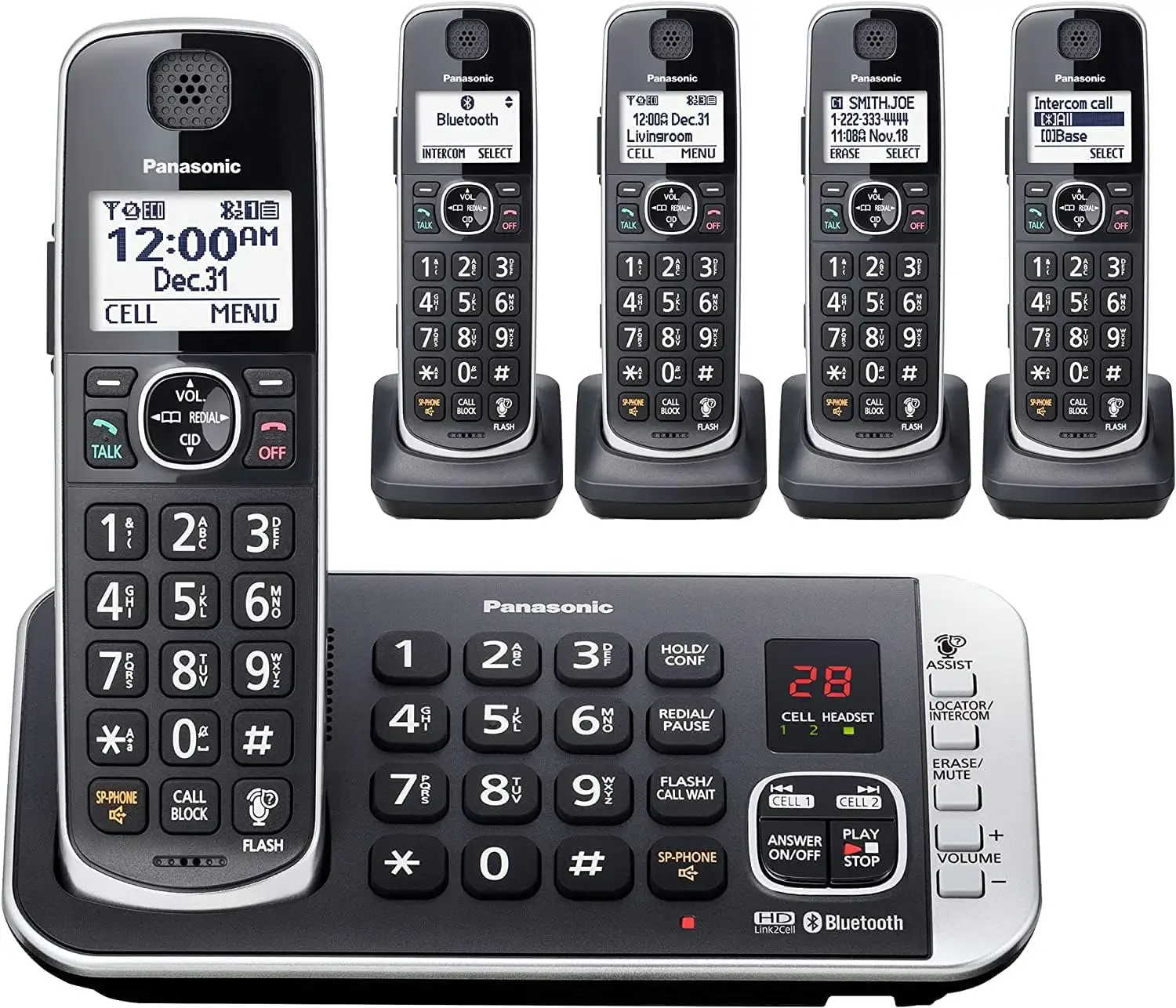
While some buyers compare it favorably to AT&T cordless phones—citing clearer audio and more reliable call-blocking—others suggest looking at Panasonic’s Link2Cell Bluetooth-enabled models if you want smartphone integration. BestViewsReviews data shows those models offer smoother contact syncing and potentially better speakerphone performance, but they come at a higher price.
Price & Value
At retail, the KX-TGD832M lists around $59.99–$69.99, but eBay listings show new units for as low as $44–$50. Resale value holds moderately well, with used sets still fetching $29–$40 if in good condition. Community buying tips include waiting for seasonal sales or checking warehouse club deals for bundle packs with extra handsets.
For spam-averse households, the call-blocking alone can justify the price. But for heavy landline users needing flawless reliability and bright keypad visibility, the cost may not outweigh the potential frustration.
FAQ
Q: Does the call-blocking feature work without a Caller ID subscription?
A: No. Multiple users note that features like call block, talking caller ID, and one-ring scam alerts require a Caller ID service from your phone provider.
Q: Can I transfer contacts from another phone or cell?
A: No. Users confirm contacts must be entered manually; there is no import function from other Panasonic systems or mobile devices.
Q: Is the keypad easy to see in the dark?
A: The display is readable, but several users report the keypad backlight is too dim, making it hard to use in low-light conditions.
Q: How many numbers can it block?
A: Up to 1,000 numbers via the one-touch call block button, in addition to automated pre-blocking of robocalls.
Q: Can I use it with VoIP services like Google Voice?
A: Yes. Some users successfully integrate it with VoIP setups, but Caller ID and other features depend on the VoIP service’s compatibility.
Final Verdict: Buy if you are a landline user who values aggressive call-blocking, large displays, and straightforward setup—especially suitable for seniors or those with visual impairments. Avoid if you need flawless hardware reliability, bright keypad lighting, or frequent speakerphone use. Pro tip from the community: clean the charging contacts regularly to prevent the “low battery” alert and extend handset life.