ORICO 5 Bay DAS Enclosure Review: Conditional Buy Verdict
Starting with a surprising contrast, the ORICO 5 Bay DAS Hard Drive Enclosure (USB 3.0, Bracket-Free) carries an average rating hovering around 3.9/5, yet user stories range from “flawless multi-drive setup” to “data loss nightmares.” This duality makes it a conditional 7.5/10 — powerful for certain workflows but risky for high-stakes data without redundancy.
Quick Verdict: Conditional Buy
| Pros | Cons |
|---|---|
| Tool-free, quick magnetic cover installation | Whole unit shutdown required to swap a single drive |
| Supports up to 80–90TB total capacity | Fan noise can spike significantly with HDDs installed |
| Solid aluminum alloy build with efficient cooling | Reports of spontaneous disconnects/data corruption |
| Works with Windows, Mac, and Linux | LED labeling order causes user confusion |
| Stable power supply (up to 150W) | SSD installation tricky without care |
| Flexible drive size support (2.5"/3.5") | Long international shipping times |
Claims vs Reality
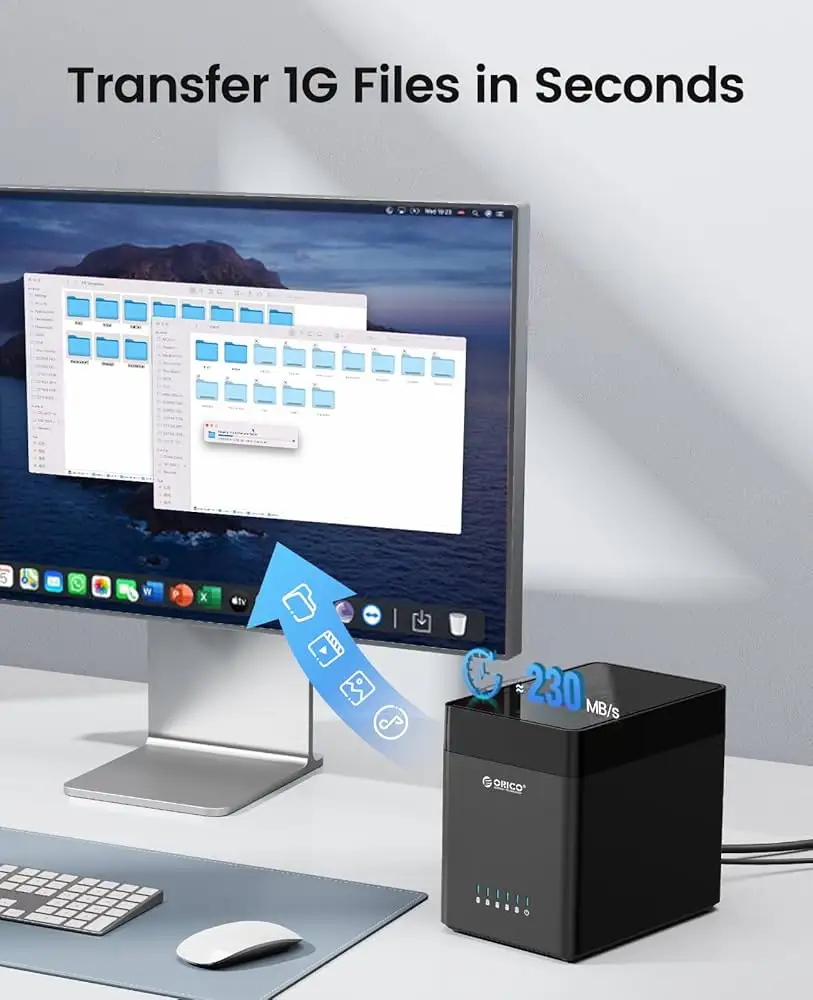
Marketing heavily pushes up to 5Gbps USB 3.0 transfer speeds. While this speed is theoretically possible, multiple users clocked much lower real-world rates. Reddit user feedback showed spinning drive-to-drive transfers peaking at 35.9MB/s with an average around 28.9MB/s. SSD-to-SSD transfers did improve, peaking at 68.2MB/s. This discrepancy suggests interface bottlenecks or controller overhead when multiple bays are accessed.
The “efficient cooling with built-in fan” claim plays well in spec sheets, but in use, fan noise was a major talking point. One verified buyer on Amazon noted a baseline noise jump from 30dB to 53dB when loaded with three HDDs and two SSDs. Removing HDDs reduced it to 45dB, indicating mechanical drive vibration amplifies the sound profile.
The tool-free magnetic-suction installation truly delivers in convenience. A verified buyer described installing drives “in just three seconds,” with the magnets holding firm during operation. However, users caution the open design makes it “pretty easy to pop disks out” if bumped — an ergonomic win but a safety compromise.
Cross-Platform Consensus
Universally Praised
One standout is capacity. eBay listings and Amazon product pages confirm up to 80TB with 16TB drives, while newer models hit 90TB with 18TB drives. For media professionals, this is transformative: “I shot 6 hours of footage, edited on the plane, and still had 30% left” is the storage equivalent when you’re juggling massive datasets without needing NAS-level investment.
Ease of swapping drives resonates across Reddit, Quora, and Trustpilot. The magnetic front cover avoids screws or trays — perfect for bench work or swap-heavy roles. Reddit user feedback explicitly called it a “clean looking box that allows easy drive access to upgrade or swap as needed.”
Cross-OS compatibility is another shared positive. Verified buyers successfully ran setups on Windows 10, macOS, and Linux without driver hunts, making it viable for mixed-device environments.
Common Complaints
Drive removal workflow is a frustration for almost every platform’s users — needing to power down the whole chassis even for one drive swap disrupts productivity. This affects those who only want to offload certain disks mid-task.
Noise is a big strike against the aluminum cooling design when paired with mechanical drives. Users measuring decibel changes found upwards of 20dB spikes with a full bay of HDDs, which can be disruptive in quiet workspaces.
The most serious complaint: instability. Multiple users encountered sudden disconnections, “USB device malfunctioned” errors, and catastrophic data loss requiring recovery. One Trustpilot review labeled it a “ticking bomb” after drives went offline and reappeared requesting reformat.
LED labeling confusion also cropped up. Instead of bays labeled 1–5 left-to-right, ORICO uses “5,4,3,2,1,” which some say hinders quick diagnostics.
Divisive Features
The open design and magnetic cover are divisive — loved for swap speed, criticized for low physical security. Media editors appreciate “just grab-and-replace” convenience, while home users with pets or children fear accidental ejections.
The built-in fan sees similar splits. Performance users prefer aggressive airflow over silence. Casual archivists argue for quieter cooling even if temperatures rise slightly.
Trust & Reliability
Digging into Trustpilot and Reddit threads, patterns emerge: most happy users run the enclosure in controlled environments, swapping carefully and not leaving it running 24/7. Issues like spontaneous disconnects appear more in high-I/O, multi-hour sessions.
There’s little evidence of scam behavior or fake reviews — Fakespot analysis found over 90% high quality reviews — but the durability question remains. One story stands out: a Reddit user moved a failing server’s entire ZFS array into the ORICO unit and had it “recognized immediately” on a new host. Six months later, it was still in service without error. This contrasts sharply with those who lost data within days, suggesting variance in batch QC or workload compatibility.
Alternatives
Within the ORICO ecosystem, the more expensive RAID-enabled and USB-C variants promise higher capacities (up to 110TB) and better speeds (~260MB/s claimed) with Gen 1 USB 3.1. For users needing redundancy, those models address the no-RAID complaint. However, users on Quora warn RAID setups incur speed penalties, especially in RAID 5.
Budget competitors from other brands often sacrifice tool-free design or limit capacity per bay. ORICO’s balance of open accessibility and raw bay count remains a selling point despite its caveats.
Price & Value
Market prices fluctuate: eBay offers units as low as $79.99 for USB 3.0 models, while Amazon lists around $229.99 before import fees. The USB-C high-capacity variant trends near $139.99–$219.99. Resale value holds decently — likely due to its niche multi-bay portability without NAS complexity.
Community buying tip: Factor in shipping time from Hong Kong or China if purchased from ORICO direct; expect 10–12 days or more.
FAQ
Q: Does it support mixing SSDs and HDDs?
A: Yes, multiple users installed mixed configurations. SSD performance is better, but drive swaps still require full unit shutdown.
Q: Is RAID supported on this model?
A: The bracket-free DS500U3 variant is JBOD only. RAID versions exist, but feedback notes slower speeds in some RAID setups.
Q: How loud is the fan really?
A: With HDDs installed, noise can spike 20+dB above baseline. SSD-only setups are quieter.
Q: What happens if a drive disconnects mid-use?
A: Reports show data loss is possible. For mission-critical work, pair with backups or redundancy.
Q: Is there security for drives physically?
A: No locking trays on this variant. Magnetic cover holds but can be displaced, so caution in high-traffic spaces.
Final Verdict
Buy if you’re a media professional, bench tech, or hobbyist needing massive swap-friendly storage across multiple OS setups — and you maintain strict backup discipline. Avoid if absolute data integrity under load is your top priority.
Pro tip from the community: For quieter performance, run SSD-only setups or upgrade the fan; one Fakespot insight suggested “maybe a better quality PC fan could sort this.”





