NZXT H9 Flow Review: Premium Cooling, Mixed RGB Verdict
The NZXT H9 Flow ATX Mid-Tower PC Gaming Case (White) has built a reputation for combining striking aesthetics with serious cooling potential — and user ratings across platforms consistently hover between 4.7 and 4.9 out of 10, which positions it as one of the most praised cases in its category. Yet digging deeper into hundreds of user reviews reveals a nuanced picture: while the dual-chamber layout and panoramic glass design win near-universal applause, certain omissions like a built-in fan controller and RGB fans leave some builders wanting more.
Quick Verdict: Conditional buy — best suited for high-performance builds where airflow and cable management are top priorities, but RGB enthusiasts may need to budget for additional upgrades.
| Pros | Cons |
|---|---|
| Exceptional airflow and cooling capacity | No RGB fans included in base model |
| Spacious dual-chamber interior for cable routing | Heavy when fully built |
| Supports large GPUs including RTX 4090 | No vertical GPU mount options |
| Multiple radiator and fan configurations | Some users report missing fan controller |
| Premium tempered glass design | Price can be high compared to non-glass airflow cases |
| Easy to build in, even for first-time builders | Stock fans are DC, not PWM |
| Excellent compatibility for custom cooling loops | Weight and size may be impractical for frequent movers |
Claims vs Reality
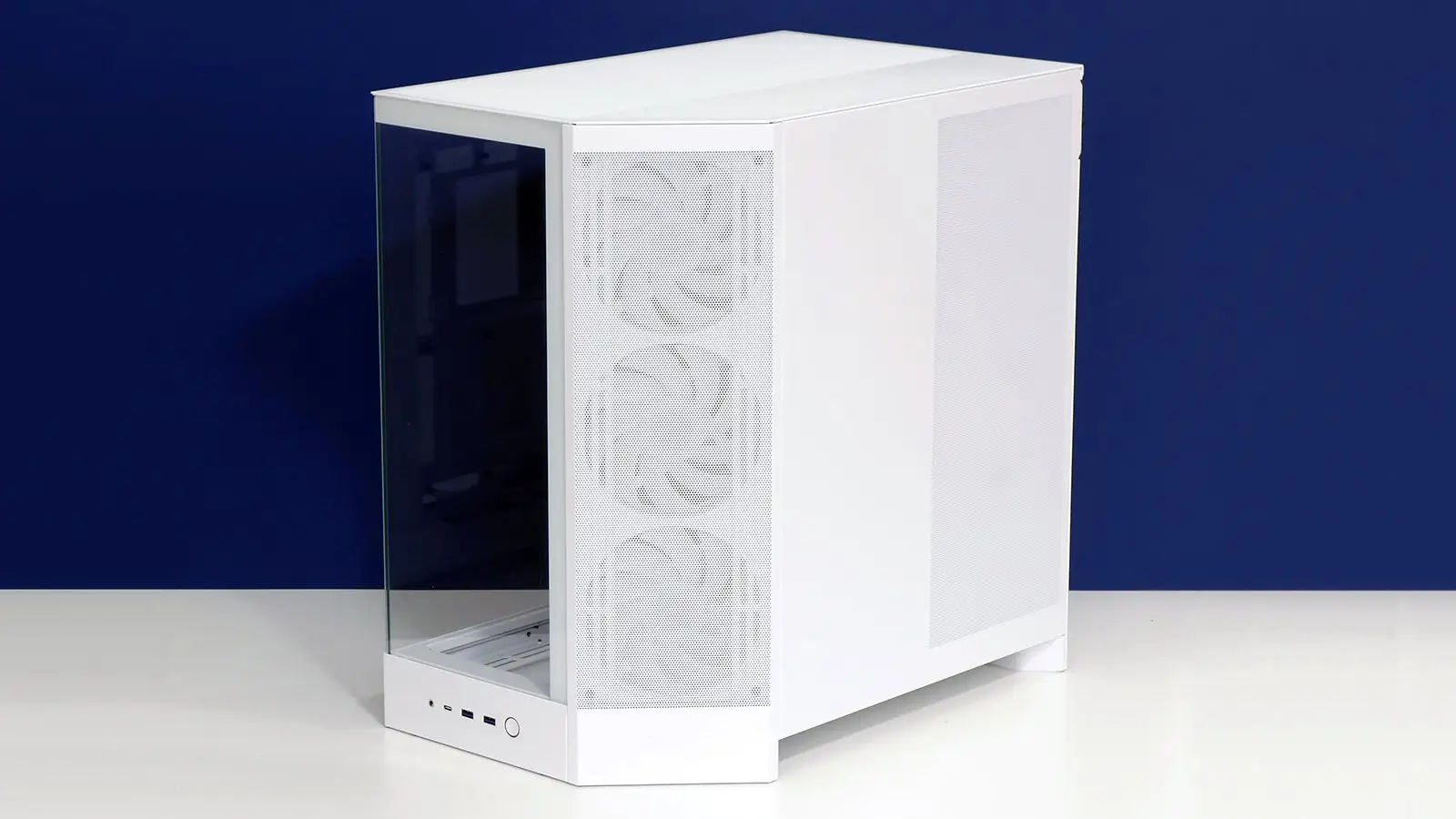
NZXT markets the H9 Flow as a “spacious mid-tower ATX case built for high-performance builds” with “optimized airflow” through perforated panels and angled fans. The company also highlights its “panoramic view” via wraparound tempered glass.
While these claims align closely with user experiences, community reports add important context. On Best Buy, a verified buyer noted: “I mounted my 360mm radiator on the side and even had enough room for a push/pull configuration. My thermals have never been better… even my wife loved the look of it.” This supports NZXT’s airflow claims, especially for liquid cooling setups.
However, the claim of “optimized airflow” comes with a caveat: several Reddit users point out that the stock fans, while quiet, are 3-pin DC rather than PWM, limiting fine-grained control. One Reddit user remarked, “Love the case, but had to swap all stock fans for Lian Li ones to match my build and get better control.”
The panoramic glass marketing is also accurate but polarizing. While many praise the uninterrupted view, some users on Trustpilot report that “tinted glass makes RGB less vibrant unless you run high brightness,” hinting at a trade-off between sleek aesthetics and lighting impact.
Cross-Platform Consensus
Universally Praised
Across Amazon, Reddit, Best Buy, and Trustpilot, the dual-chamber design emerges as the H9 Flow’s standout feature. This layout isolates PSU and drive bays, freeing the main chamber for optimal airflow and clean cable runs. A Best Buy reviewer enthused: “Plenty of tie downs for channeling cables… even my massive 4080s had room to spare.” For streamers and modders, that means fewer thermal hotspots and an uncluttered interior.
GPU clearance is another win. The case comfortably houses GPUs up to 435 mm, even accommodating behemoths like the RTX 4090. One Trustpilot review states: “Fits my 4090 perfectly and still has room for RGB… a big boy and a bit heavy, but if you don’t move much, I wouldn’t worry.”
Users also praise build quality — SGCC steel construction and premium tempered glass panels lend a sturdy, high-end feel. On Reddit, a builder shared: “Probably the most premium case I’ve ever seen… felt like a lab-grade chassis when I opened it.”
Cable management earns high marks thanks to wide channels and included Velcro straps. Builders report reduced setup times and cleaner results. A Best Buy customer wrote: “Made the build super easy to keep the wiring clean… looks super pretty.”
Common Complaints
The most reported drawback is the lack of RGB fans in the base model. While the H9 Flow RGB+ variant addresses this, it comes at a significantly higher price. As one Best Buy reviewer put it: “Only issue is the fans are not RGB.” For RGB-heavy builds, this means extra purchases.
Weight is another friction point. Fully built, the case can be cumbersome to move. A Reddit user observed, “Awesome case, great airflow… a little heavy but you’re not going to be moving it much.”
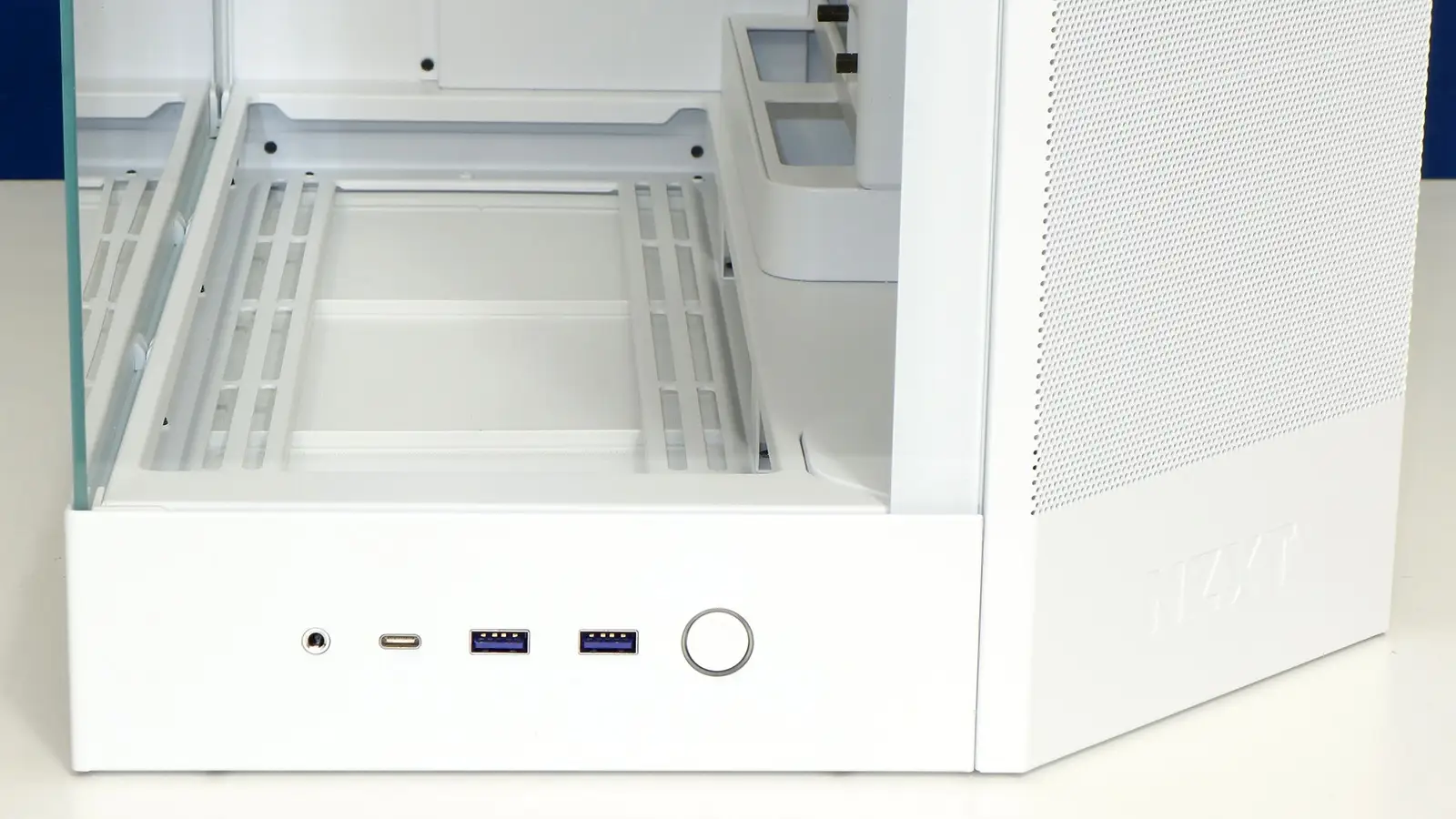
Some lament the absence of a fan controller in the standard edition, which can complicate multi-fan setups. Others note that the vertical GPU mount option is missing — a surprise given the case’s showcase-oriented design.
Divisive Features
The wraparound tempered glass is both lauded and critiqued. Enthusiasts love the “fishbowl” look for displaying RGB setups, but practical builders worry about dust and reduced LED brightness through tinted panels. One Trustpilot reviewer summarized: “Love fish bowls… but once you get all your components in there, good luck moving it.”
Stock fans divide opinion too. While they’re quiet and functional, performance-focused users often replace them for better pressure curves and control. A Reddit builder noted: “Ended up building a full build with Corsair fans instead of the stock NZXT fans… love how the build ended up looking.”
Trust & Reliability
On Trustpilot, NZXT’s brand reputation remains strong, with most reviewers highlighting consistent quality control and fast shipping. Repeat buyers frequently mention owning multiple H-series cases without issues.
Long-term reports from Reddit show durability holding up well. Six-month follow-ups describe no warping, hinge issues, or glass panel misalignments. Dust management is aided by removable nylon filters, though some users recommend adding magnetic mesh for side intakes in dusty environments.
Scam or misdelivery concerns are minimal — most complaints center on minor shipping delays or stock shortages for specific variants like the RGB+.
Alternatives
The most direct competitor mentioned in discussions is NZXT’s own H9 Flow RGB+, which adds RGB fans and a control hub. However, at $289.99, it’s notably pricier. Builders weighing the cost often opt for the base H9 Flow and invest in aftermarket fans.
Other NZXT cases like the H7 Flow and H510i come up, but users who upgraded note better airflow and GPU temps with the H9 Flow. One Best Buy reviewer compared: “Way better airflow than the H510i… dropped GPU idle temp from 60°C to 46.5°C.”
Price & Value
Market prices fluctuate between $149.99 and $164.99 for the white variant, with occasional $20–$30 discounts. eBay listings hover around $159.99 new, suggesting stable resale value.
Community buying tips stress timing purchases during NZXT’s seasonal sales or Best Buy promotions. For RGB builds, many recommend skipping the RGB+ and sourcing fans separately to avoid the price premium.
FAQ
Q: How many fans come pre-installed with the H9 Flow?
A: The base H9 Flow includes three F140Q (front-right) and one F120Q (rear) case version fans — all 3-pin DC.
Q: Can it fit an RTX 4090 with a side-mounted radiator?
A: Yes. Multiple users report fitting a 4090 alongside a side-mounted 360mm radiator, sometimes even with push/pull setups.
Q: Does it have removable dust filters?
A: Yes, a removable nylon dust filter covers the bottom PSU intake, with mesh panels aiding filtration elsewhere.
Q: Is it compatible with rear-connecting motherboards?
A: Yes, it supports ASUS BTF and MSI Project Zero layouts for a cable-free main chamber look.
Q: What’s new in the 2025 version compared to 2023?
A: Angled front-right fan mounts, 420mm radiator support top/front-right, and increased bottom fan capacity (3×140mm).
Final Verdict
Buy if you’re a performance-focused builder wanting exceptional airflow, roomy interiors, and premium aesthetics for GPUs like the RTX 4090 or custom cooling loops. Avoid if you prioritize out-of-box RGB setups or need a lightweight chassis for frequent transport. Pro tip from the community: “Get the base model on sale, upgrade fans yourself — you’ll save money and get exactly the performance and look you want.”





