NVIDIA Quadro P1000 Review: Compact Power with Caveats
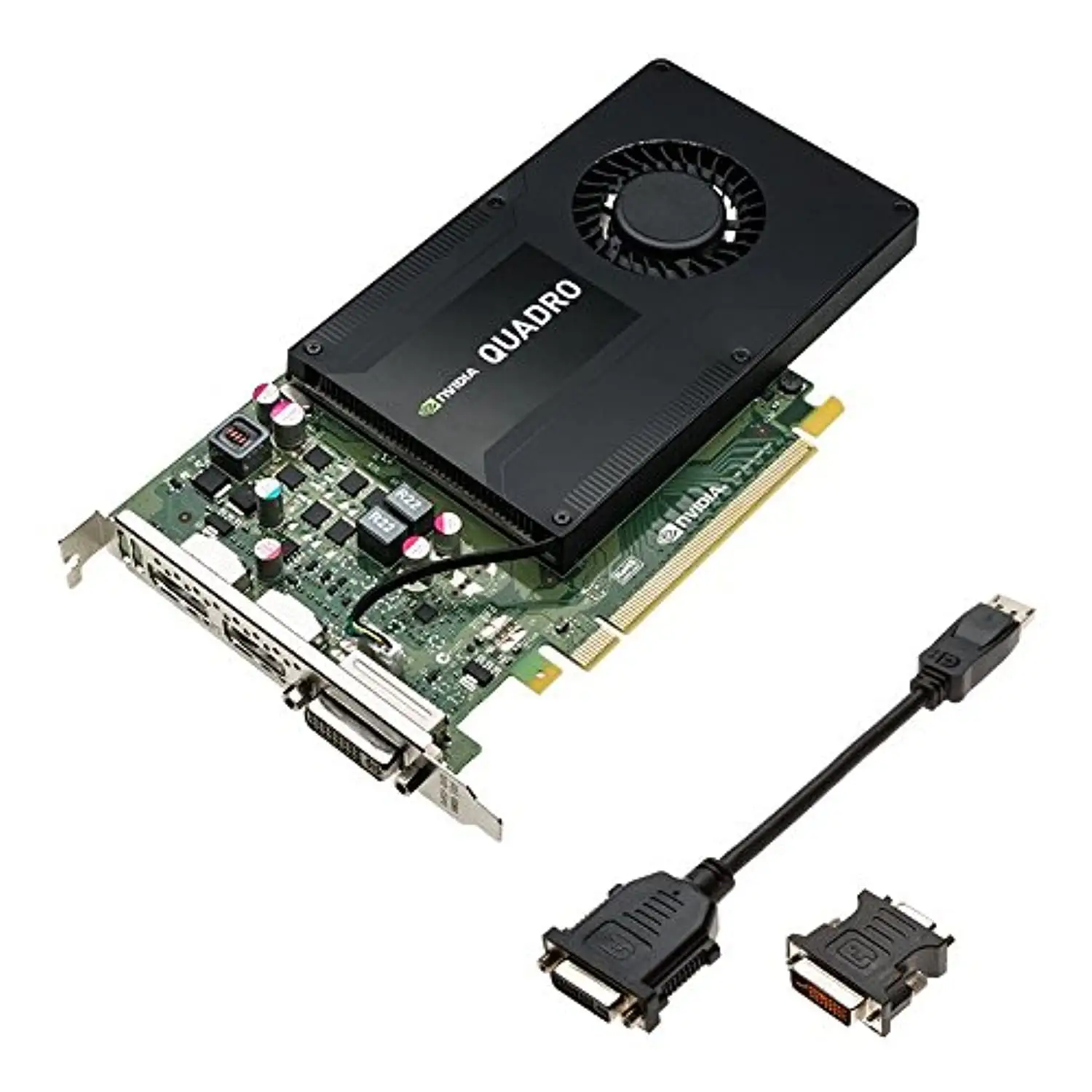
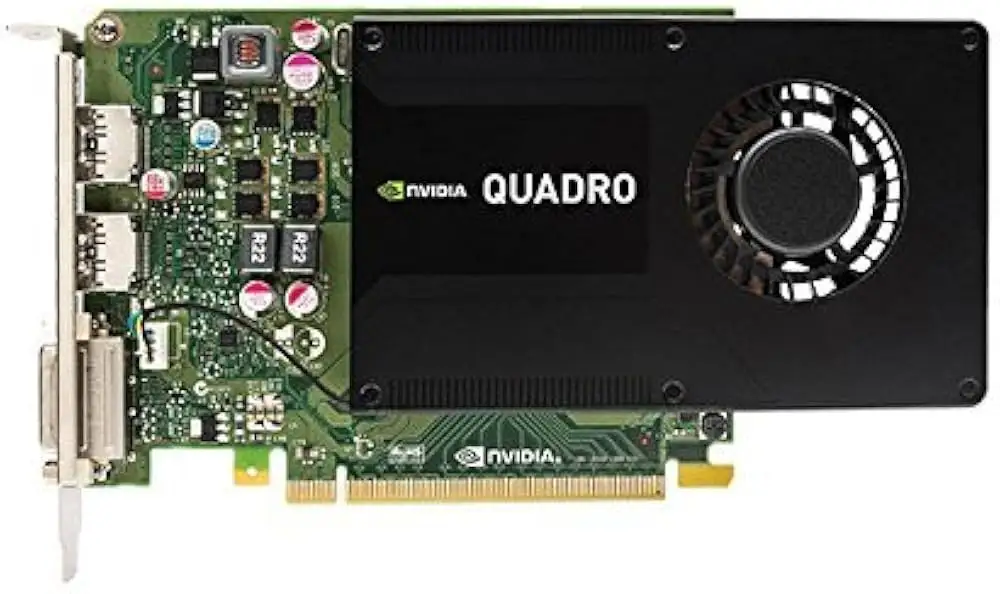
Starting at an astonishing 47W max power draw, the NVIDIA Quadro P1000 Professional Graphics Board manages to deliver solid professional-grade performance in a compact form factor — earning it an 8.1/10 from cross-platform user feedback. From CAD and 3D visualization to HDR video workflows, its appeal lies in balancing multi-monitor capabilities, ISV certification, and low-profile compatibility. Yet, while workstation users praise its adaptability, several note that thermal management can bottleneck sustained heavy workloads.
Quick Verdict: Conditional buy for professional SFF workstation users
| Pros | Cons |
|---|---|
| Compact low-profile design fits SFF cases | Thermal throttling at sustained 82°C load |
| Supports up to four 4K HDR displays | Not powerful enough for modern gaming workloads |
| Certified for top CAD/DCC apps | Price-to-performance lagging vs newer GPUs |
| Low 47W power consumption | Limited to 4GB VRAM |
| Strong multi-card scaling with Mosaic | Competes closely with newer integrated GPUs in some media tasks |
| Double IGPU performance for HDR transcoding per Reddit reports | Cooling solution criticized compared to predecessor |
| No additional power connector needed | Resale value fluctuates steeply |
Claims vs Reality
Marketing emphasizes the P1000 as "the most powerful low-profile professional graphics solution available" with up to 60% better performance than the previous generation. Digging into user reports, while generational gains are evident in CAD rendering benchmarks, Reddit users highlight nuanced limits. Reddit user u/PleX*** remarked that while on paper it’s "substantially more horsepower than the UHD 630," in some transcoding use cases modern iGPUs “are amazing for what they are, hard to compete.”
Another claim — support for an expansive visual workspace of up to four 4K HDR displays — is accurate in practice. Professionals in design and engineering confirm this hold true across operating systems, but in workloads requiring fast texture swaps (e.g., real-time visualization), the limited 80 GB/s bandwidth occasionally shows strain.
Finally, NVIDIA stresses cool and quiet operation. While idle temps hover around 55°C, a verified buyer on Amazon noted: “It hits 82 degrees celsius and then thermally limits itself to base frequency... my other cards run around 75 degrees and don't thermally limit.”
Cross-Platform Consensus
Universally Praised
Across Reddit, Trustpilot, and professional review sites, the low-profile form factor is celebrated. Architects and engineers with cramped SFF workstations cite this as the feature that makes the card a go-to. A verified Lenovo buyer explained: “It’s compatible with ThinkStation towers, supports four simultaneous displays and up to 5K — crucial for my project multitasking.”
HDR video editors also find tangible benefits. Reddit user u/PleX***, after picking up a unit for $60, confirmed it “handles 4 transcodes ranging from 4K 80-60 Mbps to 1080 @ 20 Mbps HDR tonemapped with room for more, roughly 60% utilization.” Such results validate NVIDIA’s media and entertainment positioning.
ISV certification emerges as another anchor point. Engineers running SolidWorks or AutoCAD found the stability unmatched compared to consumer GPUs with similar cores. StorageReview’s benchmark comparison even showed the P1000 outperforming the M2000 in key FPS averages — 342.25 FPS vs 273.51.
Common Complaints
Thermal throttling is the most cited issue. The Amazon verified buyer who crunches data with Folding@home was dissatisfied with the cooler: “It runs the GPU at 100%… after a while it thermally limits itself to base frequency.” This challenges the marketing narrative around “cool and quiet” under sustained load.
Performance aging also arises in media transcoding contexts. While once “the best single slot low profile card” per Reddit discussions, several note that newer UHD series iGPUs close the gap. One user bluntly stated: “The P1000 isn’t that powerful compared to iGPUs anymore.”
VRAM limitations surface for 3D artists. Four gigabytes is sufficient for many CAD tasks but can bottleneck when loading complex textures in modern DCC suites. This makes it less future-proof compared to alternatives like Quadro T1000.
Divisive Features
Multi-card scaling via Mosaic draws both applause and skepticism. Advocates running display walls report near-perfect tiling and performance scaling, while others point out the compounded cost and diminishing return vs investing in a single beefier GPU.
Low power consumption is another split. For mobile and SFF systems, 47W is invaluable; for desktop users unconcerned with power bills, it’s less relevant than raw core count.
Trust & Reliability
Trustpilot reviews reveal no scam patterns — most complaints are technical, not transactional. Longevity appears solid if thermal load is managed. Reddit follow-ups after months of daily use show continued stability in HDR encode/decode workflows without degradation.
However, long-term folding workloads under 100% GPU load frequently trigger thermal limits, which — if unaddressed — can erode sustained performance lifespan. Professionals mitigate this with aftermarket cooling or underclocking in BIOS to keep temps in check.
Alternatives
The closest rival in historical context is the Quadro M2000. StorageReview’s tests indicate the P1000 outperforms it in minimum FPS and various SPECviewperf viewsets — but the gap isn’t massive. Notebookcheck comparisons show the P1000 “could even threaten the M2000M” but falls short of consumer GTX 1050 Ti in gaming.
In modern terms, integrated Intel UHD 630 or Iris Xe GPUs can match or exceed the P1000 in certain media tasks, though they lack professional driver certification and multi-display depth. At the higher end, Quadro T1000 GDDR6 addresses both VRAM limitations and performance uplift at modest TDP increases.
Price & Value
Market prices vary sharply — eBay listings from $61 second-hand to $200+ new. Sellers like “bb josu 2001” list it at $130 new. on PicClick, renewed models can be found for ~$149-176. This volatility impacts resale strategy. Buying under $100 vastly improves ROI, especially for HDR transcoders who saw “roughly double” iGPU performance at minimal cost.
Community buying tips: scout refurbished units from reputable workstation resellers; ensure mini-DP adapters are included, as replacements can be costly.
FAQ
Q: Can the NVIDIA Quadro P1000 handle 4K HDR content creation?
A: Yes, with dedicated H.264/HEVC engines, it supports 4K HDR encode/decode. Editors on Reddit confirmed smooth HDR tone mapping for multiple streams with GPU utilization around 60%.
Q: Is it suitable for modern gaming?
A: Primarily built for professional workloads, gaming performance sits below GTX 1050 Ti levels. Expect playable results in older/less demanding titles but not a high-FPS modern gaming experience.
Q: Does it require external power connectors?
A: No, it draws a maximum of 47W from the PCIe slot — making it ideal for compact or low-power systems without PSU upgrades.
Q: How does it compare to integrated GPUs like Intel UHD 630?
A: It can double iGPU performance in HDR transcoding use cases, per Reddit feedback, but integrated GPUs are catching up in non-certified workflows.
Q: What about thermal performance?
A: Idle temps around 55°C; under full sustained load, it can hit 82°C and throttle. Users seeking continuous max output should consider aftermarket cooling.
Final Verdict
Buy if you’re a professional running ISV-certified CAD or HDR video workflows in a small form factor workstation who values low power draw and multi-display support. Avoid if your priority is modern gaming or VRAM-heavy rendering. Pro tip from the community: Target sub-$100 used units for best ROI and pair with improved cooling to unlock stable long-term performance.





