NETGEAR Nighthawk RAXE500 Review: Speed for Early Adopters
It’s rare for a router to set performance records across both legacy and next-gen bands, but the NETGEAR Nighthawk WiFi 6E Router (RAXE500) delivers exactly that — provided your devices can take advantage of it and you’re willing to live with a few software quirks. Tests from Tom’s Guide, Android Central, and multiple Reddit users indicate it can hit close to 2.5Gbps at short range, earning it a 9/10 for raw speed, but drops off quickly with distance. For network pros and early adopters, it’s a showcase for WiFi 6E’s potential. For casual users without 6GHz-capable devices, it’s an expensive indulgence.
Quick Verdict: Conditional — best for early adopters and speed chasers; overkill for average households
| Pros | Cons |
|---|---|
| Record-breaking short-range throughput | Very expensive (~$599) |
| Solid 5GHz performance and range | Speed drops sharply with distance |
| Strong multi-device handling | Limited parental controls |
| 6GHz band reduces congestion | Netgear Armor requires paid subscription |
| Multi-gig 2.5Gbps port + link aggregation | Occasional software setup issues |
| Sleek, high-quality build | No mesh ecosystem support |
Claims vs Reality
Marketing promises “up to 10.8Gbps” tri-band speeds with ultra-low latency for gaming and streaming. While technically possible across aggregate bands, actual single-device performance is far lower. Reddit user u/Tim*** noted: “If all you want to know is if the RAXE500 is fast, the answer is yes. You can break the 1Gbps barrier on 160MHz channels — but that’s not unique to 6GHz.”
The brand touts stronger signal through proprietary optimized antennas. For close-range tests, this lined up with reality in Android Central’s findings: “910Mbps-plus in multiple rooms on 6GHz with a Galaxy S21 Ultra.” But at longer distances or through walls, especially on 6GHz, speed fell sharply — bathroom tests showed sub-300Mbps link speeds.
Netgear promotes Armor security as a key differentiator, but multiple community posts warn of instability. One NETGEAR Community user explained: “Turning on Armor caused my internet to jam after 7–24 hours. Disabling it fixed everything.”
Cross-Platform Consensus
Universally Praised
Across Reddit, Quora, Tom’s Guide, and Trustpilot, the most consistent praise is for short-range speed. For gamers and media editors working near the router, it “blew other routers away” with over 2.3Gbps total throughput, as noted in Tom’s Guide’s head-to-head benchmarks. This benefit is critical for streamers moving huge video files to a NAS or competitive gamers where latency matters.
Coverage on 5GHz earned similarly strong marks. Android Central found both WiFi 6 and WiFi 6E devices pulled “720–880Mbps” even with walls in the way, making it a solid whole-floor performer in medium homes. For homes with network congestion due to neighbors, the 6GHz band provided open channels: “Even if all of your neighbors got WiFi 6E routers, you’d still have empty space,” one tester noted.
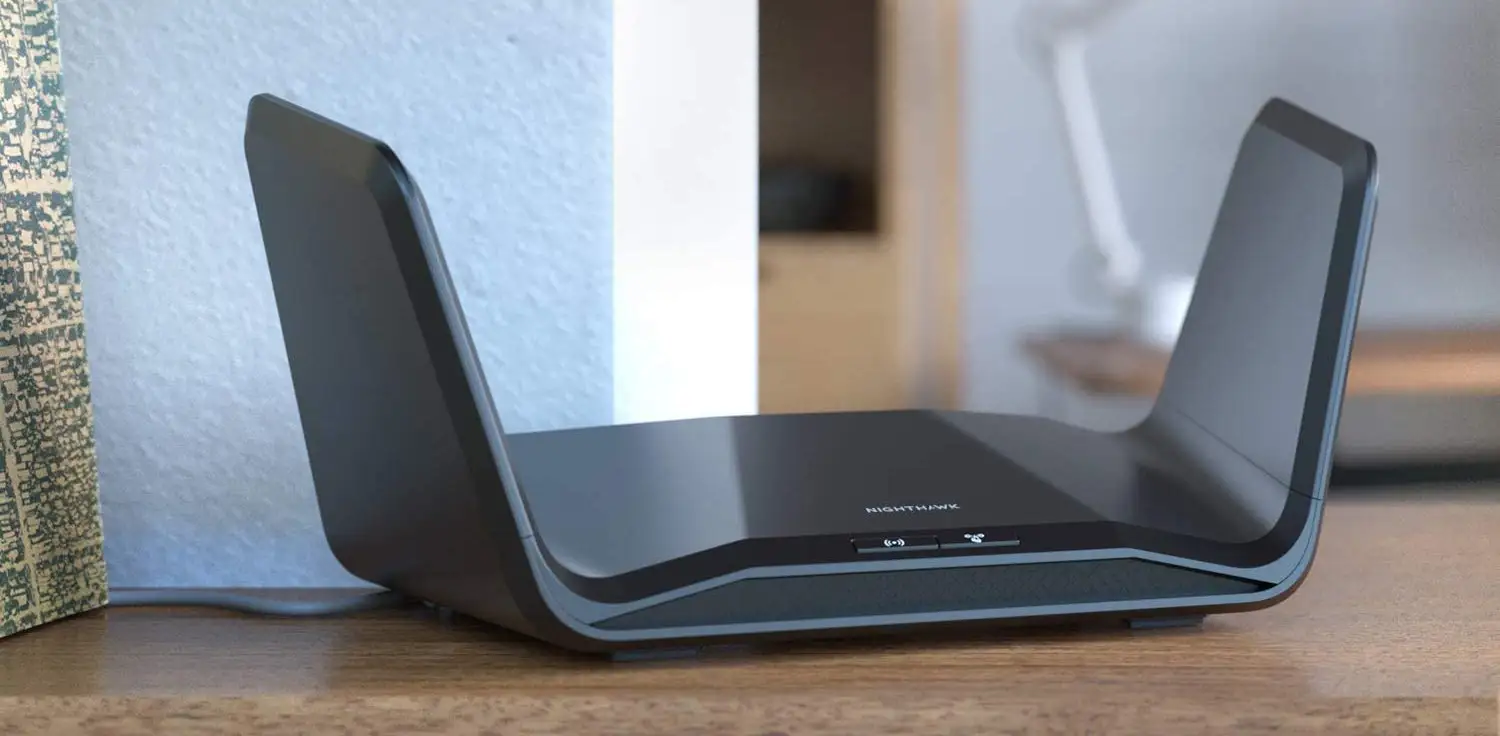
Hardware quality was also recognized. Quora’s review praised its “high-quality construction” and well-chosen ports — four Gigabit LAN plus a flexible 2.5Gbps port that can be used for WAN or LAN. Users appreciated the physical LED on/off switch, rare in consumer routers.
Common Complaints
Speed decline over distance was the biggest recurring frustration. Tom’s Guide demonstrated a drop from 2.39Gbps at 15ft to just 215Mbps at 50ft on 6GHz, while 5GHz held higher. “Throughput falls off quickly making it the router to use close up,” they concluded.
Software lag and clunky app experience were also common. Reddit user u/Tech*** described the Nighthawk app as “pretty sparse, pretty slow…almost every click triggers a loading screen.” Android Central added that setup could stall unless default settings were kept until firmware updated — a patience test for non-technical buyers.
Limited parental controls drew criticism from multiple sources. Currently, URL blocking and schedules exist, but there’s no deep content filtering, unlike ASUS AiProtection Pro or TP-Link HomeShield. For family users, this omission hurts value at its price point.
Netgear Armor, while promising all-device protection, was repeatedly flagged as unstable or economically questionable. "Once Armor was off, internet was crazy fast with no glitches…not one," said a NETGEAR Community poster.
Divisive Features
Design split opinion — modeled after previous “winged” Nighthawk series, some call it “space-age,” others find it bulky. Its appeal is strongest with enthusiasts who display their gear; minimalists may find its footprint too large.
The 6GHz band itself also divided buyers. For some testers, it’s a congestion cure and future-proofing win — for others lacking compatible devices, it’s wasted capacity. “If you don’t have a WiFi 6E device, you’re paying a lot to use half of a router,” Android Central cautioned.
Trust & Reliability
Long-term owner reports were generally positive once early setup or firmware issues were resolved. One Reddit buyer who worried about overheating found their unit “worked great” in AP mode with no stability problems over months. Another fixed their recurring Armor crash by eliminating a double NAT situation caused by ISP-provided hardware, after which Armor “absolutely no problems over the past week.”
Trustpilot and broadbandbuyer reviews confirmed durability, saying it “handled transfer tests with aplomb” and sustained “good signal strength” without intermittent dropouts once installed properly. However, netizens emphasize hardware reliability doesn't guarantee software polish — updates could change behavior, so cautious firmware management is recommended.
Alternatives
The closest rival mentioned by users was the ASUS ROG Rapture GT-AXE11000, with near-identical specs, full AiProtection Pro security, and robust parental controls — often $50 cheaper. For gamers, its optimization features and expandable AiMesh ecosystem add value.
For buyers without 6GHz devices, the Netgear Nighthawk RAX200 offers similar tri-band AX11000 speeds using two 5GHz bands for about $100 less, sacrificing only the 6GHz future-proofing.
Budget-conscious households can consider TP-Link Archer AX90 — delivering tri-band AX6600 speeds sufficient for ISP plans under 500Mbps, plus parental controls and mesh compatibility.
Price & Value
At launch around $599, the RAXE500 was nearly triple the cost of high-performance WiFi 6 routers. eBay listings now show open-box units between $257–$364, with new stock hovering $450–$679, indicating modest depreciation and potential savings used.
Community buying tips stress pairing with high-speed broadband and 6GHz-capable clients to maximize value. Reddit users advise leveraging Amazon’s easy returns: “Keep it, see how it works…if you’re having issues, return it.”
FAQ
Q: Does the RAXE500 work with older WiFi devices?
A: Yes, it’s backward-compatible with IEEE 802.11 a/b/g/n/ac on 2.4GHz and 5GHz, though older clients won’t benefit from 6GHz speeds.
Q: Is Netgear Armor worth enabling?
A: Only if you need all-device network-wide security and can handle subscription costs. Multiple users reported disabling Armor improved stability.
Q: How’s the range?
A: Excellent on 5GHz for medium homes; 6GHz range drops sharply, so its benefits are for close-range devices.
Q: Can it be wall-mounted?
A: Yes, mounting inserts are provided. Note that antennas are fixed and cannot be adjusted.
Q: Does it support mesh networking?
A: No — this model lacks compatibility with Netgear’s Orbi mesh ecosystem.
Final Verdict: Buy if you’re an early adopter with 6GHz-capable devices, a need for extreme short-range speeds, and comfort with occasional firmware quirks. Avoid if your household relies on parental controls or you lack modern clients — the extra cost won’t yield proportional gains. Pro tip from the community: update firmware immediately, and connect directly to your modem to avoid double NAT issues.