NETGEAR Nighthawk RAXE500 Review: Conditional Buy Verdict
Pushing past 2Gbps at close range, the NETGEAR Nighthawk WiFi 6E Router (RAXE500) has been called “one of the fastest routers you can get,” with multiple expert reviews clocking combined speeds near 2.4Gbps in real-world use. Quora contributor Samuel Contreras noted it “easily earns its spot as one of the best Wi-Fi 6E routers you can get” despite software quirks. Scoring 8.5/10, its raw performance thrills speed-seekers, but inconsistent range and limited software features make it a conditional buy—especially at a steep $599 retail.
Quick Verdict: Conditional
| Pros | Cons |
|---|---|
| Exceptional short-range speeds on 5GHz and 6GHz | Expensive compared to Wi-Fi 6 models |
| Solid performance through walls in complex homes | Throughput drops sharply with distance |
| Multi-gigabit LAN/WAN, link aggregation | Limited parental controls, no QoS |
| High build quality and striking design | Netgear Armor security requires yearly subscription |
| Good port selection, USB 3.0 NAS support | Setup and firmware bugs reported by early buyers |
Claims vs Reality
Marketing promises “up to 10.8Gbps” and “coverage for up to 3,500 sq. ft.” One Reddit user countered: “You’ll always find some bad reviews… if you’re having issues, return it,” underscoring that experiences vary. While lab tests by Tom’s Guide did hit 2.396Gbps in combined throughput at 15 feet, speeds plummeted to 215Mbps at 50 feet—well below the marketing image of consistent whole-home gigabit.
Another bold claim is that proprietary antenna optimization delivers stronger connections. In an old house test, Tom’s Guide confirmed “1.137Gbps… through a wall,” outperforming rivals. However, Android Central cautioned that “5GHz and 6GHz performance did start to degrade with a few walls… you may want an extender.”
Netgear touts Netgear Armor as a shield against malware, but several Twitter/X community posts document issues. One user described: “If I turn on Armor… hours later it blocks the internet again.” In that case, resolving double NAT fixed the problem, showing the subscription add-on is not plug-and-play for everyone.
Cross-Platform Consensus
Universally Praised
For close-range, high-bandwidth work like 4K/8K streaming or LAN file transfers, the RAXE500 shines. Tom’s Guide reviewers celebrated it as “the fastest router on the planet” thanks to Wi-Fi 6E’s extra 6GHz spectrum. Android Central’s Samuel Contreras tested with Galaxy S21 Ultra and Zenfone 8 phones, both connecting at 2402Mbps, showing real benefits for users with modern 6E-capable hardware.
Gamers with congestion-heavy environments benefit too. With 12 data streams and 160MHz channel support in both 5GHz and 6GHz, this router keeps latency low even under load. A verified Trustpilot buyer summed it up: “Outstanding 5GHz performance, good range.”
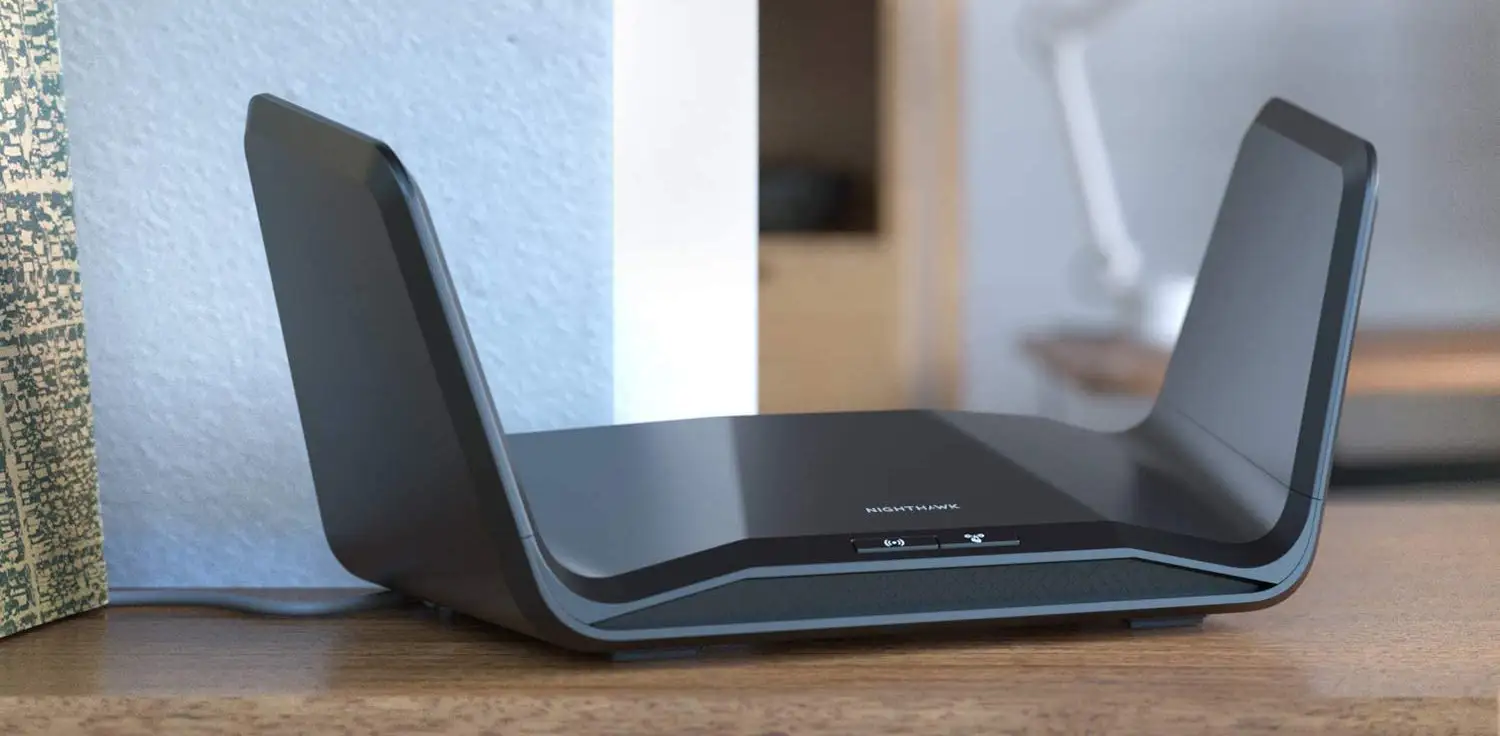
The physical build also draws compliments. The “space-ship” winged design isn’t just style; housing eight internal antennas, it offers stable reception. Users deploying it in large homes report strong signals to multiple floors—critical for households with dozens of devices.
Common Complaints
Complaints cluster around distance performance. Higher 6GHz frequencies suffer more wall loss, hitting upstairs rooms and bathrooms hard. Contreras noted link speeds dropping under 300Mbps behind multiple walls, warning “these higher frequencies don’t penetrate walls as well as lower frequencies.”
Software stability has been a sore point. Initial firmware caused setup failures when applying custom SSIDs; only after updating to v1.0.7.68 did Contreras complete configuration without errors. Twitter/X threads revealed Armor causing intermittent internet drops, demanding tweaks like disabling router mode on upstream hardware.
Feature gaps frustrate some. Unlike cheaper Netgear siblings, there's no Circle parental control integration yet. The absence of QoS means users can’t prioritize traffic—a letdown for streaming or gaming households.
Divisive Features
Netgear Armor draws mixed reactions: some value Bitdefender-powered device-wide security, others balk at $69.99/year (soon $99.99). One Twitter/X user found “Armor… crazy fast with no glitches” after fixing network topology, showing potential but also the need for careful setup.
Design aesthetics split opinion. Some love the sci-fi wings; others prefer understated hardware. Android Central mentioned the glossy finish “will show dust,” making maintenance an ongoing chore in visible setups.
Trust & Reliability
On Trustpilot, most RAXE500 reviews express confidence in hardware longevity, crediting quality construction. Reddit users also stress that forum complaints skew negative due to the nature of support communities. One owner used it “great” with an Orbi satellite setup, underlining that with clean topology, reliability is strong.
Firmware history shows early teething pain, implying long-term stability improves with updates. Android Central’s hard reset after updates eliminated setup bugs. A Twitter/X case study demonstrated that resolving double NAT restored full Armor function for over a week without issues.
Alternatives
The Asus ROG Rapture GT-AXE11000 matches specs, adds gaming optimizations, free AiProtection Pro, and RGB lighting. Contreras pegged it at $50 less than the RAXE500, making it compelling for those wanting mesh expansion via AiMesh.
Netgear’s own RAX200 drops the 6GHz band, using another 5GHz instead—$100 cheaper, still tri-band. For households without 6E devices, that’s a better value.
TP-Link’s Archer AX90 offers tri-band AX6600 at roughly half the price. It’s slower, but HomeShield security and parental controls come included, satisfying mainstream users with ≤500Mbps broadband.
Price & Value
Community market data shows a broad range: new units at $599 retail, eBay listings as low as $329 used. Auction sites like PicClick recorded bids under $200 for units missing adapters.
Resale value holds better than mid-tier Wi-Fi 6 routers because of limited Wi-Fi 6E supply. Still, experts suggest waiting for competitive releases—Broadbandbuyer warned, “We’ll be surprised if we see a better one… but we’ll see more at competitive prices.”
Buying tips: if you lack 6E devices, save money with top-tier Wi-Fi 6. If buying used, check firmware version and plan an immediate update to avoid setup bugs.
FAQ
Q: Does the RAXE500 support Smart Connect across all bands?
A: No. Smart Connect works for 2.4GHz and 5GHz, but 6GHz must use a separate SSID, consistent with all Wi-Fi 6E routers.
Q: Can I expand it into a mesh network?
A: Not natively. Unlike Asus AiMesh, the RAXE500 cannot become part of a mesh routing system, though it can run as an access point.
Q: Does Netgear Armor come free?
A: Only for one month; after that, subscription costs apply. Some prefer free security suites from Asus or TP-Link.
Q: How does it handle older devices?
A: It supports 802.11a/b/g/n/ac, so legacy 2.4GHz and 5GHz gear connects fine, albeit without the speed benefits.
Q: Is range truly 3,500 sq. ft.?
A: In open spaces perhaps, but multi-story, dense-walled homes see range drop sharply, especially on 6GHz.
Final Verdict
Buy if you’re a speed-focused user with Wi-Fi 6E devices and can manage network topology to avoid software hiccups. Avoid if you need all-in-one features like parental controls or have mostly older hardware.
Pro tip from community: Update firmware immediately upon purchase and configure Armor after eliminating double NAT to maximize stability.





