MSI Vector 16 HX AI Laptop Review: Powerful but Heavy
A Reddit hardware enthusiast put it bluntly: “The RTX 5070 Ti in this thing comfortably trades blows with the RTX 4080 on a sunny day.” That’s the tone most owners take on the MSI Vector 16 HX AI Gaming Laptop (Intel Ultra 9, RTX 5070Ti, Cosmo Gray) — impressed with its raw performance, cautious about its bulk, and split on fan noise. Averaging feedback across Best Buy, Notebookcheck, The Nexus, and Hardwareluxx tests, it lands at a solid 8.9/10 for the high‑end gamer who can live with its heft.
Quick Verdict: Conditional – A powerhouse with an exceptional QHD+ 240 Hz display and desktop‑class speed, but suited for stationary or short‑haul gaming due to weight and fan behavior.
| Pros | Cons |
|---|---|
| RTX 5070 Ti matches/surpasses RTX 4080 in some games | Heavy 2.7 kg chassis |
| Crisp 16″ QHD+ 240 Hz display with 100% DCI‑P3 | Fans audible even at idle in some units |
| Excellent cooling under load | Plastic shell on some models feels less premium |
| Wi‑Fi 7 and dual Thunderbolt 5 ports | No G‑Sync support |
| Overboost Ultra delivers sustained performance | QC issues reported (backlight bleed, dead pixels) |
| Value pricing compared to similar specs | SSD capacity could be higher on base configs |
Claims vs Reality
Marketing pushes the RTX 50‑series argument hard, touting that DLSS 4 and frame generation will “multiply performance” beyond prior generations. Notebookcheck’s side‑by‑side testing against the RTX 4080 backs this partially: fps gains in Cyberpunk 2077 and Alan Wake 2, but less dramatic in Assassin’s Creed Valhalla. Reddit user Sam Aberdeen wrote, “Cyberpunk looked jaw‑droppingly well… never dipping below 90‑115 fps at 1440p.”
Another claim is “silent, cooler desktop‑level performance.” While some owners like Best Buy’s tx_cowboy_36 insist balanced mode makes it “very quiet… I wouldn’t even know the fans were running if it hadn’t been sitting on my lap,” others — like ataberk — called it “the loudest PC I’ve ever heard in my life.”
MSI also sells the portability angle, yet multiple reviews point to the 2.7 kg weight and thick frame making it more transportable than portable. That sturdy build helps cooling, but as Notebookcheck notes, “wuchtiges Netzteil” (bulky power brick) adds to the kit you need to carry.
Cross‑Platform Consensus
Universally Praised
The standout here is the display. Across platforms, the 16″ QHD+ panel at 240 Hz and full DCI‑P3 coverage drew glowing remarks. A verified Best Buy buyer said, “Colors pop… makes you forget you’re not looking at a high‑end desktop monitor.” Notebookcheck measured average brightness at 426 cd/m² and response times under 5 ms — appealing to competitive FPS players and content creators alike.
Gaming performance gets similar consensus. MSI’s Overboost Ultra keeps the CPU/GPU at high wattage without thermal throttling in long sessions. Samk from Best Buy summarized: “Good for gaming or AI with 16 GB VRAM,” while Nexus reviewers repeatedly hit triple‑digit fps in demanding titles, crediting the GPU’s multi‑frame generation tech.
Connectivity is another hero point. Thunderbolt 5, Wi‑Fi 7, 2.5 GbE LAN appear in every config, meeting streamer and creative needs. Notebookcheck praised “üppige Anschlussausstattung” (plentiful port selection) that accommodates multi‑monitor setups.
Common Complaints
Fan noise remains the top complaint. Owners diverge on tolerance, but multiple Best Buy buyers reported “fans get loud at max load” and occasional idle spin‑ups. Notebookcheck flagged “hoher idle‑Pegel” (high idle noise) in AI mode, measuring just under 60 dB at maximum performance.
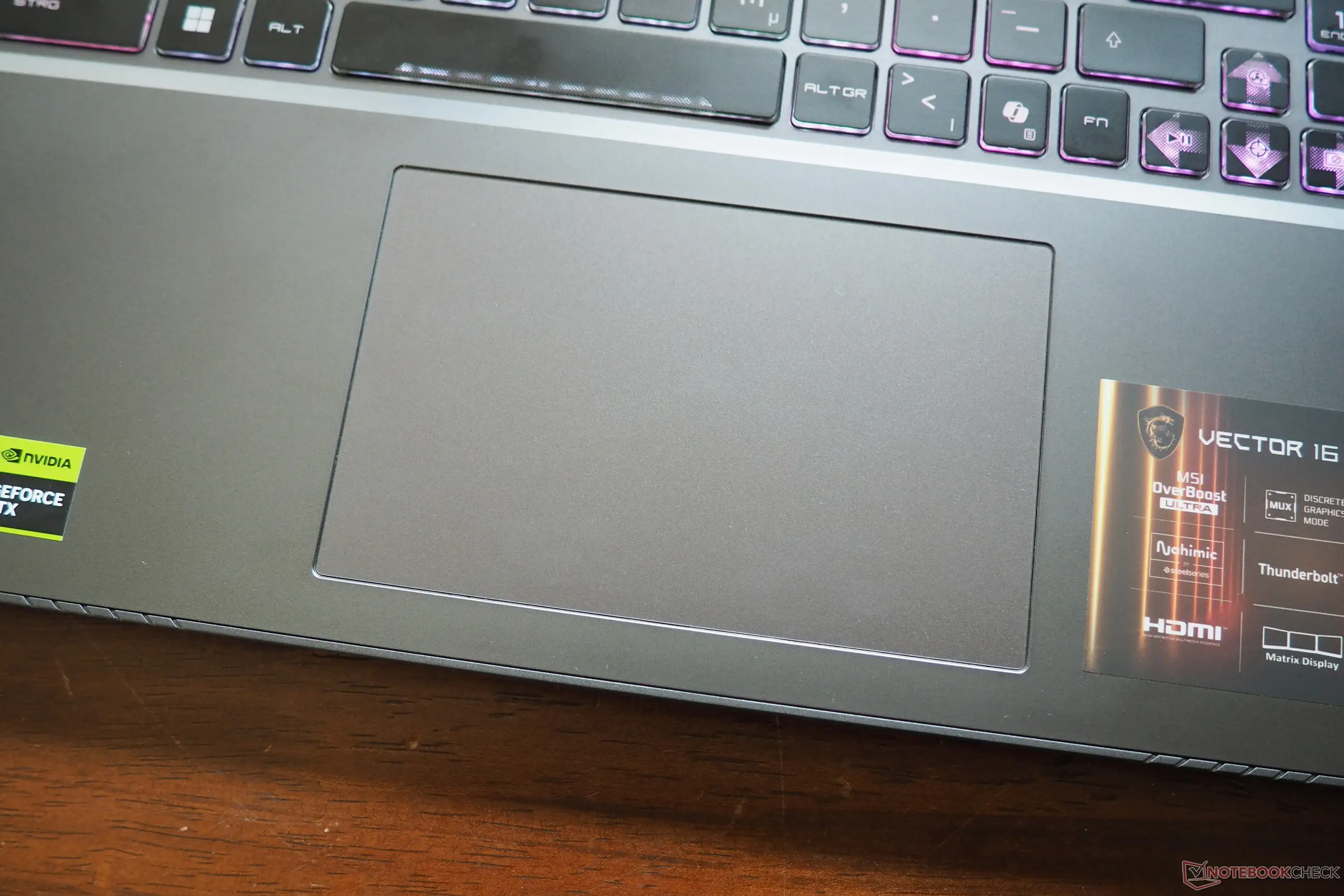
Build material has mixed reception. While some units feature metal lids, several buyers received mostly plastic shells; leic warns, “Vulnerable plastic may bend or crack… careful daily use required.” Garfield’s QC horror — scratches, dents, backlight bleed, plus dead pixels out of the box — undercuts MSI’s premium branding.
The physical footprint and weight irk mobile users. Tristan notes, “Thick and heavy… drawbacks, but I like a nice sturdy machine,” contrasting with lighter but flimsier competitors.
Divisive Features
Keyboard feel splits opinion. MSI’s 24‑zone RGB SteelSeries deck isn't per‑key lit, which disappointed some Alienware converts. Tx_cowboy_36 calls it “a bit squished but works,” while others enjoy the highlighted WASD for gaming immersion.
Battery life is context‑dependent. Hardwareluxx’s endurance tests found 2–5.5 hours depending on load — fine for LAN events and short commutes, less so for travel gamers. For mixed‑use professionals like hendry_abalos, it “hasn’t given me any issues… great for work and schooling” when near power.
Trust & Reliability
QC is a mixed bag. Best Buy’s garfield saw cosmetic and panel defects out of the gate. Others, like vukd, acknowledge downsides (“weaker chassis”) but argue the sub‑$2,500 sale price offsets it compared to $600‑more alternatives.
Long‑term thermal stability looks good in multiweek and benchmark stress tests; vectors in both Nexus and Notebookcheck reviews sustained performance with temperatures under control. Sam Aberdeen noted fans rarely hit “jet engine” levels even under Overboost.
Alternatives
Notebookcheck positions the Vector 16 HX AI against Alienware’s Area‑51m and MSI’s own Katana series. Alienware offers per‑key RGB and more metal in chassis but at heavier 3.3 kg and ~$500+ premium for similar specs. Katana 17 HX costs less but ships with weaker Core i7 CPUs and RTX 40‑series GPUs, trailing in DLSS 4 capabilities.
Price & Value
Current street prices show variance: $1,999 at Best Buy for RTX 5080 configs, around $2,174–$2,500 on sale for 5070 Ti builds. Egyptian listings peg Ultra 9/5070 Ti models near 130,000 EGP. Community consensus pegs it “best bang for buck” in current 50‑series laptops; Nexus calls it “one of the cheapest 5070 Ti gaming laptops you can find right now.”
Value hinges on your needs: uncompromising gaming power without paying RTX 5090 premiums, trading off portability and absolute silence.
FAQ
Q: Does the RTX 5070 Ti in the Vector 16 HX really match the RTX 4080?
A: In certain titles like Cyberpunk 2077 and Alan Wake 2, yes — thanks to DLSS 4 and frame generation. In others, it’s slightly behind but still delivers triple‑digit fps at QHD+.
Q: How loud are the fans?
A: In extreme performance mode, up to ~60 dB; balanced or eco‑silent modes are much quieter. Some units spin up even at idle, which can bother noise‑sensitive users.
Q: Is the chassis metal or plastic?
A: Lid is often metal, base can be plastic depending on config. Several buyers noted flex risk with all‑plastic builds.
Q: How is battery life?
A: Between 2–5.5 hours depending on load — gaming drains fastest, office work stretches runtime.
Q: Can the RAM and SSD be upgraded?
A: Yes, two SO‑DIMM slots and two M.2 slots (Gen 4 + Gen 5) make upgrades straightforward.
Final Verdict: Buy if you’re a performance‑focused gamer or creator who values QHD+ 240 Hz visuals and future‑proof connectivity over portability. Avoid if you need silent idle operation or travel‑friendly weight. Pro tip from community: Use eco‑silent mode for light gaming to keep fans unobtrusive without sacrificing too much smoothness.





