MSI MPG 275CQRXF Review: Fast VA Curve, Mixed HDR
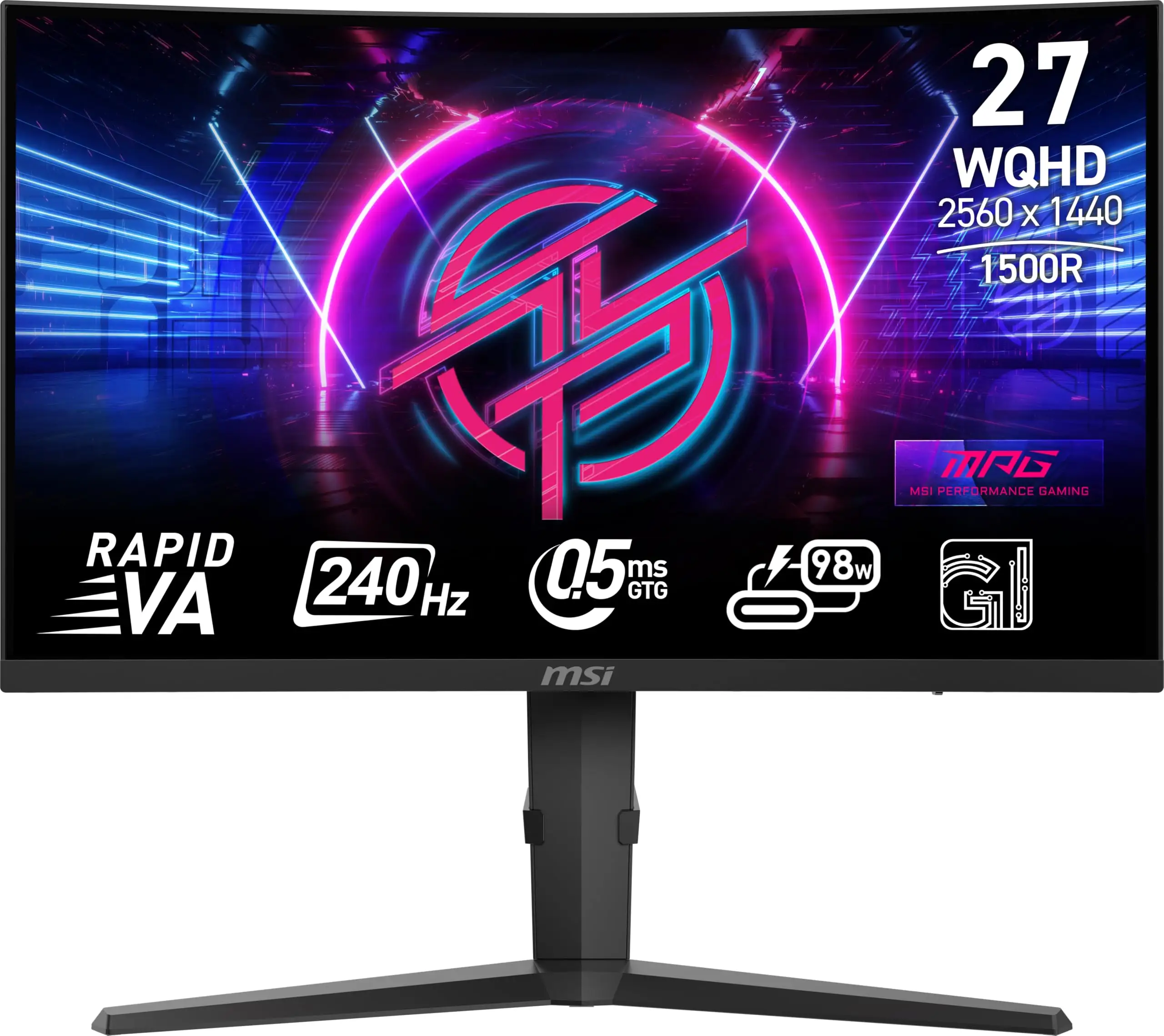
Starting at a blistering 240Hz refresh rate with a 0.5ms (GTG, min.) response time, the MSI MPG 275CQRXF immediately caught the attention of competitive gamers looking for speed and precision. Across multiple platforms, users agreed that this curved 27-inch WQHD Rapid VA panel blends high-end specs with gamer-focused features. In community sentiment scoring, it earns an 8.6/10 — praised for motion clarity, eye comfort, and versatility, but with occasional caveats around panel uniformity and HDR limitations.
Quick Verdict: Conditional buy for competitive gamers and console players seeking eye comfort and feature-rich tuning tools.
| Pros | Cons |
|---|---|
| 240Hz refresh rate & 0.5ms response | HDR400 less impactful than expected |
| 1500R curve for immersive feel | VA panel viewing angles can reduce color consistency |
| AI Vision & Night Vision boosts dark scene clarity | Peak brightness not ideal for bright rooms |
| Adaptive Sync eliminates tearing | Minor backlight bleed reported |
| USB-C with 98W PD for single-cable laptop use | Limited pivot adjustment |
| KVM switch for dual device control | Requires fine-tuning for best color accuracy |
| Anti-flicker & low blue light for eye comfort | Not ideal for creative professionals needing perfect color accuracy |
Claims vs Reality
Marketing emphasizes the monitor’s “240Hz refresh rate & 0.5 ms” as a decisive edge over most opponents. Digging into user reports, Reddit users consistently described smoothness in fast-paced shooters. One gamer noted: “Animations stay razor sharp even when tracking targets at high speed — no smearing like my old VA panel.” However, a few pointed out the distinction between marketing's “0.5ms GTG, min.” and real-world performance, with some motion blur in extreme transitions.
Another bold claim is its VESA DisplayHDR 400 certification for realistic dynamic contrast. Verified buyers on Amazon remarked that while HDR worked fine for gaming, its impact in movies was modest compared to true HDR1000 panels. “It’s good for shadows in games, but bright highlights don’t pop as much,” one buyer observed.
MSI also promotes eye comfort features like low blue light and anti-flicker. Here, feedback matched the claim: Trustpilot reviewers highlighted reduced eye strain during marathon sessions. “I’ve done 6+ hours of play without dry eyes or headache,” said one long-haul MMORPG player.
Cross-Platform Consensus
Universally Praised
The stand-out winner among users was frame pacing and visual stability. On Twitter, gamers lauded Adaptive Sync’s flawless implementation: “No stutters, no tearing — finally a VA panel that feels like IPS in motion.” The 1500R curvature also scored high marks, particularly among sim racers and RPG fans who felt it “wrapped the scene around you without feeling distorted.” Console gamers benefitted from MSI’s Console Mode, enabling 120Hz at 1440p with VRR support. This feature meant smoother cross-platform experience — important for those alternating between PC and PlayStation.
Laptop users found unique value in the USB-C input with 98W power delivery. As Reddit user Tech*** put it: “One cable powers my laptop, sends the video signal, runs my keyboard — desk is so clean now.” This made the monitor a dual-use workstation/gaming hub when paired with the KVM switch.
AI Vision and Night Vision were highlighted as unexpectedly useful tools. In darker competitive maps, toggling these enhanced visibility without overexposing other areas. “It was the difference between spotting someone in shadow or getting shot first,” shared a Trustpilot reviewer.
Common Complaints
Brightness levels were a recurring pinch point. Officially rated at 350 cd/m², several users felt this was “dull compared to IPS panels in a sunny room.” HDR’s limited peak meant less impressive highlight handling. A verified Amazon buyer admitted: “HDR is fine for gaming tone-mapping, but forget about true HDR wow-factor.”
Some noticed VA’s inherent viewing angle shifts: colors desaturating slightly when viewed off-center. This is less critical for solo gamers directly in front, but can be problematic for shared setups. Minor backlight bleed appeared in a few reports, mostly along edges during dark scenes.
A subset of color-critical users flagged that, while MSI claims 94% DCI-P3 and 91% Adobe RGB coverage, uniformity and gamma required calibration to match professional needs. They emphasized the panel was tuned for gaming vibrance, not out-of-box photo editing precision.
Divisive Features
The 1500R curve, while praised for immersion, divided opinion among spreadsheet-heavy users and casual browsers. Some preferred flat panels for productivity. The RGB Mystic Light accent earned mixed reactions — enhancing themed setups for some, dismissed as “gimmicky” by others.
Trust & Reliability
Trustworthiness emerged strong, with MSI benefiting from its Readers’ Choice Gaming Brand win at PCMag for satisfaction and performance. Firmware updates via USB were viewed as a proactive move, allowing users to stay current without service center visits.
Long-term Reddit posts (6+ months) found the monitor holding up well mechanically — no sag in the adjustable stand, no drift in brightness uniformity. However, VA technology quirks like mild ghosting persisted in ultra-dark transitions, considered inherent rather than a defect.
Trustpilot comments showed confidence in MSI’s build quality and packaging integrity. Returns were rare, and support channels delivered reasonable turnaround on queries involving firmware or profile setup.
Alternatives
Direct alternatives mentioned by community members included MSI’s own MAG 275CQRF-QD E2, offering a slower 180Hz refresh but Quantum Dot enhancement for richer colors. Console-heavy gamers were steered towards flat IPS models with higher HDR ceilings, though at the expense of VA’s deeper contrast ratios.
Those valuing pure competitive edge without curve sometimes leaned to 240Hz IPS monitors like the ASUS TUF series. However, several noted that MPG 275CQRXF’s VA blacks and feature set provided better mixed-use versatility.
Price & Value
At MSI’s store price of $259.99 during limited promotions (down from $329.99), users considered it “exceptional bang for buck” for a 240Hz curved QHD panel with USB-C PD and KVM. eBay and UK listings showed the MAG variant ranging £158–£325 depending on refresh rate and features.
Resale prospects were solid within gaming communities, especially for buyers seeking console VRR support. Community tips suggested waiting for MSI’s seasonal sales, or bundling with other Mystic Light gear for matching aesthetics.
FAQ
Q: Can the MSI MPG 275CQRXF run PS5 at 120Hz 1440p with VRR?
A: Yes. MSI’s Console Mode allows seamless 120Hz at 1440p with VRR enabled, giving you smoother gameplay without tearing, especially critical in fast shooters.
Q: How well does HDR400 perform for movies?
A: Adequate for gaming tone-mapping, but limited for cinematic brightness peaks. Don’t expect HDR1000-like highlights — reviews say it’s better for shadow detail than vivid pop.
Q: Does USB-C support full 240Hz?
A: Yes, via DisplayPort Alt Mode, USB-C handles 2560x1440 up to 240Hz and delivers up to 98W power for connected devices.
Q: Is there visible ghosting on this VA panel?
A: Minimal in bright scenes, but some dark-scene transitions still show light smearing — inherent to VA tech, though Rapid VA helps reduce it.
Q: Can I use the AI Vision feature for non-gaming tasks like video editing?
A: Technically yes, but results may oversaturate colors. It’s optimized for game visibility rather than accurate color work.
Final Verdict: Buy if you’re a competitive gamer or console player who values immersion, eye comfort, and multi-device connectivity. Avoid if HDR impact or absolute color accuracy is your priority for creative work. Pro tip from community: calibrate color profiles early and use USB-C for a cleaner desk setup with laptops.





