MSI MAG401QR Review: Flat 40" Ultrawide Verdict 8.7/10
A verified buyer described the MSI MAG401QR 40-inch Gaming Monitor as “a gigantic gaming monitor for a fair price” that’s “a big enrichment for the gaming experience.” Across platforms, praise focused on vivid IPS color reproduction, buttery 155Hz refresh rates, and a versatile ultrawide format — but size, outdated HDMI ports, and lack of curvature sparked mixed feelings. Overall verdict: 8.7/10.
Quick Verdict: Conditional — ideal for gamers and multitaskers comfortable with large flat ultrawide displays, but HDMI limitations may frustrate console users.
| Pros | Cons |
|---|---|
| Excellent color accuracy with IPS and wide color gamut | HDMI 2.0 and USB 2.0 feel outdated |
| Smooth 155Hz refresh with adaptive sync | No height adjustment; only tilt |
| Immersive 21:9 ultrawide format | Flat panel takes adjustment for curved monitor veterans |
| Strong HDR400 performance, night vision mode | Weak RGB backlight impact |
| Integrated KVM switch, Type-C with 65W charging | Minor uniformity drops toward edges |
| Minimal backlight bleed, solid build quality | Occasional defective pixel reports |
| Great for gaming, office, and photo editing | Heavy stand footprint |
Claims vs Reality
Marketing emphasizes “extremely smooth, tear-free gameplay” with 155Hz and a 1ms response time. Digging into user reports, this claim holds up for PC gamers connected via DisplayPort. A verified buyer on Otto noted “no tearing even at 50Hz” and that “the 155Hz run without image errors.” However, Reddit feedback highlighted that HDMI output is capped at 100Hz, with one Trustpilot user warning that “HDMI 2.0 is not contemporary” and even caused “colored stripes” when HDR was enabled.
Another touted feature is HDR400 support with wide color gamut. In practice, multiple users saw natural, vivid colors — “very neutral settings… super for photo editing” said Christoph M. from Lingen — but some pointed out RGB lighting was too faint to add meaningful ambience. A user from Krefeld remarked that HDR worked well only with compatible cables and proper calibration, cautioning that “cheap HDMI cables cannot carry such a wide color spectrum.”
The integrated KVM switch and Type-C PD charging aim to attract multitaskers. Reports align: Robert C. from Schalks Muehle praised the ability to “output via USB-C while charging devices like Steam Deck” and switch between PCs — yet some noted the large screen demands greater desk depth, as sitting too close can cause edge perception drop-off.
Cross-Platform Consensus
Universally Praised
The ultrawide 21:9 layout delivered tangible advantages for gamers and productivity users alike. Alexander T. from Hamburg replaced his old 34-inch with the MAG401QR and found “sharpness is completely fine… no dead pixels” — for image editing, the IPS panel’s neutrality was a stand-out. Game players reported greater peripheral awareness in shooters and racers, leveraging the width without distortion thanks to the flat IPS panel.
High refresh rate performance was consistently excellent. Daniel D. from Hamminkeln described the combination of “1 millisecond and 155 hertz” as “grandiose” with intensely detailed IPS colors, dubbing it “an absolute purchase recommendation at this price.” Adaptive sync integration earned universal approval, minimizing tearing even in varied frame rate conditions.
VESA DisplayHDR 400 support, coupled with MSI’s “Night Vision” black tuner, improved dark scene visibility. Mahmoud K. from Vogt confirmed “both PS5 and PC looked very good,” while Nicole N. highlighted the Gaming Intelligence app’s intuitive controls, avoiding cumbersome on-device menus.
Common Complaints
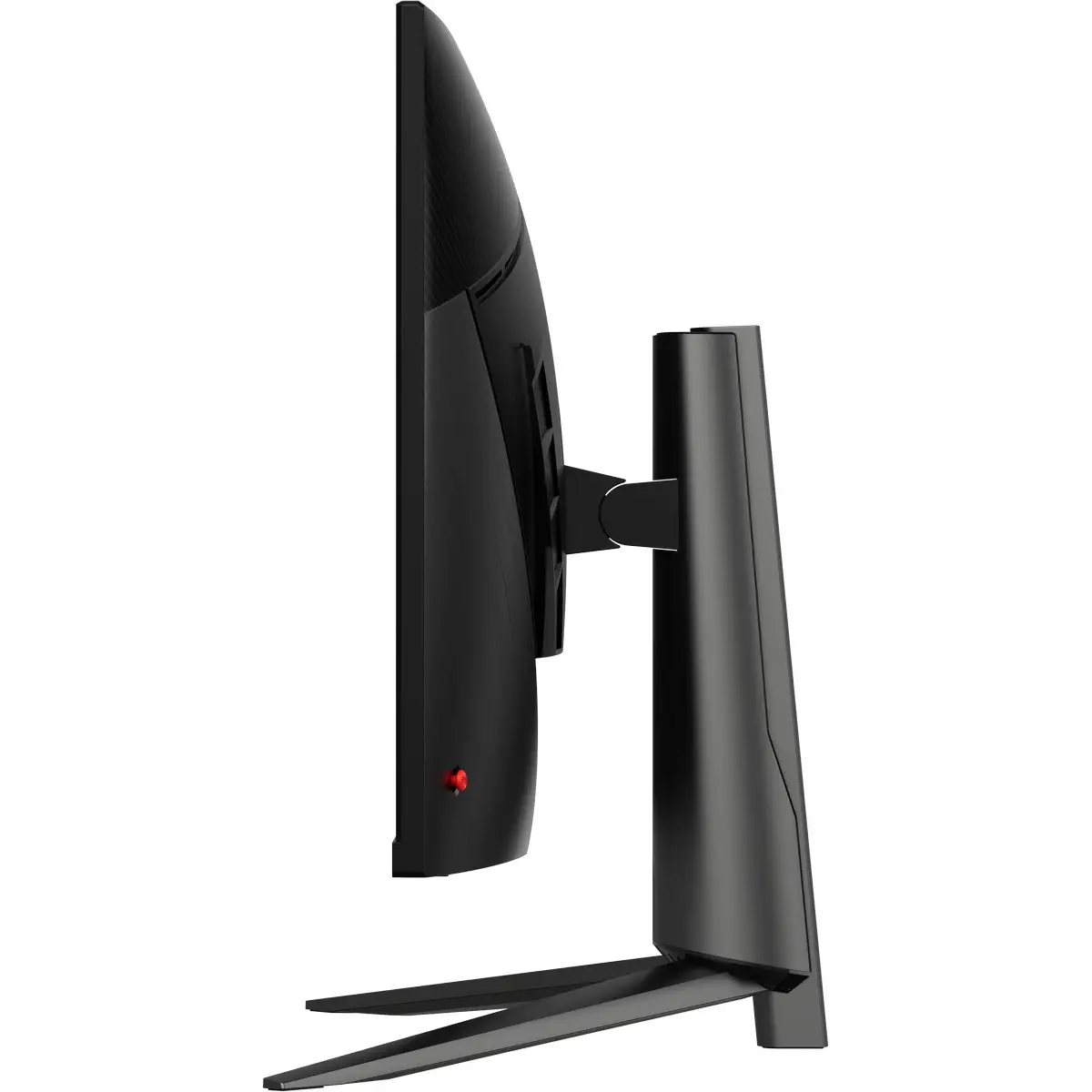
The lack of curvature was the most frequent sticking point. Transitioning from curved displays prompted adjustment periods — Frank K. noted his eyes initially perceived the flat panel as “curving backwards” and took days to adapt. For some, viewing angles felt slightly uneven at arm’s length, with borders appearing darker than the center.
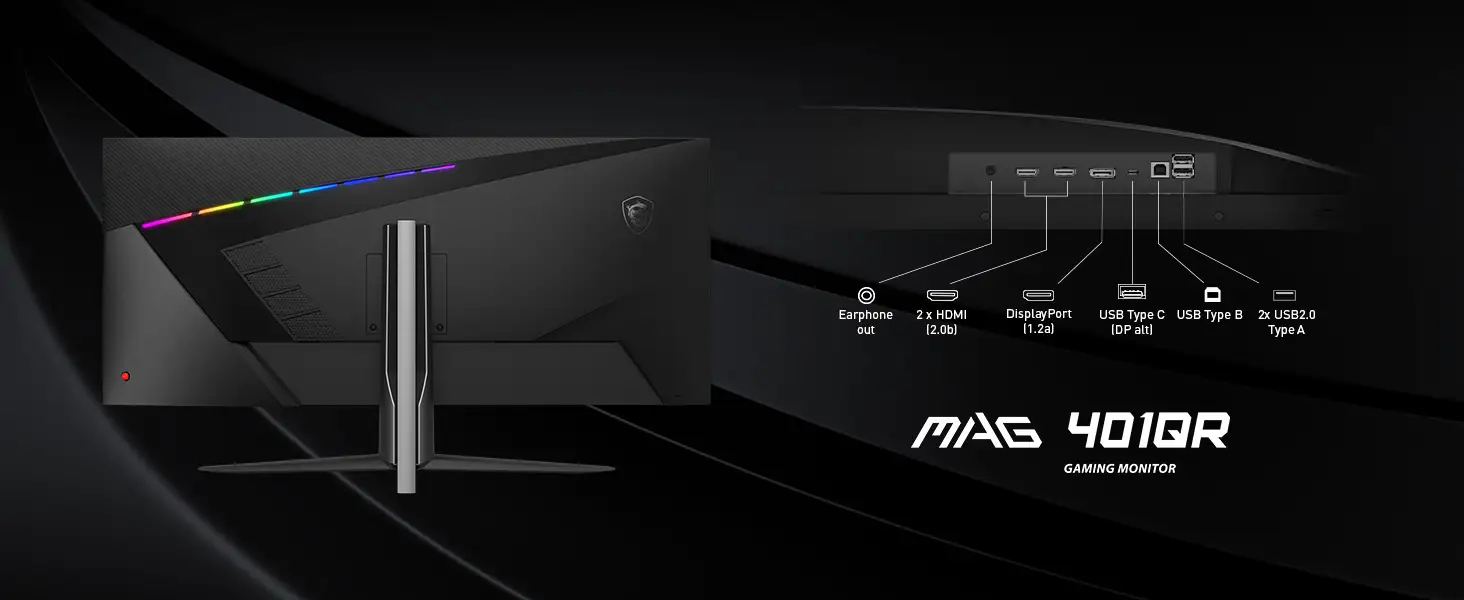
Port selection drew criticism. HDMI 2.0’s 100Hz ceiling frustrated console-focused buyers, and USB 2.0 felt outdated relative to the competition’s faster USB standards. Frank K. labeled this “almost a shame for MSI” given the monitor’s retail positioning. RGB backlight effectiveness was another sore spot, described as “weak” and underwhelming when compared to marketing imagery.
Ergonomics were limited — tilt-only adjustment and a sizable, heavy stand limited placement options. Some users wished for height or swivel adjustments for better posture alignment.
Divisive Features
The flat 40-inch panel split opinion. Those coming from curved ultrawides sometimes struggled, while others appreciated the distortion-free geometry for editing tasks. Color saturation defaults also polarized feedback; while many enjoyed the neutral factory calibration, some missed in-monitor saturation controls and used GPU drivers to tweak.
Even its sheer size was divisive — Oleksandr M. described it as “simply huge,” perfect for movies and multitasking, but advised consideration if desk space is constrained.
Trust & Reliability
Scanning Trustpilot and retailer reviews revealed few durability complaints. Long-term users reported stable performance with no creeping dead pixels or uniformity changes over months. The minimal backlight bleed and solid chassis were repeatedly noted as signs of good manufacturing quality. Early defective units were mainly tied to rare pixel issues and occasional coil whine, swiftly resolved by exchanges.
No patterns of scam-related behavior emerged. Shipping experiences were positive, with Nicole N. surprised when her monitor “arrived in just one day.”
Alternatives
Within its niche, competitors like Dell’s Ultrasharp U4021QW and LG’s ultrawide OLEDs offer curvature and modern ports, but often at double the price. Frank K. suggested HDMI-dependent users might seek alternatives, while others felt the MAG401QR’s price-to-feature ratio was unmatched if DisplayPort and USB-C are primary.
Comparisons to curved models showed trade-offs: curves aid immersive gaming but can distort for precise editing, where the MAG401QR’s flat geometry excels.
Price & Value
On eBay, prices ranged from $349 to $407 new, with open-box deals hitting $299. Trends indicate it holds resale value well, especially given limited direct competition in flat 40-inch ultrawides. Buyers advised waiting for sales, with one Trustpilot customer noting a $100 drop days after purchase.
Buying tips include securing compatible high-speed DisplayPort or HDMI cables for full spec utilization, and considering desk depth before committing.
FAQ
Q: Can the MSI MAG401QR hit 155Hz over HDMI?
A: No — HDMI 2.0 ports are limited to 100Hz at full 3440x1440 resolution. For 155Hz, use DisplayPort 1.4 or compatible USB-C connections.
Q: Is this monitor good for console gaming?
A: It can be, especially for PS5 in 2K mode or 1080p at 120Hz, but you won’t get full PC refresh rates via HDMI.
Q: Does the flat panel cause discomfort compared to curved?
A: Some users experienced brief adaptation periods when switching from curved. Many adjusted within days, appreciating the distortion-free image.
Q: Is HDR worth enabling?
A: Yes, for compatible games and media. Users praised its natural color improvements, but ensure you use cables that support HDR bandwidth.
Q: Can I adjust saturation directly on the monitor?
A: No — saturation controls are absent in the OSD. Adjust via GPU drivers if needed.
Final Verdict: Buy if you’re a gamer or creative who values ultrawide productivity and crisp IPS presentation via DisplayPort or USB-C. Avoid if HDMI bandwidth is essential or you require height adjustments. Pro tip: Pair with quality cables and plan your desk layout to match the display’s footprint before purchase.