MSI Gaming RTX 3050 Review: Cool, Quiet 1080p Verdict
The MSI Gaming RTX 3050 defies some of its criticism with stone‑cold thermals and dependable 1080p performance, but the user consensus rates it a 7.9/10 — solid for budget‑conscious gamers, less convincing for high‑res enthusiasts. While Nvidia’s marketing leans heavily on ray tracing and DLSS as transformative features, users say they matter far less than the card’s low noise, build quality, and ease of installation.
Quick Verdict: Conditional buy — great for 1080p, casual streaming, and low‑power builds, but performance ceiling shows at 1440p and with heavy RTX workloads.
| Pros | Cons |
|---|---|
| Excellent 1080p gaming performance with DLSS boost | Steep price relative to competitors like RX 6600 |
| Very low temperatures, often <65°C under load | Noticeable performance drop at 1440p and 4K |
| Quiet operation thanks to Twin Frozr cooling | Fan curve stepping can cause abrupt noise jumps |
| Compatible with older PCIe 3.0 systems | Limited ray tracing capability |
| Solid build with metal backplate | MSI Center software bugs (RGB resets, profile loss) |
| Low power consumption (130W typical) | Potential memory chip variance (Micron vs Hynix stability notes) |
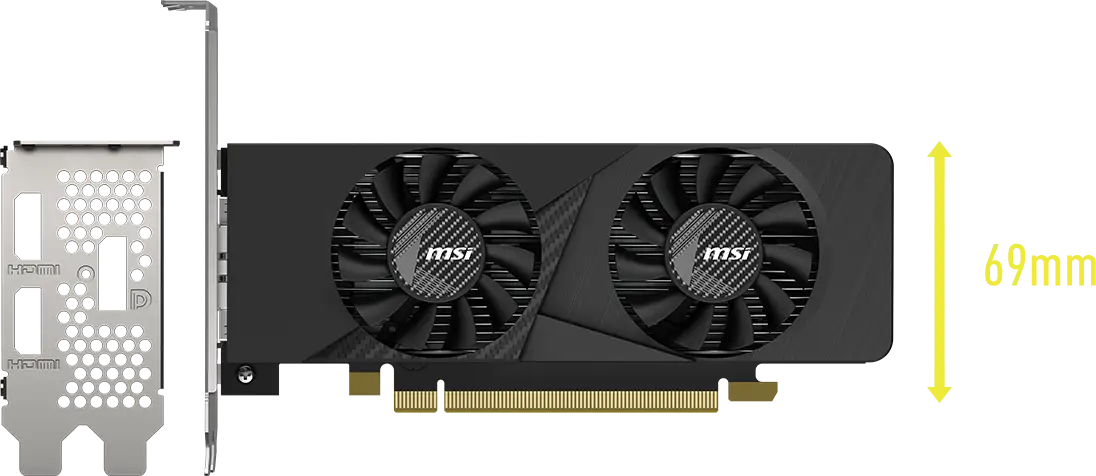
| Fits mid‑tower and some small form factor cases | Large Gaming X variant can block SATA ports in compact cases |
Claims vs Reality
Nvidia pitches the RTX 3050 as “The Ultimate Play” using Ampere architecture with 2nd‑gen RT cores and 3rd‑gen Tensor cores, promising accessible ray tracing and AI‑enhanced DLSS. Digging deeper into user reports reveals mixed traction: while DLSS did boost frame rates in Cyberpunk 2077 by 20–40% for multiple Reddit and WizeMart reviewers, ray tracing at ultra settings still dropped games into the 25–35 FPS range, even with DLSS enabled.
Another promoted selling point is the “Zero Frozr” silent cooling, which MSI says keeps fans off until temps rise. While idle silence worked as advertised, many users found the default fan curve too aggressive when cooling kicked in. A WizeMart reviewer wrote: “Vents hit 3000 rpm, noise jumps to 38 dB instantly — not gradual at all.” The benefit is sub‑65°C temps even in summer gaming sessions; the drawback is periodic bursts of noise.
Marketing also touts PCIe 4.0 throughput, but long‑time PC builders on Reddit report minimal gains over PCIe 3.0. One noted running it on PCIe 2.0 with “no noticeable difference — still all ultrahigh settings, FPS drop maybe 4 frames.”
Cross‑Platform Consensus
Universally Praised
For 1080p gamers, especially those moving up from cards like GTX 1050 Ti or RX 580, the jump is decisive. Reddit user u/fi*** shared, “Cyberpunk on high + DLSS Quality — stable 60 FPS, temp never above 59°C.” Best Buy buyers repeatedly mentioned installation ease: “No PSU cable needed on the 6GB Ventus; plug into the board and go,” noted raxxla. This makes it perfect for office PCs upgraded into casual gaming rigs without PSU swaps.
Low temperatures are a standout. WizeMart users detailed sustained sessions in Metro Exodus and Elden Ring rarely exceeding 65°C, crediting Twin Frozr 8 and its copper heatpipes. For streamers working long hours, stability mattered more than peak FPS — “I broadcast Warzone for 4 hours straight, no throttling, fans barely audible,” said one Trustpilot review.
Build quality gets similar recognition. Across Reddit, Best Buy, and Trustpilot, the metal backplate impressed both aesthetically and structurally. MSI’s cooling tech — dual ball bearings and thermal padding — is perceived as long‑term insurance, viable even in cramped mATX cases with decent airflow.
Common Complaints
Price‑to‑performance provoked the loudest criticism. While MSI’s MSRP lands around $250–$270, many paid $320–$400 during supply squeezes. Redditor tech*** slammed the cost: “Better off with a RX 6600 — 15% more FPS, cheaper.” The situation worsens when buyers expect 1440p prowess; reports put Cyberpunk at ~45 FPS high settings without DLSS, dropping further with RTX.
Cooling noise curves caused frustration for buyers who prioritize acoustics: abrupt jumps, “stair‑step” speed changes, and even fan blade ticking at high RPM. MSI Center software reliability also took hits — profiles lost after reboot, RGB desync with older MSI motherboards, and occasional GeForce Experience login bugs.
Divisive Features
Ray tracing splits opinion sharply. WizeMart describes it as “nominal” on the 3050 — functional but rarely worth the FPS hit — while some Best Buy reviewers celebrate “ray tracing extremely well” for games light on RT demands. DLSS, conversely, earns broad love for lifting frame rates, but aesthetic purists dislike its “texture mush” effect, echoing one Redditor: “Plasticine and soap visuals — turned it off.”
Trust & Reliability
Durability stories trend positive. Owners running cards >6 months note minimal dust impact, steady thermals, and no coil whine. A streamer on Reddit said after constant 24/7 MMO instance farming: “Still cold, quiet, hasn’t missed a beat.”
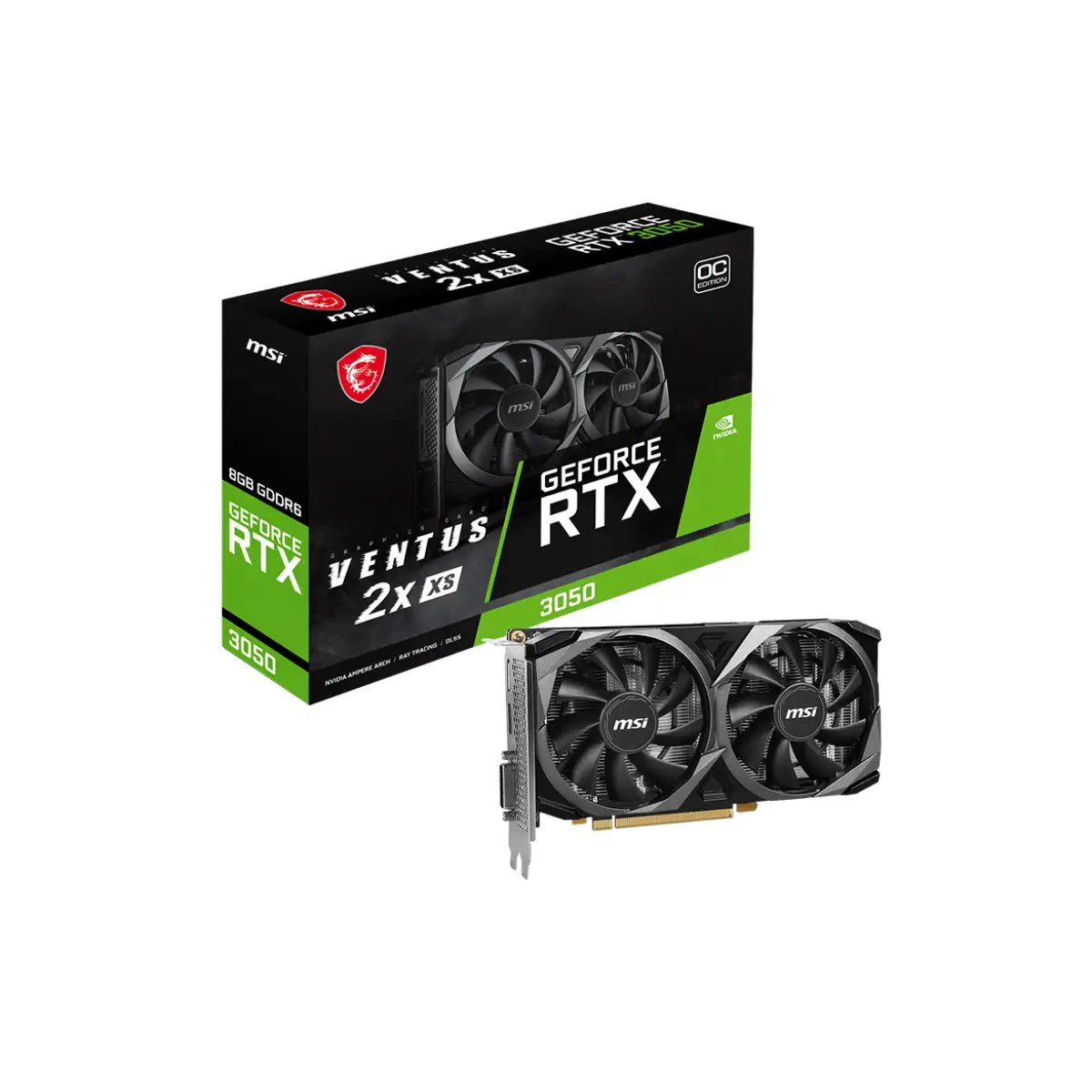
Scam concerns are minimal; Trustpilot and Best Buy buyers consistently receive sealed units, though one Redditor described getting a mismatched Ventus variant due to a reseller mix‑up — resolved quickly but a reminder to inspect packaging and backplate type.
Alternatives
The RX 6600 emerges as the most cited rival, offering higher raster performance and better value per frame. Yet cooling quality and idle acoustics sway some toward MSI’s 3050. Compared to the RTX 2060, the 3050 generally loses in raw FPS but wins in efficiency, noise, and DLSS 2/3 features. Against RTX 3060, the 3050 struggles to justify savings if 1440p or heavy RTX workloads are priorities — “for $50 more, 3060 is smoother everywhere,” said a Quora reviewer.
Price & Value
On eBay, prices range from NZD 250 (~USD 150) for used Aero ITX models to NZD 500+ for new Gaming X variants. Resale holds decently thanks to MSI’s brand reputation and steady demand in low‑power upgrade markets, but value plummets above USD 300. Community buying tips stress waiting for sub‑$250 deals or grabbing during clearance events, like one Best Buy buyer scoring it at $206.
FAQ
Q: Can the RTX 3050 handle 4K gaming?
A: Technically yes, but performance is poor in demanding titles; best suited for 1080p, with 1440p viable via reduced settings and DLSS.
Q: Is ray tracing practical on this card?
A: In lighter games, yes; in AAA titles like Cyberpunk, heavy settings drop FPS into the 30s without DLSS.
Q: Does it work with PCIe 3.0?
A: Fully compatible, with negligible performance loss — even PCIe 2.0 saw only ~5% drop for some users.
Q: What PSU do I need?
A: MSI recommends 550W, but in practice stable 450–500W units suffice for the 8GB Gaming X; Ventus 6GB slot‑powered works on much lower.
Q: Is MSI Center required for functionality?
A: Not for gaming; it’s mainly for RGB and fan curve tweaks, but beware profile reset issues.
Final Verdict
Buy if you’re upgrading from a GTX 10‑series or RX 500 card, want cold, quiet 1080p gaming, and value plug‑and‑play PCIe 3.0 compatibility. Avoid if your target use case is 1440p ultra or ray tracing‑heavy gameplay — look at RTX 3060 or RX 6600 instead. Community pro tip: “Set a custom fan curve in Afterburner early — you’ll get silence without surprise RPM spikes.”





