MikroTik hEX S Router Review: Powerful but Demanding
Starting with a blunt assessment from Reddit: “These are an absolutely… awesome router. I have one, and the data that was sent to post this message came through it.” The MikroTik hEX S Gigabit Ethernet Router with SFP Port earns a solid 8.7/10, backed by broad cross‑platform praise for speed, versatility, and value, but tempered by a steeper learning curve and some firmware pitfalls.
Quick Verdict: Conditional – ideal for advanced home users and small office networks comfortable with RouterOS configuration
| Pros | Cons |
|---|---|
| Enterprise-level features at a home-user price point | Steep learning curve for RouterOS newcomers |
| Rock-solid wired performance with Gigabit throughput | Outdated, less intuitive web interface |
| Flexible port assignments and PoE output options | Risk of firmware upgrade issues (reported bricking) |
| SFP port integrates fiber without external NTU | Limited flash storage without SD card expansion |
| Durable, compact design | Passive PoE requirement not suitable for all devices |
| Regular firmware updates and long-term support | Some VPN configurations like OpenVPN can be finicky |
| Stable uptime with heavy multi-service workloads | Plastic body seen as cheap by some |
Claims vs Reality
MikroTik touts the hEX S as “affordable, small and easy to use” with “all the advanced configurations that RouterOS supports.” In practice, the “easy to use” claim is relative. Reddit user feedback pushes back: “It takes some time to get into RouterOS and Winbox but once you get a hang of it, it’s really intuitive.” Beginners face a learning curve, but experienced users confirm flexibility and control.
Another marketing point—the SFP port for fiber—matches real‑world benefits. A Reddit user explained that they could “connect the router directly to the glass fiber and do away with the NTU… PoE out is a nice bonus.” For offices or homes transitioning to direct fiber, the integration is seamless if you understand port configuration.
MikroTik also promotes PoE out on port #5 for powering other devices. While functional, some community members dislike the passive standard: “Why use anyone who does not need passive PoE? Use only 802.3af/at/bt!!” This has practical impact: users needing standard PoE must plan for adapters or different gear.
Cross‑Platform Consensus
Universally Praised
Performance is a standout. Multiple Reddit users describe running complex setups without hitch—load balancing two fiber connections, powering an AP via passive PoE, and maintaining uptimes over 50 days. One reported memory usage at only 41 MB of the 256 MB total under heavy multi‑service load. For small businesses and prosumers, this means stability in production.
Fiber integration via the SFP port expands deployment scenarios. A verified buyer on Amazon wrote that “the ability to handle gigabit internet speeds and efficiently resolve DHCP requests” was key in their office. Workshop users employ the SFP as an interface between switches and fiber where the switch lacks SFP, eliminating need for extra devices.
Price-to-feature ratio is another area of consensus. Trustpilot descriptions position it as “budget‑friendly… does a little bit of everything – and does it fast,” and reviewers highlight capabilities like VLANs, bonding, and traffic shaping at a fraction of competitors’ cost.
Common Complaints
RouterOS’s learning curve dominates criticism. New users often feel overwhelmed and resort to online tutorials. Reddit user sentiment: “Steep learning curve with RouterOS… mastering its configuration requires significant time.” Those wanting plug‑and‑play may struggle.
Firmware update risks emerged from reports of bricked devices after upgrading from RouterOS 6.41.x to 6.42.4. One Reddit user detailed: “Uploaded the .npk file… reboot… device is bricked. Netinstall and Winbox – nothing helps.” This deters casual upgraders from experimentation without backups.
Interface design is described as “outdated” and “less user‑friendly” compared to consumer routers. For those accustomed to polished GUIs, the utilitarian layout of MikroTik's web interface can be jarring.
Divisive Features
The plastic housing draws conflicting opinions. While some praise the “classic case in grey color” as aesthetically pleasing and functional, others dismiss it as cheap. Passive PoE support is similarly polarizing—beneficial for those powering MikroTik APs, irrelevant for users standardizing on 802.3af/at.
OpenVPN configuration generates mixed reactions: advanced users navigate quirks, but some complain about difficulty routing traffic over it, limiting appeal for VPN‑centric usage.
Trust & Reliability
Long‑term Reddit anecdotes suggest strong durability: “Forgot I had it… goes to show how stable and reliable it is.” In workshop and homelab contexts, multiple users describe months of uptime without degradation. Trustpilot overviews underscore assembly quality and performance consistency, backed by MikroTik’s multi‑year firmware support policy.
However, firmware risks mean trust hinges on cautious updates and backups. The minimum factory firmware requirement (6.41.3) blocks downgrading to certain bugfix versions—a detail caught by community members as essential for support planning.
Alternatives
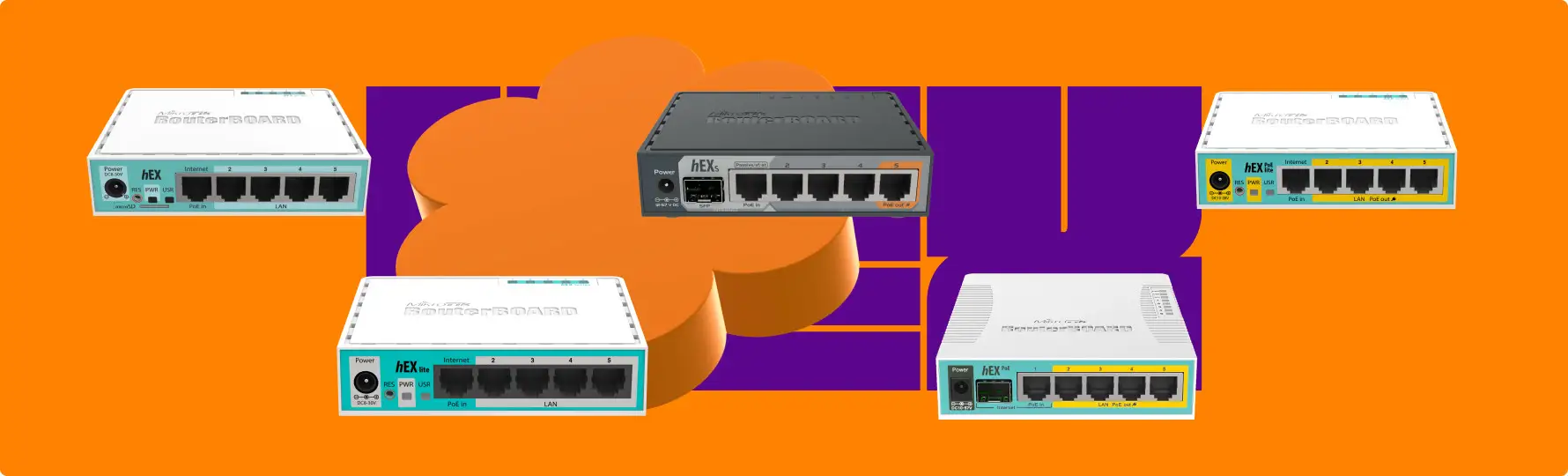
Several users contrast the hEX S with older models like the RB750Gr3, noting direct fiber capability and extra PoE out as meaningful upgrades. Alternatives like the hEX PoE offer more PoE‑out ports but drop SFP, making the hEX S better for fiber deployments.
Some with larger needs step to RB2011 replacements, citing the hEX S’s better performance. Rack‑mount suggestions emerged—using frames to mount multiple hEX S units side by side—a cost‑effective alternative to dedicated rack gear for small ISPs or labs.
Price & Value
Current prices vary: Trustpilot and Quora mention $69 for the 2025 refresh, while eBay listings show $86‑$89 USD. Amazon lists around $74.99. Value retention seems high in niche networking circles, with sellers achieving near-retail resale for sealed units.
Buying tips from Reddit include grabbing from distributors with active support portals and verifying SFP compatibility lists before purchase to avoid deployment surprises.

FAQ
Q: Does the hEX S support powering other devices via PoE?
A: Yes, but only passive PoE on port #5. It’s great for MikroTik APs, but not suitable for devices requiring 802.3af/at without adapters.
Q: Can I connect fiber directly to the hEX S?
A: Yes, via its SFP cage. Users report replacing external NTUs and integrating fiber connections seamlessly once configured.
Q: Is RouterOS hard to learn?
A: For beginners, yes—it requires time and tutorials. Experienced network admins find it intuitive once familiar.
Q: Do firmware updates pose risks?
A: Some users have bricked devices with certain upgrades. Always backup configurations and follow MikroTik’s recommended procedures.
Q: Can I use the hEX S as a switch?
A: Yes, but it’s primarily a router. Ports can be reassigned as WAN, LAN, or bridge for flexible roles.
Final Verdict
Buy if you are a networking enthusiast, small office admin, or advanced home user needing stable wired performance, fiber integration, and PoE out for select devices. Avoid if you want a plug‑and‑play router with minimal setup or standard PoE without adapters. Pro tip from the community: keep an SD card installed for extended storage and be wary of rushed firmware updates—stability is this router’s greatest asset when handled with care.





