Microsoft Surface Pro Keyboard Review: Conditional Buy Verdict
Starting with a surprising twist: while the Microsoft Surface Pro Keyboard (Alcantara, Black) has earned praise for its premium feel and seamless integration with Surface devices, long-term owners warn that the luxurious finish can betray its elegance after just a few years. Across Reddit, Best Buy, and Trustpilot, durability concerns about the Alcantara material and inconsistent typing experiences mean this accessory scores a 7.8/10—excellent for style and functionality in the short term, but with caveats for heavy daily use.
Quick Verdict: Conditional Buy
| Pros | Cons |
|---|---|
| Premium Alcantara finish feels soft and high-end | Alcantara can stain, discolor, or wear within 3 years |
| Smooth, responsive keys with quiet operation | Some users report missed keystrokes on Black business model |
| Backlit keys improve low-light usability | Higher price than comparable third-party options |
| Magnetic attachment is secure and fast | Slim Pen slot feels odd when empty |
| Integrated Slim Pen charging/storage | Limited warranty coverage for keyboard failures |
| Large glass touchpad with precise tracking | No easy repair options in certain markets |
Claims vs Reality
Microsoft markets the Surface Pro Keyboard as a “premium typing experience” with “comfortable Alcantara” and “durable” construction. Digging deeper into user reports, that promise holds true in the first year, but durability is contested over time.
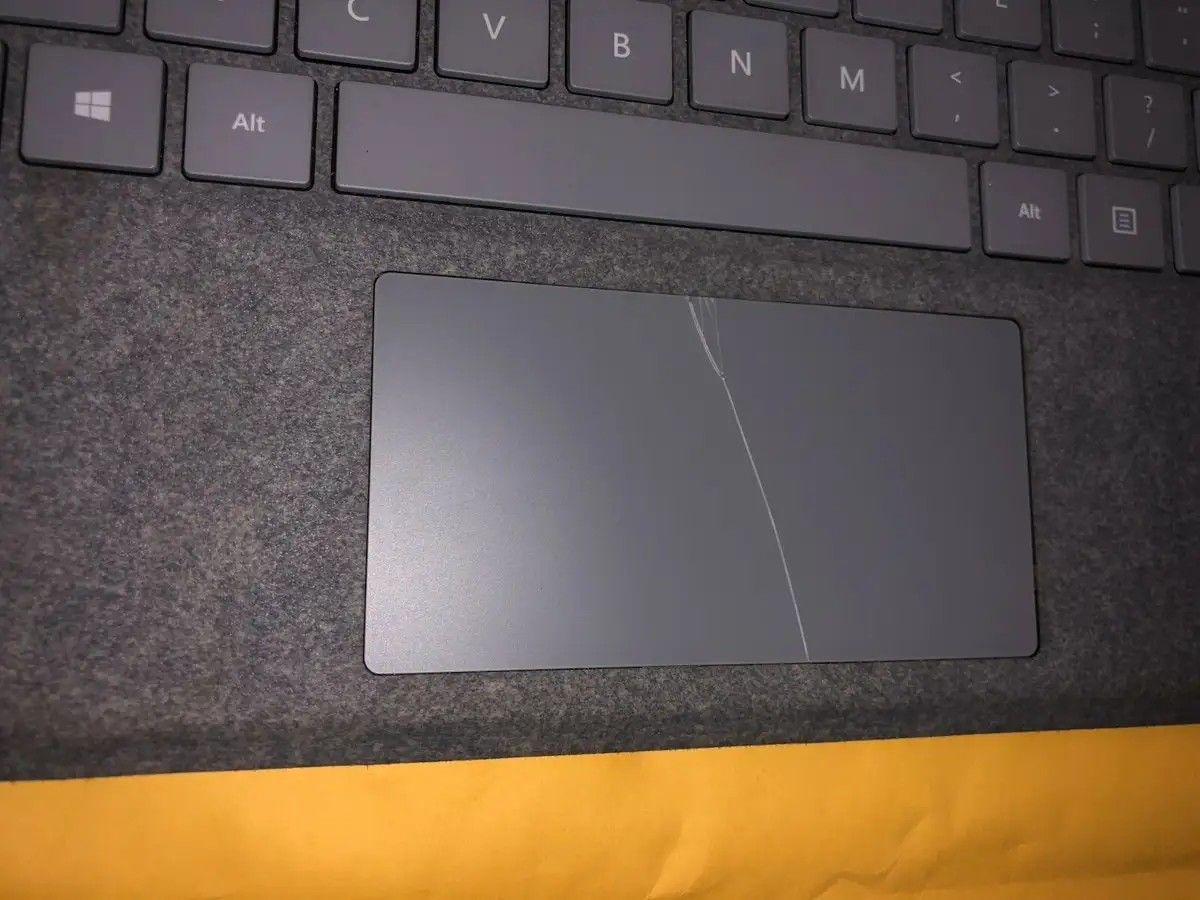
For example, Reddit user feedback emphasizes the softness and comfort: “Она мягкая, руки не прилипают, даже если ладони очень вспотели” (“It’s soft, hands don’t stick even if palms are sweaty”). This aligns with Microsoft’s comfort claim. However, another Reddit poll showed “practically half of the people who own a Surface device for more than 3 years say their keyboards are in bad or very bad appearance,” citing stains, peeling, and cracks.
Microsoft also touts “precision glass touchpad and mechanical keys.” Best Buy reviewers back that up: “The trackpad is smooth and responsive... all the magnets are well placed and have good holding power.” Yet a Microsoft Q&A user noted the Black business version’s “rubbery coating... leads to a poor typing experience... I often miss letters when typing very fast,” suggesting material differences can affect key feel.
Cross-Platform Consensus
Universally Praised
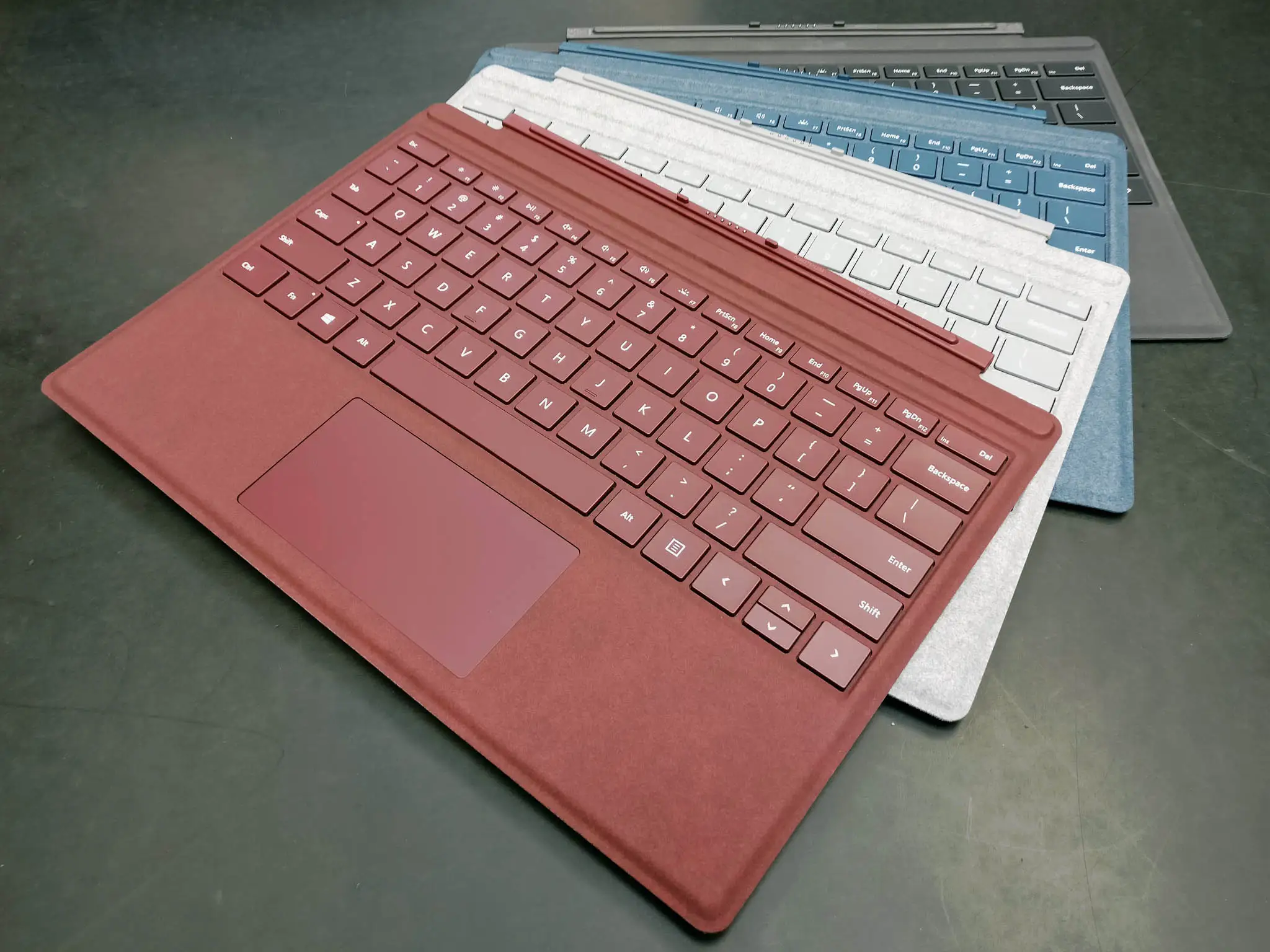
Across Best Buy and Amazon France, the Alcantara covering is described as “warm” and “luxurious,” with a tactile advantage over plastic covers. Heavy typists appreciate the mechanical keys’ travel and quietness. One Best Buy customer wrote: “The keys are quiet and well lit... works perfect with my Surface Pro 9.” Students and professionals working in low-light conditions report the LED backlight as “a lifesaver” in dim cafés or late-night study sessions.
The magnetic attachment earns consistent praise for its reliability. A verified Best Buy buyer remarked: “It snaps into place so easily I don’t need to look at the alignment.” Creative users benefit from the integrated Slim Pen slot—illustrators note that having the pen “always ready and charged” makes switching from typing to sketching effortless.
Common Complaints
Durability remains the most frequent complaint. Several Reddit threads highlight that Alcantara “is not easy to clean” and “light colors wear faster than dark ones.” Best Buy users confirm: “If you have oily hands you will see the stains over time.” Trustpilot reports reveal deeper frustration when the keyboard fails electrically—one buyer described it “works intermittently... sometimes it’s fine, and other times it simply stops responding,” only to learn their extended warranty excluded keyboard coverage.
Some owners dislike the feel of the Black business edition, as noted in Microsoft Q&A: “Keys have some rubbery coating... poor typing experience... miss letters when typing fast.” This coating is reportedly “by design” to reduce wear, but it alienated fast typists accustomed to the plastic keycaps of consumer models.
Divisive Features
Price polarizes buyers. Best Buy reviewers call it “pricey but worth it” for the build and integration, while others argue it’s “overpriced compared to other options in the market.” The Slim Pen slot is another split—some love the secure charging dock, others complain “if you don’t have a pen... it feels funny when closed and carrying around.”
Trust & Reliability
Trustpilot entries show that while the keyboard performs well initially, Microsoft’s support model can leave owners stranded when problems arise out of warranty. The lack of repair centers in certain regions, like India, forces customers to replace rather than fix. One Trustpilot user spent €271 on the keyboard only to face failure after the warranty expired, calling the situation “absolutely unacceptable.”
Long-term Reddit anecdotes back this up—users report visible wear and degraded appearance after three years, even with careful cleaning. That raises questions about Alcantara’s suitability for heavy daily use without periodic replacement.
Alternatives
In Reddit discussions, some prospective buyers consider the non-Alcantara Black Surface Pro keyboards, which use a plastic-rubbery material. The hope is for better durability, but feedback is mixed—while potentially more wear-resistant, typing feel can suffer. Outside the Microsoft ecosystem, alternatives under €1000 are scarce in the European 2‑in‑1 market, leaving Surface buyers with few direct competitors offering identical integration.
Price & Value
Current eBay listings show new Alcantara keyboards around $119–$199, with used models dipping below $90. Limited color editions like Sapphire or Poppy Red can cost $223–$279 new. Resale value holds moderately well for clean units, but visible wear—especially on Alcantara—drops prices sharply.
Buying tips from community members include waiting for seasonal sales or open-box deals at retailers like Best Buy, where one reviewer “got it open box for an even better deal.”
FAQ
Q: Does the Alcantara material really wear out quickly?
A: Many users report visible wear, staining, or discoloration within 2–3 years, especially on lighter colors. Cleaning promptly after spills and keeping hands clean can extend its life.
Q: Is the Black business edition different from consumer models?
A: Yes, some report a rubbery coating on keys in the Black business edition, which can reduce wear but feels less satisfying for fast typists compared to plastic keycaps.
Q: Does the Slim Pen slot work with all Surface Pens?
A: It’s designed for the Slim Pen 2 and Slim Pen for Business. Older Surface Pens may not fit or charge properly in the slot.
Q: Can I repair the keyboard if it fails?
A: Microsoft does not offer repairs for out-of-warranty keyboards in many regions, only replacement. This limits options if the device fails after the one-year coverage.
Q: Is it worth paying extra for Alcantara?
A: For those who value tactile comfort and aesthetics, yes. But for maximum durability, some prefer non-Alcantara materials.
Final Verdict: Buy if you’re a Surface Pro user prioritizing premium feel, integrated pen storage, and quiet backlit keys for professional or creative work. Avoid if you need a keyboard to withstand heavy daily use for years without cosmetic decline. Pro tip from the community: choose darker colors to minimize visible wear, and shop open-box for better value.





