Microsoft Surface Pro 9 Review: Portable Power, 8/10 Verdict
A verified buyer on Best Buy summed it up plainly: “Light weight and powerful, easy to take along with me… it is fast and easy to use.” The Microsoft Surface Pro 9 - Core i7 - Graphite earns an 8/10 in our investigation — its versatility and display win over many, but persistent battery life complaints and costly accessories keep it from elite status.
Quick Verdict: Conditional Buy
| Pros | Cons |
|---|---|
| Excellent portability for work and travel | Keyboard and pen sold separately, high accessory cost |
| Sharp 13" PixelSense Flow display | Battery life far below marketing claims for many |
| Strong multi-core performance for a tablet | Limited ports, no SD card slot |
| Premium build & color options | Touch/pen bugs reported by art users |
| Fast charging and removable SSD | Stability issues after software updates |
| Works well for everyday productivity | Not ideal for lap use without a desk surface |
Claims vs Reality
Microsoft promotes the Surface Pro 9 as having “up to 15.5 hours” of battery life with Intel, blending “tablet flexibility” and “laptop performance.” Digging deeper into user reports, this claim frequently falters in daily use. A Microsoft Community poster with an i7/32GB/1TB unit noted: “I lose 1% per minute… even only executing simple tasks… I reach only 4 hours.” Even after firmware updates, many still land between 4–8 hours — a far cry from the spec sheet.
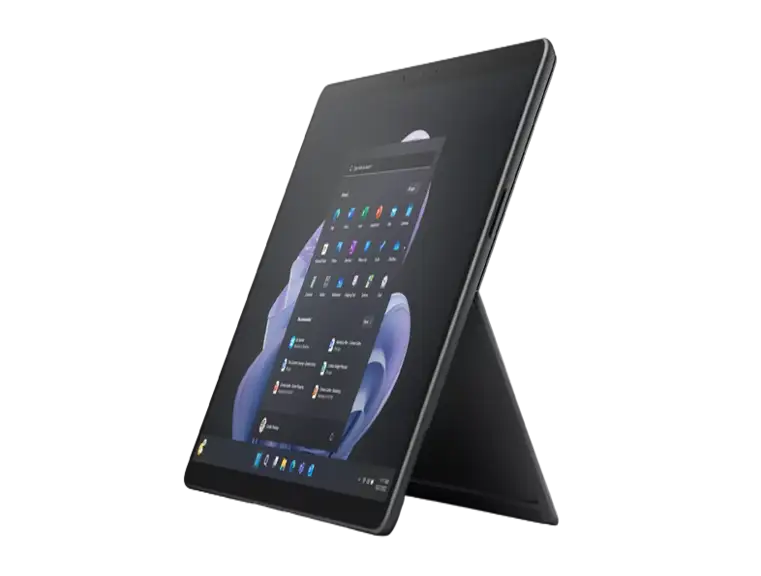
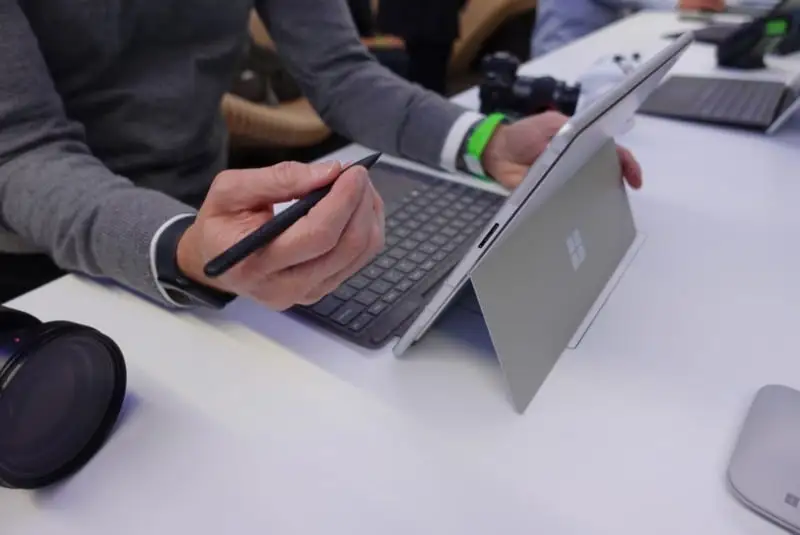
Another core marketing point is its role as a premium 2‑in‑1. On paper, the adjustable kickstand and detachable keyboard make it equally usable as a laptop or tablet. This holds up for desk work — a Reddit user shared they could “prop it up just how I like… screen is very nice.” But for lap use, reviewers at T3 and Tom’s Guide consistently found the form factor “a little too wide to use comfortably on your lap” compared to clamshell laptops.
The brand also touts seamless pen integration. While many enjoy the Slim Pen 2’s paper‑like feel, art users have hit snags. One Microsoft Community poster upgrading from a Surface Pro 3 complained that “slightly hovering the pen… would sometimes create dot inputs… setting pressure very low makes lines too thin.” This suggests the pen experience isn’t universally flawless, especially for precise sketching.
Cross-Platform Consensus
Universally Praised
Portability stands out as a near‑unanimous strength. Trustpilot reviewers repeatedly spoke of travel convenience. One customer who flies internationally said: “With the Surface, I have 2 devices in one… very light to carry around.” Reddit user u/… wrote that after replacing heavier gear, they could carry just the Pro 9 to the office and vacations without compromise.
The PixelSense Flow display also earns high marks. Best Buy ratings cite “screen size” as a standout, with many noting vibrant colors and sharpness for work and streaming. T3’s review applauded its “bright, sharp and vibrant” rendering of Netflix shows and accurate shopping colors. This benefits students, designers, and professionals needing dependable color.
Performance for everyday productivity tasks shines. Even mid-range configs handle multitasking smoothly — one Reddit user ran “9 Chrome tabs, Phone Link, YouTube app, Outlook, Teams, and Excel… everything is snappy, no hiccups.” Those working in Office, coding, or light creative apps generally find the i7 variant sufficient.
Durability and build quality get consistent nods. PcComponentes buyers spoke of a “fluid, functional, complete” environment with “very good speakers for its small size” and a premium aluminum feel. Several note it's an upgrade over older Surfaces in speed and finish.
Common Complaints
Battery longevity remains the dominant complaint. Microsoft Community threads detail i5 and i7 models draining at rates that make even full workdays impossible without a charger. One said that watching video through Kodi dropped battery life to “4.5–5 hours,” despite claimed optimizations. Travelers and remote workers relying on unplugged use are most affected.
Accessory cost frustration is widespread. The detachable keyboard and pen, pivotal to full productivity, are sold separately. A Best Buy reviewer cut a star because “for the price… they could manage to provide a keyboard, or a pen at the very least.” PcComponentes users criticized product images showing a keyboard that isn’t included — calling it misleading.
Software update instability has hit some owners hard. A Microsoft Q&A poster in Italy found that major updates left their device “stuck… have to bring it again to… private person… time and money lost.” Another said they were “into my third Surface Pro 9” due to repeated update-caused failures.
Touch and pen bugs remain an annoyance for creative professionals. The art user from Microsoft Community experienced lost touch inputs requiring shutdowns — a painful interruption for live sketching or digital illustration sessions.
Divisive Features
The kickstand design polarizes buyers. Desk users love the adjustability for angle control in meetings or drawing, but lap typists often echo Tom’s Guide’s point that it isn’t “lapable” without effort. Some accept this trade‑off for the portability; others prefer laptops with firm hinging.
Audio quality also splits opinion. While Dolby Atmos stereo speakers suffice for TV and light music, Tom’s Guide found them “don’t get very loud” compared to competitors like iPad Pro’s quad setup. For casual viewing, it’s fine; for louder environments or shared listening, less so.
Removable SSD and repairability is applauded by tech-savvy owners, but others shrug at the feature given slim storage upgrades and lack of RAM expandability.
Trust & Reliability
Trustpilot and Best Buy buyer patterns show overall satisfaction on launch — ratings often 4.7/5 — but long-term threads on Microsoft Community tell another story. Several describe repeated warranty replacements over months, undermining reliability claims. Common themes: overheating, firmware conflicts after Windows updates, and peripherals intermittently failing.
Still, others keep returning to the line for productivity. One PcComponentes customer upgraded from a Surface Pro 4, noting “much difference in speed, battery, touch” and sticking within Microsoft’s ecosystem despite cost concerns.
Alternatives
Tom’s Guide points readers to the Samsung Galaxy Book 2 Pro 360 — more powerful with a larger AMOLED display — and the Lenovo Yoga 9i Gen 7 for traditional 2‑in‑1 hinge fans. T3 suggests the Microsoft Surface Laptop Studio for those needing a stronger creative workstation with integrated folding instead of detachable keyboards. Tablet-focused buyers may prefer the Apple iPad Air (2022) for lighter, more mobile use, though OS constraints apply.
Price & Value
At launch, the Core i7/16GB/256GB Graphite bundle retails near $1,989 USD, with refurbs on eBay dipping under $1,050 and open-box units as low as $730 — a steep secondary market discount. Resale tends to hold better for well-maintained units with original accessories. Community advice: seek bundle deals including keyboard and pen to avoid high add-on costs, and watch for sales to sidestep accessory markups.
FAQ
Q: Is the keyboard included with the Surface Pro 9?
A: No. The signature keyboard is sold separately, though bundles sometimes include it. Many buyers emphasize it’s essential for full laptop-like productivity.
Q: How realistic is the 15.5-hour battery claim?
A: In typical mixed-use reports, most users see 4–8 hours. Heavy video streaming or creative workloads can drop it further.
Q: Can you upgrade RAM or storage later?
A: Only the SSD is user-replaceable. RAM is soldered, so choose your configuration carefully at purchase.
Q: Is it good for drawing and art?
A: It supports the Slim Pen 2 with haptics, but some artists report input bugs or hover dot creation. Best for casual sketching, but demanding creatives should test before committing.
Q: How does it perform for video editing?
A: Light edits are fine — Reddit users report smooth work with short 1080p projects — but intensive editing or high-res gaming is not its forte.
Final Verdict: Buy if you prioritize portability, a sharp display, and Windows productivity in a premium build — especially for office work, students, and travelers. Avoid if you demand all-day unplugged battery or heavy creative workloads. Pro tip from the community: lock in a bundle with keyboard and pen during a sale to maximize value and avoid accessory sticker shock.





