Microsoft Surface Laptop 4 Review: Sleek, Fast, But Limited
A Best Buy customer summed it up bluntly about the Microsoft Surface Laptop 4 13.5-inch (Intel Core i5): “It’s definitely Windows’ version of the MacBook. Light, sleek, fast… and worth it.” Across hundreds of reviews, a clear verdict emerges — this is a premium ultraportable that nails build quality, typing comfort, and day-long battery life, but leaves power users grumbling over its limited ports and non-upgradable RAM. Overall score: 8.5/10.
Quick Verdict: Conditional — excellent choice for students, remote workers, and casual creatives; less ideal for heavy gaming or expansion-hungry professionals.
| Pros | Cons |
|---|---|
| Sleek, lightweight design | No Thunderbolt 4, few ports |
| Excellent battery life (real-world 13–16h) | Non-upgradable RAM |
| Comfortable, well-laid-out keyboard | Some reports of speaker crackle |
| Crisp touchscreen with 3:2 aspect ratio | Reflective screen in bright environments |
| Dolby Atmos speakers deliver rich audio | Pricey for mid-tier specs |
| Solid build quality (metal or Alcantara) | Occasional build quality complaints |
| Responsive performance for everyday tasks | Not suited for intensive gaming |
Claims vs Reality
Marketing promises “up to 17 hours” battery life, “serious multitasking power,” and “immersive Dolby Atmos audio.” Digging deeper into user reports shows these claims mostly hold water — but with caveats.
Battery life, while strong, rarely hits Microsoft’s max spec in normal use. A Best Buy reviewer kept the screen bright while streaming movies and browsing: “The battery lasted 13 hours the first day and 15 the next… Still impressive!” Consumer Reports testing found 16.75 hours in light web use, dropping to 8.25 under heavy 4K playback.
Performance claims line up for common workloads. Reddit testers noted quick app launches, smooth video calls, and good browser performance with dozens of tabs. But heavier creative or gaming loads hit limits fast — as one Best Buy owner warned, “Lite video games are ok, but I would not recommend running anything graphics heavy.”
On audio, Dolby Atmos earns consistent praise. Tom’s Guide highlighted “loud and clean sound,” while a Best Buy reviewer called music playback “excellent… bass tones balanced perfectly.” Yet occasional speaker crackle at high volume and software quirks (like Firefox streaming issues) temper the win.
Cross-Platform Consensus
Universally Praised
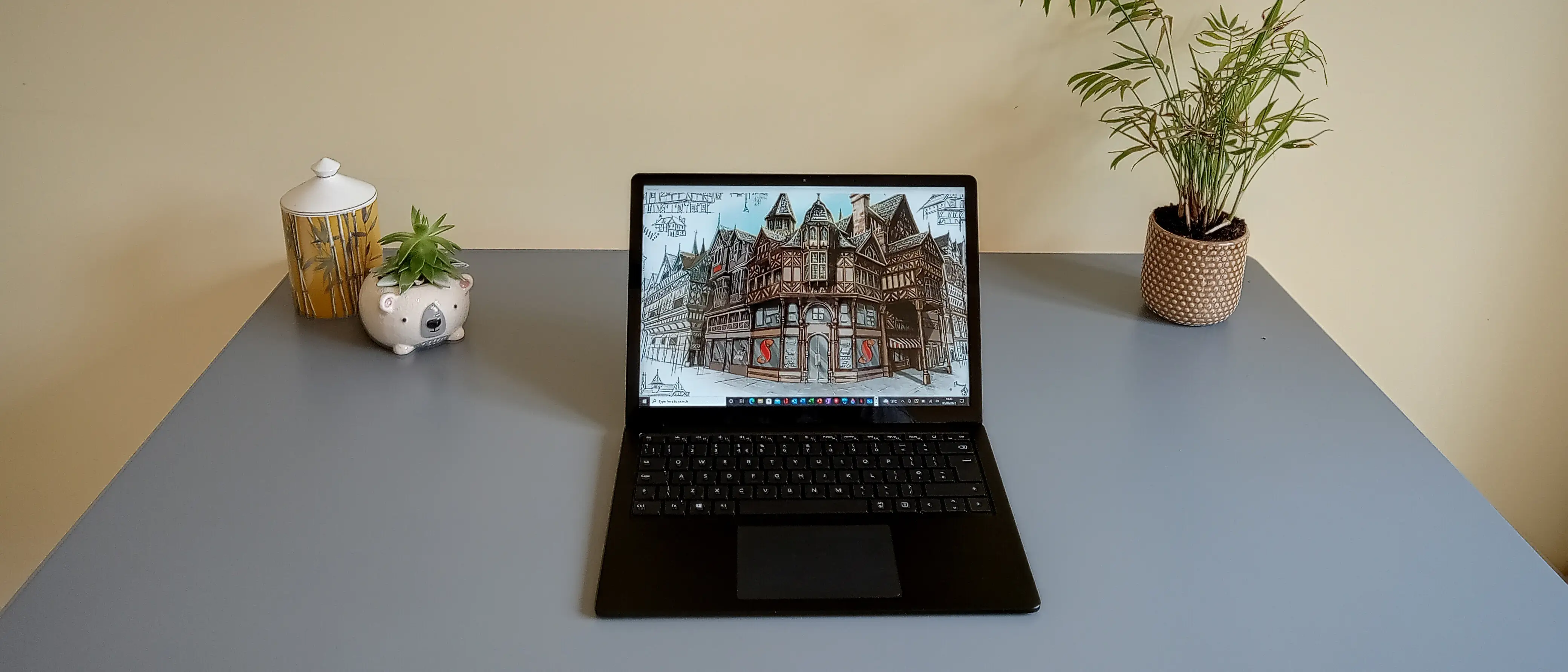
The Surface Laptop 4’s design is its signature strength. Weighing around 2.8 lbs and under 0.6 inches thick, it’s “amazingly thin, lightweight and super portable,” said one Best Buy reviewer. Students and remote professionals love slipping it into a bag without feeling it. The Alcantara palm rest option wins converts for its comfort during long typing sessions, while metal finishes promise durability.
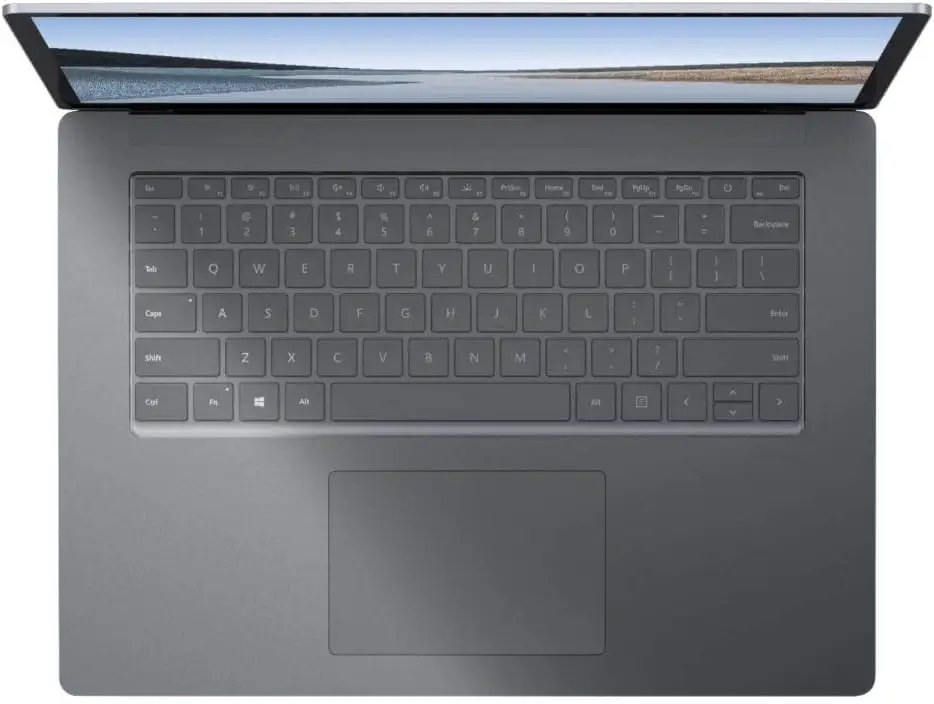
Keyboard feel is another standout. The keys have satisfying travel and spacing that mimic full-sized layouts, reducing fatigue. “By far one of the better keyboards I’ve ever used,” wrote a user who codes and writes extensively. Touchpad responsiveness also draws praise, with precise gesture control for productivity apps and creative work.
Battery longevity translates directly into lifestyle benefits. For frequent travelers, Reddit user tests show all-day unplugged use is realistic for “mixed productivity and streaming tasks” — perfect for conferences or long flights. Combined with fast charging, this lets road warriors top up at coffee breaks.
The 3:2 PixelSense display fits a professional workflow. Its taller aspect ratio gives spreadsheets, code, and documents more vertical space. A programmer on Best Buy explained, “Having more vertical real estate is great… I’ll want all my future laptops to have this.”
Common Complaints
Ports — or the lack thereof — are the universal gripe. You get USB-A, USB-C, a Surface Connect charging port, and a headphone jack. No SD reader, no HDMI, and — crucially — no Thunderbolt 4. This impacts photographers, video editors, and multi-monitor users relying on high-bandwidth connections. “One more USB-A and a card reader would be a big improvement,” one reviewer noted.
Upgradability is zero on RAM. That’s fine for light office use but frustrating for buyers who later need more. “8GB is probably the minimum I’d find acceptable… but it’s tight for some tasks,” said a Best Buy power user. SSD replacement is technically possible but not user-friendly, requiring dismantling and risking damage.
Display reflectivity poses another hiccup for mobile work. Tom’s Guide testers saw distracting reflections under bright lighting, which could be a concern in outdoor cafés or offices with overhead glare.
Isolated hardware quality issues emerged. One frustrated owner reported a screen crack from normal opening and rattling speakers. Another Microsoft Community poster described “rubber feet coming off completely” and overheating. These aren’t widespread but matter for buyers expecting flawless durability.
Divisive Features
The touchscreen sparks mixed reactions. Casual users enjoy tapping through apps and pinch-zooming; others find it redundant for laptop workflows. A Best Buy customer admitted, “I’ve never been a big touch screen on a laptop guy… but the quality here is excellent.”
Integrated Intel Iris Xe graphics impress in light gaming and video work — Dota 2 runs smoothly at medium settings — but don’t satisfy dedicated gamers. For casual Game Pass users, though, it’s “basically like taking my Xbox with me anywhere,” as one buyer described.
Trust & Reliability
Trustpilot-style complaints point to rare but costly build defects. The Microsoft Community thread on peeling rubber feet and speaker issues highlights potential QC lapses, especially since repairs can sideline the laptop for a week. For those relying on it for work, that downtime is significant.
On longevity, positive stories dominate. Owners with a year or more of use report battery health holding up and chassis wear minimal. The lack of moving parts beyond the hinge minimizes mechanical failure risk, but the non-replaceable RAM means choosing a spec that will age well is essential.
Alternatives
Dell’s XPS 13 offers slimmer bezels, brighter screens (469 nits vs Surface’s ~349), and Thunderbolt 4 — advantages for media creators. However, keyboard comfort and aspect ratio tend to favor Surface for document-heavy work.
Apple’s M1 MacBook Air beats it in raw battery endurance (14h+ tested) and video editing speed but lacks touchscreen and native Windows compatibility. For Office-heavy workflows or stylus use, Surface keeps an edge.
Lenovo’s ThinkBook 14s Yoga comes close in display color coverage but weighs more and packs a less refined keyboard feel, according to comparative reviews.
Price & Value
Market prices vary wildly depending on condition. eBay certified-refurb units with Core i5/8GB/512GB list around $499, while open-box 16GB models reach $629. New retail runs $800–$999 depending on sales, making refurbished options appealing if warranty coverage is solid (Allstate offers two years on some listings).
Resale holds up thanks to the premium build — clean units fetch 50–60% of original price after a year. Community advice leans toward maxing RAM at purchase and considering sales on new models to avoid the inflated MSRP.
FAQ
Q: Is the Surface Laptop 4 good for gaming?
A: Only for light or older titles. Intel Iris Xe graphics handle casual games like Dota 2 well, but demanding AAA titles will struggle without a discrete GPU.
Q: Can I upgrade the RAM later?
A: No. RAM is soldered to the motherboard, so you must choose your capacity at purchase and stick with it.
Q: How long does the battery last in real use?
A: Light office/web browsing can stretch to 13–16 hours; heavy streaming or creative work often halves that.
Q: Does the USB-C port support Thunderbolt?
A: No. This limits high-speed external accessories like advanced docks or eGPUs.
Q: Is the Alcantara fabric durable?
A: Yes for most owners, though it can pick up stains if not kept clean. Metal finishes avoid this issue.
Final Verdict
Buy if you’re a student, travel-heavy professional, or casual creative who values light weight, premium build, and superb typing comfort. Avoid if you need expansive I/O, upgradable internals, or plan to run GPU-intensive workloads daily. Pro tip from the community: “Get the spec you’ll need for years, because you can’t expand it — and watch for sales, the value jumps when prices drop.”





