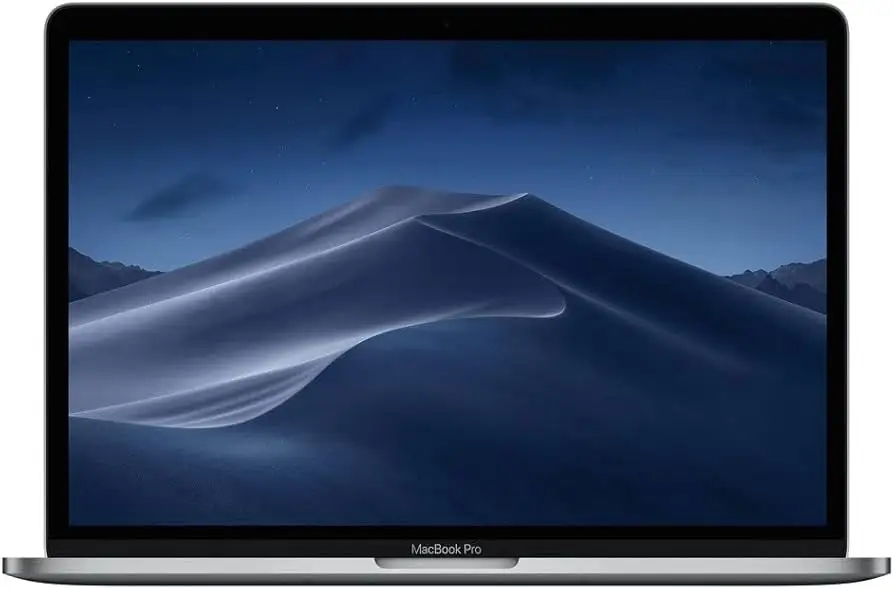
MacBook Pro 13-inch i7 (Renewed) Review: 7.2/10 Conditional
A refurbished MacBook that can feel “wicked fast” one minute and like a return label waiting to happen the next: Apple MacBook Pro 13-inch (Intel Core i7, Space Gray, Renewed) lands as a Conditional buy, 7.2/10—strong when you get a clean unit, risky when you don’t.
Several buyers describe a premium, portable machine that delivers on speed and everyday usability. One Best Buy reviewer called it “razor-thin, featherlight, and super fast,” while another went further: “best 13" mackbook pro ever.” But refurbished listings also attract blunt warnings about quality control. A verified buyer on Amazon wrote: “do yourself a favor and do not buy this macbook from amazon,” citing cleanliness issues and a failing spacebar.
Quick Verdict
For shoppers who can easily return or exchange, the Apple MacBook Pro 13-inch (Intel Core i7, Space Gray, Renewed) can be a high-value way into a fast, lightweight Mac. For anyone buying internationally or relying on the laptop for work without downtime, user stories show the downside: “renewed” can still mean defects, missing accessories, or battery weirdness.
| Call | Evidence from users | Who it fits |
|---|---|---|
| Yes (with safeguards) | Best Buy reviewer: “runs wicked fast” | Students, commuters who want portability |
| Conditional | Best Buy reviewer: “battery life is 10 hours as advertised” | People needing reliable all-day battery (when unit is good) |
| Risky | Amazon buyer: “the ribbon went bad… now i’m stuck” | Anyone without easy returns/support |
| Pain point | Best Buy reviewer: “only type c plugs” and “you literally need an adaptor for everything” | Users with lots of USB-A/SD accessories |
| Potential disappointment | Amazon buyer: “came… absolutely filthy” | Buyers expecting like-new refurb condition |
| Battery concerns (refurb) | Amazon buyer: “it wakes up thinking it ran out of battery” | Travelers, remote workers needing sleep reliability |
Claims vs Reality
The marketing language around this MacBook Pro family leans hard on “portable powerhouse” positioning, but digging deeper into user reports, the biggest gaps show up around refurb consistency, ports/adapters, and “as-advertised” expectations.
One recurring claim in listings is that a renewed MacBook arrives in clean, ready-to-use shape. Yet user experiences vary dramatically. A verified buyer on Amazon complained the laptop arrived “absolutely filthy (the screen had marks all over it and there was dust and crumbs on the keyboard),” and said the “spacebar to barely function on arrival… then to fall off completely within a day.” That story clashes with the implied “professionally renewed” promise and points to seller-by-seller variability rather than a uniform standard.
A second frequent promise is performance suited to demanding work—coding, photo/video, multitasking. On that front, many owners sound genuinely impressed. A Best Buy reviewer described it as “way faster in every way,” and another praised it as “sleek and fast.” Consumer Reports’ lab framing aligns with this general perception, describing performance as “very good” for typical tasks and even “tougher tasks like photo editing.” Still, the refurb angle complicates it: performance only matters if the machine is stable, and some refurb buyers describe hardware problems that trump any speed advantage.
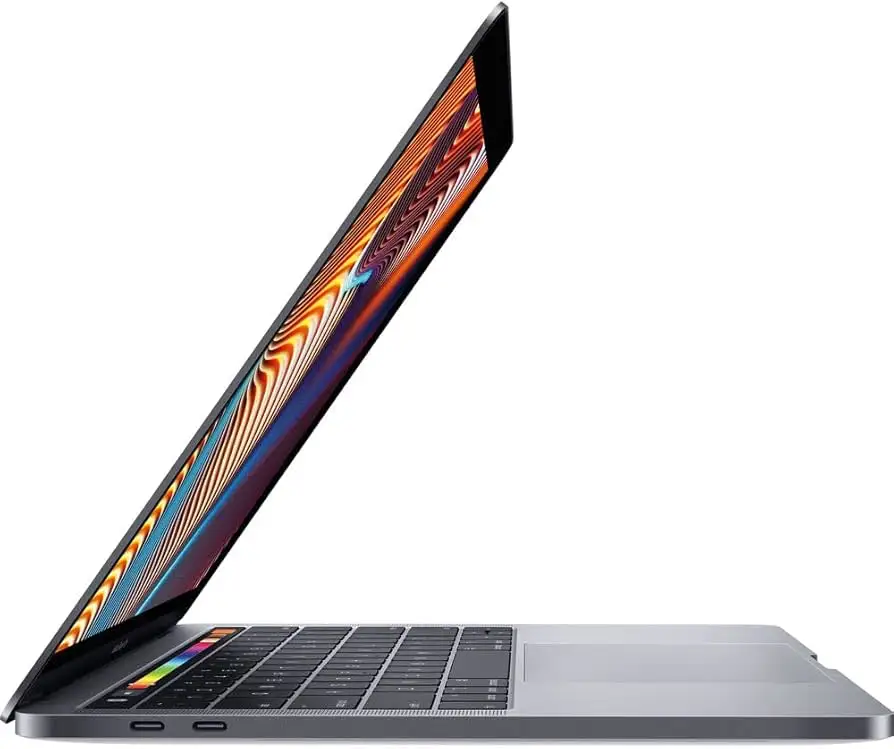
Then there’s the claim of modern connectivity via Thunderbolt/USB‑C. In practice, multiple users describe a hidden “adapter tax.” A Best Buy reviewer noted: “does not come with usb adapters. only type c plugs.” Another echoed the daily friction: “the only downside is you literally need an adaptor for everything.” Even satisfied owners frame it as a nuisance rather than a dealbreaker, but for photographers or students using USB-A drives, that small detail becomes an everyday workflow bottleneck.
Cross-Platform Consensus
Universally Praised
“Fast” is the word that keeps reappearing across owner commentary, especially from people upgrading older Macs or Windows laptops. A Best Buy reviewer said the machine “replaces my old 2010 mbp and is way faster in every way,” framing it as an obvious leap for anyone coming from an older Intel Mac. Another reviewer boiled the experience down to portability plus speed: “love how small and light this computer is. super fast compared to my old computer.” For students carrying it across campus or commuters working on trains, that combination reads like the core appeal.
Portability itself is a consistent theme, not as a spec-sheet brag but as a lived experience. One Best Buy reviewer compared it to a tablet-like feel: “it is so light and small that it feels like an ipad only larger in footprint.” Another described choosing the 13-inch specifically because it “fits in work bags and is just easier to carry.” For users who move between classrooms, offices, and coffee shops, the stories emphasize reduced friction—less bulk, less hesitation to bring it along.
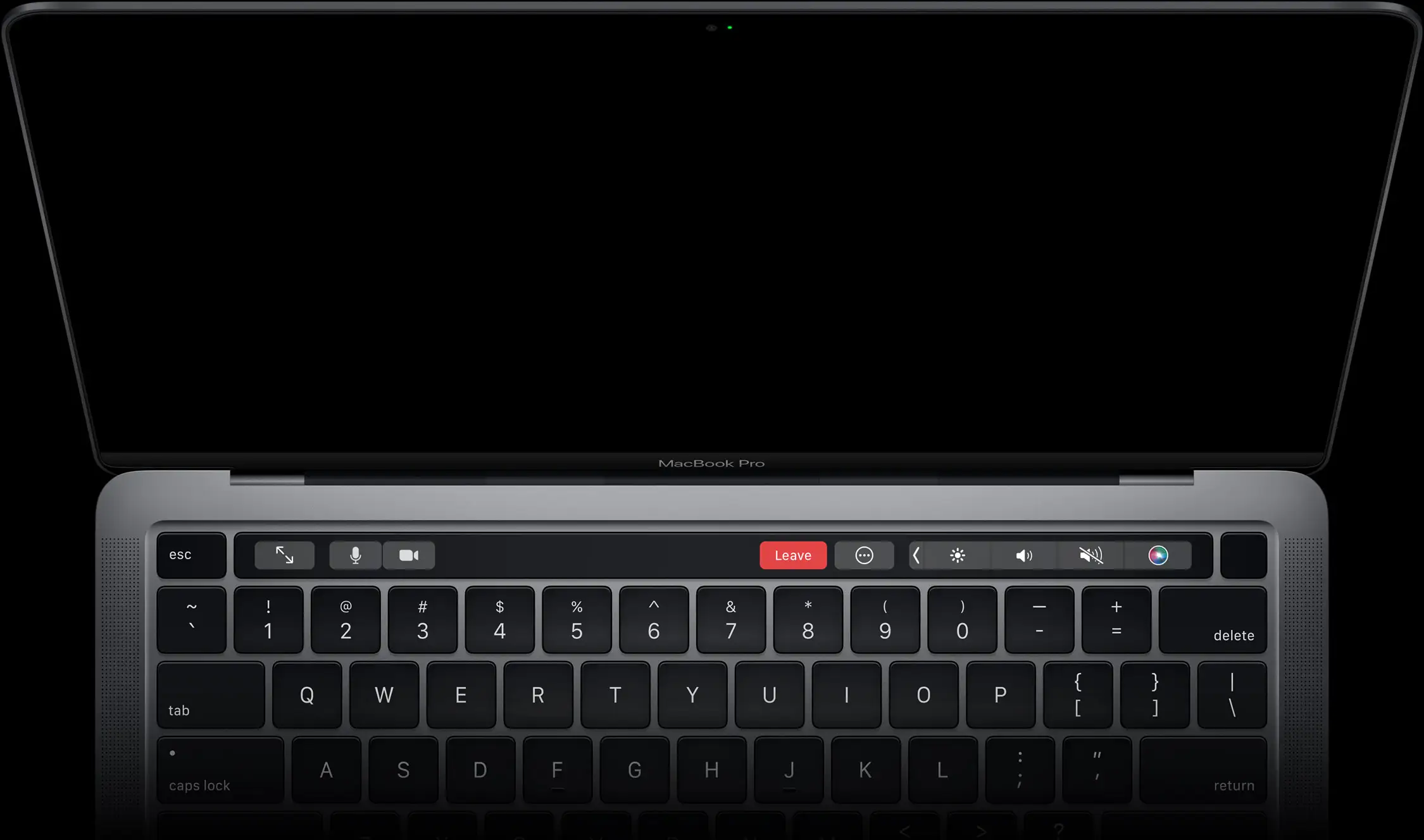
The Touch Bar draws a surprising amount of praise in these reviews, especially from people who expected it to be a gimmick. A Best Buy reviewer celebrated it directly: “love the lcd touch bar!” Another said it was “surprisingly helpful and not easy to ignore,” suggesting it becomes part of daily habits once learned. Even when some owners question its necessity, the recurring thread is responsiveness and polish rather than outright failure.
Battery life—when the unit behaves—also shows up as a strong point. A Best Buy reviewer wrote: “battery life is 10 hours as advertised,” presenting it as one of the few areas where expectations match reality. Consumer Reports’ test results reinforce the general battery strength narrative (long light-load browsing and solid video playback), but user stories make clear that refurb condition can be the swing factor.
- Speed upgrades resonate most for owners replacing older Macs: “way faster in every way” (Best Buy review).
- Travel and commuting benefits show up repeatedly: “fits in work bags and is just easier to carry” (Best Buy review).
- Touch Bar fans exist and are vocal: “surprisingly helpful” (Best Buy review).
Common Complaints
The most consistent frustration isn’t performance—it’s ports. Across Best Buy feedback, multiple owners describe the same reality: USB‑C everywhere, and adapters often not included. One reviewer put it plainly: “does not come with usb adapters. only type c plugs.” Another said, “you literally need an adaptor for everything.” For photographers expecting an SD card slot or anyone with legacy peripherals, the workflow impact is immediate: dongles become mandatory, and forgetting one can derail a work session.
Refurb quality control is the other major complaint cluster, especially in Amazon renewed experiences. A verified buyer on Amazon described receiving a machine that was “absolutely filthy,” and reported a critical keyboard failure: the “spacebar… fall off completely within a day.” Another Amazon reviewer reported a hardware fault with serious consequences: “the ribbon went bad… now i’m stuck with a macbook that’s malfunctioning,” adding that the seller “said they couldn’t do anything.” These stories don’t argue the design is bad; they argue the refurb pipeline can be inconsistent.
Battery reliability problems appear as a specific refurb pain point. A verified buyer on Amazon praised the machine in principle—“light, fast, beautiful”—but then described a recurring issue: “when i enter sleep mode, it wakes up thinking it ran out of battery!” Their workaround—“restarting it or plugging to a wall charger”—is exactly the kind of friction that hurts students rushing between classes or remote workers moving between meetings.
Even small packaging/accessory issues can sour the value proposition. One verified buyer on Amazon complained: “comes without the box also not the original charger,” saying it arrived “with a fake charger.” For renewed buyers expecting a straightforward Apple-like unboxing, these details become trust breakers.
- Port limitations translate into real accessory costs: “only type c plugs” (Best Buy review).
- Refurb defects can be immediate and severe: “spacebar… fall off completely within a day” (Amazon verified buyer).
- Sleep/battery quirks hit travelers hardest: “it wakes up thinking it ran out of battery” (Amazon verified buyer).
Divisive Features
The Touch Bar is one of the clearest split points. Some owners genuinely enjoy it. One Best Buy reviewer called it a highlight: “love the lcd touch bar!” Another said it was “surprisingly helpful.” But others see it as unnecessary, even when it works well. A Best Buy reviewer wrote: “the touch bar doesn't seem to the most functional addition… it seems unnecessary,” and wished for a different configuration: “would rather have the 15'' macbook pro and no touch bar.”
Keyboard feel also divides people, and the nuance matters. One Best Buy reviewer said the only reason for a 4-star rating was the keyboard, describing it as “very sensitive keys” and “for a while it was a chore to type,” though they add, “you do get used to it.” That’s less a condemnation than a warning: for heavy typists—writers, students taking notes all day—there may be an adjustment period.
Trust & Reliability
Refurb buying is where trust becomes the product. In the provided verified-review data, the most alarming pattern isn’t minor cosmetic wear—it’s functional failures paired with support frustration. A verified buyer on Amazon said, “when i tried contacting the company they said they couldn’t do anything,” after reporting a ribbon failure. Another described losing time and productivity while trying to resolve issues: “I have wasted hours of valuable time trying to resolve this… by not having a functional computer to complete work on.”
Longer-term stories in the dataset skew toward warnings about aging/compatibility on older pre-owned MacBook Pros rather than this exact 2019 i7 model, but they underline a broader refurb anxiety: the risk of getting a machine that doesn’t fit modern workflows. One Best Buy pre-owned reviewer wrote the laptop was “to[o] old to connect with newer apple products” and “to[o] old to update.” While that’s a different model-year, it shows why renewed buyers scrutinize OS support and expected lifespan.
For buyers who can’t easily return—international shipping, remote locations—the stakes rise. One verified buyer on Amazon explicitly tied their battery/sleep issue to being trapped: “sadly, got it for international delivery, so it was not posible to return it within the 90 day window.” That’s the reliability story in one line: the refurb experience is less risky when returns are easy and far riskier when they aren’t.
Alternatives
The only clearly user-mentioned alternative ecosystem in the data is Windows laptops, mostly as a comparison point. One Best Buy reviewer who switched framed the difference as smoothness: “my mac runs so much smoother then any windows machine i owned.” Another said they were “still getting used to the ins and outs of apple vs windows but they make it all so easy,” describing the MacBook as “perfect” for a student/artist household.
Within Apple’s own lineup, a Best Buy reviewer implicitly positions the 15-inch MacBook Pro as an alternative for people who dislike the Touch Bar: “would rather have the 15'' macbook pro and no touch bar.” Another owner compared a 13-inch to their 15-inch 2017 model, saying the 13-inch keeps “all the features of the 15 minus the separate gpu,” and suggested most users won’t miss it “unless you're driving multi monitors or heavy graphics.” For graphic-heavy pros, that becomes the deciding line.
Price & Value
Current renewed pricing in the provided Amazon listing sits around the high-$500 range (examples shown at $579–$599 for different refurb conditions). That price creates a value narrative—if the unit arrives clean, stable, and correctly accessorized, multiple owners describe it as a meaningful upgrade that feels premium in daily use. Best Buy reviewers repeatedly emphasize speed plus portability, the kind of traits that make a laptop feel “worth it” beyond raw specs: “sleek and fast,” “featherlight,” “super fast.”
But value also depends on hidden costs and risks. The adapter reality shows up as both inconvenience and extra spending. Owners flag that it “does not come with usb adapters,” and that you “literally need an adaptor for everything.” For students, that can mean buying dongles, hubs, or USB‑C peripherals immediately—costs that can narrow the savings versus buying elsewhere.
Resale signals from eBay market listings show a wide spread depending on year, condition, and configuration, with many MacBook Pro 13-inch i7 listings clustering in the few-hundred-dollar range and higher for newer 2019/2020 configurations. The practical takeaway from that spread aligns with user sentiment: condition and seller quality matter as much as the badge.
Buying tips implied by the feedback are consistent: prioritize sellers with strong support, confirm return windows, and verify what’s included (especially chargers and adapters). The Amazon stories about “fake charger” and units arriving “absolutely filthy” frame those checks as more than paranoia—they’re protective steps.
FAQ
Q: Does the renewed MacBook Pro 13-inch i7 feel fast in real use?
A: Many owners describe it as genuinely quick for daily work and upgrades from older machines. One Best Buy reviewer said it “replaces my old 2010 mbp and is way faster in every way,” while another called it “sleek and fast.” Refurb stability varies by unit.
Q: Will I need adapters with this MacBook Pro?
A: Yes—multiple reviewers warn about USB‑C-only reality. A Best Buy reviewer said it “does not come with usb adapters. only type c plugs,” and another added, “you literally need an adaptor for everything.” If you use USB‑A drives or peripherals, budget for a hub/dongle.
Q: Is battery life reliable on renewed units?
A: Experiences split. One Best Buy reviewer reported “battery life is 10 hours as advertised,” but a verified Amazon buyer described sleep-related battery issues: “when i enter sleep mode, it wakes up thinking it ran out of battery!” Refurb condition and battery health appear to be key variables.
Q: Are renewed/refurbished units consistently “like new”?
A: No—reports range from excellent to unacceptable. One verified Amazon buyer praised theirs as “como nueva!… llegó como nueva, sin rayones,” while another said the laptop arrived “absolutely filthy” and had a failing spacebar that “fall off completely within a day.” Seller quality matters.
Q: Is the Touch Bar worth it?
A: It depends on preference. Some owners love it—one Best Buy reviewer said “love the lcd touch bar,” and another found it “surprisingly helpful.” Others call it unnecessary: “the touch bar doesn't seem to the most functional addition… it seems unnecessary,” even when it works fine.
Final Verdict
Buy if you’re a student, commuter, or everyday creator who wants a lightweight Mac that owners describe as “super fast,” and you have easy returns in case the refurb is flawed. Avoid if you’re buying internationally or can’t afford downtime—Amazon refurb stories include “spacebar not functioning,” “fake charger,” and sleep/battery glitches. Pro tip from the community mindset: plan for the USB‑C-only workflow, because “you literally need an adaptor for everything.”