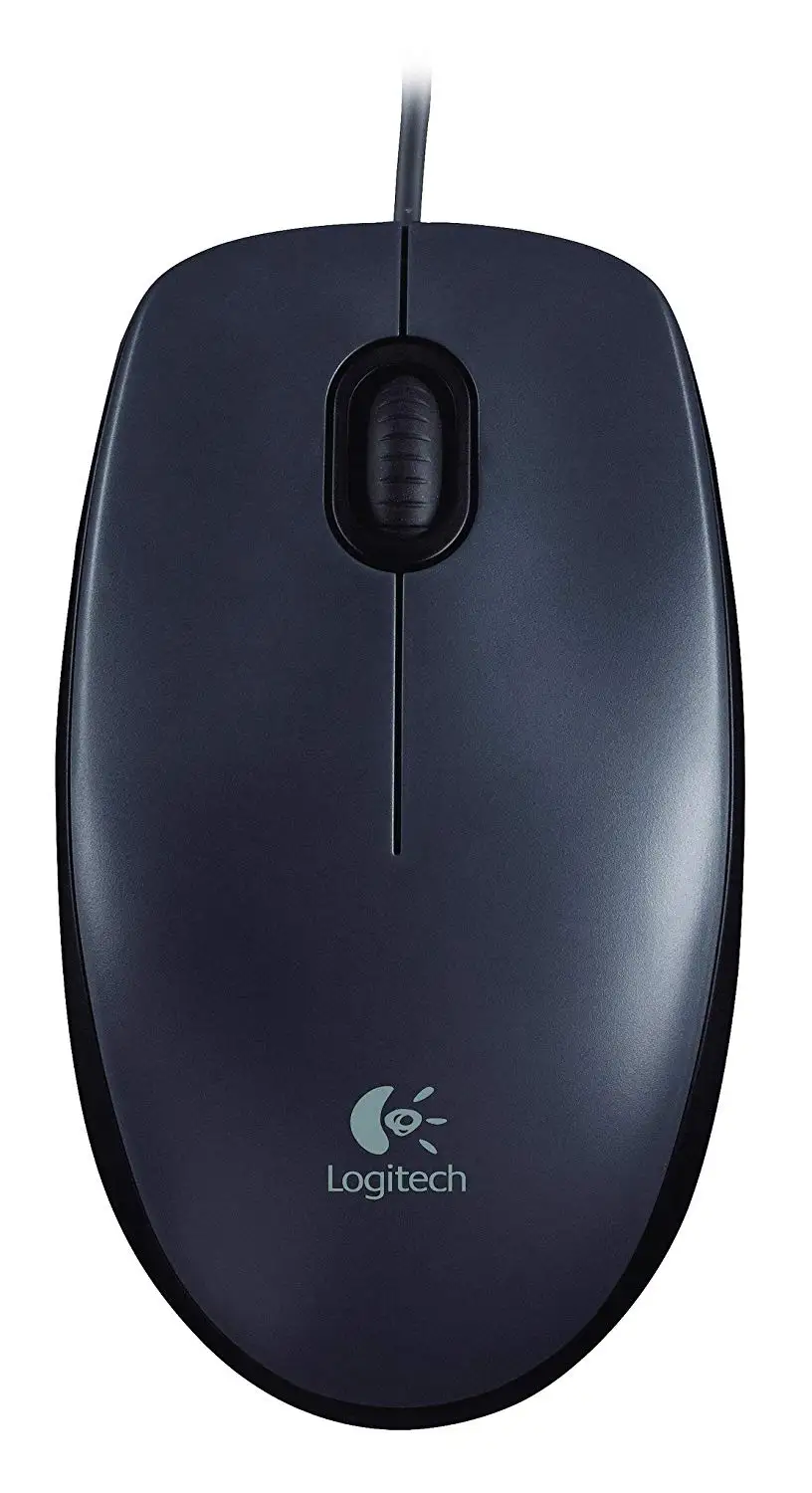
Logitech Wired Mouse M90 Review: Budget Wins, Build Flaws
The Logitech Wired Mouse M90 Black USB sits in an unusual spot in the market — praised as “cheap and precise” by many everyday users, yet derided as “nightmarish quality” by others. Across multiple platforms, it scores between 4.1 and 4.8 stars, suggesting a broadly positive reception tempered by pockets of disappointment. Based on user sentiment and consistent themes in feedback, this mouse earns a 7.8/10 for value-driven buyers seeking a functional, no-frills device.
Quick Verdict: Conditional recommendation — great for office work and casual use, less ideal for precision gaming or advanced design.
| Pros | Cons |
|---|---|
| Responsive optical tracking on most surfaces | Scroll wheel noise bothers some users |
| Plug‑and‑play with no software required | Lightweight body may feel too flimsy for some |
| Comfortable ambidextrous design | Reports of defective buttons (double‑click issues) |
| Affordable price under $15 | Not suited for high‑DPI gaming or professional 3D work |
| Durable for years in some cases | Wire is inflexible (“oak wire”) |
| Works across Windows, Mac, Linux, Chrome OS | Plastic surface gets dirty and causes sweaty hands |
Claims vs Reality
Logitech markets the M90 as “just the basics” — a simple, corded mouse with high‑definition optical tracking at 1000 DPI and comfortable ambidextrous design, promising smooth cursor control “with or without a mouse pad.” This plug‑and‑play spirit resonates with many buyers who want something that “just works” without drivers.
However, reality can be mixed. Some report flawless tracking even on mirror surfaces, like one Trustpilot customer who said: “Excellent optical sensor. Well reads even a mirror surface.” Others faced quirks on reflective or unusual pads. A Reddit user admitted: “It’s the only one that works on my inadequate mat… the rest go crazy.”
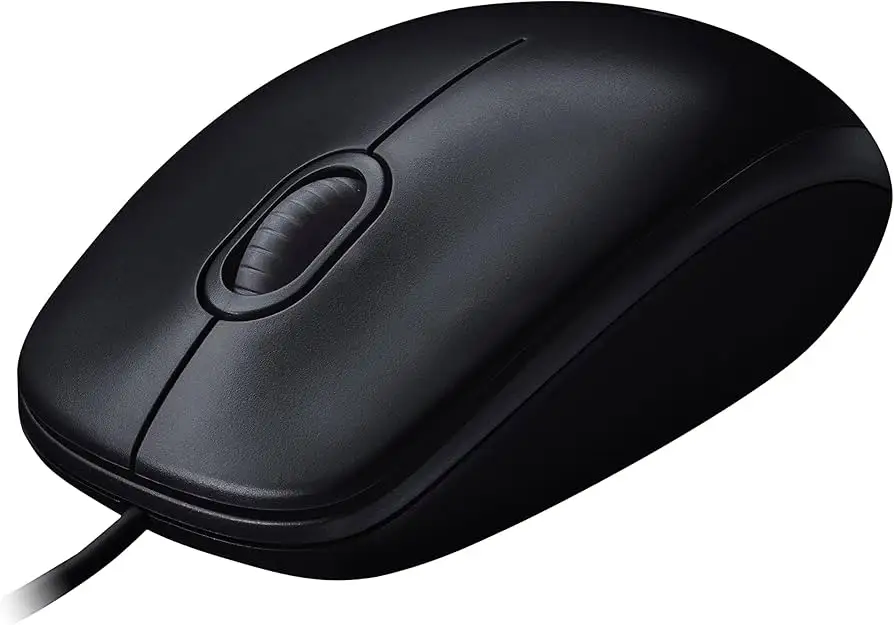
Comfort also cuts both ways. While officially ambidextrous, several reviewers note the size can feel small. ProductReview.com.au user Dennis_to_nevi complained: “The mouse is too small to be comfortable unless you have small hands, and the body and scroll wheel are all hard plastic.”
Cross‑Platform Consensus
Universally Praised
Affordability dominates here. Reddit user u/Anonymous marked it a “steal” at $8.83, while ProductReview.com.au’s Jay from NSW summed it up: “Cheap and precise. Highly recommend.” The lack of batteries is especially appreciated by those tired of managing wireless devices. One Reddit comment highlighted this: “It can never have lower latency than a simple cable on the cheapest mouse you can get.”
Ease of setup wins near‑universal applause. A verified buyer on Amazon.fr rated installation at 4.9/5, thanks to pure plug‑and‑play simplicity. For schools and offices, this is critical — one Reddit user shared, “Yooo we use this as our mice at school,” implying reliability under heavy shared use.
Durability stories abound. One Trustpilot reviewer boasted eight years of flawless performance, while others note surviving frequent transport without fraying cables or failing switches. Among budget mice, that’s notable longevity for under $15.
Common Complaints
Noise is a recurring irritation. Scrolling wheel loudness appears in multiple BestViewsReviews notes and Trustpilot entries: “The mouse wheel creaks noticeably and moves in jerks,” reported one user. In quieter offices or shared spaces, this can be bothersome.
Build quality debates center on light weight and plastic feel. Lightweight design makes it portable, but some users find it “too light, flies off the desk,” or note sweaty palms after short use due to the finish.
Functional defects come up in concerning patterns: double‑click malfunctions on the left button, wheels registering unintended input, and inconsistent tracking without a pad. One Trustpilot reviewer called it “very detrimental to one’s career” when double‑click errors interrupted work.
Divisive Features
Its small size and mid‑range DPI are fine for casual gaming, but high‑precision players disagree. Reddit’s gaming thread showed one side saying, “Had this mouse for almost a year… not bad,” and another pushing for Redragon or Xanova models with better sensors and DPI for the same price.
Ergonomic neutrality (ambidextrous design) splits users — some find it comfortable “even after hours” while others complain it cramps larger hands.
Trust & Reliability
Digging into long‑term trust, several Trustpilot and ProductReview.com.au stories praise lasting quality over years. One Belarusian buyer reported: “For 8 years of operation, nothing broke.” In contrast, others report early failure within a month, especially related to button contacts.
Warranty replacements are possible but occasionally repeat defects. One buyer replaced a defective left button mouse, only to find “the replacement mouse exhibits the same flaw.” This suggests manufacturing variance — some units last years, others fail quickly.
No scam patterns emerged, but the variance in build quality means buyers should stick to reputable sellers and check return policies.
Alternatives
Community mentions point out options like Logitech’s own G502, G402, or MX Master for those willing to pay more for precision and features. At the ultra‑budget end, Redragon units are touted on Reddit for gaming potential at ~€10. A4Tech models are also floated as alternatives for users needing higher DPI sensors or quieter wheels.
For office‑oriented users, sticking with M90 makes sense if plug‑and‑play reliability and cost matter more than advanced specs. For gamers, alternatives offer better polling rates and comfort for long sessions.
Price & Value
Currently priced between $7.20 (Amazon US) and ~$12.45 on eBay, with frequent under‑$10 finds, the M90 is squarely a low‑cost mouse. Price variations across regions show it dipping to $2.20 USD equivalent in Argentina and about 350 rubles in Russia.
Given this, resale value is negligible — it’s often cheaper to buy new. Community buying tips highlight stocking up for offices or schools where many units are needed, and avoiding suspiciously low seller ratings to dodge defect‑prone batches.
FAQ
Q: Is the Logitech M90 good for gaming?
A: Casual gaming is fine, as several Reddit and ProductReview.com.au users reported, but high‑DPI competitive play suffers. One Reddit gamer used it “for hours of gaming” comfortably, but others recommend Redragon or Xanova for better sensors.
Q: Does it need a mouse pad?
A: Not necessarily — optical tracking works on most surfaces. Some Trustpilot users even reported success on mirrors, though glossy or odd materials may cause issues.
Q: How loud is the scroll wheel?
A: Some find it “creaks noticeably and moves in jerks,” while others say in normal office noise it’s barely noticeable. Sensitive environments may highlight it more.
Q: Is it truly ambidextrous?
A: Yes, design supports left and right hand use, but size comfort varies by hand size. Larger‑handed users may find it cramped.
Q: What’s the warranty like?
A: Typically three‑year limited hardware warranty from Logitech. Several defective units were replaced under warranty, though replacement units can suffer similar issues.
Final Verdict: Buy if you’re a budget‑minded office worker, student, or casual gamer who values plug‑and‑play simplicity. Avoid if you demand high‑DPI precision, silent operation, or impeccable build consistency. Pro tip from the community: pair it with a decent mouse pad to improve tracking and reduce wear, even if you don’t strictly need one.