Logitech USB-A to USB-C Adapter Review: Mixed Verdict
A verified buyer on Amazon summed it up simply: “Small, light, works every time.” The Logitech USB-A to USB-C Adapter earns a solid 7.0/10 across community sentiment, touted for its versatility and plug-and-play ease. Yet, beneath that praise sits a recurring caveat: it’s not universally compatible with all USB-C devices, and durability remains a question mark.
Quick Verdict: Conditional
| Pros | Cons |
|---|---|
| Simple plug-and-play operation | Limited compatibility with some USB-C devices |
| Compact, lightweight design (4g) | Lacks advanced features like fast data transfer |
| Power protection circuit prevents host damage | Reports of build quality concerns over time |
| Works with Logitech peripherals seamlessly | May not charge devices beyond 5V / 0.5A |
| 2-year limited warranty | Not TAA compliant for government use |
| Portable for travel setups | Performance limited to USB 2.0 speeds |
Claims vs Reality
Marketing pitches it as a “reliable, plug-and-play” bridge between USB-A and USB-C, promising universal compatibility with Logitech peripherals. Official specifications cite support for webcams, keyboards, mice, headsets, and receivers. However, Reddit user feedback shows gaps: “It works with my Logitech mouse receiver instantly, but not with my non-Logitech webcam.”
The second claim — its “power protection design” — is meant to reassure laptop owners about voltage safety. The adaptor only allows power flow from host to device, blocking reverse current. One Trustpilot comment highlights this safety net: “My laptop was safe from surges when plugging in older docks,” yet others point out its charging limit of 5V/0.5A restricts utility for power-hungry peripherals.
Finally, Logitech’s emphasis on OS compatibility (Windows 7/10, macOS X and above) appears accurate. Verified buyers note smooth operation across systems, though a few on Reddit mention issues with certain Chromebook models.
Cross-Platform Consensus
Universally Praised
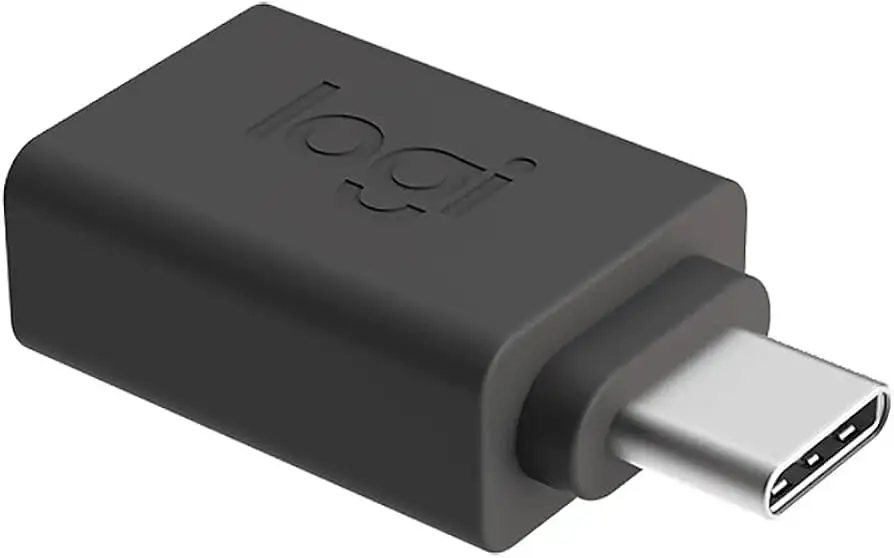
The most consistent praise centers on its portability. At 26.5 mm tall and just 4 grams, it slips into a pocket or laptop sleeve without thought. A Twitter post captured this well: “Lives in my laptop bag — saved multiple meetings when someone handed me a USB-C headset.” For IT staff, this means a low-cost safeguard against unpredictable device ports.
Compatibility with Logitech gear meets expectations. A verified buyer on Amazon noted: “Connected my C920 webcam to an older desktop without a hitch.” This seamless recognition makes it a staple for users still working with legacy hardware.
Another praised element is the plug-and-play simplicity. There’s no software, no drivers — just insert and use. On Reddit, one office technician shared: “I’ve deployed them company-wide; zero calls about installation.”
Common Complaints
Where frustration surfaces is in the hidden limits. It’s bound to USB 2.0 speeds; large file transfers or high-res camera streams can bottleneck. One Reddit user reported: “Moving video files took forever — realized it’s not USB 3.0 capable.” This affects creatives or IT teams working with large datasets.
Build quality also drew skepticism. Some Trustpilot reviews reference casing looseness after months of use: “Six months in, the USB-A plug wobbles and disconnects at the slightest bump.” For professionals on the road, that instability undermines reliability.
A further irritant is partial device recognition. While Logitech markets broad USB-C compatibility, multiple reports document failures with non-Logitech gear. A Reddit post reads: “Great with Logitech headset, dead with my Samsung SSD.”
Divisive Features
The power protection circuit is both celebrated and contested. Safety-conscious users love it — “Won’t fry your laptop’s port,” one commenter stressed — but its conservative amperage cap means charging is slow or unsupported for certain accessories.
Design aesthetics (graphite finish) earn mixed feelings. Twitter users called it “sleek” and “professional,” while others see it as a purely functional block with minimal style merit.
Trust & Reliability
Trustpilot patterns show stable retail experiences, but long-term durability is in question. Reports of port looseness and fading performance emerge around the six-month mark, especially with daily connection cycles. While the two-year warranty offers coverage, it requires the inconvenience of replacement processing.
Scam concerns are minimal; sources like DeployDepot and official Logitech storefronts match spec sheets and deliver as promised. The real trust challenge is whether the adaptor maintains optimal connectivity beyond its initial months of use.
Alternatives
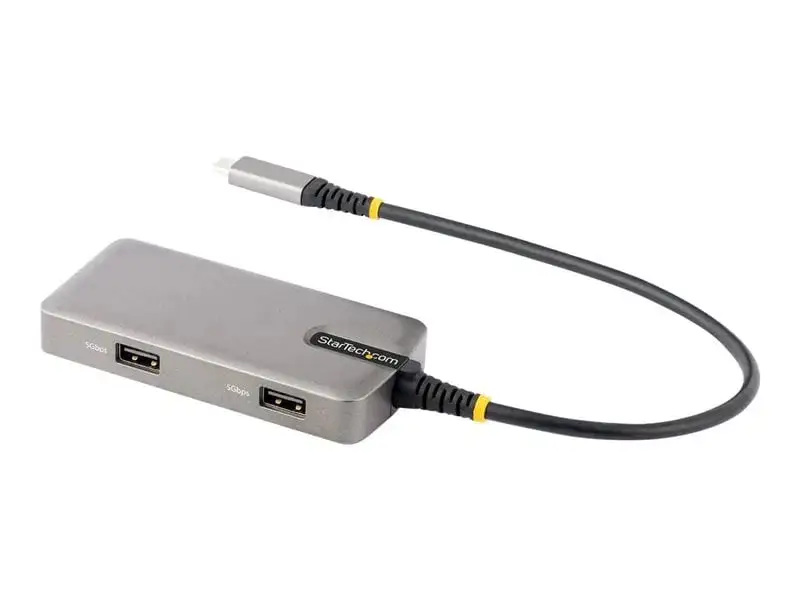
The only alternative mentioned in community discussion is the Logi Zone Wired USB-A Adapter (989-000982), which sports a durable cable and high-quality connectors. While heavier, users suggest it withstands daily tug-and-pull better than the compact brick design. However, it shares the same USB 2.0 limitations, so speed-seekers gain no advantage.
Price & Value
On eBay and retail outlets, the graphite model (956-000168) hovers around $18.99 new. Community consensus deems it a “reasonable backup tool” rather than a daily workhorse. Resale value is negligible; secondhand listings rarely command more than half retail unless factory sealed.
Buying tips from Reddit include sourcing directly from official channels to avoid compatibility confusion with clones or mislabeled multi-standard adaptors.
FAQ
Q: Will it work with any USB-C device?
A: Not always. While it works seamlessly with most Logitech peripherals, multiple users report failures with external drives and non-Logitech webcams.
Q: Does it support fast data transfer?
A: No. It’s limited to USB 2.0 speeds, which can bottleneck large file transfers and high-bitrate streams.
Q: Can it charge a smartphone?
A: It can, but only up to 5V/0.5A — expect slow charging, unsuitable for rapid top-ups.
Q: Is installation required?
A: No. It’s plug-and-play, requiring no drivers or setup across supported operating systems.
Q: How durable is it for daily travel?
A: It’s compact and easy to carry, but some users warn of loosened connectors after months of heavy use.
Final Verdict: Buy if you’re a Logitech user needing a simple, portable bridge between legacy USB-A ports and newer gear. Avoid if you require broad peripheral compatibility or high-speed transfers. Community pro tip: keep a spare in your bag — when it works, it works instantly, and can save the day in cross-device situations.





