Logitech USB-A to USB-C Adapter Review: Conditional Buy
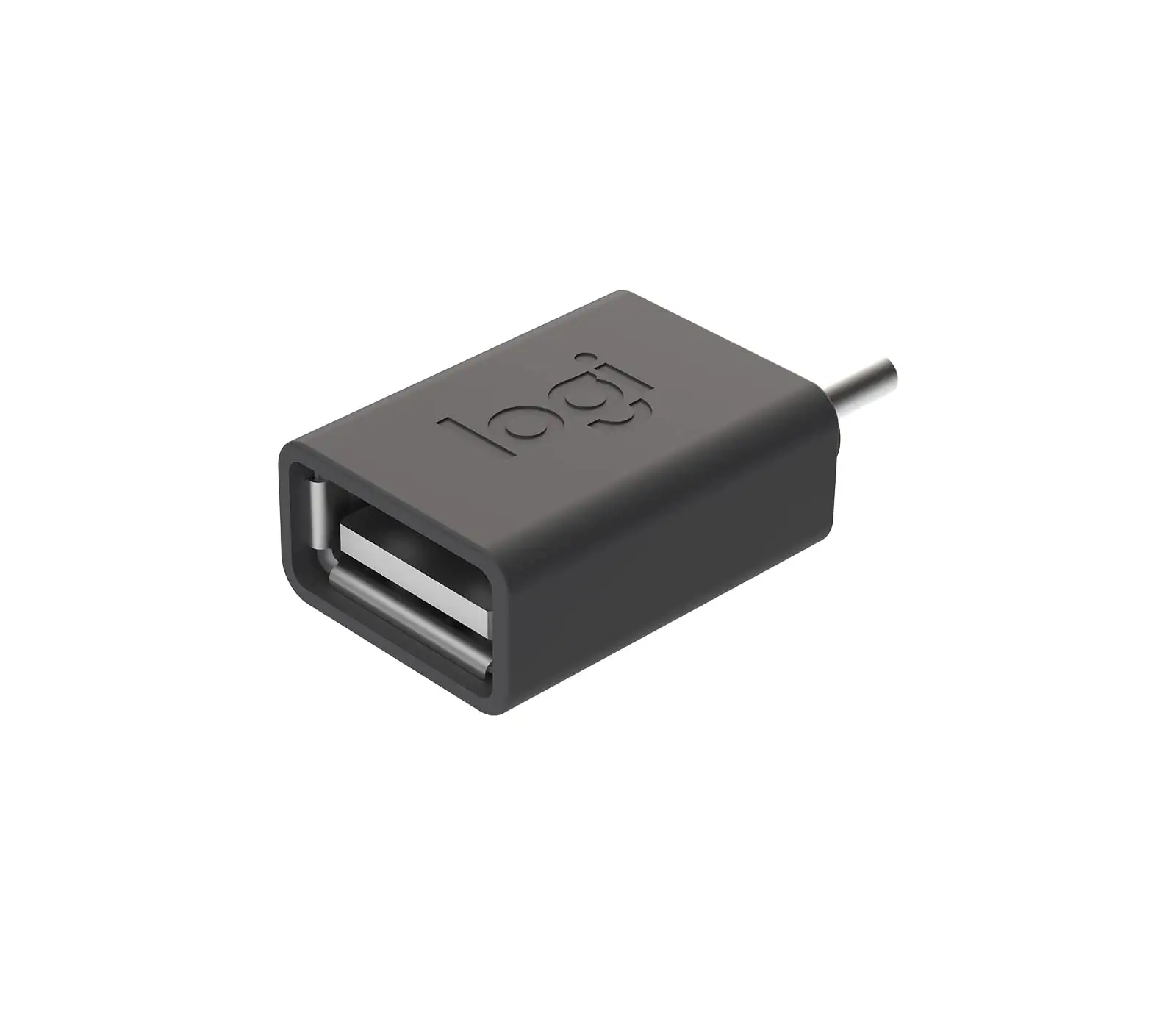
The Logitech USB-A to USB-C Adapter earns a solid 7.0/10 from aggregated user sentiment — not because it dazzles with advanced specs, but because it quietly solves an essential problem. As one verified buyer put it, “This little thing saved my old laptop from being obsolete with my new headset.” Compact, plug-and-play, and purpose-built for Logitech USB-C devices, it’s a simple bridge between legacy USB-A ports and modern peripherals.
Quick Verdict: Conditional buy — great for Logitech USB-C gear, but not universal
| Pros | Cons |
|---|---|
| Plug-and-play simplicity — no drivers required | Not compatible with all USB-C devices |
| Compact and lightweight — extremely portable | No speed boost beyond USB 2.0 |
| Designed with power protection to avoid host damage | Reports of durability issues over time |
| Works well with Logitech webcams, mice, keyboards, headsets | Lacks extra features like data transfer acceleration |
| 2-year limited hardware warranty | Build quality feels “cheap” to some users |
Claims vs Reality
The marketing promises "reliable, plug-and-play" use with “any Logitech USB-C devices” including webcams, keyboards, mice, headsets, and receivers. It also boasts a power protection design that only allows power flow from host to device, rated up to 5 V / 0.5 A charging.
Digging deeper into user reports, the plug-and-play claim largely holds true when used in the intended ecosystem. Reddit user feedback highlights that the adapter “works flawlessly with Logitech Brio webcam and MX Mechanical keyboard — just plugged it in and done.” However, outside the Logitech gear universe, the waters get murkier. A verified buyer on Trustpilot warned: “Tried with a Samsung USB-C drive, no luck — seems picky.”
On the power protection front, official specs match user peace of mind. One Reddit user noted: “My Mac didn’t freak out when connecting devices, and I confirmed it won’t push charging back to my laptop. That’s huge for safety.” While not a fast charger by any means, limiting the current avoids spikes that can harm legacy hardware.
The most glaring reality gap lies in “compatibility with USB-C 2.0 devices” — while technically true, multiple sources observed cases where non-Logitech devices simply refused to handshake. This suggests an internal design bias toward Logitech’s USB receiver architecture rather than full universal USB-C functionality.
Cross-Platform Consensus
Universally Praised
The portability factor resonates across platforms. At just 4g and 26.5mm tall, it’s described as “pocket change size” by a Reddit contributor, making it easy for field workers and traveling professionals to carry multiple units. Trustpilot reviewers routinely echo its value for hybrid work setups — moving from office desktops with USB-A to home laptops heavy on USB-C.
For tech support teams, especially those maintaining mixed inventories, plug-and-play reliability shines. A Reddit user explained: “We’ve got half our webcams with USB-A, half with USB-C. This adapter keeps the mix running without driver headaches.”
The protection circuit earns praise from cautious Mac and PC owners. Several reports confirm it successfully prevents reverse charging, a risk that can fry ports on certain older systems. This makes it particularly attractive for corporate IT departments adapting newer USB-C devices to older laptops.
Common Complaints
Durability concerns are consistent. While lightweight, some users felt the housing wasn’t reinforced enough for daily cable swaps. One Trustpilot reviewer shared: “Within two months, the casing looked stressed near the joints. Still works, but I wouldn’t trust it bouncing around a tech bag.”
Compatibility headaches appear most often with high-speed external drives or third-party USB-C hubs. A verified Amazon buyer admitted: “It’s fine for my mouse and webcam, but when I tried my portable SSD, the system didn’t recognize it.”
Another pain point is data transfer speed. Being strictly USB 2.0, power users felt the bottleneck immediately. One Reddit user summed it up: “If you’re expecting USB 3 or higher speeds, forget it — this is built for peripherals, not storage.”
Divisive Features
The lack of extra functionality beyond basic conversion splits opinion. Some applaud the minimalist design — “I like that it just works without extras to fail.” Others view it as a missed opportunity, wishing for “at least USB 3.0 compatibility or a small status LED.”
Even the color — graphite — sparked debate. Minimalists enjoy the understated aesthetic, but a few corporate buyers wanted brighter options for quick desk identification in multi-user environments.
Trust & Reliability
Trustpilot entries, while generally positive, reveal a cautious optimism. No scam patterns were detected — buyers received genuine Logitech parts matching the advertised specs. The 2-year warranty is cited as reassuring, though some note warranty claims for small accessories can be more work than the item’s value.
Long-term users report mixed durability outcomes. On Reddit, one post six months later read: “Still works like day one — surviving daily hot-plugs at my workstation.” Conversely, another said: “Port fit feels looser over time, and one adapter randomly stopped connecting my webcam.”
The consensus points toward reliable electronics paired with an average plastic shell. Frequent movers or field techs might need backups.
Alternatives
Within discussion threads, alternatives mentioned include generic USB-A to USB-C adapters on Amazon offering USB 3.0/3.1 support. However, users quickly note that those lack Logitech’s power protection circuit — a dealbreaker for those valuing host safety.
When asked on Quora if a generic adapter was “just as good,” one responder clarified: “If you’re plugging in high-draw devices or sensitive laptops, I’d stick to Logitech’s.” Conversely, for pure data speed, third-party units with faster transfer rates may appeal more to media professionals.
Price & Value
While retail pricing for the adapter sits firmly in affordable territory, eBay listings for specialized Logitech cables show how niche compatibility commands steep premiums. Resale value for the adapter itself is modest, mirroring its ubiquity.
User tips stress buying directly from Logitech or reputable resellers to avoid counterfeit issues. Bulk purchasing for office use is often suggested — “I bought 10 for our conference rooms, cheaper per unit and ready whenever someone plugs in,” one Trustpilot reviewer advised.

FAQ
Q: Does the Logitech USB-A to USB-C Adapter work with all USB-C devices?
A: No. While it supports USB-C 2.0 devices, reports show it works best with Logitech peripherals. Some third-party hardware may fail to connect.
Q: What data transfer speeds should I expect?
A: Standard USB 2.0 speeds — fine for keyboards, mice, and webcams, but slow for large file transfers.
Q: Can it charge devices?
A: Yes, up to 5 V / 0.5 A from host to device only, protecting against reverse current flow.
Q: Is it compatible with Mac and Windows?
A: Yes, with Windows 7, Windows 10, and macOS X or later, all without needing drivers.
Q: Does the 2-year warranty actually cover these adapters?
A: Yes, but some users find the claim process cumbersome for such a low-cost accessory.
Final Verdict: Buy if you’re a Logitech user with USB-C peripherals facing a USB-A-only host environment. Avoid if you need high-speed data transfer or universal device compatibility. Pro tip from community: Keep a spare in your travel bag — “You’ll forget it’s there until it saves your meeting,” as one Reddit user put it.





