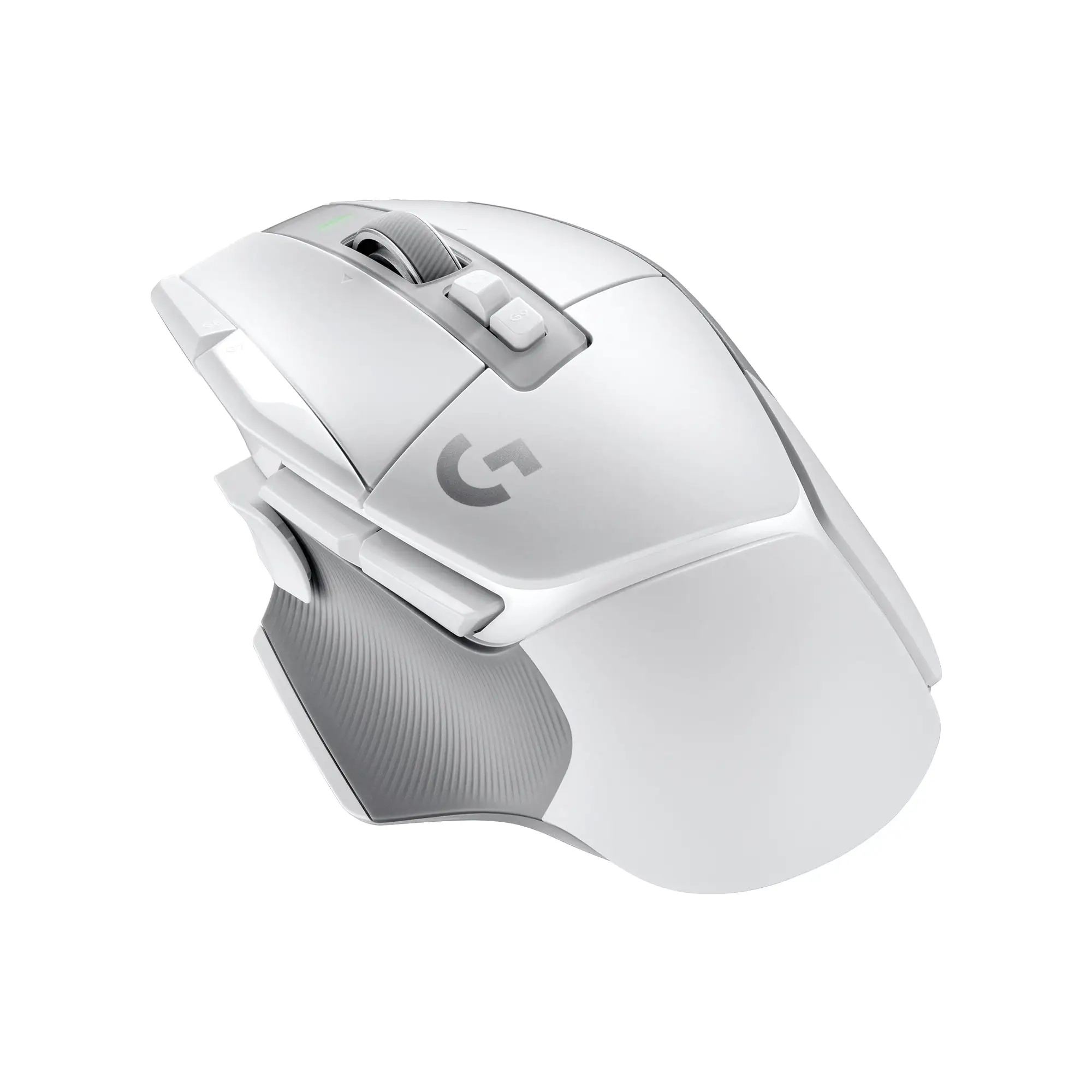
Logitech Slim Wireless Mouse for Mac Review & Verdict
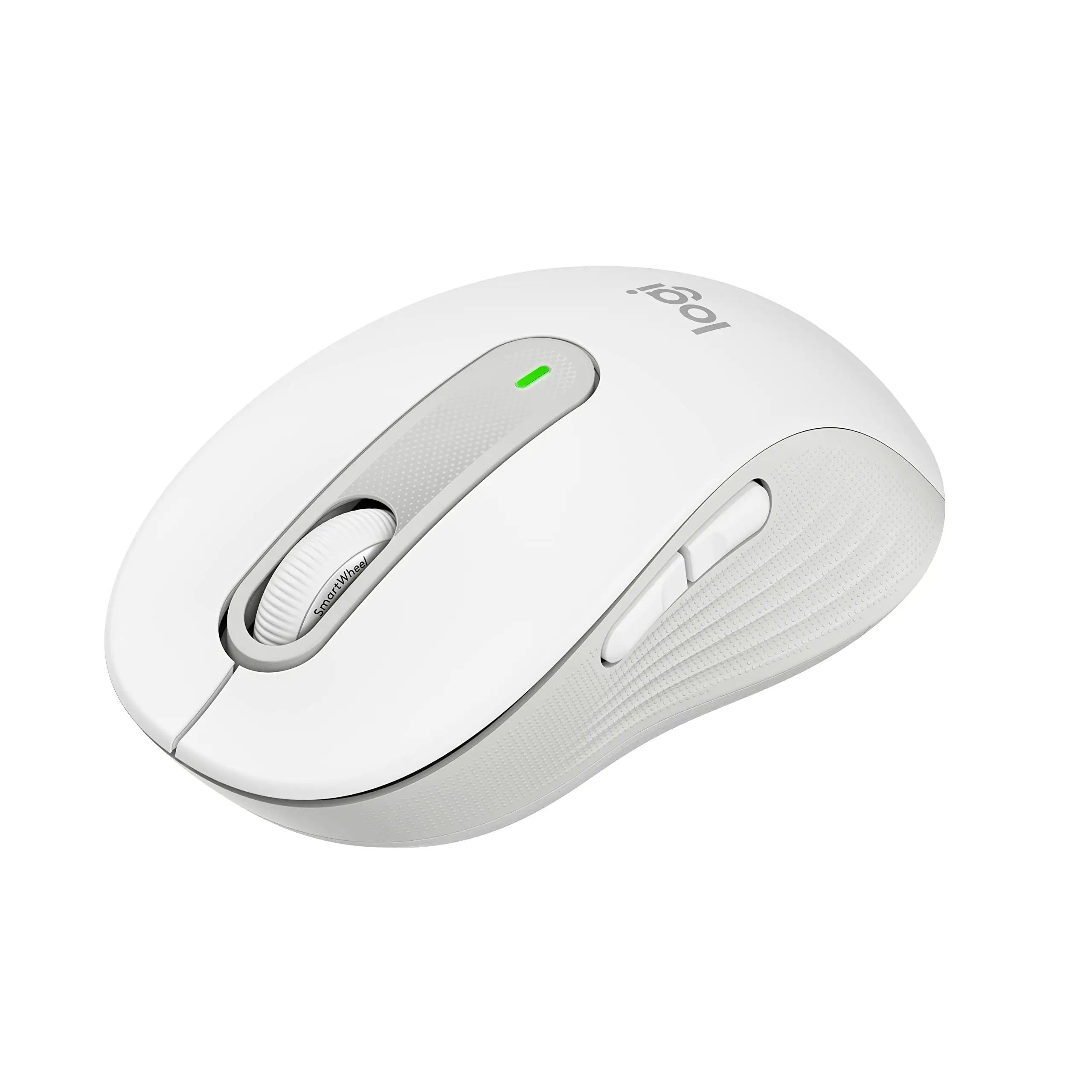
A surprising number of Mac users are calling the Logitech Slim Wireless Mouse for Mac - White their go-to travel and desk companion — but they’re also warning it’s not the mouse for everyone. After digging through Best Buy, Amazon, Reddit, and eBay feedback, the verdict lands at 8.4/10 for portability, compatibility, and silent operation, with points lost for size-related discomfort during long work sessions.
Quick Verdict: Conditional — excellent for Mac owners wanting a stylish, compact Bluetooth mouse, but not ideal for large hands or heavy gaming.
| Pros | Cons |
|---|---|
| Lightweight & portable | Too small for large hands |
| Seamless Mac pairing | Limited ergonomic support |
| Silent clicks & scroll wheel | Scroll feel not for everyone |
| Attractive minimalist design | Charge cord could be longer |
| Rechargeable battery | Surface tracking limitations |
| Quick Bluetooth reconnect | Price-point higher than basic mice |
| Compatible with Mac & iPad | No USB-C receiver included |
Claims vs Reality
The marketing promises a minimalist, slim, lightweight mouse that “pairs instantly” and offers silent clicks. Many users found these claims to hold up in real-world use. One Best Buy reviewer noted: “It pairs well with the Mac mini 4 and [is] easy to install.” MacBook Air owners especially praised its Bluetooth connection, saying it “synced right up… fits perfectly in smaller hands.”
The claim of silent operation is more than a gimmick. A verified Amazon buyer from Spain wrote: “Es silencioso, ligero… chiquito y preciso,” remarking they’ve used it over a year without replacing the battery. Multiple reviewers across platforms confirmed it’s “virtually silent” — quieter than keyboard typing — making it perfect for shared workspaces and libraries.
However, the portability claim comes with caveats. While the low-profile body slips easily into a laptop bag, some found it “not very comfortable… I see mal[a] normal hand [holding it] more than an hour non-stop.” This means the supposed all-day comfort is best suited for light use rather than prolonged editing or gaming.
Cross-Platform Consensus
Universally Praised
Portability is the mouse’s clear win. Reddit users focusing on multi-device workflows loved the ability to switch seamlessly between MacBook, iPad, and even Chromebooks. One reviewer celebrated: “Finally I no longer need multiple mice… I can manage my laptop, tablet and even the TV.”
Mac-centric buyers appreciated the clean aesthetic matching Apple’s hardware. “Design complements my MacBook Air,” wrote a Best Buy customer. The build quality gets repeated compliments, with Amazon France feedback calling its finish “premium… impeccable,” even after months of daily use.
Silent clicks and smooth scroll performance in quiet spaces cemented its appeal to office professionals and students. “Typing noise is way louder than this mouse,” noted a Best Buy user, reinforcing its role in noise-sensitive environments.
Common Complaints
The most consistent drawback is its size. Large-handed users often described an awkward grip or finger strain after sustained use. An Amazon buyer bluntly labeled it “useless unergonomic mouse… my hand hurts after 10–20 minutes.”
The scroll wheel divides opinion. While some praised its smoothness, others wanted more tactile feedback. Best Buy’s “outstandingly flexible” review flagged the rubberized wheel’s completely smooth surface — a detractor for those wanting ridges for grip.
Surface tracking is good on most desks, but glass performance is poor. One buyer admitted: “On my wife’s glass desk… no go.” Those needing “track anywhere” functionality will be better served by Logitech’s MX Master series.
Divisive Features
Battery life claims up to 24 months — significantly longer than many compact mice. Short-term reviewers loved this, but the lack of a USB-C receiver in the box frustrated some. The reliance on Bluetooth means older desktops without BLE need an extra purchase.
The flat, ambidextrous design draws split reactions. Left-handed users value it (“works equally well for left or right hand”), while some right-handed buyers would prefer thumb contouring for longer comfort.
Trust & Reliability
Community trust in Logitech hardware is high, with few scam warnings. Durability stories are strong despite the slim build. Long-term Amazon reviewers shared experiences of over a year with the mouse “still perfect as out of the box” despite being white — no yellowing or heavy scuffs.
On the other end, there are isolated reports of quick wear in high-use zones, as seen in earlier Logitech slim models. Connectivity reliability is also praised — “never loses Bluetooth connection” — contrasting with Apple’s Magic Mouse which some users found temperamental.
Alternatives
Those wanting more ergonomics and features could look at the Logitech MX Master 3S for Mac, which offers an 8K DPI track-on-glass sensor and sculpted comfort. It’s heavier and pricier ($100+), but ideal for creative pros working long hours.
For budget buyers, the Logitech M171 Wireless Mouse is cheaper and plug-and-play with a USB receiver, but lacks silent clicks and Mac-matching aesthetics. Traveling students might also consider the older Logitech T631 Ultrathin Touch Mouse, similar in size but with gesture support — though some found it “too flat… uncomfortable with long periods of use.”
Price & Value
Recent eBay sales show new units dipping to $17.70–$27.00, well below the original retail of around $60 for earlier slim Mac models. The lower price makes it competitive with Apple’s Magic Mouse while avoiding its higher cost and polarizing feel.
Buyers on Amazon emphasize the value relative to Apple-branded accessories: “Costs only a quarter part compared with the original brand.” Resale value holds modestly — keeping condition pristine matters for trade-ins given white plastic’s susceptibility to marks.
Best community buying tip: Watch for bundle deals with Logitech keyboards or refurbished listings marked “like-new,” as minor cosmetic wear doesn’t impact performance.
FAQ
Q: Does it work with older Macs without Bluetooth Low Energy?
A: Not directly. You’ll need a compatible USB receiver (such as Logitech’s Logi Bolt, sold separately) or a Bluetooth dongle.
Q: Is it comfortable for long gaming sessions?
A: No, most users find the small, flat design causes strain during prolonged use — better suited for quick tasks or travel.
Q: Can it connect to multiple devices at once?
A: Yes. It supports pairing with up to three devices, and you can switch via the easy-switch button on the underside.
Q: How often does the battery need charging?
A: The rechargeable battery can last months on a single charge under light use. Some buyers reported over a year without replacement.
Q: Will it track on glass?
A: No, performance on glass surfaces is poor. Use a mouse pad for optimal accuracy.

Final Verdict
Buy if you’re a Mac or iPad power user who needs a stylish, ultra-portable, silent mouse for light work, travel, or multi-device control. Avoid if you have large hands or plan on gaming or extended editing sessions. Pro tip from the community: Pair it with the Logi Options+ app to unlock middle-button shortcuts — from emoji menus to quick Spotify controls — and maximize functionality without sacrificing its minimalist look.