Logitech Pebble Mouse Review: Quiet & Portable Verdict
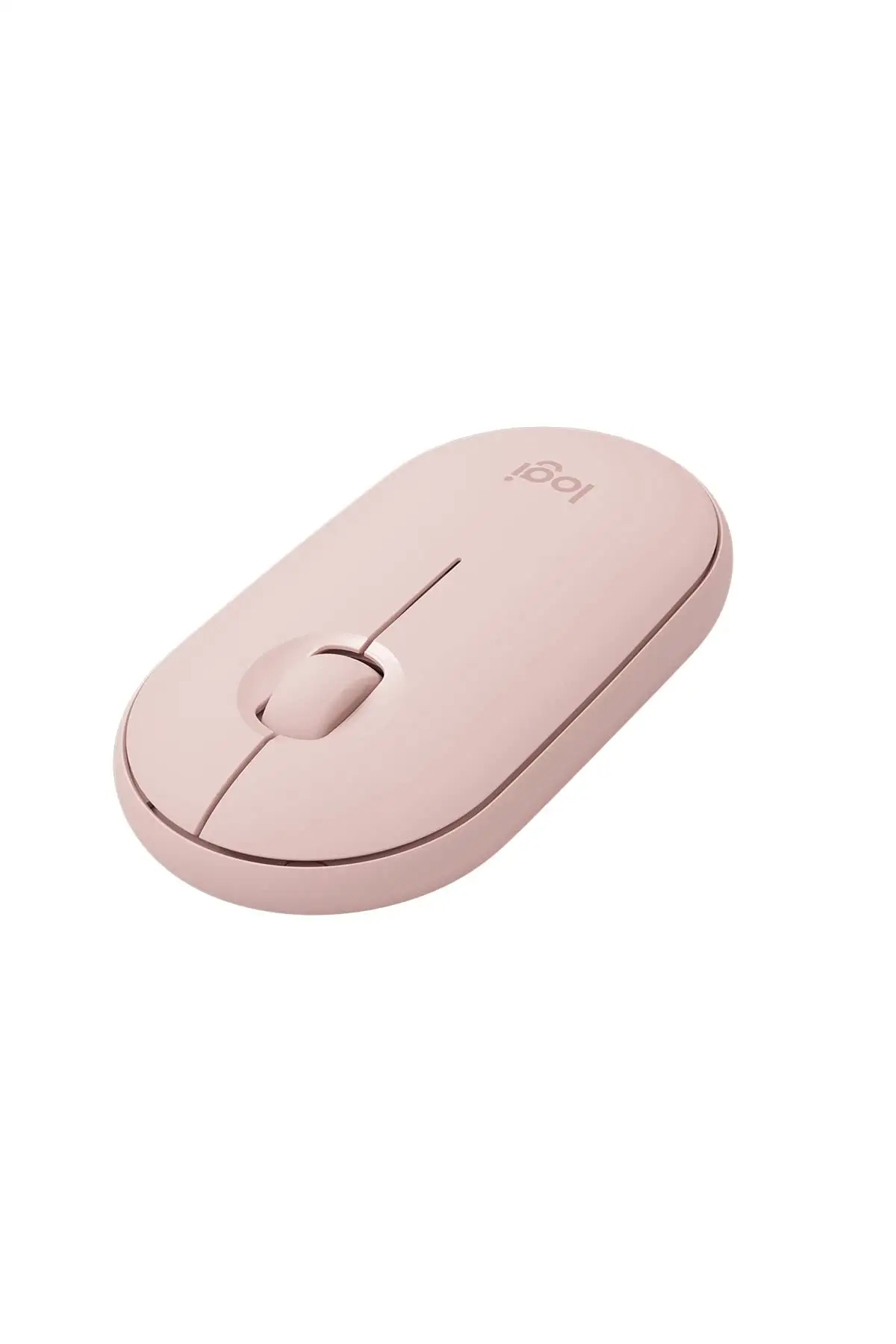
When 84% of Amazon buyers give five stars, you know a device is hitting the mark. The Logitech Pebble Wireless Mouse (Bluetooth/2.4 GHz, Silent, Graphite) earns an 8.8/10 from aggregated user feedback — praised for its portability, ultra-quiet clicks, and multi-device connectivity, though its flat profile divides opinion.
Quick Verdict: Conditional — Excellent for portability and quiet workspaces, less ideal for long ergonomic sessions.
| Pros | Cons |
|---|---|
| Ultra-quiet clicks and scrolling | Flat profile causes hand strain for some |
| Connects via Bluetooth or USB receiver | No USB receiver storage in some models |
| Multi-device pairing (up to 3 devices) | Scroll wheel stiffness reported |
| Stylish, slim, and lightweight | Wireless lag in certain environments |
| Long battery life (18–24 months) | Pricier than basic mice |
| Made with recycled plastic | Limited button customization without software |
Claims vs Reality
Logitech markets this mouse as “silent,” with over 90% noise reduction compared to conventional clicks. Digging deeper into user reports, the claim holds strong. A verified Best Buy customer wrote: “No more click & scrolling sounds… my team is happy so I am.” Reddit user feedback echoes this, with one saying, “The clicks are barely audible, perfect for shared workspaces.” Even those transitioning from noisier models note the tactile feel remains satisfying despite the quiet.
Another big selling point is battery life — advertised at up to 18 months for the original Pebble M350 and 24 months for the Pebble Mouse 2 M350s. While battery longevity naturally varies, Reddit user reports show months of daily use without replacement. A verified Amazon buyer mentioned still being on the same battery after two months, while others confirmed multi-year lifespans. Here, the marketing aligns closely with reality.
Logitech also highlights "dual connectivity" — Bluetooth or USB dongle — and in newer models, easy switching between three paired devices. Reddit and Amazon reviews confirm this is simple to set up, but occasional lag or delay when switching became a noted pain point. One Reddit user noted “a slight delay when switching devices,” though most praised the flexibility.
Cross-Platform Consensus
Universally Praised
Portability is the star. From tech bloggers on Reddit to casual buyers on Best Buy, portability makes this mouse a top travel companion. “Compact, light, sturdy, quick, accurate,” wrote a Pebble 2 owner who upgraded from the original. Airport lounges, cafés, and even library workstations were frequent settings mentioned. The slim body slips easily into pockets or laptop sleeves without adding bulk.
Silence is another standout. A verified Best Buy buyer shared: “Perfect if you want to play League of Legends anywhere without hearing that intense clicking during your lane.” Office workers and students alike appreciate being able to work in shared environments without noise distraction. The scroll wheel’s quiet glide is often highlighted alongside the buttons.
Multi-platform compatibility — from iPads to Chromebooks — wins praise. A Redditor detailed seamlessly moving between laptop, tablet, and phone: “I loved how easy it was… perfect for different devices throughout the day.” This makes it particularly valuable for tech users bouncing between ecosystems like Windows and macOS.
Common Complaints
Ergonomics divide opinion sharply. The flat profile, while making the Pebble look sleek, sparks discomfort over time. One verified Best Buy reviewer described: “My hand cramps up… worst experience. Returned it.” Others mention sore tendons after extended gaming or work sessions. This is a recurring caution for heavy daily users.
Wireless performance issues crop up — lag and interference have been reported, especially in high-wireless-traffic environments. One Best Buy reviewer noted lag “no matter if you’re using Bluetooth or the USB dongle.”
The scroll wheel’s stiffness is polarizing. Some enjoy its resistance, but others find it less smooth than expected. A verified Amazon buyer called it “a little stiff… takes some getting used to.”
Divisive Features
Pricing stirs debate. For some, $29–$33 feels fair for the style, silence, and multi-device flexibility. Others argue cheaper basic mice can match functionality if portability and quiet operation aren’t priorities.
Customization, via the Logi Options+ app, gets mixed reactions. Reddit users highlight time-saving shortcuts on the middle button, such as launching Spotify or sending emojis. Yet some find the software non-intuitive at first.
Trust & Reliability
Concerns around “fake reviews” surface occasionally, but Fakespot analysis suggests over 80% of reviews are genuinely high-quality. On the reliability front, durability earns decent marks: Reddit users report months to over a year without breakage, and Best Buy customers highlighted that the unit “didn’t break on me yet” after extended use.
One caution involves distinguishing between model variants — some Pebble versions ship without a USB dongle or have different compatibility. As one Fakespot reviewer warned: “Make sure to select the correct model.”
Alternatives
Several buyers compare the Pebble’s silent operation favorably to Logitech’s own Magic Mouse competitor, with one Reddit user calling it “basically what the magic mouse wants to be.” In terms of silent performance, basic Logitech mice like the M215 fall short, with noise-heavy clicks driving users towards the Pebble series. However, if long-term ergonomics are the main priority, bulkier Logitech models or vertical mice might serve better.
Price & Value
Price trends show $29.99 retail in US stores, with eBay open-box deals dipping as low as $11. Sellers on marketplaces emphasize color variety, often matching accessories like keyboards or cases. Resale value holds well due to the style, multi-device support, and minimal wear over time.
Community buying tips:
- Grab during Amazon or Best Buy sales — price cuts of 10–20% reported.
- Confirm if your chosen color includes the USB receiver, as not all packs do.
- Consider Pebble Mouse 2 M350s for longer battery life and built-in easy-switch.

FAQ
Q: Can the Pebble connect to multiple devices at once?
A: Yes, the Pebble Mouse 2 M350s pairs with up to three devices and switches via its Easy-Switch button. The original M350 pairs with one Bluetooth device at a time but also connects via USB receiver.
Q: Is there a storage slot for the USB receiver?
A: Some Pebble models store the receiver under a magnetic top cover, but others — and the Pebble Mouse 2 — may lack integrated storage, so check the version before buying.
Q: Does it work well with iPads?
A: Yes, many users pair it with iPads running iPadOS 13.4 or later. As one Amazon reviewer put it: “Worked better than I expected with my iPad.”
Q: Is the scroll wheel completely silent?
A: It’s quieter than most, with a soft glide, but several users mention it’s slightly stiff. Quietness is consistent, though feel is subjective.
Q: How long does the battery really last?
A: Heavy daily use may shorten life from the stated 18–24 months, but light-to-moderate users in reviews report many months without replacement.
Final Verdict
Buy if you’re a mobile professional, student, or creative who values a quiet, stylish mouse that slips into any bag and works across multiple devices. Avoid if you need all-day comfort for intensive desktop work, as the slim profile may cause strain. Pro tip from the community: “Pair the Pebble with the Logi Options+ app early — the middle button shortcuts are a game changer once set up.”





