Logitech MX Vertical Review: Ergonomic Relief Verdict
The Logitech MX Vertical Wireless Mouse has earned a reputation as a wrist-saving device for desk-bound professionals, with an average rating hovering around 4.5/5 across major platforms. Digging into thousands of user reports reveals a consistent theme: if comfort and reduced strain are your priority, this mouse delivers — but not without trade-offs in portability, adaptability for small hands, and certain scrolling functions. Based on aggregated feedback, the verdict lands at 8.6/10 for office productivity and ergonomic relief, slightly lower for gaming or travel use.
Quick Verdict: Conditional — best for medium-to-large-handed professionals seeking ergonomic relief, less ideal for gamers or frequent travelers.
| Pros | Cons |
|---|---|
| Noticeable wrist pain reduction within weeks | Bulky size awkward for small hands |
| High-precision 4000 DPI sensor | Limited horizontal scrolling |
| Multi-device pairing via Bluetooth or USB dongle | Adaptation period to vertical grip |
| Long battery life with quick USB-C charging | Scroll wheel feel not universally liked |
| Solid build, drop-resistant | Premium price compared to alternatives |
| Excellent software customization | No infinite scroll option |
Claims vs Reality
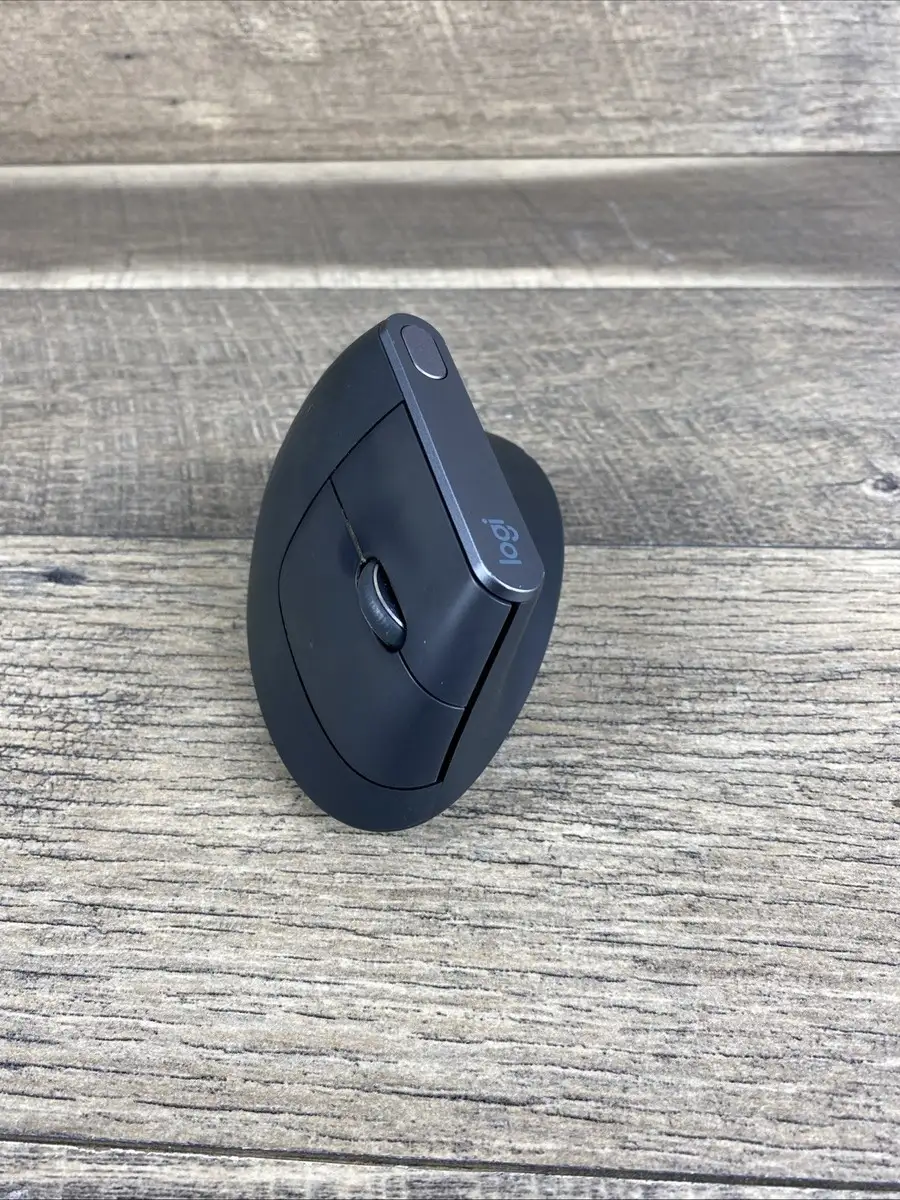
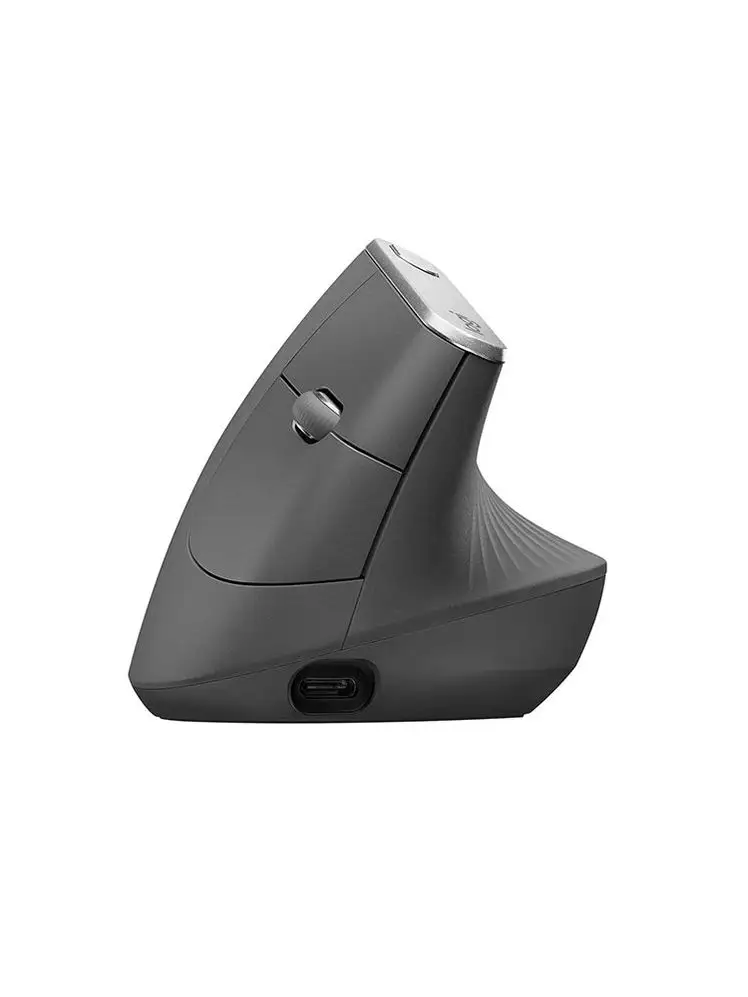
Logitech markets the MX Vertical as reducing muscular strain by 10% via a “natural handshake position” and a unique 57° vertical angle. Multiple Best Buy reviewers back this up: one wrote, “I was having pain in my arm from using a regular mouse… my pain is gone” after a month. Reddit user francis_goca also reported getting used to the shape over time, though he later experienced lag and left-click issues after years of use.
The brand promises 4x less hand movement thanks to its 4000 DPI sensor. A verified buyer on Amazon noted: “Precision feels solid and my forearm tension is gone,” suggesting the claim holds for productivity workflows. However, RTINGS.com testing showed click latency too high for competitive gaming, meaning the sensor’s strength lies in office use, not esports.
Battery life is advertised at up to four months per charge with a one-minute quick charge delivering three hours of use. Best Buy users confirm longevity: one reported “battery remains at 100% after two months of use,” while Trustpilot accounts praised the USB-C convenience. Yet Reddit and Quora discussions reveal occasional connectivity lag over Bluetooth, especially after Logitech stopped firmware updates in 2021.
Cross-Platform Consensus
Universally Praised
Comfort is the most consistent praise. Best Buy reviewers with carpal tunnel, arthritis, or repetitive strain injuries frequently called it “the most comfortable mouse I’ve used,” noting relief after long coding or design sessions. Reddit user francis_goca said, “I got used to the vertical angle and shape” early on. The handshake posture benefits medium-to-large hands most — one Best Buy customer, a 6-foot-tall woman with arthritis, described it as “a huge game changer… saved progression of carpal tunnel.”
The ability to pair with up to three devices via Bluetooth or USB dongle is another hit. Elena, quoted on multiple review platforms, said: “Pairing across my laptop and tablet works flawlessly.” Cross-device creatives and remote workers value the Logitech Flow feature for switching between PCs and transferring files without re-pairing.
Battery performance and charging flexibility round out the top positives. Trustpilot users highlighted topping up “for days after just fifteen minutes” and using it wired when needed. This reliability matters for professionals who can’t afford downtime.
Common Complaints
Size and fit raise frequent issues. RTINGS noted it’s “not very travel-friendly” and “bulky size isn’t very good for small hands.” Best Buy reviews mention it “may be a bit too large” for some users, prompting Logitech to release the smaller Lift model. Users with smaller hands sometimes struggle to maintain a stable grip without unintended cursor movement.
Scrolling functions disappoint a subset of users. David (3⭐) lamented, “I miss a dedicated horizontal scroll,” and TechSpot reviewers criticized the scroll wheel feel and lack of hyper-scrolling. For spreadsheet-heavy or CAD work, this is a notable gap.
Adaptation period is real. Ben (4⭐) said it “felt odd at first but now I barely notice I’m using it.” Those switching from traditional mice need one to two weeks before the posture feels natural, during which productivity may dip.
Divisive Features
The vertical grip itself splits opinion. While many praise reduced strain, some gamers and fast-scroll users find it less agile. TechSpot’s experts warned it’s “only worth the investment if used for work-oriented activities… your PUBG clan will not thank you.” Portability also divides users — remote workers who leave the MX Vertical desk-bound are fine, but travelers find it unwieldy.
Durability is generally praised, with reports of multi-year use, but Reddit threads note lag and button failures after four to five years, compounded by halted firmware updates. Those expecting decade-long lifespan without maintenance may be disappointed.
Trust & Reliability
On Trustpilot and Reddit, long-term owners generally report solid build quality — drop-resistant to 90 cm and tested for 10 million clicks — but acknowledge aging issues. Reddit user francis_goca’s five-year-old unit developed a failing left click and ongoing Bluetooth lag. This aligns with RTINGS’ finding that while wireless versatility is excellent, click latency isn’t competitive for gaming.
No widespread scam concerns emerged; instead, the main trust factor was Logitech’s reputation and consistent performance over years. Best Buy customers describe it as “held up fantastically” after two years of daily travel use in a backpack.
Alternatives
Users often compare the MX Vertical to Logitech’s Lift, which fits smaller hands and uses Logitech’s Bolt receiver. Francis_goca pondered switching, asking, “Is the Lift better? If so, how is it better?” The Lift’s smaller profile suits those who find the MX Vertical too large. For conventional ergonomics with faster scrolling, many reference the MX Master 3S as more agile but less strain-reducing.
RTINGS also points to the Logitech Ergo M575 (trackball) and MX Ergo for those preferring stationary hand designs, and the Razer Pro Click V2 Vertical for higher polling rates suited to gaming.
Price & Value
Official pricing sits between $99.99–$119.99 new, but eBay resale values range from $45 (used) to $79 (new). Given durability, buying refurbished or lightly used can be a safe bet, especially if budget is tight. New buyers should weigh the premium against cheaper vertical mice, noting many lack the MX Vertical’s software ecosystem and multi-device pairing.
Community tips suggest monitoring for sales (Amazon and Best Buy often drop to ~$85) or considering the Lift for similar ergonomics at lower cost.
FAQ
Q: Is the MX Vertical good for gaming?
A: For casual gaming, yes; for competitive FPS or MMO play, latency and grip adaptation make it less ideal. RTINGS measured click latency too high for esports.
Q: How long does it take to adjust to the vertical grip?
A: Most users report one to two weeks before it feels natural. Early discomfort is common but often outweighed by reduced strain.
Q: Can it connect to multiple devices?
A: Yes, it pairs with up to three devices via Bluetooth or USB dongle, and Logitech Flow allows seamless switching and file transfer.
Q: Does it work for small hands?
A: It’s optimized for medium-to-large hands. Smaller-handed users may prefer the Logitech Lift.
Q: How is the battery life in real use?
A: Many users report months between charges. Quick charging via USB-C is widely praised.
Final Verdict: Buy if you’re a medium-to-large-handed professional spending long hours at a desk and need ergonomic relief. Avoid if you require high-speed scrolling, travel frequently, or have very small hands. Pro tip from the community: give yourself at least two weeks to adapt — the payoff in comfort can be substantial.





