Logitech MX Keys S for Mac Review: Conditional Buy Verdict
The surprising consensus emerging from hundreds of cross-platform reviews is that the Logitech MX Keys S for Mac Wireless Keyboard Backlit Space Grey earns an impressive 9/10 for build quality, typing feel, and multi-device convenience, yet it harbors ergonomic quirks and visibility issues that frustrate certain users. On paper, it’s tailored for macOS and iPadOS with a Mac-specific key layout, smart illumination, and up to 5 months battery with backlight off — but digging deeper into user reports shows nuances behind that promise.
Quick Verdict: Conditional Buy
| Pros | Cons |
|---|---|
| Premium build with satisfying, quiet keys | Key legends hard to see on dark model without backlight |
| True Mac layout & seamless multi-device switching | Backlight drains battery rapidly if left on |
| Smart illumination responds to hand proximity | No Touch ID, heavier than Apple’s keyboard |
| Long battery life with backlight off | Occasional Bluetooth/FileVault connection hurdles |
| USB-C charging matches modern Mac ecosystem | Ergonomic tilt not adjustable |
| Pairs with Macs, iPads, and even PCs | Some function key layout choices confuse users |
Claims vs Reality
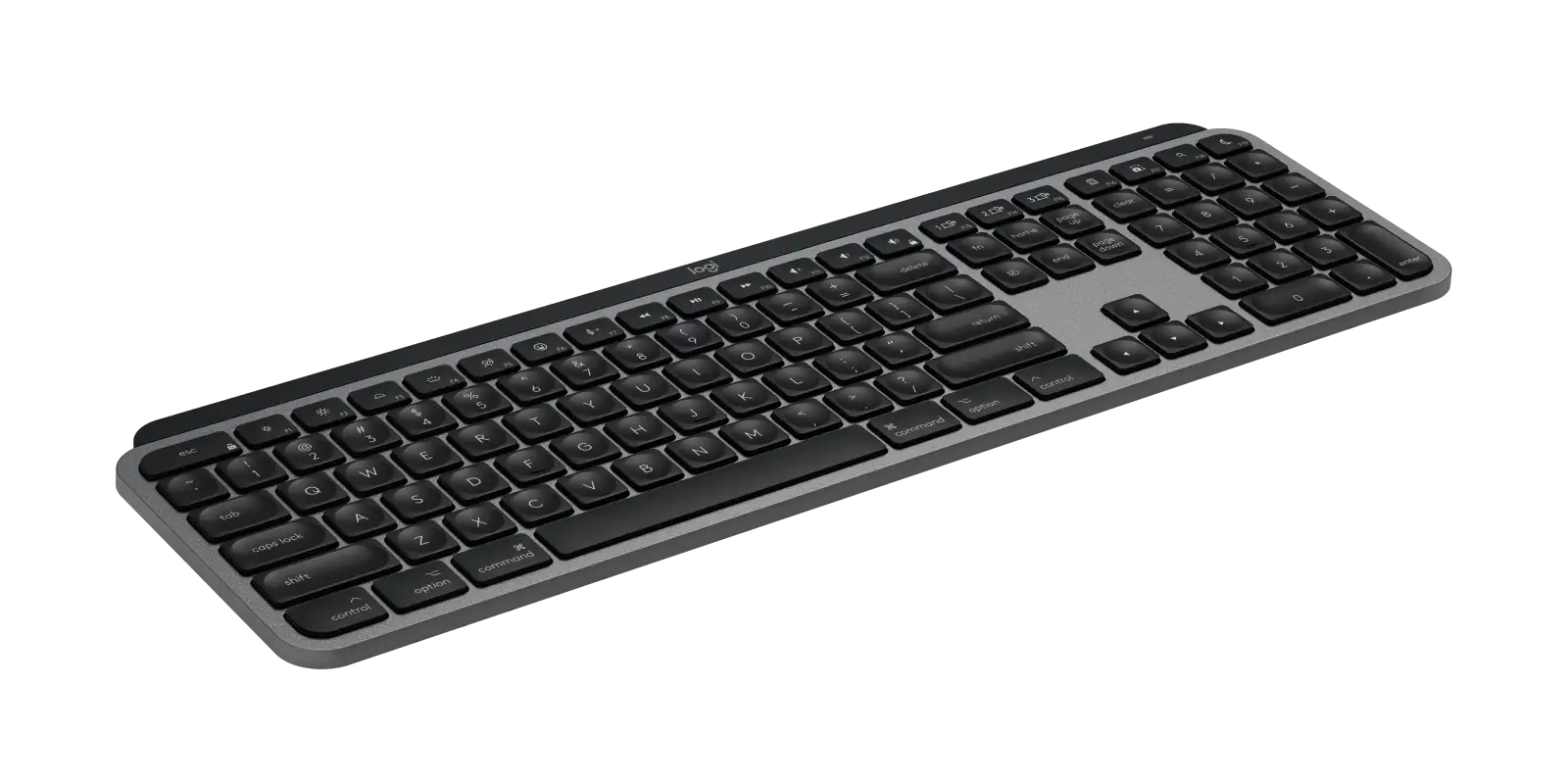
One of Logitech’s boldest claims is that the MX Keys S for Mac offers fast, fluid, precise typing with “spherically-dished” keys shaped for fingertips. Best Buy reviewers echo this — “the keys feel like they have about the same travel as a MacBook Pro,” wrote one long-time Mac user — but Reddit user u/LewisReviewsUK cautioned that the dim key cap printing on space grey models can lead to “double typing a letter when I didn’t intend to” until muscle memory adapts.
Logitech touts smart illumination that “lights up when your hands approach” and adapts to ambient light. Verified buyers on Best Buy confirm its effectiveness, with one noting “keys light up when your hand approaches…the feature is basically magic.” Yet on Trustpilot’s Fakespot summary, some report the proximity sensor can malfunction, causing lights to flicker or fail under certain ambient conditions, making the engraved letters harder to read.
The spec sheet promises up to 5 months battery life without backlight. While this is achievable, reports align around backlighting cutting longevity to around 10 days or less. A Best Buy customer explained, “the backlight kills the battery so I turned that off,” while others adjust duration and brightness in Logitech’s Options+ app to extend runtime.
Cross-Platform Consensus
Universally Praised
From Reddit to Best Buy, users gush about the build quality. Best Buy customer xiomar_al celebrated, “top notch…same typing satisfaction as my MacBook.” The weight — heavier than Apple’s Magic Keyboard — is seen as a mark of stability: “heavy, sturdy, silent, beautiful keyboard,” said reviewer senn. This heft anchors it during long data entry or coding sessions.
Multi-device pairing earns near-unanimous praise. Amazon buyers value the Easy-Switch buttons to toggle between, say, a MacBook, iPad Pro, and desktop. Best Buy’s run_jk detailed pairing with a Mac, Dell laptop, and iPad: “I can switch between the two by simply pressing a button…no lag.” For creatives and professionals in multi-platform environments, this avoids the tangle of multiple keyboards.
Typing comfort is a standout. The concave key caps guide fingers, quiet scissor-switch mechanism minimizes noise, and low-profile angle supports wrist posture. “The keys are perfectly spaced, making typing a breeze,” said amarks94070, noting reduced fatigue during content creation marathons.
Common Complaints
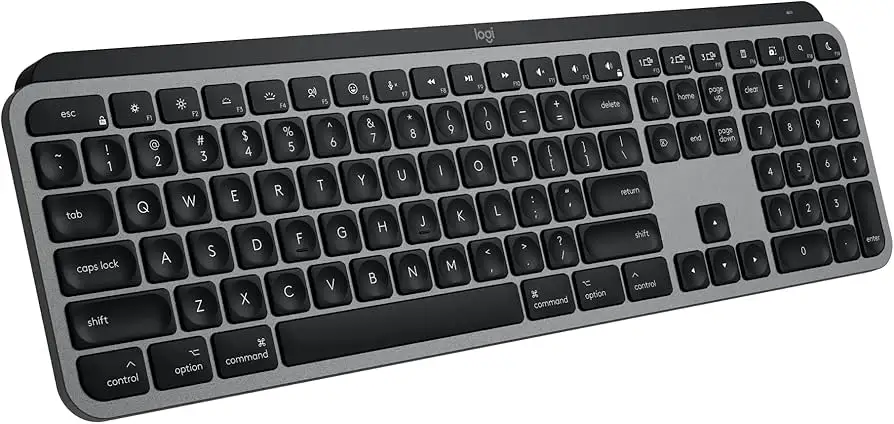
Key visibility in certain finishes is the most frequent frustration. Reddit’s u/LewisReviewsUK regretted the dark space grey version because “the key cap writing is very faint and blends in too well…recommend the white one.” This is compounded when backlighting is off to save battery.
Backlight battery drain is widely reported. While officially rated at 5 months off / 10 days on, heavy typists note more frequent charging. Trustpilot feedback describes “have to charge it every 3-4 days” with backlight use, undercutting the long-life claim.
Connectivity quirks crop up, particularly relating to macOS’s FileVault encryption. Best Buy reviewer tonbo_808 found Bluetooth-only models couldn’t log in until paired post-boot, forcing purchase of a $15 Bolt receiver. Windows/Mac key remapping confusion also appears when switching systems without Logitech’s software.
Ergonomically, the fixed low tilt bothers some. run_jk missed adjustable feet for more elevation, and numeric keypad dash key placement mirrors Apple’s layout but deviates from PC standards, tripping up veteran data-entry users.
Divisive Features
The smart illumination’s motion-sensing nature splits opinion. Many love its responsiveness; some find it toggles unexpectedly or drains battery. Similarly, the heavier weight is welcomed for desktop stability but criticized for portability — “about a full pound heavier” than Apple’s keyboard, noted Best Buy’s kene.
The absence of Touch ID is a dealbreaker for a subset of Mac users. Multiple Best Buy reviewers wished it were integrated, as logging in with fingerprints is a convenience they miss from Apple’s Magic Keyboard.
Trust & Reliability
Trustpilot’s Fakespot engine flags the review content as largely high-quality with minimal deception. Long-term reliability stories suggest durability: heavy typists report no key label wear after months of use. mxjd1969 described multiple MX Keys units over years as “extremely reliable,” but Reddit threads warn of past model failures and advise caution until the newer S version proves itself over time.
Battery performance over months depends heavily on backlight habits; those disabling it maintain weeks between charges. Mechanical integrity receives consistent praise — “built to be very solid, with little or no flex,” per mxjd1969 — reinforcing a perception of longevity.
Alternatives
Within user discussions, the primary comparison is Apple’s Magic Keyboard. Most who’ve used both find the MX Keys S offers a superior typing feel, backlighting, and multi-device capability, at the cost of losing Touch ID and some macOS-exclusive fit-and-finish. A few reference Logitech’s MX Keys for Windows, which has dual-labeled keys for cross-platform use, suggesting PC users might prefer it over the Mac-only labeling.
Price & Value
At $114.99 (discounted from $129.99), the MX Keys S for Mac sits in the premium bracket. Reddit and Best Buy comments frame the cost as justified given the build and features — “if you have the budget, this is the best one,” noted Trustpilot’s pros. eBay listings for new combos with the MX Master 3S mouse exceed $400, showing strong resale and bundled value.
Buying tips from the community include opting for pale grey for better key visibility, waiting for occasional 10–17% discounts, and pairing purchases with a compatible Bolt receiver if FileVault or log-in issues are anticipated.
FAQ
Q: Can the MX Keys S for Mac connect to an iPad Pro?
A: Yes, via Bluetooth Low Energy. Users report seamless switching between MacBooks, iPads, and even iPhones using the Easy-Switch 1–3 buttons.
Q: Does it have Touch ID like Apple’s Magic Keyboard?
A: No. Multiple reviewers cite this as the one missing feature they’d like to see, especially for quick macOS login.
Q: How long does the battery last with backlighting on?
A: Marketing states up to 10 days; heavy users confirm this, with some needing to recharge every 3–4 days depending on usage.
Q: Does the backlight stay on continuously?
A: No, it’s proximity-activated and auto-adjusts brightness. Trustpilot feedback notes it cannot be forced to remain always-on, which some find limiting.
Q: Is it only for Mac?
A: The Mac version is labeled accordingly, but several users successfully pair it with Windows PCs; however, some key labeling and function defaults differ.
Final Verdict: Buy if you’re a Mac-based professional juggling multiple devices and value typing comfort, quiet operation, and premium build — especially if you turn off or tune the backlight for battery life. Avoid if Touch ID is a must, portability is a priority, or you work in low-light without wanting the backlight on. Pro tip from Best Buy reviewers: choose pale grey for better legend visibility and pair with the Bolt receiver if you use FileVault for smoother log-ins.