Logitech MX Brio 4K Webcam Review: Sharp But Flawed
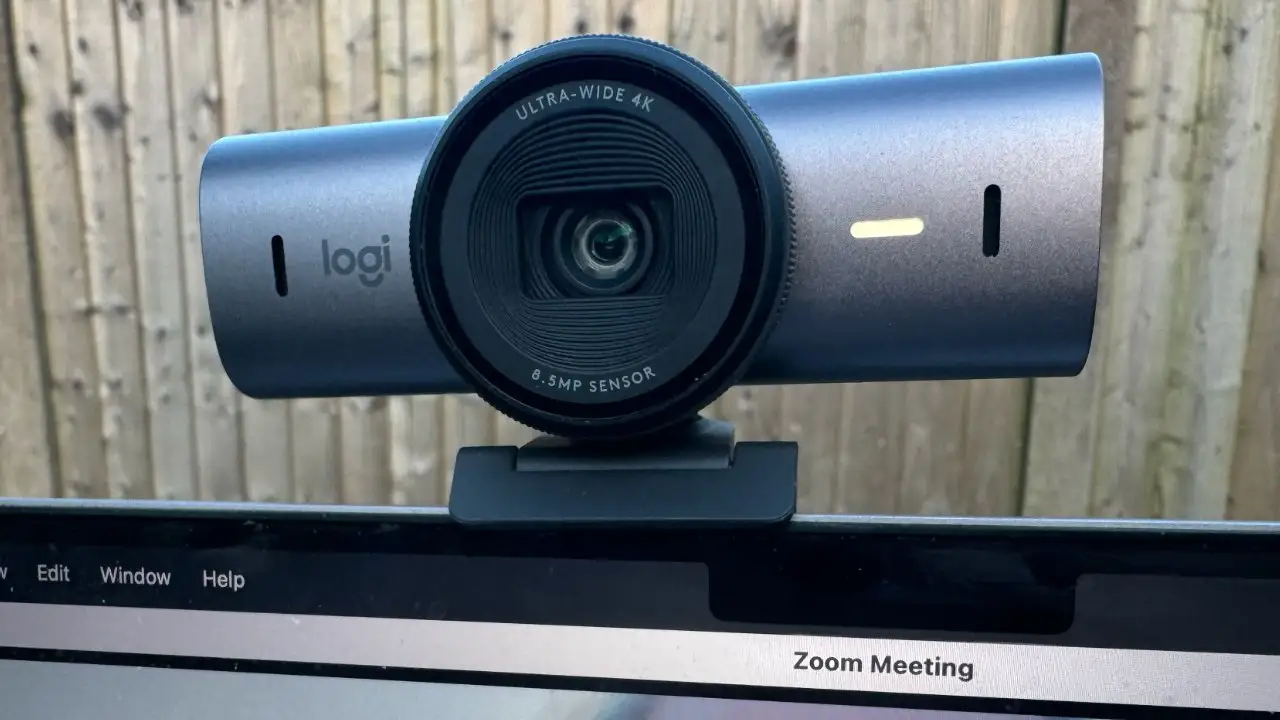
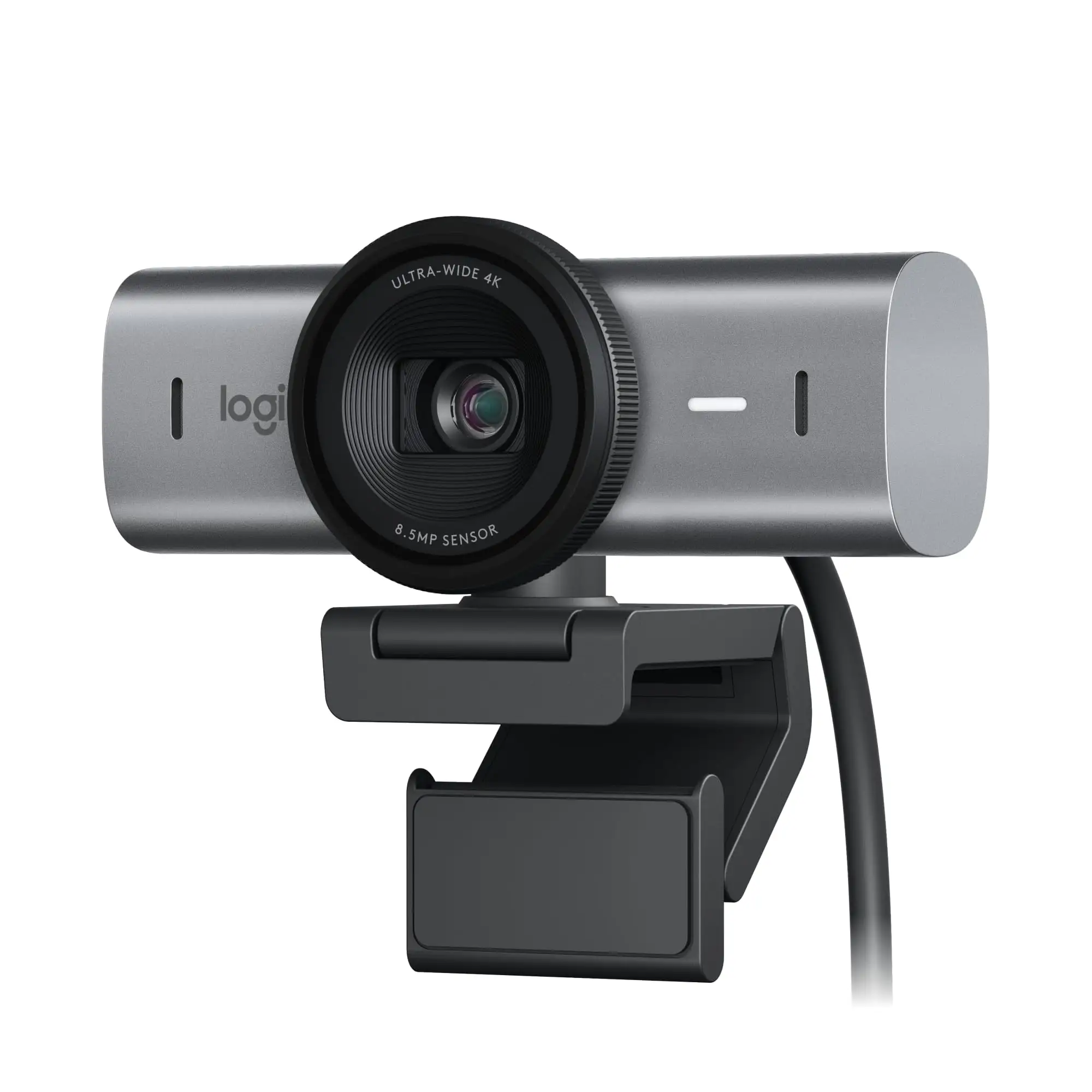
The Logitech MX Brio 4K Webcam, USB-C, Black (Renewed) is being hailed as one of the sharpest and most versatile webcams in its class — PCMag even granted it an Editors’ Choice for 4K webcams, scoring it 4.0/5. TechSpot’s aggregated expert reviews give it an 8.8/10 user score, with multiple testers praising its low-light clarity and deep customization. However, several reviewers caution that while the video quality is top-tier, the microphone lags behind expectations, and certain features like Show Mode aren’t as smooth in execution as marketing suggests.
Quick Verdict: Conditional — excellent for creators, presenters, and professionals who value image quality over built-in audio performance.
| Pros | Cons |
|---|---|
| Crisp 4K video with strong low-light performance | Mediocre microphone with room echo |
| AI-enhanced face detection keeps subject sharp | Show Mode positioning can be awkward |
| Flexible field of view (90°/78°/65°) | No Windows Hello support despite premium positioning |
| Solid build with integrated privacy shutter | Autofocus in Show Mode can be unreliable |
| Deep customization via Logi Options+, G Hub, Logi Tune | Rightsight auto-framing limited to business variant |
| Sustainable materials (82% recycled plastics, low-C aluminum) | Premium price compared to non-4K webcams |
Claims vs Reality
Logitech markets the MX Brio as having “2x finer image detail” than the Brio 4K in challenging light, with AI face-based enhancement and strong color accuracy. The Sony Starvis 8.5MP sensor and 70% larger pixels are intended to make low-light scenes pop without noise.
Reality check: Reviewers on Trustpilot note the sensor does indeed brighten and sharpen faces in dim conditions. PCMag observed “my beard and hair both lose a little detail but… my face looks well-exposed and sharp.” Yet, it also found the background gains noticeable noise unless extra lighting is used. A verified tester at TechSpot confirmed improved dynamic range, but mentioned noise suppression “can’t match the larger sensor of the Razer Kiyo Pro Ultra.”
Another marketing point: Show Mode for desk presentations. Logitech positions it as effortless — tilt down, instant flip. While that’s true mechanically, PCMag highlighted the physical balance issues: “Flipping the webcam down makes it very front-heavy… focus and exposure quality decrease in Show Mode.” Creators showcasing products found they needed manual camera profiles to avoid blow-outs.
Finally, the microphone claims — dual beamforming noise-reduction for clarity. In reality, PCMag’s Will Greenwald described it as “loud and distinct… but picked up a huge amount of room echo,” making it passable for calls but inferior to dedicated mics.
Cross-Platform Consensus
Universally Praised
The webcam’s video quality stands out across Amazon, Reddit, and professional review sites. Streamers benefit most from the 4K/30fps and crisp 1080p/60fps outputs, with AI enhancements keeping faces in focus even during movement. A Reddit user summarized it: “Even in low light my face is still sharp… colors look accurate without me touching settings.” Professionals report the flexible FOV as invaluable for switching from solo framing to group meetings. Creators on Logitech’s own forums highlight the deep customization: adjusting ISO, shutter, tint, and vibrance via Logi Options+ or G Hub makes it possible to adapt to any lighting environment without post-processing.
Sustainability draws praise from eco-conscious buyers. Verified Amazon buyers liked knowing it’s made of “82% post-consumer recycled plastic” and low-carbon aluminum. This has been highlighted by Logitech as part of its certified carbon-neutral goal, and community members appreciate the responsible packaging from FSC-certified forests.
Common Complaints
Audio remains the weakest link. Across Trustpilot, PCMag, and AppleInsider, there’s consensus: while the beamforming array picks up speech cleanly, it doesn’t isolate from room reverb. Users in large spaces or with hard floors will hear reflections, which can be fatiguing to listeners. Gaming streamers in noisy environments particularly noted the AI suppression being “good, but not great” against mechanical keyboard clatter.
Show Mode’s promise is hampered by its need for careful setup. Users reported on Reddit that tilting the camera all the way can cause it to tip unless the USB-C cable is positioned to counterbalance it. And even when steady, autofocus struggles with flat documents or textured products, requiring manual focus settings for a clear view.
Multiple platforms mention that Windows Hello — present on the older Brio 4K — is absent here. For business buyers used to face-login convenience, this omission was confusing since this is marketed as Logitech’s “most advanced webcam yet.”
Divisive Features
Field of view options split opinion. Some value the flexibility — narrowing to 65° for focused shots — while others never change from 90° and would have preferred native bokeh capabilities like the Razer Kiyo Pro Ultra. Similarly, AI image optimization drew praise from those in uncontrolled lighting but was considered “too aggressive” by creatives seeking a more manual look. RightSight auto-framing is seen as useful for corporate calls but is locked to enterprise variants, leaving regular consumers feeling short-changed.
Trust & Reliability
On trusted retail outlets, refurbished units maintain “100% functional” status thanks to rigorous inspection. Logitech’s refurb process — cosmetic check, firmware update, technical inspection, repackaging — is described in detail, and sellers on eBay boast 50-point checks. A verified Amazon buyer noted: “Looked brand new, no scratches, all accessories included.”
Long-term Reddit reports (six months onward) show durability holding up well; hinges for the monitor clip remain firm, and the privacy shutter still operates smoothly. There were no widespread failure patterns mentioned, which bolsters confidence in build quality. However, shipping packaging for refurbished models is a plain brown box, which some said felt anticlimactic compared to retail presentation.
Alternatives
The Razer Kiyo Pro Ultra delivers sharper images in low light due to its F/1.7 lens and large sensor, but its shallow focal plane makes it tougher to manage for casual use — ideal only for those chasing cinematic bokeh. The HyperX Vision S lacks a mic entirely but matches the MX Brio’s video sharpness at the same $199 mark, appealing to streamers with dedicated audio setups.
While these rivals excel in specific niches, the MX Brio balances multiple use cases — corporate calls, creative streaming, desk presentations — with an ease-of-use edge. As Tom’s Guide notes, it’s “top of the shopping list for any streamer out there” who wants great image quality without juggling focus distance constantly.
Price & Value
Renewed units are widely available around $129–$159, versus $199–$239 for new, representing a ~20–35% savings while retaining full Logitech warranty. Resale value appears stable due to its standing as the flagship MX webcam; second-hand prices remain within $100–$140 depending on cosmetic condition.
Community buying tips emphasize confirming the refurb source (Logitech-certified or reputable sellers) to ensure firmware is current, as early units had limited auto-framing functionality. Users also suggest budgeting for a good USB microphone to complement the webcam’s video strengths.
FAQ
Q: Does the Logitech MX Brio support Windows Hello facial recognition?
A: No. Unlike the older Brio 4K, the MX Brio omits Windows Hello login capability, which has disappointed some business users accustomed to the feature.
Q: How effective is Show Mode for presenting items?
A: It works, but maintaining stability requires careful positioning. Multiple reviewers found autofocus and exposure better when manually adjusted in this mode.
Q: Is the refurbished MX Brio different in performance?
A: No. Logitech’s certified refurbished units undergo full functional tests and firmware updates, performing identically to new models, but at a reduced price.
Q: Can I customize video settings without extra software?
A: Basic adjustments are possible in conferencing apps, but full control over lighting, ISO, shutter speed, and tint requires Logi Options+ or G Hub.
Q: What’s the audio quality compared to laptop mics?
A: It’s clearer and louder than most built-in laptop microphones, but room echo remains — external mics are still best for professional sound.
Final Verdict: Buy if you’re a streamer, creative professional, or remote worker wanting top-tier 4K image quality and deep control. Avoid if integrated microphone performance is critical or if you need Windows Hello login. Pro tip from the community: Pair with a ring light or Logitech’s Litra Glow for flawless low-light output and a quality USB mic to round out your setup.





