Logitech M90 Mouse Review: Budget Gem or Risky Buy?
For under $8, the Logitech Wired Mouse M90 Black USB has earned a surprisingly loyal following, with some buyers claiming it’s “the best thing I’ve ever used” for basic computing — while others dismiss it as “nightmarish quality” and throw it away after a month. Averaging 4.6 stars across Amazon with cult-level budget appeal, its real-world performance lands at a 7.9/10 once all praise and complaints are balanced.
Quick Verdict: Conditional — great for budget-minded office or casual users, but not recommended for high-DPI gaming or precision design work.
| Pros | Cons |
|---|---|
| Very low price ($7–$12 typical) | Loud scroll wheel and click sounds |
| Plug-and-play, no drivers needed | Reports of double-click defects on left button |
| Lightweight and ambidextrous design | Rigid, “oak” cable prone to tangling |
| 1000 DPI optical tracking works on most surfaces | Cheap plastic gets dirty quickly, causes sweaty palms |
| Reliable for years in some cases | Too light, can move from vibrations |
| Comfortable for prolonged office use | Lacks extra buttons or adjustable DPI |
Claims vs Reality
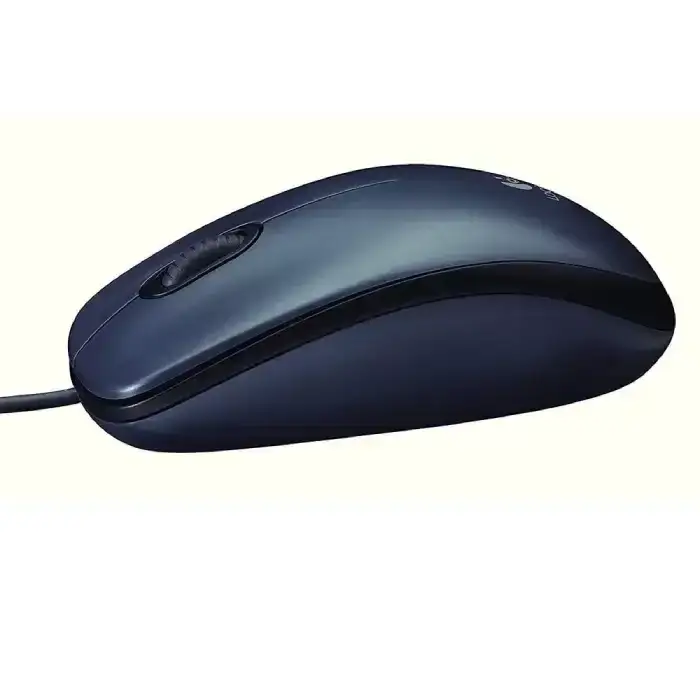
Logitech markets the M90 as “just the basics” — plug it in via USB, enjoy high-definition optical tracking at 1000 DPI, and benefit from a comfortable, ambidextrous build. The promise is simplicity, reliability, and compatibility with Windows, Mac, Chrome OS, and Linux.
On plug-and-play ease, user feedback is overwhelmingly aligned. A verified buyer on Amazon noted: “It’s simple to set up, no drivers, instant use — exactly as promised.” Reddit user u/jay*** similarly confirmed: “Got it years ago… just works.”
However, Logitech’s emphasis on “precise optical tracking” sparked mixed reactions. While many report smooth performance even without a mouse pad — “Well reads even a mirror surface,” according to a long-term Trustpilot review — others faced cursor jumps and lag. One Fakespot reviewer complained: “The cursor just jumps all over the place. The optical light is way too low.”
Finally, the comfort claim fared well for office workers: ambidextrous shaping does suit both hands. Yet one ProductReview.com.au user warned: “Too small to be comfortable unless you have small hands… tracking didn’t seem in sync with my brain and hand.” Here, reality depends heavily on hand size and task type.
Cross-Platform Consensus
Universally Praised
Across Reddit, Trustpilot, and ProductReview.com.au, the M90’s affordability is its most celebrated trait. A Reddit poster bragged: “Shoutout to Logitech M90 at $8.83 — really a steal.” For students and office admins, that low entry cost translates into easy bulk purchasing, and its compatibility ensures “no fuss” deployment in mixed OS environments.
Durability also surfaces as a surprising highlight for some. A Trustpilot user reported: “Reliable and indestructible… 8 years of operation, nothing broke.” Teachers and IT departments benefit from longevity in budget mice, avoiding constant replacements.
Comfort during extended desk work is another strong point. BestViewsReviews ranked ergonomics at 9.5/10, with buyers appreciating it for daily browsing, document editing, and light gaming. One Australian buyer wrote: “Buttons are easy on fingers — cheap and precise — highly recommend.”
Common Complaints
The scroll wheel’s noise and feel came up repeatedly. A Trustpilot review described it as “creaking noticeably and moving in jerks”, while Fakespot highlighted: “sounds like a loud chirping cricket.” This intense feedback shows the wheel design is a poor fit for quiet office settings.
Cable stiffness — described by users as “oak wire” — is another physical flaw, making it harder to maneuver compared to supple braided cords found even on other budget mice. Combined with ultra-lightweight construction, this sometimes leads to accidental movements.
Product defects are the most serious complaint. Reports of double-click issues, stuck left buttons, and identical flaws appearing in warranty replacements suggest inconsistent QC. One Trustpilot user warned: “A single click may be interpreted as double… very detrimental to one’s career.”
Divisive Features
The 1000 DPI tracking split opinion. Casual gamers found it “precise enough to rank up in my games”, as per one ProductReview.com.au poster. Others in graphics work said “acceleration and low hertz… make it difficult to work with graphics”. Essentially, it’s fine for web and office, questionable for high-precision needs.
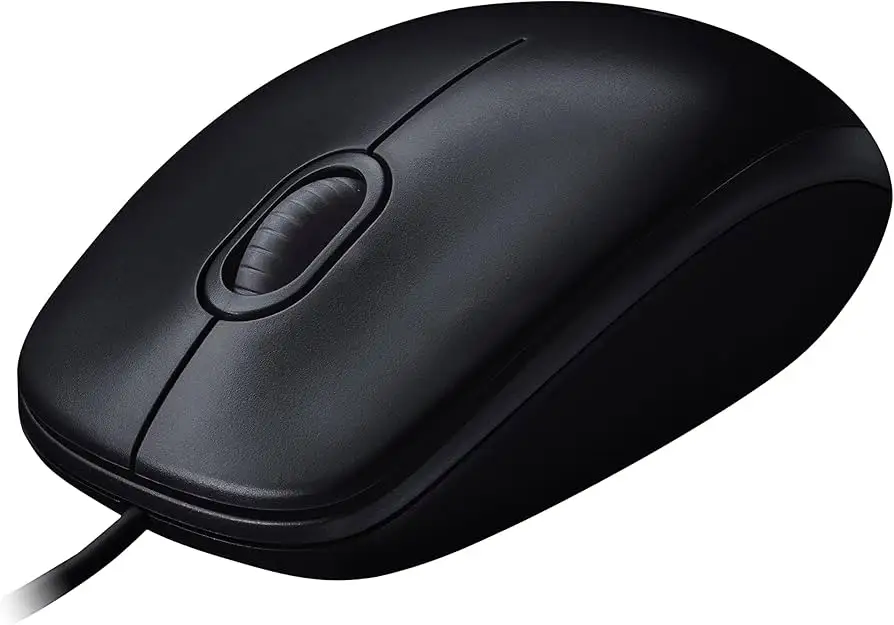
Its simplicity — no side buttons, adjustable DPI, or RGB — is beloved by minimalists but limiting for power users. One BestViewsReviews pro noted: “Basic design makes it easy to set up and operate”, while a gamer on Reddit dismissed it: “Stop buying cheap Logitech mouse… get a G502 or MX Master.”
Trust & Reliability
Despite low-cost manufacturing, some M90s survive years of daily use intact. Stories of multi-year operation without fraying cables or worn switches bolster confidence for those treating it as a set-and-forget tool.
Yet, quality inconsistency is clear. Trustpilot entries with identical defect patterns across replacements suggest batch-level issues. This risk makes it a gamble for mission-critical roles. Buyers seeking consistent QC may prefer higher-end Logitech models.
Interestingly, user behavior shifts with this device: One Fakespot reviewer switched mouse sides to deal with shoulder pain and found relief — showing ergonomic neutrality can aid in injury recovery when rotated.
Alternatives
Most community comparisons pit the M90 against other budget models like A4Tech’s OP-620D or Defender mice. Gamers and designers often suggest upgrading to Logitech’s G-series or MX Master for higher DPI, premium feel, and better scroll wheels. One Trustpilot user contrasted it with the X7: “Sensor a hundred times better… I advise it for work, but not for 3D or 2D editors.”
Compared to similarly priced rivals, the M90 wins on availability and OS compatibility, but loses on tactile quality and scroll smoothness.
Price & Value
At $7.08 on Amazon US and roughly $12 AUD on eBay, the M90 is as close to disposable tech as you get. Redditors in Argentina reported snagging it for “roughly $2.2 USD” locally, highlighting global price variance.
Resale value is negligible — most buyers treat it as a consumable. The community recommendation: grab it when under $10 for everyday use, but invest more if you need specialized performance.
FAQ
Q: Does the Logitech M90 work on all surfaces?
A: Users report reliable tracking on standard desks and even mirror glass, but it can struggle with highly reflective materials. A mouse pad improves consistency for those in precision work.
Q: Is it good for gaming?
A: Casual gaming is fine — some have ranked up in online games — but low DPI and polling rate limit it for competitive play. Serious gamers may want adjustable DPI models.
Q: How loud is the scroll wheel?
A: Quite loud according to many reviews, with “chirping cricket” or “jerky creaking” descriptions. Office noise can mask it, but quiet environments will notice.
Q: Will it last years?
A: Some units have survived 8+ years, others failed within weeks. Build quality variance means it’s partly luck; warranty coverage can help.
Q: Is it truly ambidextrous?
A: Yes — contour and button layout suit both right- and left-handed users, making it a rare budget option for shared workstations.
Final Verdict
Buy if you’re a student, office worker, or casual gamer who values ultra-low price and plug-and-play setup over advanced features. Avoid if you require silent operation, specialized gaming precision, or perfect QC for professional design work.
Pro tip from community: Pair the M90 with a soft mouse pad to reduce noise, prevent dirt buildup, and smooth out tracking quirks — it’s a cheap hack that extends its usable lifespan.





