Logitech Combo Touch iPad Air Review: 8.5/10 Verdict
A Best Buy customer put it bluntly: “This is hands down a must buy if you’re getting any iPad.” The Logitech Combo Touch Keyboard Case for iPad Air (Renewed, Oxford Grey) lands at a solid 8.5/10 in our investigation—praised for its versatility, protective build, and laptop-like experience, but carrying some weighty trade-offs and scattered durability concerns.
Quick Verdict: Conditional
| Pros | Cons |
|---|---|
| Responsive, full-size backlit keyboard | Adds significant weight—“laptop territory” according to one buyer |
| Versatile detachable design and adjustable kickstand | Kickstand stability depends on a flat surface, awkward on lap |
| Large, precise multi-touch trackpad | Reports of keys falling off within months |
| Strong magnetic connection between keyboard and case | Vinyl-like material may wear quickly under heavy use |
| Integrated protection for front, back, and corners | Confusion over required app that isn’t necessary |
| Affordable alternative to Apple Magic Keyboard | Some users feel build materials seem cheap for price |
| Seamless Smart Connector power—no charging needed | Stand hinge creasing observed in early use |
Claims vs Reality
Marketing hypes the thinnest and lightest Combo Touch yet, designed to "slip into bags and travel light." Digging deeper into user reports reveals a different story. A verified Best Buy buyer noted, “Your iPad Air will no longer be ‘airy’… we’re talking laptop territory and not in a good way.” For commuters and students, that heft can make all-day portability less appealing than advertised.
Another claim centers on seamless setup. Logitech touts “instant, secure connectivity—no charging or pairing.” While most buyers found this accurate, confusion arose when some were prompted to download an unavailable app. One reviewer admitted, “Turns out you don’t even need the app in the first place. Logitech should clarify that.”
Finally, durability is marketed as robust “front, back, and corner protection.” Many buyers praised the tough casing—“Protects the iPad from everything to included drops!” said one user—but recurring mentions of material wear, peeling edges, and even keys falling off challenge the long-term resilience implied by the brand.
Cross-Platform Consensus
Universally Praised
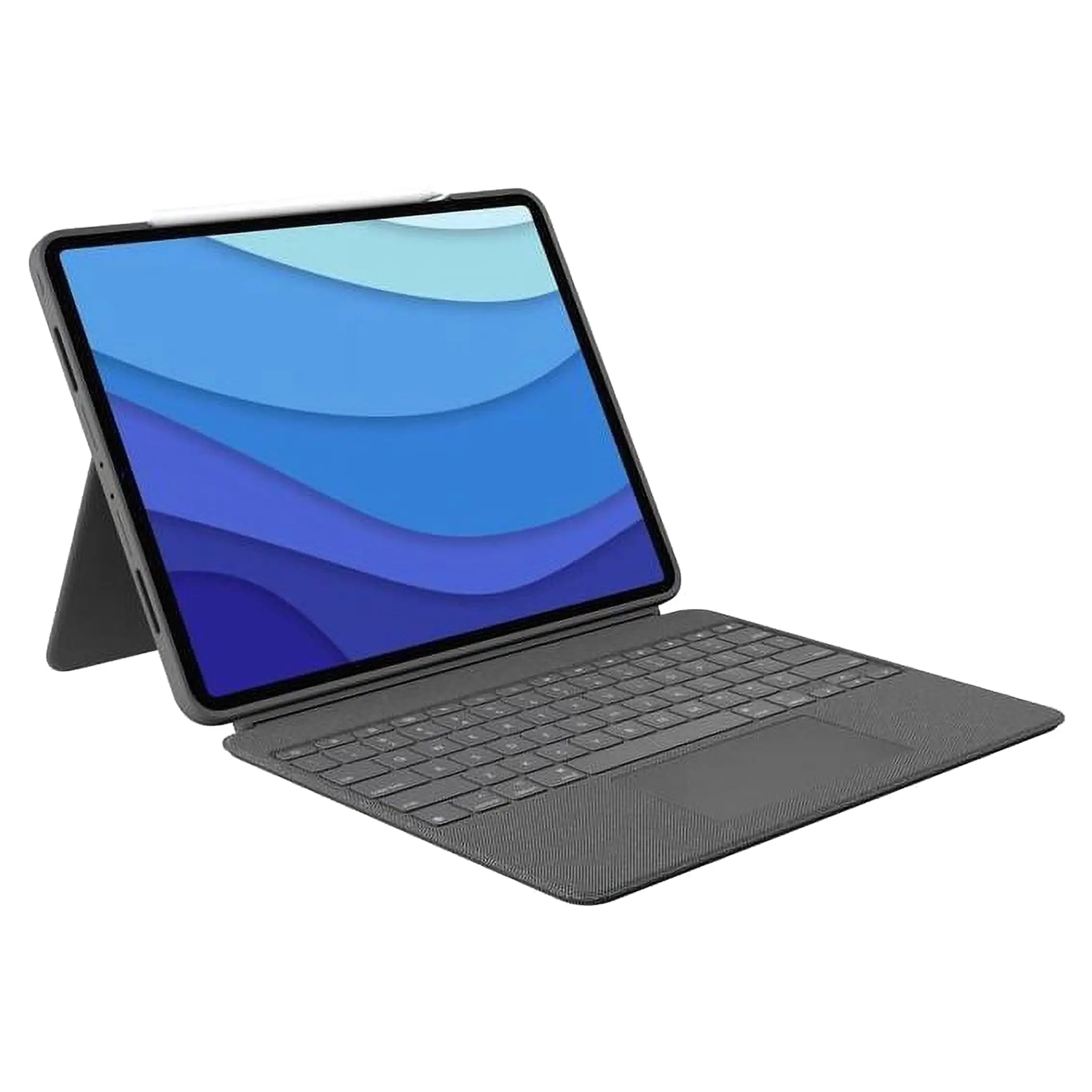
Versatility is the headline feature. The detachable keyboard and flexible kickstand reshape the iPad into whatever users need—a writing workstation, a movie stand, or a sketch pad. Trustpilot reviewer mn do 77 marveled at “no compromises… fits magnetically, doesn’t need charging, and the trackpad is very responsive.” Digital artists enjoy the stable viewing angles for Apple Pencil work without removing the case.
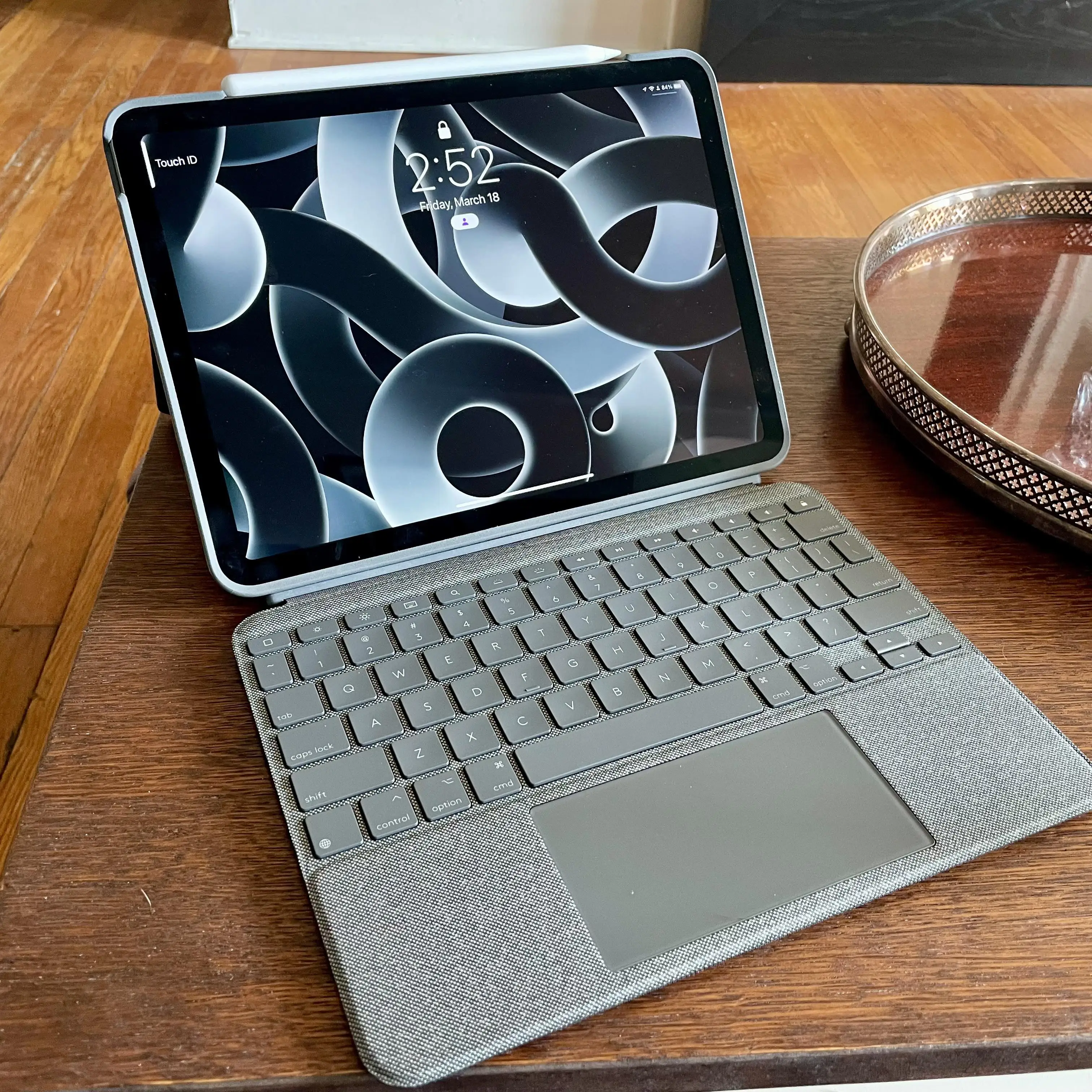
Typing experience also gets high marks. Daily typists like Jerryz love the “full-size keys… wonderful tactile feel… backlit so dimming the lights helps prevent eye strain.” For night writers, the adjustable backlighting creates a comfortable environment. The additional function row—a feature missing in Apple’s Magic Keyboard—earns praise from productivity-focused users.
The trackpad’s size and responsiveness are a standout for professionals needing precision. AngelM described swiping, pinching, and scrolling as “performing great... it has made typing much easier and faster.” For spreadsheet managers or document editors, that fluid navigation boosts efficiency.
Common Complaints
Weight is by far the most repeated criticism. From Reddit threads to Best Buy reviews, the sentiment recurs: doubling the iPad’s weight undermines the “Air” model’s portability. Rjv 86 warned that while the case “gives laptop feel… it’s fairly heavy… defeats the purpose of the iPad Air vs iPad Pro.”
Lap use is another sore point. The kickstand demands a flat surface to remain stable—problematic for travelers or couch typists. Techo admitted, “Laps need not apply... if you want something you can work on placed on your lap this isn’t for you.”
Durability complaints range from early hinge creasing to disastrous failures. Spencers reported, “One of the keys just popped right off… occasional cursor glitches since. For the price, I expected much better.” Material quality also splits opinion: Erick disliked the “non-curved surface where the hands are held,” and others said it “feels like cheap plastic.”
Divisive Features
The protective casing divides buyers. Some love the snug fit and robust feel—Cliff declared it “better than the Apple branded case” because protection remains even when removing the keyboard. Others find it overly tight, making iPad insertion fiddly.
The finish and material get mixed reactions. While some praise the smooth, wipe-clean surface, nostalgic fans of Logitech’s earlier fabric-like texture wish for its return. Mk Light summed it up: “Sort of soft plasticky… not overly premium, but still worth it.”
Trust & Reliability
Trustpilot analysis shows many long-term users satisfied with consistent function over months, but durability isn’t bulletproof. The standout reliability concern is key ejection—reported by two separate buyers within one month or six months of light use.
Refurbished units carry reassurance through Logitech’s strict restoration process: detailed cosmetic inspections, firmware updates, and repackaging with a full one-year warranty. Amazon refurb buyers note “like-new condition with no scratches” and complete accessories. Still, as Paul warns, “Avoid… the C key fell off in one month”—refurbishment can’t guarantee immunity from manufacturing flaws.
Alternatives
The main alternative mentioned is Apple’s Magic Keyboard. Many buyers compared directly, often choosing Logitech for affordability and extra features like the function key row and detachable keyboard. Cliff emphasized Apple’s lack of a function row for the iPad Air, while Daniel valued using the iPad without the keyboard while still keeping it protected.
However, Magic Keyboard owners point out greater lap stability due to its self-supporting hinge, while Logitech’s multi-mode design sacrifices that stability. Mn do 77 acknowledged both suffer the same lap-use limitations with kickstands, but price remains Logitech’s edge.
Price & Value
Renewed Logitech Combo Touch units often sell for $159.99–$183.99, undercutting the Magic Keyboard by a wide margin. This pricing draws in value-seekers like Tree Man Does 1, who chose it for being “less expensive and equal to the Apple alternative.”
Community buying tips stress checking refurb condition grading—Certified Refurbished units have “no visible cosmetic imperfections” and full accessory sets. Resale potential is moderate: eBay listings for new units hold above $79.95 for older generations, making the refurb investment relatively safe.
FAQ
Q: Does the Logitech Combo Touch require an app to work?
A: No. It connects instantly via the Smart Connector without an app. Some prompts may suggest downloading the Logitech Control app for firmware updates, but it’s optional.
Q: How heavy is the Combo Touch compared to the bare iPad Air?
A: It roughly doubles the device's travel weight, leading multiple users to liken it to carrying a small laptop.
Q: Can I use the kickstand on my lap?
A: Stability depends on having a flat, solid surface. Lap use is problematic and not recommended by many owners.
Q: Is the refurb version worth buying?
A: For budget-conscious buyers, yes—provided it’s Certified Refurbished. You'll get a 1-year warranty and like-new condition, but still risk potential key or hinge wear.
Q: Does it work with the Apple Pencil?
A: Yes. It’s designed to allow magnetic attachment and charging without removing the case.
Final Verdict
Buy if you’re a productivity-focused iPad Air owner wanting laptop-level typing, a large trackpad, and multi-mode versatility at a lower price than Apple’s Magic Keyboard. Avoid if ultra-light portability or lap stability are priorities. Pro tip from AngelM: “Best to use the kickstand on a flat sturdy surface… with or without the keyboard.”





