Linksys Atlas WiFi 6 MX2000 Review: Easy Setup, Mixed Reliability
“It works when it works—but it’s mostly down,” wrote one frustrated buyer. Yet another user countered, “This router brought my whole house WiFi back up, fast.” The Linksys Atlas WiFi 6 Router (MX2000) sits at a crossroads of reliability and disappointment, depending on who you ask. Across thousands of reviews, it averages 4.2/5 stars on Amazon and roughly 4.4/5 on Trustpilot, balancing between easy setup acclaim and sporadic performance complaints. The crowd verdict? A solid 8/10 for simplicity and reach, though not without caveats.
Quick Verdict
| Category | Verdict |
|---|---|
| Setup | Exceptionally easy; intuitive app |
| Performance | Strong close-range speeds but drops on satellites |
| Coverage | Decent up to 4,000 sq. ft; may need extra node for brick houses |
| Reliability | Mixed; some report downtime and outdated firmware |
| Value | Better priced than tri-band rivals like Eero or Orbi |
| User Support | 24/7 assistance rated “awesome” by many, “scripted” by others |
| Best For | Homes under 3,000 sq. ft and moderate device loads (under 50) |
Claims vs Reality
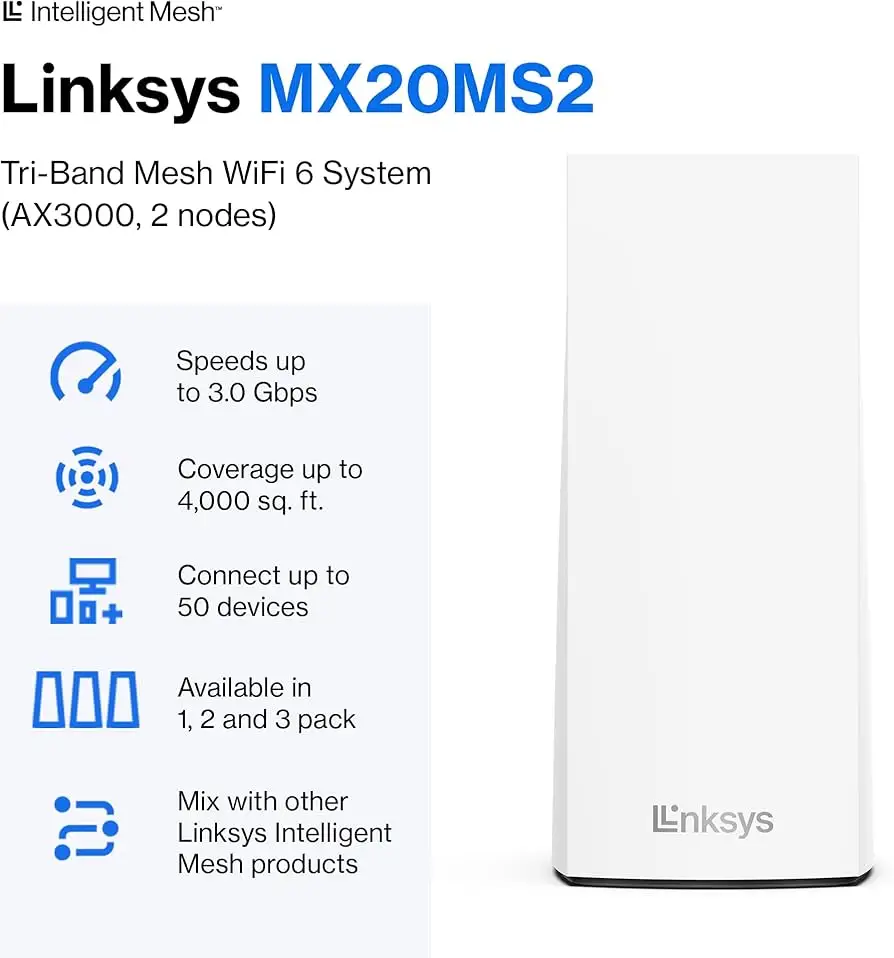
Linksys promotes “lightning-fast gigabit speeds and coverage for 50+ devices.” While official specs boast 4,000 sq. ft coverage and 3.0 Gbps capability, several buyers question that promise. A verified buyer on Amazon noted: “I have a 5,000 sq ft home. I put one in the office, one in the laundry, another in the garage—now I have strong reliable WiFi everywhere.” This setup, however, exceeded the advertised two-router coverage, suggesting the marketing might undershoot the real node requirement.
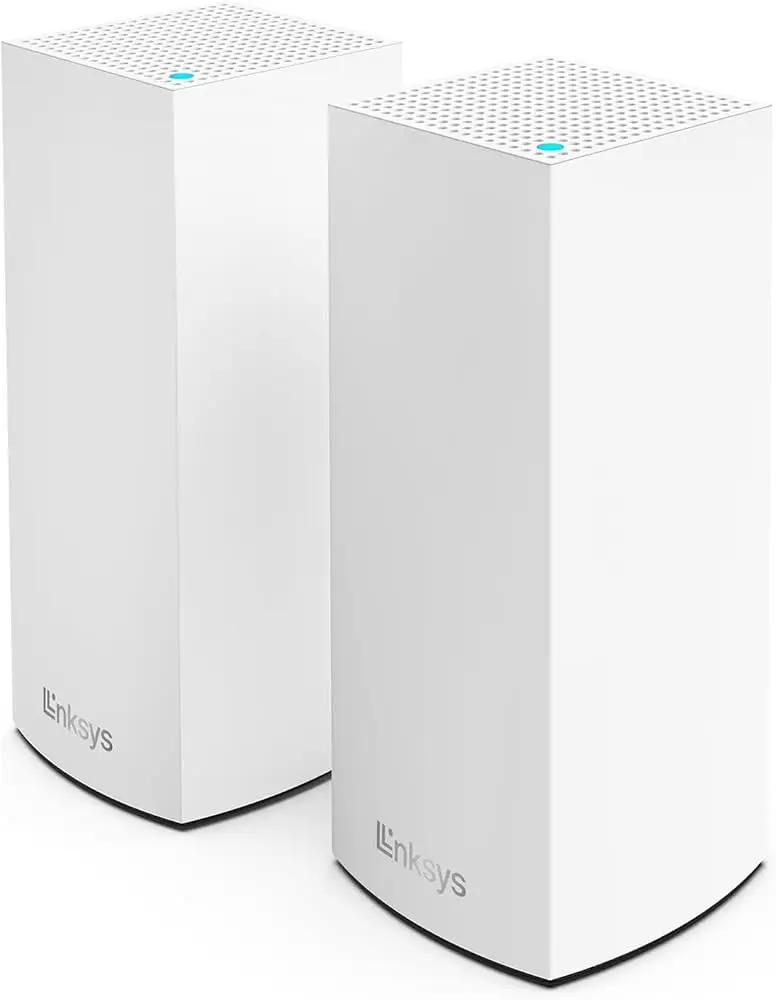
Meanwhile, Reddit discussions expose the gap between speed claims and experience. One post titled “Linksys Atlas WiFi 6 MX2000 slow issues” described serious drops: “It’s still slow as anything. I’m about to return it.” Users later pointed to node placement and old firmware as possible causes. When the user disabled “node steering,” performance briefly improved—a hint that default algorithms may hinder rather than help throughput.
Another recurring mismatch involves firmware quality. While Linksys advertises “automatic updates,” some buyers found “the firmware bought through Amazon was outdated.” That user’s mesh system “was fully offline” until customer support manually intervened.
On balance, though, installation earns near-universal praise. A verified buyer enthused: “Setup was nice and easy. The app walks you through everything in minutes.” The simplicity appears to compensate for technical gaps—especially for non-tech users.
Cross-Platform Consensus
Universally Praised
Most consumers highlight setup and app control as the MX2000’s defining strengths. “Our WiFi was back up and running fast,” said one Amazon reviewer who replaced a dead access point. The Linksys App’s guided process comes up repeatedly: “Easy to manage even when you’re not home.” For families, the ability to prioritize devices or enable guest access drew special attention—though advanced users sought deeper analytics “to see what devices are using bandwidth.”
Coverage also receives strong marks from homeowners upgrading from older routers. “I had to upgrade because of saturation issues with my old ASUS,” wrote one. After setup, “no one suffers lag when streaming or gaming anymore.” Users with sprawling ranch-style layouts mention steady signals across floors, garages, and patios—evidence the Intelligent Mesh architecture genuinely reduces dead zones for average-sized homes.
Even professionals chimed in positively. An installer “raves about this router,” according to a user whose system revived a large 2,600 sq. ft ranch home. Those switching from ISP-issued boosters found the Atlas more consistent: “Cable company’s boosters didn’t do a good job… I bought three of these and get excellent Wi-Fi throughout my house.”
Common Complaints
Despite broad praise, reliability issues persist. A Trustpilot reviewer lamented, “This product works when it works, but mostly down.” Firmware delays and version mismatches appear often, especially for Amazon-exclusive units. Another user noted Linksys support “attempted to sell me another mesh system instead of fixing this one.”
Coverage drop-offs in structural barriers are another red flag. Reviewers found brick houses need three nodes minimum despite advertised two-node reach: “For my 2500 sq ft brick home, I had to add one more node to cover outdoor cameras.” This contrasts official claims of 4,000 sq ft per two-pack.
Connectivity stability also divides opinion. Reddit’s troubleshooting threads reveal inconsistent throughput: parent node speeds were fine, but child nodes “too far” degraded drastically. While WiFi 6 promises faster and denser device handling, many users advised careful node placement or leveraging Ethernet backhaul for full benefit—echoed by experts on Quora describing “wired backhaul as a lifeline in large homes or thick walls.”
Divisive Features
The Linksys App’s parental controls are functional yet limited. Multiple reviewers mention missing tools: “I miss the ability to see what devices are using bandwidth.” Consumer analysts from JeffersonSawmill.com observed the controls are “basic—set homework hours, filter URLs manually.” Power users accustomed to ASUS or TP-Link dashboards find Atlas “too simplified.”
Similarly, dual-band architecture splits opinions. Enthusiastic buyers describe it as “fast enough for everyday use,” but others notice congestion under high load. Unlike pricier tri-band models, the MX2000 lacks a dedicated backhaul band, leaving mesh traffic competing with user data. Reddit advice frequently encourages Ethernet cable linking to offset this.
Trust & Reliability
On Trustpilot, 76% of reviews rate the MX2000 five stars, mostly praising reliability once tuned. “It’s absolutely worth it,” one buyer affirmed after installing three units in a 4,500 sq ft home. Yet the remaining 24% highlight instability—from random disconnects to firmware warnings. Fakespot analytics show minimal fake reviews and over “80% high-quality content,” suggesting the feedback trend is genuine.
Longevity seems generally positive: several comments cite year-long stable use. One homeowner wrote, “Installed six months ago—no issues since.” Others warn of early hiccups tied to ISP routers. “My 5G router didn’t play nice,” explained a user; Linksys documentation later confirmed it requires ethernet-based connection for such setups.
Trust-building gestures like the 3.5-year Amazon-exclusive warranty and 24/7 tech support also earn goodwill. An Amazon customer stated, “Tech support was awesome to work with.” Still, for DIY troubleshooters, the support chat’s scripted nature frustrates: “Spent countless hours on chat to no avail.” In essence, reliability post-setup is good—recovery procedures less so.
Alternatives
Consumer Reports positioned the MX2000 as an entry-level WiFi 6 system, benchmarking it against Eero 6 and Velop Tri-Band kits. JeffersonSawmill reviewers described it as “a rival to Amazon’s Eero 6” but noted it lacks the tri-band performance edge. Dual-band function limits simultaneous heavy use—like streaming and gaming across nodes—though wired backhaul helps close the gap.
Users comparing upgrades frequently chose Atlas 6 over ISP boosters due to price and simplicity. However, tech enthusiasts seeking granular control or maximum throughput often pivot to Linksys Velop MX5500 for its tri-band structure and faster AX5400 speeds. One Reddit respondent suggested, “If you’re gaming and have gigabit internet, go for MX8500 instead—Atlas is fine for moderate use.”
Price & Value
Current Amazon pricing lists the MX2000 2-pack at $189.99 (down from $239.99). eBay resellers show lower brackets, $74–$125 depending on configuration. That puts the system below flagship mesh kits from Netgear or Eero, while retaining WiFi 6 support and expandability through Intelligent Mesh nodes.
Community consensus deems the value proposition strong for medium homes. “With these features it’s a five-star product for sure,” said one reviewer—if only Linksys added detailed monitoring tools. Budget hunters find the price “competitive,” especially given the 36-month warranty and ease of node expansion.
However, brick and multi-floor homeowners caution that achieving full coverage from a two-pack may cost extra nodes, diminishing per-dollar value. Still, most find the trade-off acceptable: “Adding one more node solved all coverage issues,” wrote an Amazon user.
FAQ
Q: Can the MX2000 connect to ISP routers like Starlink or Arris?
A: Yes, but users must link via Ethernet—Linksys confirms a Starlink adapter is required. Wireless bridging often reduces performance.
Q: Is it compatible with other Linksys mesh products?
A: Yes, Atlas MX2000 works with other Intelligent Mesh models including Velop series. Mixing older non-WiFi 6 nodes may lower overall speed.
Q: Does it truly cover 4,000 sq. ft?
A: Only under ideal conditions. Brick or concrete homes typically need a third node for stable edge coverage.
Q: Can WPS be used for device pairing?
A: With recent firmware, WPS is disabled by default and must be manually reactivated through the Linksys App.
Q: How’s the long-term performance?
A: Most report stable speeds after setup, though firmware updates can intermittently reset nodes. Routine app checks help maintain stability.
Final Verdict
Buy the Linksys Atlas WiFi 6 (MX2000) if you value effortless setup, solid mid-range coverage, and modern WiFi 6 upgrades at a fair price. Avoid it if you rely on heavy gigabit gaming traffic or demand professional-level configuration tools—its dual-band design limits high-load performance. The community consensus refines the product’s pitch best: “Easy, reliable, and expandable—but place your nodes carefully.”





