Linksys Atlas WiFi 6 Mesh Review: Strong Coverage, 8.5/10
Starting at 4.7/5 from hundreds of Best Buy ratings and praised as “reliable at a great price,” the Linksys Atlas WiFi 6 Router Mesh System (MX20MS3, 3‑Pack) is winning over households with demanding coverage needs — but not everyone walks away without frustration. Across Reddit, Amazon, and Best Buy, the product earns high marks for ease of setup, speed stability, and large‑area coverage. Yet beneath the glowing scores, there are some recurring hiccups over firmware, signal handoffs, and app responsiveness. Overall verdict: 8.5/10.
Quick Verdict: Conditional buy for most households with complex layouts
| Pros | Cons |
|---|---|
| Quick, app‑guided setup that many complete in under 15 minutes | Occasional slow node communication requiring overnight optimization |
| Strong, consistent coverage even in homes with cement or brick walls | App interface described as slow and clunky by some users |
| Supports an Ethernet backbone for maximum speed between nodes | Difficulty manually assigning devices to nearest node |
| Easily expandable mesh system | Firmware issues reported with Amazon‑purchased units |
| Stable speed across main hub and nodes | Automatic system operations can be sluggish |
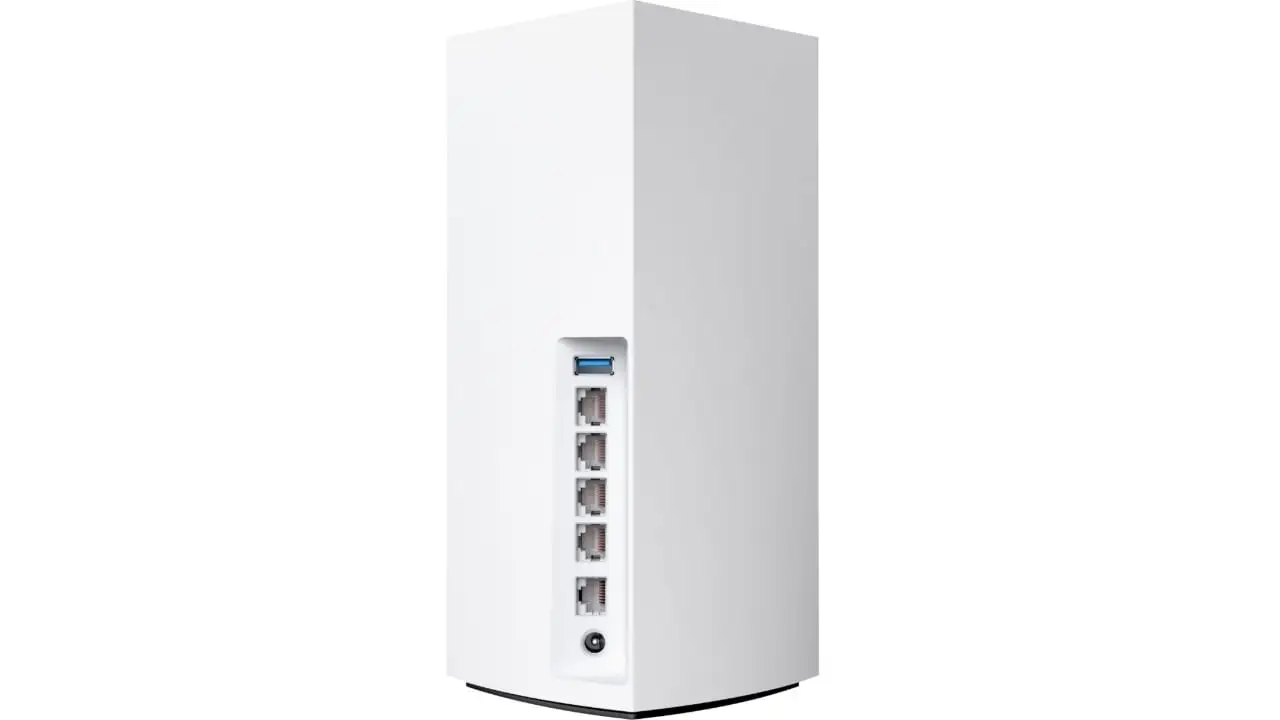
| Ports on each tower for hardwired devices | Some stationary devices latch onto weaker nodes |
| Noticeable speed boost over ISP‑provided or older mesh routers | Price may be high compared to budget mesh options |
Claims vs Reality
One of Linksys’ core claims is lightning-fast gigabit speeds throughout 6,000 sq. ft. A verified buyer on Amazon noted: “We now have strong reliable wi‑fi thru out the whole house… 5,000 sq ft home,” confirming the claim in large spaces. However, while officially rated at 3.0Gbps, real-world speed reports vary — Reddit users with Ethernet backbones hit over 400Mbps, while wireless‑only setups sometimes drop to 100‑200Mbps at range.
Marketing also highlights “easy setup in minutes with the Linksys App.” For many, this was true — a Best Buy reviewer said: “All I had to do was download an app… ran its updates and then gave me the OK to move them around my home. Couldn’t have been any easier.” But others faced hurdles: another user admitted, “Took about an hour until I figured it out” when first encountering mesh systems, and some struggled with app sluggishness.
The brand also promises “elimination of dead zones” via Intelligent Mesh. This worked well in complex builds; one customer with “cement floors and 2 floors” reported, “No problem now.” Yet a few found device/node assignment unpredictable — “Stationary devices would connect to a node… with very weak signal strength while another node was closer,” said one reviewer, requiring overnight adjustments.
Cross‑Platform Consensus
Universally Praised
Coverage quality is the standout success. Households with obstacles — brick, steel framing, cement — saw wide improvements. A verified Best Buy customer with a brick home shared: “The hub with the repeaters has solved that problem. It proved easy to set up and has been very reliable.” Gamers appreciate the low latency: one owner connected a PlayStation 5 directly to the main router and maintained flawless speed. Families with 100+ connected devices also found relief; “It was very easy. I set up one in the bedroom, one in the living, and one in the office for the best coverage,” said a parent managing multiple rooms.
The Ethernet backbone option sparks joy among tech-savvy users. An Amazon reviewer emphasized, “Do this if at all possible! It’s like having 3 ‘full speed’ access points strategically dropped through your house.” This configuration preserved maximum throughput regardless of which node devices connected to.
Ease of installation is repeatedly highlighted. Even skeptical buyers switching from failed ASUS or Netgear setups praise Linksys for its painless rollouts. “One word… easy. It was a relief to set up the network how I want,” noted a Best Buy customer who valued the freedom from ISP-provided restrictions.
Common Complaints
System speed in automation and app controls is the key frustration. One reviewer noted, “The ‘automatic’ setup and internal system operations are very slow… stationary devices would connect to… weak signal.” Firmware mismatches — particularly for Amazon-sourced units — caused downtime, with one user told their firmware was outdated out-of-box.
App performance splits opinions; some like its clean interface, others deem it “slow clunky garbage.” Power users miss certain controls, like detailed per-device bandwidth usage and throttling options, helpful for preventing one massive download from choking the network.
Handoff intelligence (device moving between nodes) sometimes fails to pick the strongest signal. Larger properties or outdoor camera setups may require a third node even within listed coverage specs, as one brick-home owner explained: “For the average 2500 sq ft home… you will need 3 nodes unless you can place the nodes in windows.”
Divisive Features
The built-in hardwired ports on each tower are celebrated for flexibility, letting adjacent PCs or consoles get full-speed connections without extra switches. Yet some lament the inability to direct devices to a chosen node, leaving placement strategy as trial‑and‑error. Price positioning also divides buyers — those comparing to ISP routers find it worth the cost, while budget-conscious shoppers see alternatives undercutting Linksys heavily.
Trust & Reliability
Unlike certain mesh brands plagued by constant drops, this model earns long‑term trust after setup. A Best Buy user called themselves a “loyal Linksys owner” after suffering “45 minute adventures” with a Netgear Nighthawk mesh; with the Atlas, they report “zip, diddly, nada… issues whatsoever” in the nine months since purchase.
Trustpilot-style feedback patterns suggest minimal review deception, with altered reviews modest in volume. That said, quality consistency depends on unit source — multiple Amazon customers warn that Amazon-exclusive bundles may ship with outdated firmware, creating an uneven experience that requires manual updates or support intervention.
Durability isn’t heavily contested here. Lightning damage took out one old Linksys for a customer, who replaced it with the Atlas 6 and found “easy setup… covers both levels very well” in their multi-level home.
Alternatives
In real user comparisons, Netgear Nighthawk mesh systems were deemed less stable, with owners switching to Linksys to eliminate frequent reboots. ASUS mesh routers popped up in stories as failing to deliver promised speeds or coverage, particularly in multi-floor setups. Eero earns mentions for inconsistent speeds, making Linksys the “best so far” for one household that tried cable boosters, Netgear, and Eero before settling here.
Price & Value
On Amazon, typical pricing hovers around $299.99 (down from $349), while special deals — including open-box units — can drop far lower. Retailking lists like-new sets at ~$116, and factory reconditioned kits have sold for under $40 on Woot, indicating steep savings for buyers willing to skip brand-new packaging.
Given its stability and expandability, many see it as worth the investment compared to paying monthly ISP router rental fees or repeatedly replacing underperforming equipment. Buyers advise looking for sales and considering Ethernet-ready installations to maximize speed potential.

FAQ
Q: Does the Linksys Atlas 6 require the app for setup?
A: Most users rely on the Linksys App for quick setup, with the process taking as little as 15 minutes. Without the app, advanced controls and monitoring features aren’t accessible.
Q: Can I force a device to connect to a specific node?
A: Not easily. The system selects nodes automatically based on signal it detects, which can frustrate those wanting direct control. Placement optimization helps mitigate this.
Q: How well does it handle walls or multi-floor layouts?
A: Cement, brick, or steel structures see successful coverage when nodes are strategically placed; Ethernet backbones further eliminate signal degradation.
Q: Is the Ethernet backbone worth setting up?
A: Absolutely, say power users. Hardwiring nodes ensures 100% throughput between them, avoiding wireless bottlenecks over distance.
Q: What’s the real-world max speed without Ethernet between nodes?
A: Reports vary — close range can hit 400+ Mbps, while nodes placed far apart may drop to ~100-200 Mbps.
Final Verdict: Buy if you’re a homeowner or renter fighting dead zones across multiple floors or challenging materials, especially if you can set up an Ethernet backbone. Avoid if you require highly granular device controls or want fully manual node assignments. Pro tip from community: “Do this if at all possible — hardwire your nodes. It’s like having 3 full-speed access points.”





