Linksys AC1900 Wi‑Fi 5 Router Review: Strong Range, Mixed Features
Starting at under $60 on some refurb deals, the Linksys AC1900 Wi‑Fi 5 Router (Renewed, Black) has inspired unusually strong feelings—both glowing praise and pointed criticism. With ratings hovering between 3.9 and 4.6/5 across Amazon, Best Buy, and Trustpilot, it’s a router that some call “absolutely a beast” while others complain about “missing features that no router made after 2010 should lack.” Averaging the sentiment, it lands at a solid 8.3/10 in real‑world satisfaction.
Quick Verdict: Conditional Buy — excellent range and speed for medium to large homes, but lacks advanced QoS and has limited guest network controls.
| Pros | Cons |
|---|---|
| Strong signal and coverage, even through multiple floors | No general QoS, only limited device/app prioritization |
| Easy plug‑and‑play setup via app or browser | Guest network options are basic, no WPA2 |
| Supports OpenWRT and DD‑WRT for advanced users | Some users report 5GHz instability |
| Reliable, 24/7 operation in most reports | Bulky design needs good ventilation |
| Good NAS speeds with USB 3.0 port | External storage sharing is limited (no simple NAS mapping) |
| Multiple LAN ports and VLAN options | App requires Linksys account for remote control |
Claims vs Reality
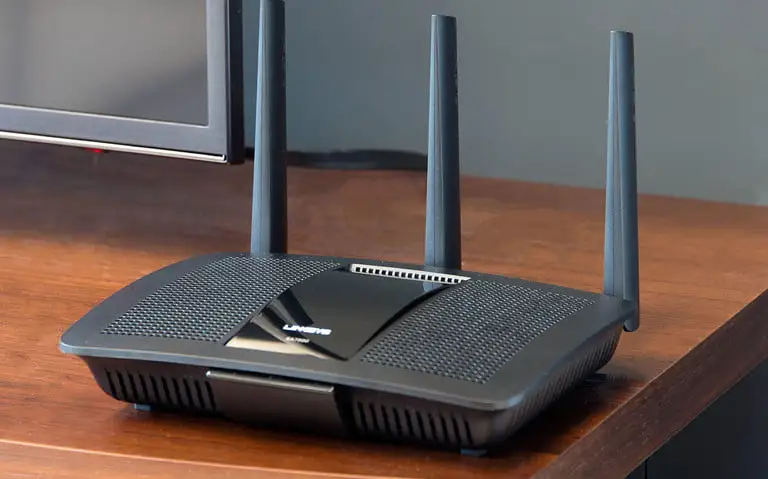
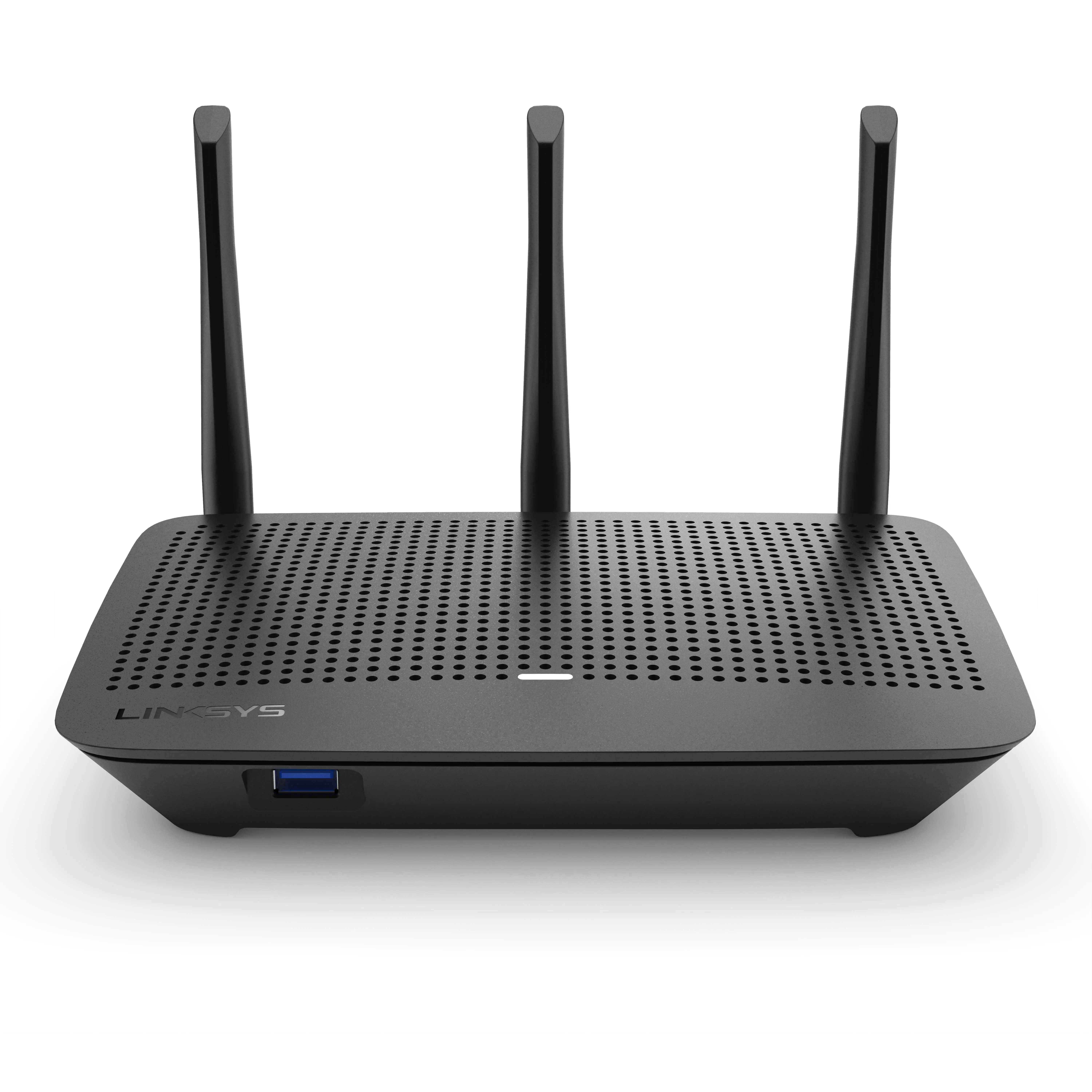
Linksys markets this model as delivering “best‑in‑class performance” with four external antennas, a 1.2GHz dual‑core CPU, and “ultimate Wi‑Fi coverage.” In practice, many owners on Best Buy back this up. One customer wrote, “This router is probably the best router I have ever owned… no dead spots… great reception on my deck and yard.” Others with large homes — even up to 10,000 sq ft warehouse spaces — report full‑bar coverage.
However, marketing promises of “advanced smart features” run into sharper criticism. A Reddit user noted, “It doesn’t have QoS—really? No router made after 2010 should lack that feature!” Instead of full Quality of Service, it offers a less flexible “device/app priority” system, which some say is “mostly useless… missing many programs and games.” Guest network features are also far from “ultimate”: “With a guest network I want to be able to limit speed… can’t even block websites for guest devices,” one reviewer complained.
The claim of “convenient external storage sharing” also diverges from expectations. While it supports DLNA and FTP, multiple users were frustrated that you “cannot simply add the external drive to Windows Explorer as you would a NAS.”
Cross‑Platform Consensus
Universally Praised
Coverage and range are the standout success here. Owners in large two‑story homes and apartments under 1,500 sq ft alike report strong, reliable signals. A verified buyer on Amazon said, “It works all the way upstairs through multiple walls… smart TV and phones work excellently now as opposed to before.” A Best Buy reviewer added, “Now we can run the TV, laptops, and Kindles all at the same time without delays.”
Setup earns equally high marks. Many call it the “easiest router I have ever installed,” with visual guides in the Linksys app appreciated by both casual owners and those running multiple devices. Trustpilot feedback reinforces this: “I’ve used this router for a month now with zero problems… set up was easy, streaming is flawless.” For non‑tech households, it quickly restores Wi‑Fi stability compared to ISP‑provided gateways.
Open‑source support also gets nods from enthusiasts. On Reddit, users recommend flashing with OpenWRT or DD‑WRT: “Have been running OpenWRT since I bought this. Stable, fast transfer… really nice to see VLAN and routing table support on a consumer router.” For network hobbyists, this router becomes far more customizable.
Common Complaints
The most common frustration is the absence of full QoS. While it can prioritize specific devices or a limited list of apps, there’s no automated QoS handling for all latency‑sensitive traffic. For gamers and VoIP users without the skills to manually configure ports, this can be a deal‑breaker.
Guest networking is another sore spot. On Quora, one owner called out “the lack of security on the guest network… no WPA2, only a login password like a hotel Wi‑Fi—unsafe and disappointing at this price point.” The inability to schedule guest network availability is another limitation.
External storage features are viewed as half‑baked. Users expected NAS‑like functionality, but as one purchaser explained, “No way to make the drive network‑discoverable—only DLNA and FTP, which are niche.” This makes it less attractive for those with large local media collections.
Design‑wise, the unit is large and requires ventilation — it even has a built‑in fan. While most say the fan is silent, the footprint may be awkward for tight spaces. A few noted a “hot electronics” smell early on.
Divisive Features
Performance in the 5GHz band draws mixed reactions. Some say it’s rock‑solid: “I get 425+ Mbps on Wi‑Fi where I used to only get that on Ethernet.” Others found it flaky with certain smartphones and tablets, needing to fall back to 2.4GHz for stability.
The Linksys Smart Wi‑Fi account for remote management is loved by some and loathed by others. Fans enjoy tweaking their network from anywhere via the app; skeptics dislike the brand lock‑in, calling it “an attempt to create brand dependence.”
Trust & Reliability
Long‑term reports are generally positive: “Always‑on and always working 24x7” said one reviewer using it for four months straight. Others have replaced multiple unstable routers with this and had no dropouts since.
However, refurbished buyers occasionally ran into ISP handshake issues or early returns — particularly if the wrong paperwork was shipped or the unit had residual settings. Still, many refurbished purchases worked “perfectly out of the box” and offered excellent value.
OpenWRT users point out that stability improves further with weekly scheduled reboots, which can be automated via third‑party firmware.
Alternatives
Netgear’s Nighthawk series often appears as a competitor in these discussions. Some note the Nighthawk edges out the AC1900 in 5GHz AC‑only throughput but loses slightly in 2.4GHz N‑only mode. Asus’s RT‑AC66U is also mentioned as offering similar speed with a smaller footprint.
For those who need full QoS or more granular guest network control, Netgear and Asus might be better fits. But for range and open‑source flexibility, the Linksys WRT1900AC variant remains a strong pick.
Price & Value
On eBay, used and refurbished AC1900 units range from $20 to $45, with sealed renewals sometimes under $40 — a fraction of the $159–$199 many paid new at Best Buy. Reddit users call it a “no‑brainer” at sub‑$60, especially given its open firmware potential.
If buying used, confirm antenna integrity and included power adapter. For refurb, check warranty terms (90‑day standard) and firmware version on arrival.
FAQ
Q: Does this router support OpenWRT or DD‑WRT?
A: Yes. Multiple owners have successfully flashed both OpenWRT and DD‑WRT, unlocking advanced features like granular QoS, scheduled reboots, and expanded VPN options.
Q: Is the guest network secure?
A: By default, it only offers a login‑style password (captive portal) without WPA2, which some find inadequate compared to competitors that allow WPA2 protection for guests.
Q: How is coverage in large homes?
A: Reports show reliable coverage in 2,500–3,000 sq ft homes, with some reaching detached garages or yards. Placement and interference still affect performance.
Q: Does it have full QoS?
A: No. It has device/app prioritization but lacks auto‑QoS for all traffic types. This may be limiting for high‑demand multi‑user environments without manual port configs.
Q: Can it function as a NAS?
A: It shares USB‑connected drives over DLNA and FTP but lacks intuitive network drive mapping, making it less flexible than dedicated NAS devices.
Final Verdict: Buy if you want strong range, easy setup, and the option to flash custom firmware—especially at a refurb price. Avoid if you need robust out‑of‑the‑box QoS or enterprise‑level guest controls. Community Pro Tip: Flashing OpenWRT can restore missing advanced features and improve stability, but only attempt if you’re comfortable with firmware mods.
slug: linksys-ac1900-wifi5-router-renewed-review





