Linksys AC1900 Wi-Fi 5 Router Review: Strong but Flawed
The Linksys AC1900 Wi-Fi 5 Router (Renewed, Black) earns a solid 8.4/10 from cross-platform user feedback, with standout praise for its range, multi-device handling, and straightforward setup—but persistent criticism around guest network security, some missing advanced features, and occasional connection drops tempers the enthusiasm.
Quick Verdict: Conditional buy—excellent for households with many devices and moderate tech needs, but may frustrate power users seeking advanced controls.
| Pros | Cons |
|---|---|
| Strong coverage for 2.4GHz across large homes | Guest network lacks WPA2 security |
| Handles 20–30 devices without lag | No full Quality of Service (QoS) support |
| Easy app-based setup & management | Some users report 5GHz range issues |
| MU-MIMO speeds hold up under load | Advanced options hidden or missing |
| Stable performance over months | Occasional Wi-Fi drops requiring reboot |
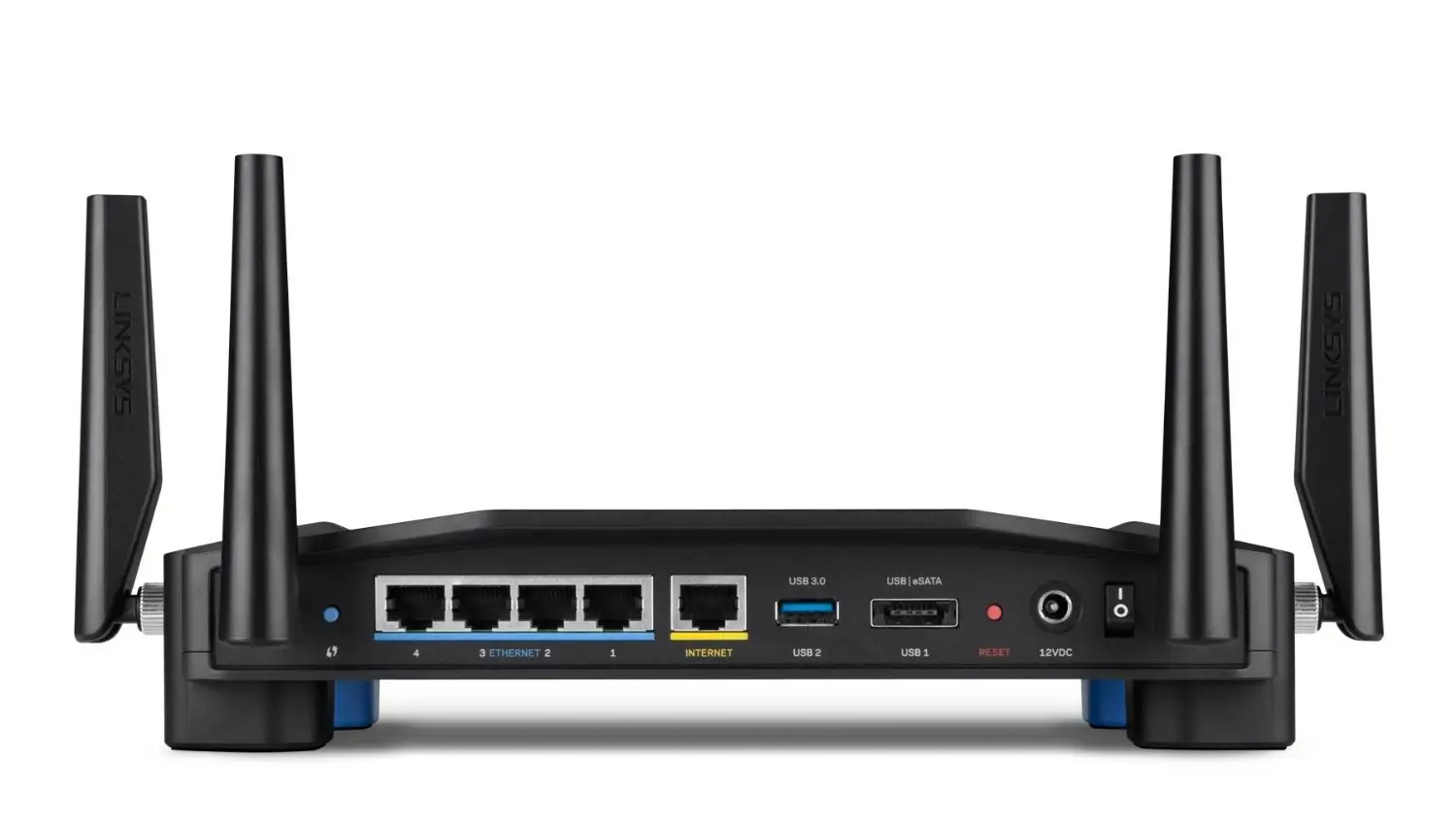
| Supports OpenWrt customization | USB storage compatibility hit-or-miss |
Claims vs Reality
A key marketing claim for the Linksys AC1900 is coverage “up to 1,500 sq ft” with strong dual-band performance. While many buyers confirm impressive reach, Reddit user feedback often exceeds that spec. One Best Buy reviewer noted, “We have about a 3000 sq ft lot with 2 stories… with this thing, I get signal even driving away in the car.” This suggests the 2.4GHz band greatly outpaces the stated coverage.
Another touted feature is its guest network convenience. Officially, the router supports password-protected guest access, but multiple owners were dismayed to find no WPA2 encryption option. As one verified Best Buy buyer warned, “The guest network does not allow you to use anything [for security]… this is very unsafe for the guest using the network.” The lack of configurable security undermines the advertised premium feel compared to competitor offerings from Netgear and Asus.
Finally, Linksys promotes easy management via its Smart Wi-Fi app with device prioritization. While setup simplicity is confirmed—“It took me longer to mount it to the wall than to set it up,” one reviewer joked—some found the “prioritize” function misleading. Several users reported slower overall network speeds after using it, suggesting this feature may be poorly optimized.
Cross-Platform Consensus
Universally Praised
For families struggling with lag on outdated routers, this model is a conspicuous upgrade. Frequent stories describe eliminating dead zones and stream reliability. A Spectrum customer recounted, “We had 22 devices… we found this one at a decent price and solved all of our problems! Now we’re running up to 30 devices and it holds up like a boss!”
Ease of setup is another highlight. Many first-time buyers express surprise at the minimal fuss—placing it centrally, following app prompts, and enjoying full-house coverage within minutes. The app’s labeling of devices is a hit, particularly for tech-managing households. “That includes labeling them in the app, which I feel is one of the best features,” one user praised.
Open-source firmware support (e.g., OpenWrt, DD-WRT) thrills advanced users, offering deep customization and enhanced control unavailable in stock mode. Installers describe it as straightforward, with one Redditor noting, “OpenWrt works flawlessly, just make sure you include a scheduled reboot once a week.”
Common Complaints
Even satisfied owners detect weak spots. The guest network’s poor security controls are a recurring frustration. In absence of WPA2 options, it behaves more like public Wi-Fi—a dealbreaker for privacy-conscious households.
Another shared gripe is about 5GHz range, which performs well short-range but falls off more quickly through walls. A Best Buy reviewer acknowledged, “The 5GHz network does not have much of a range, but that is normal… still disappointing.”
Connection reliability, while generally excellent, isn’t infallible. Some outgoing reports mention sporadic drops that require a reboot, especially when using NAS features. As one owner explained, “Had one hiccup where the router needed a reboot… may have been caused by the NAS feature.”
Divisive Features
MU-MIMO performance splits opinion. For modest internet connections, the router handles streams flawlessly—users with 15 Mbps speeds reported zero buffering with five devices. Others on higher speeds see only marginal improvements over prior models.
Device prioritization also polarizes: families appreciate being able to give bandwidth to streamers or gamers, but network enthusiasts criticize its rigidity. As one frustrated customer put it, “It slowed the entire network down when I only needed 64 kb allocation for VoIP.”
USB storage support is similarly split. While external hard drives often connect fine, some flash drives refuse to mount, with no fix from Linksys support.
Trust & Reliability
Durability appears strong. Multiple buyers report stable, “always-on” performance over months without degradation. One Reddit user claimed, “I’ve been using [this] nearly 5 months… works great with DD-WRT, very stable.”
Trust concerns mainly orbit around refurbished units. Several return cases were due to missing paperwork or inconsistent performance out of the box. As one dissatisfied buyer suspected, “Now I know why it was returned and resold.” That said, many refurbished units arrive in “excellent like-new condition” and function as intended.
Alternatives
The Asus RT-AC68U and Netgear R7000 appear in discussions, often praised for offering WPA2 on guest networks and richer QoS tools. However, the AC1900’s open-source friendliness gives it an edge for firmware modders. Users weighing MU-MIMO performance versus advanced controls often lean Asus if maximum customization and built-in features matter more than ecosystem loyalty.
Price & Value
Current pricing hovers between $28 for certain renewed listings and $99 for higher-condition models, undercutting many similar-spec routers. eBay sales suggest good resale value—open-box units fetching $54+ regularly. Buying tips from the community emphasize checking for return policies and ensuring hardware revision compatibility with third-party firmware.
FAQ
Q: Does the Linksys AC1900 handle large homes?
A: Yes, especially on the 2.4GHz band. Users with 2600–3000 sq ft homes report strong coverage, with one noting signal availability “even driving away in the car.”
Q: Is the guest network secure?
A: Not fully—there’s only a password layer without WPA2 encryption, which some buyers deem unsafe compared to other brands’ offerings.
Q: Can I install OpenWrt or DD-WRT?
A: Yes. Many report successful installs with stable performance, unlocking advanced customization absent in stock firmware.
Q: How is 5GHz range?
A: Strong at short distances but drops faster through walls. Several users prefer 2.4GHz for whole-house reliability.
Q: Does it support USB storage?
A: Yes, but compatibility varies. External HDDs usually work, some flash drives may not connect.
Final Verdict: Buy if you’re a household juggling many devices and value easy setup with open-source potential. Avoid if guest network security or advanced QoS is essential for your needs. Pro tip from the community: place it centrally and high to maximize both bands—and consider OpenWrt to unlock its full potential for customization and control.





