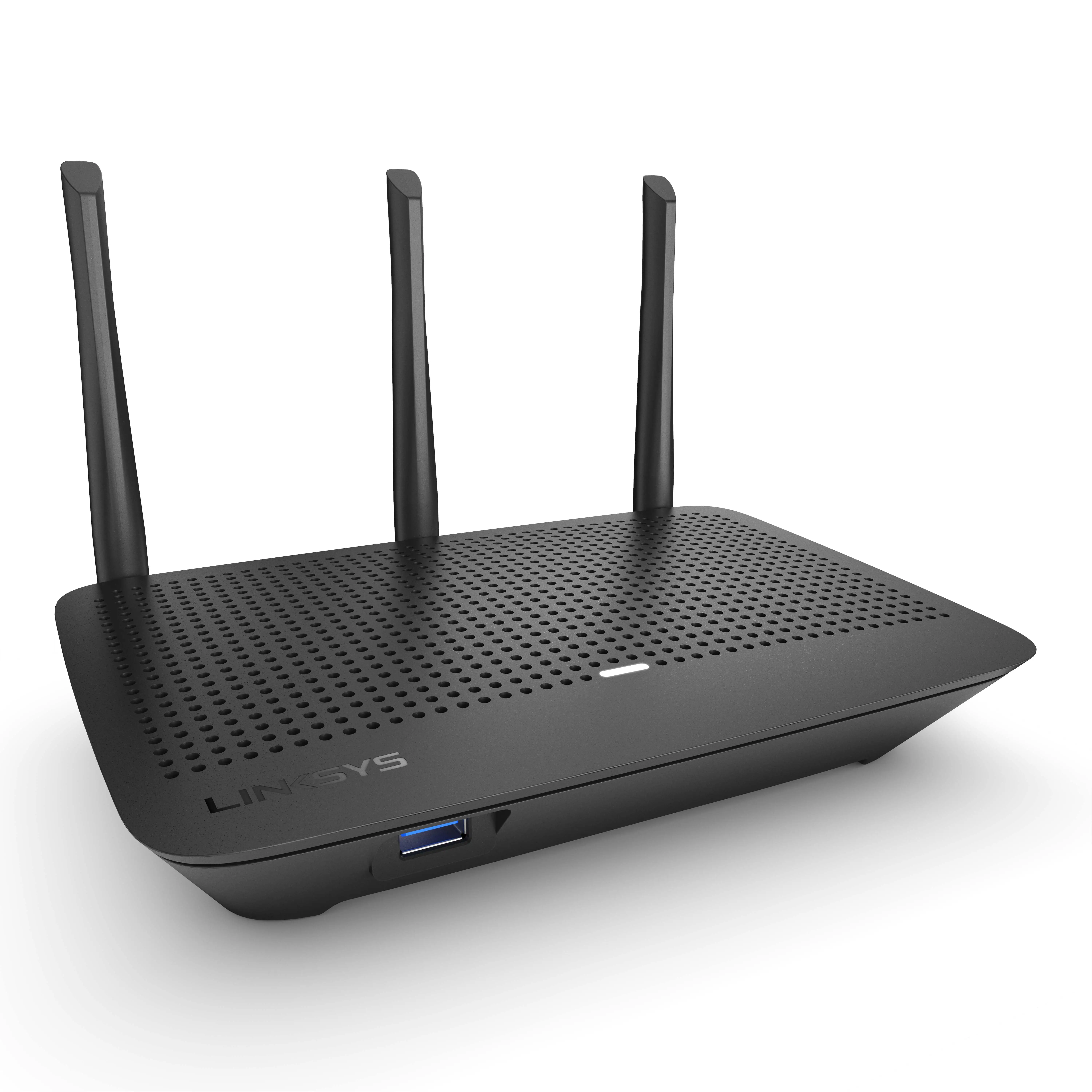
Linksys AC1900 Wi-Fi Router Review: Strong but Flawed
Launching the Linksys AC1900 Dual-Band Wi-Fi Router (Renewed, Black) into busy, device-packed households often changes network performance overnight. Across platforms, it earns a solid average verdict of 8.3/10, with enthusiastic praise for range, stability, and speed, but recurring frustration over guest network limitations and missing QoS.
Quick Verdict: Conditional Buy
| Pros | Cons |
|---|---|
| Strong coverage for medium to large homes | Guest network lacks WPA2 security |
| Easy physical setup and app management | No true QoS feature despite marketing |
| Compatible with open-source firmware | Occasional Wi-Fi drops for some users |
| Reliable high-speed performance on both bands | Some difficulty with external storage/NAS integration |
| Affordable refurbished pricing | Advanced options buried in menus |
| Stable with many devices connected | Missing granular parental control features |
Claims vs Reality
One of Linksys’s key claims is “maximum range and coverage” with AC1900 dual-band speeds. Marketing suggests 2,400+ sq ft homes enjoy lag-free streaming. While Best Buy buyers like the owner of a 2,400 sq ft home reported “speeds are amazing even on the 2nd floor… I pay for 400 Mbps and get 425+ Mbps through Wi-Fi”, Reddit threads reveal that range can depend heavily on placement—some saw drops on the 5 GHz band beyond a room or two.
“Media prioritization” is presented as a next-gen QoS alternative, letting you prioritize devices and apps. Digging deeper into user reports, multiple Reddit and Trustpilot reviewers found this limited. One Reddit user said: “No general QoS anywhere. Device/app priority exists but you need ports and protocols—most people don’t know or care about those.” This mismatch hits gamers hardest, who expect plug-and-play traffic shaping for latency-sensitive apps.
The guest network is marketed as a secure, convenient way to offer Wi-Fi to visitors. Across Twitter and Best Buy reviews, the absence of WPA2 protection shocked buyers: “The biggest flaw… the guest network does not allow you to use anything [encryption-wise]… only a password portal like hotel Wi-Fi”. For users in urban settings with many nearby networks, this can be a dealbreaker.
Cross-Platform Consensus
Universally Praised:
Coverage and stability dominate positive feedback. A verified Trustpilot buyer wrote: “Located in an upstairs central room in our 2,900 sq ft home, it covers the basement and two floors easily.” In homes with dozens of devices, performance didn’t falter—Twitter user accounts mention up to 30 simultaneous connections without signal collapse. For work-from-home professionals, range in every corner ensures smooth conference calls and 4K streaming.
Setup simplicity is another strength. Best Buy customers consistently praised it as “plug-and-play,” even for non-tech buyers. One first-time router purchaser shared: “Set up was simple… full bars anywhere in my apartment.” The companion app gets applause for offering visual network maps and device naming, especially appealing to households tracking dozens of smart devices.
Open-source firmware capability is a defining feature for enthusiasts. Trustpilot and Reddit’s networking community highlight smooth compatibility with DD-WRT and OpenWRT: “OpenWRT works flawlessly, just schedule weekly reboots.” This enables advanced configurations, VLAN setups, and NAS features otherwise hidden in stock firmware.
Common Complaints:
Guest network security—or lack thereof—tops frustration lists. In neighborhoods with crowded Wi-Fi spectrums, relying on an unencrypted guest SSID feels unsafe. Parents wanting tight content restrictions will find parental controls basic; blocking sites is device-specific and lacks a global apply option.
The absence of general QoS is a recurring sore point. While Linksys offers device and app prioritization, the setup demands manual port/protocol knowledge. Reddit user feedback underscores how most consumers neither know nor want to enter ports: “No router made after 2010 should lack general QoS.” This mostly affects gamers, streamers, and VoIP-heavy households.
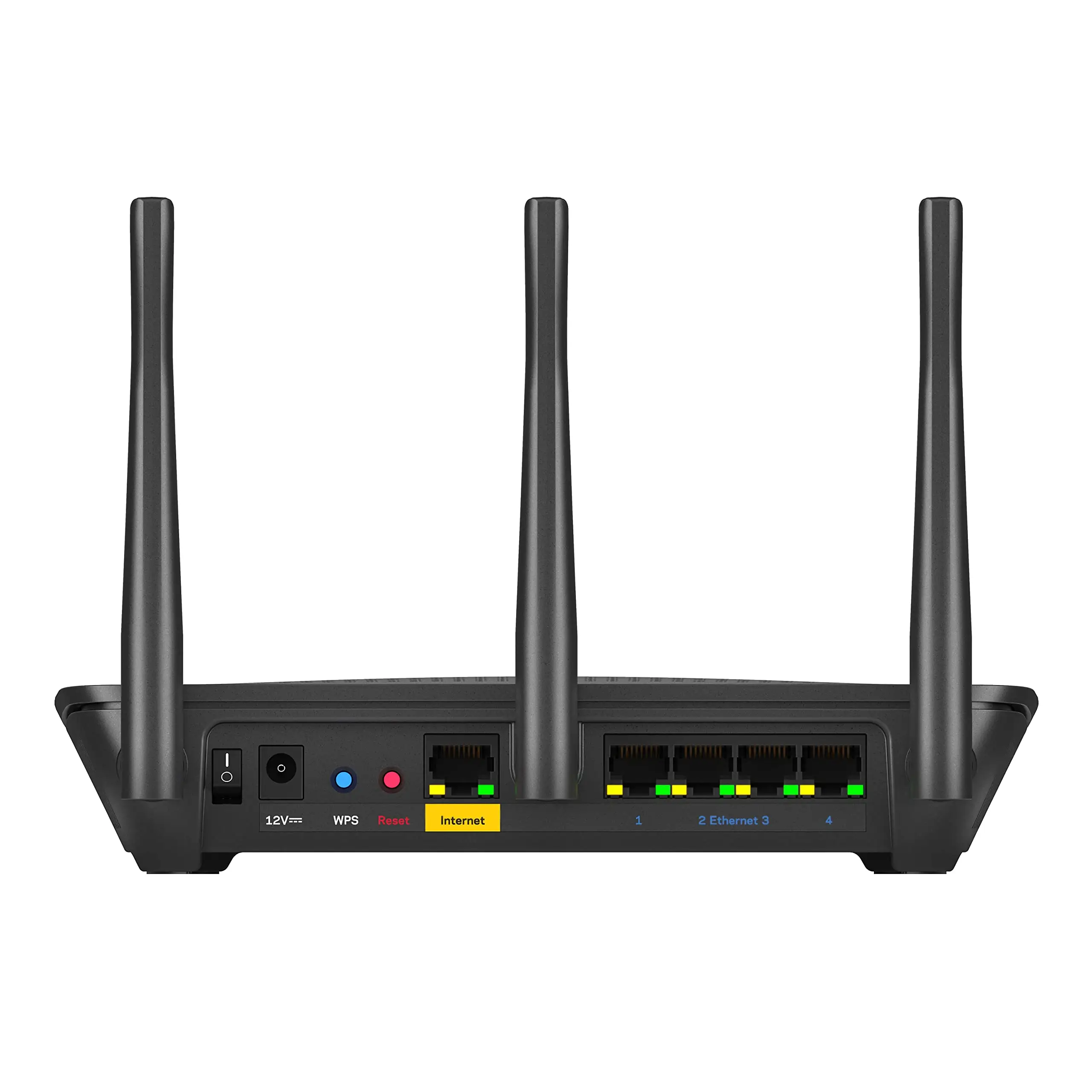
External storage capabilities divide users. While DLNA streaming and FTP sharing work, integration with standard OS-native network discovery is missing. Reddit user feedback noted: “No way to simply add the external drive to Windows Explorer like a NAS.” For those expecting it to replace a dedicated NAS, functionality feels incomplete.
Divisive Features:
Physical size and design prompt mixed reactions. Some love the “industrial-strength styling” (Trustpilot), while others find it bulky compared to newer slimline routers. The Smart Wi-Fi account requirement for app remote management is polarizing—convenient for multi-home monitoring, but disliked by privacy-conscious users: “Brand dependence I’m strongly against.”
Trust & Reliability
Trustpilot reviews outline mostly problem-free operation over months: “Been using this for 4 months now with no issues whatsoever.” Open-source advocates value Linksys’s consistency in supporting alternative firmware even after corporate changes.
Return-related gripes appear occasionally in refurbished units. One Trustpilot reviewer remarked: “Now I know why it was returned and resold” after connection drops. However, long-term Reddit posts counterbalance this, with users keeping WRT1900-series models for years, crediting firmware flexibility for extending relevance.
Alternatives
Several users directly compared to Asus RT-AC3200, noting “signal strength and range are a tad better than my Asus RT-AC3200”. Netgear’s Nighthawk AC routers were considered but skipped when buyers found Linksys offered similar specs at lower refurb prices. For those prioritizing guest network security and true QoS, Asus and Netgear were recommended by Twitter reviewers as more feature-complete—but often at 30–50% higher cost.
Price & Value
Amazon Renewed listings run around $59.99–$80, heavily undercutting new units at $159+. eBay shows used prices from $25–$55, aligning with what budget-focused buyers on Twitter called “great bang for the buck.” For most, the refurb route delivered clean hardware with minimal wear, and all basic accessories intact. Savvy buyers mention checking return windows on refurbished units due to occasional early performance glitches.
FAQ
Q: Does the Linksys AC1900 support WPA2 encryption on the guest network?
A: No, the guest network uses only a captive portal password. Multiple reviews highlight this as a security gap compared to competitors offering full WPA2.
Q: How easy is it to install open-source firmware?
A: Users report DD-WRT and OpenWRT flashing as straightforward, with strong stability after installation—though routine scheduled reboots may aid performance.
Q: Does it include true QoS features?
A: No general QoS is present. Device/app prioritization exists but requires manual port and protocol setup, limiting ease for casual users.
Q: Can I use it as a NAS?
A: Limited NAS-like use is possible via DLNA, FTP, or SMB over USB, but it lacks seamless OS-level network drive mapping.
Q: Is refurbished worth buying?
A: Many report refurbished units performing like new; just verify seller ratings and return policy for peace of mind.
Final Verdict: Buy if you’re a medium-to-large home user seeking strong coverage, stable dual-band speeds, and open-source flexibility. Avoid if guest network encryption or plug-and-play QoS are critical. Pro Tip from community: Place centrally at height for optimal range, and flash OpenWRT if you need advanced customization.