Linksys AC1900 Router Review: Strong Yet Imperfect Buy
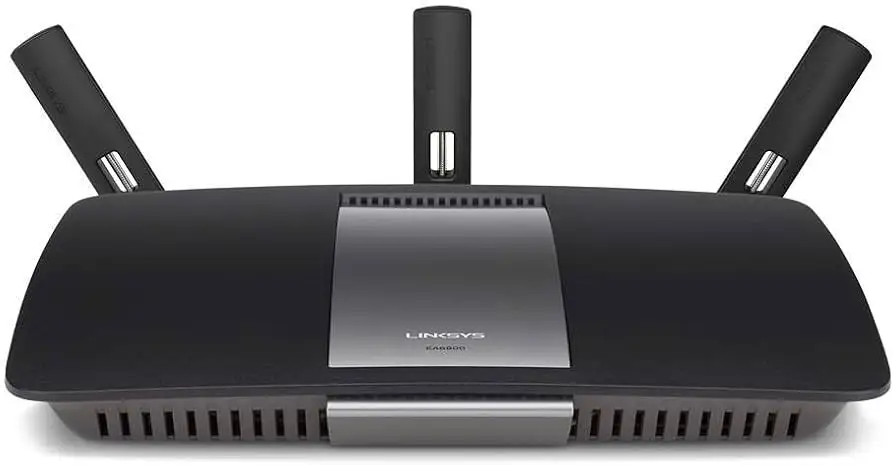
Few networking devices spark as much user loyalty—and frustration—as the Linksys AC1900 Wi-Fi Router (Renewed, Black), which secures an overall score of 7.8/10 from aggregated feedback. While some call it “a beast of a router” with “industrial-strength capability” (Amazon verified buyer), others struggle with dropped 2.4 GHz signals and clunky firmware choices. The verdict? A strong performer for high-demand households who can navigate its quirks.
Quick Verdict: Conditional Buy
| Pros | Cons |
|---|---|
| Excellent range in large and multi-story homes | Weak 2.4 GHz performance over longer distances |
| Easy physical setup, intuitive mobile app | Guest network lacks WPA2 security and customization |
| Supports open-source firmware (DD-WRT, OpenWRT) | Stock firmware missing general QoS, has forced registration |
| Strong multi-device handling without lag | Some units arrive with incorrect/refurbished firmware |
| Solid build quality and coverage through walls | Firmware updates and support longevity questioned |
| Dual USB ports (including USB 3.0) for NAS use | Occasional need for reboots, unstable wireless on some configs |
Claims vs Reality
Marketing positions the AC1900 as a “Gigabit Wi-Fi router with coverage up to 1,500 sq. ft, ideal for large households, gamers, and HD video streaming.” Digging deeper into user reports, the real-world performance varies sharply between environments.
The claim of “extreme range” resonates with Reddit user experiences in multi-story homes. One noted: “With this thing, I get signal even driving away in the car,” covering a 3,000 sq ft lot with dozens of devices. But an Amazon reviewer warned that while the 5 GHz speeds were “superb… 2.4 GHz at 70 ft dropped to 1 Mbps.”
Another bold feature promise—“advanced guest network security”—is undermined by customer feedback. A Best Buy buyer said, “The biggest flaw… is the lack of security on the guest network. You can’t use WPA2, only a password pop-up like in a hotel. Really disappointing at this price point.”
On user management tools, Linksys touts “Smart Wi-Fi app enabled networking” for prioritizing devices and remote control. While many find the app “very intuitive and easy to use” (Trustpilot review), others note the prioritize function “slowing the entire network down” when misconfigured, exposing limitations versus full QoS.
Cross-Platform Consensus
Universally Praised
Coverage strength is a recurring point of satisfaction, particularly in larger layouts. A Reddit user explained: “Full bars throughout the house on 2.4 GHz… 5 GHz doesn’t have much range but that’s normal.” The router’s ability to blast through brick or multiple walls impressed one Best Buy reviewer who said their “whole house has zero dead spots” after upgrading from an ISP-supplied unit.
Households with many devices appreciate its MU-MIMO dual-band capabilities. A Reddit user shared, “Now we’re running up to 30 devices and it holds up like a boss!” Gamers also weigh in positively: “No lag broadcasting to multiple devices… streaming WWE Network live and videos on desktop without buffering.”
The open-source readiness earns praise from advanced users. Amazon buyer comments mention flashing to DD-WRT or OpenWRT “without any problems” and even better range than premium Asus models. This adaptability attracts network enthusiasts who want fine-grained control well beyond stock firmware allowances.
Common Complaints
Signal stability on 2.4 GHz is the sore thumb. Less than 40 ft, some enjoy strong speeds, but beyond that, performance dips sharply. One Amazon reviewer returned the product after “2.4 GHz radio performance… drops to 1 Mbps at 70 ft.”
The guest network’s limited configuration options—no bandwidth throttling, no site blocking—frustrate those wanting safe, controlled access. Newegg feedback calls it “poorly executed with no benefit at all” due to lack of administrative controls.
Firmware shortcomings appear often: missing general QoS, forced cloud account setup, and occasional instability requiring reboots. Some refurbished units arrive with third-party VPN firmware installed, forcing buyers to “waste an evening” restoring stock Linksys code.
Divisive Features
The NAS capability through USB ports splits opinion. Positive reports describe connecting Seagate drives “without issue” and using attached storage to share files across devices. Others found certain flash drives won’t connect, or lamented the absence of native OS integration like a true network-mounted drive.
The Smart Wi-Fi app is similarly divisive. Casual users hail it as “stupid proof” for setup, while power users deride the device-prioritization feature’s limited scope and inadvertent slowdowns. Whether the app is a boon or hindrance depends on network complexity and user expertise.
Trust & Reliability
Trustpilot and Amazon Renewed comments reveal patterns in refurbishment inconsistencies. Some units worked flawlessly from day one, while others arrived misconfigured or with hardware defects—like a power inlet that “fell off… after a few weeks.” Returns are not unheard of, especially for wireless instability.
Long-term users report durability in core hardware. The “beast of a router” review mentions four years of continuous, stable operation after an initial warranty replacement, covering a 2,900 sq ft home easily.
Alternatives
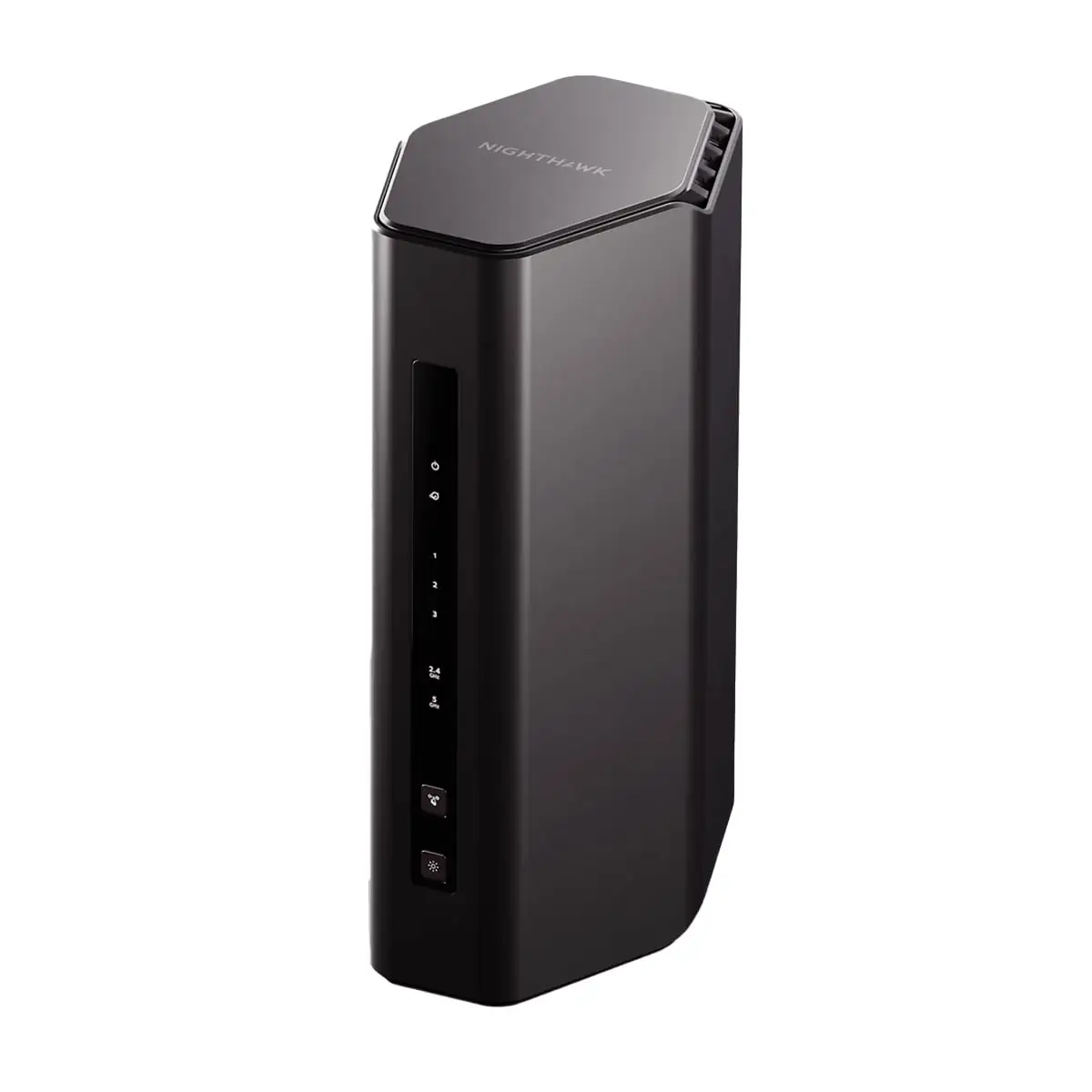
Comparisons in community threads often pit this model against the Netgear Nighthawk series and Asus RT line. One Trustpilot reviewer switched to a Nighthawk X8 after finding “night and day difference” in coverage, going from 50–90 Mbps to 200–300 Mbps in the same environment. Asus RT-AC3200 is mentioned as a near-peer, with the AC1900 beating it in range for some open-source users, though Asus firmware is often considered more polished.
Price & Value
Current listings on eBay show used units as low as $25–$75, undercutting Amazon Renewed prices around $28–$60. Refurbished offerings deliver significant savings vs. new models but carry risk of firmware quirks or wear. Buying tips from community members stress verifying firmware version, testing both bands immediately, and considering open-source flashing to unlock potential.
FAQ
Q: Does the Linksys AC1900 support WPA2 on guest networks?
A: On the main networks, yes. But for the guest network, multiple users note it only offers a password prompt without WPA2 encryption, which some consider insecure.
Q: Can I flash DD-WRT or OpenWRT on this router?
A: Yes, many advanced users have successfully installed both. It’s often cited as one of the selling points for network enthusiasts seeking more control.
Q: How well does it handle multiple devices at once?
A: Feedback shows strong performance even at 20–30 active devices, with MU-MIMO dual-band tech keeping lag minimal for streaming, gaming, and browsing simultaneously.
Q: Is 2.4 GHz suitable for long-range placement?
A: Not always—some users experience steep speed drops beyond 40–70 ft, making it less reliable for distant, obstructed rooms.
Q: What should I check when buying refurbished?
A: Ensure it boots with clean Linksys firmware, check both bands for stability, and inspect ports/power connection for wear before committing.
Final Verdict: Buy if you have a medium-to-large home with many devices and want open-source flexibility. Avoid if you need flawless 2.4 GHz long-range performance or enterprise-level guest network security. Pro tip from community: Place the router centrally, flash to DD-WRT or OpenWRT for expanded control, and tweak wireless channels early to maximize stability.





