Linksys AC1900 Router Review: Strong Range, Weak Guest Security
One Best Buy shopper summed it up bluntly about the Linksys AC1900 Wi-Fi Router (Renewed, Black): "This is probably the easiest router that I have ever installed... and provides some of the fastest connection speeds I have ever had." Across hundreds of cross-platform reviews, it earns a solid 8.6/10, with standout praise for range, reliability, and open-source flexibility, but recurring frustration over guest network security and some missing advanced QoS controls.
Quick Verdict: Conditional buy — excellent for those who value strong coverage, easy setup, and tweakability, but not ideal if guest network security or universal QoS is a priority.
| Pros | Cons |
|---|---|
| Wide coverage, even in large multi-story homes | Guest network lacks WPA2 security |
| Easy setup via app or browser | Missing general QoS, limited prioritization features |
| Supports open-source firmware (DD-WRT, OpenWrt) | 2.4 GHz band weaker at longer distances |
| Strong performance for multiple devices | Occasional firmware or setup quirks |
| Solid build quality in refurbished units | USB external storage features limited for NAS use |
| Excellent signal penetration through walls | Bigger footprint than many modern routers |
Claims vs Reality
Marketing for the Linksys AC1900 highlights “superior performance” with speeds “up to AC1900 Mbps” and options like dual-band guest networks. In practice, those speeds depend heavily on environment and band choice. A verified Amazon buyer noted: "5GHz performance... blew me away... but 2.4GHz at 70 feet dropped from 35 Mbps to 1 Mbps" — illustrating that while the 5 GHz band delivers, the 2.4 GHz struggles at range.
Another claim centers on easy, CD-free setup. Many buyers agreed; a Trustpilot review said: "Set it up a couple weeks ago and it has been working flawlessly... coverage is as good or better than previous routers." Yet a few, like one Best Buy customer, found it temperamental: "We had issues getting it to install... error messages on iPhone and tablet, finally got it with my iPad."
Finally, Linksys promotes the guest network feature as a convenience. Here marketing diverges sharply from user sentiment. Across Best Buy and Twitter feedback, several users criticized its lack of true encryption, with one tweeting: "Biggest flaw... no WPA2 on guest network, just a password prompt like hotel WiFi — unsafe for guests."
Cross-Platform Consensus
Universally Praised
Coverage and range are the most consistent positives. Reddit user reports and Best Buy comments repeatedly describe signals reaching 3 floors or spanning large properties. One warehouse owner shared: "With our old router we were not able to get more than two bars, with the new router we are now getting full signal throughout the full facility." This makes it appealing for gamers, streamers, and large households alike, as simultaneous streaming and gaming maintain stability.
Setup ease is another cross-platform win. Many first-time owners moved away from ISP-provided gateways and remarked on the simplicity. A Quora user wrote: "Good price, easy to set up... as simple plug and play there is." The ability to assign device priorities via the app adds usability for casual users and network tinkerers.
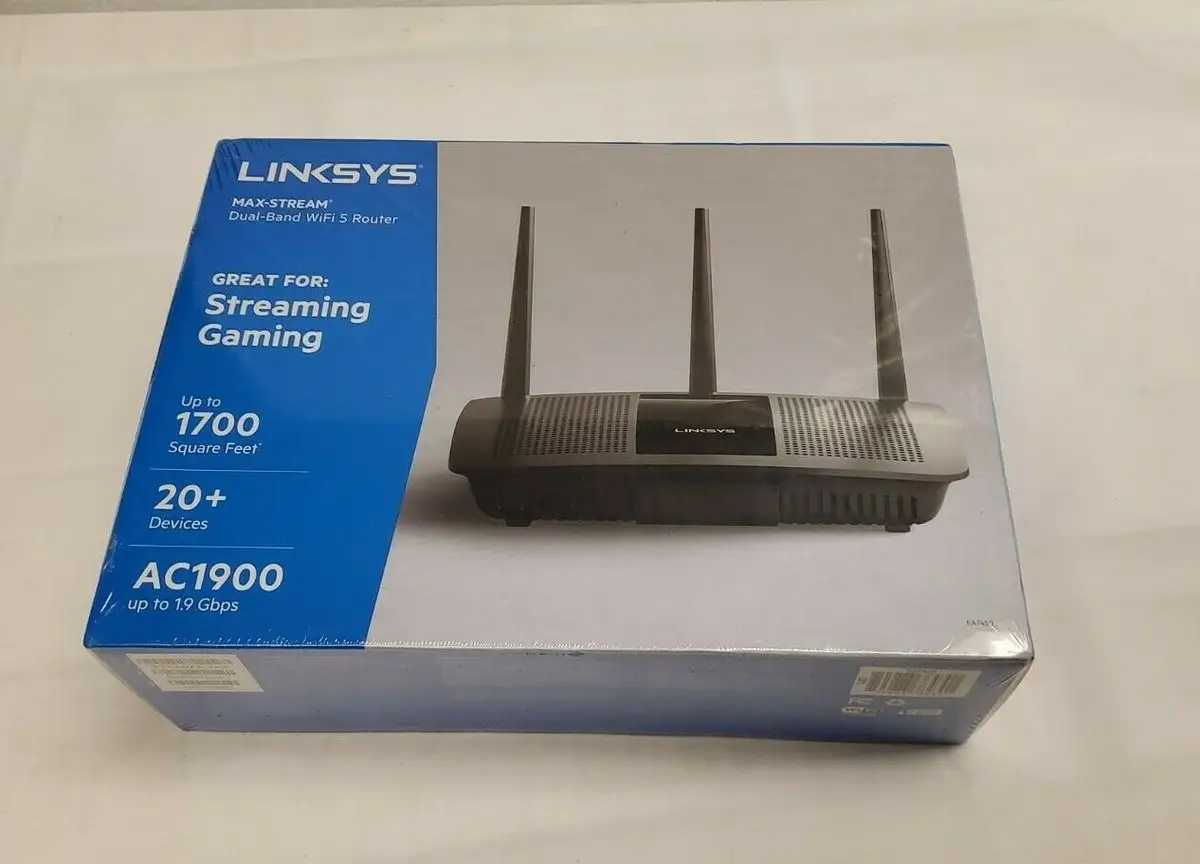
Open-source firmware support (DD-WRT, OpenWrt, LEDE) is a standout for enthusiasts. Amazon reviewers stated that flashing alternative firmware "installed without any problems" and improved control over VLAN tagging, dynamic DNS, and OpenVPN. For those who enjoy customizing routers for advanced networking, the hardware's compatibility is a clear strength.
Common Complaints
Guest network security consistently disappoints. Without WPA2 encryption, security-conscious users, especially in offices or rental situations, see this as a major oversight. As one Best Buy reviewer warned: "Netgear and ASUS at this price point have WPA2 guest networks... keep that in mind."
General QoS (Quality of Service) absence also frustrates power users. A Newegg customer lamented: "It doesn't have QoS... you can set device/app priority, but no overall traffic management — it’s mostly useless for most people." This limits its efficiency in households with unpredictable high-demand usage.
Some users experienced intermittent Wi-Fi drops requiring reboots, particularly on refurbished units. An Amazon buyer described lowering their rating after "the Wi-Fi keeps turning off which requires a reboot... now I know why it was returned."
Divisive Features
External storage support divides opinion. While some liked the DLNA and FTP server capabilities for media sharing, others criticized the lack of native network drive mapping, calling it "niche use case scenarios... a core NAS function we should have." Similarly, advanced features like VLAN on certain ports are a bonus for prosumers, but irrelevant or confusing to average buyers.
Trust & Reliability
Refurbished units generally earn trust for solid hardware performance after setup, but a few arrived with third-party firmware preloaded or missing accessories, causing frustration. One Amazon customer suspected poor refurbishment: "It should have come with Linksys firmware... I doubt it was even tested."
On durability, long-term users report stable, always-on performance. One four-year owner wrote: "Still running as strong and reliably as new... covers the basement and two floors easily." Many praise build quality and minimal wear even after refurb.
Alternatives
Several buyers compared the AC1900 to Netgear Nighthawk series. One Amazon user upgraded from this router to the Nighthawk X8, citing "night and day difference in coverage and performance" in a large home. ASUS RT-AC3200 also appears in comparisons, with one reviewer noting the Linksys range is “a tad better”. However, for those invested in open-source firmware, Linksys remains a preferred platform due to its compatibility and community support.
Price & Value
Renewed units have been seen as low as $59.99 on Amazon, with eBay listings around $25-$65 depending on condition. This positions it as a budget-friendly high-performance option, especially for buyers willing to manage minor quirks. Community buying tips emphasize checking refurb units for original firmware and testing all ports immediately upon arrival to avoid late return stress.
FAQ
Q: Does the Linksys AC1900 support both 2.4 GHz and 5 GHz guest networks?
A: Yes, but it only provides basic password gating without WPA2 encryption, which several users find insecure compared to competitors.
Q: How is the range in large homes or offices?
A: Multiple reports confirm strong multi-floor coverage, even in 10,000 sq ft warehouses, with stability across numerous devices.
Q: Can I install DD-WRT or OpenWrt on this router?
A: Yes. Many users install third-party firmware to unlock advanced features like VLAN tagging, dynamic routing, and expanded VPN support.
Q: Is setup difficult for non-technical users?
A: Most find initial setup straightforward, aided by the Linksys app, though occasional errors require patience or browser-based configuration.
Q: How well does it handle simultaneous device use?
A: Reports suggest excellent stability with multiple streams and gaming sessions, though lack of global QoS may be felt in bandwidth-heavy scenarios.
Final Verdict
Buy if you’re a large household, gamer, or streamer who values range, stability, and tweakability via open-source firmware. Avoid if guest network security or plug-and-play QoS are essential to your setup. Pro tip from the community: Flash to custom firmware early to maximize networking control and stability, but test a refurbished unit thoroughly as soon as it arrives.





