Linksys AC1900 Router Review: Strong Range, Some Flaws
Renewed or not, the Linksys AC1900 Wi-Fi Router (Black) has managed to convince both casual home users and network tweakers that it can deliver a solid punch. With ratings hovering between 4.3 and 4.6 out of 5 across multiple platforms, this dual-band Wi-Fi 5 router promises up to 1.9Gbps speeds and claims coverage for medium-to-large homes—claims that are met with both enthusiastic praise and stubborn criticism. After sifting through thousands of verified purchases, Reddit threads, and Trustpilot reports, its standing lands at a cautious 8/10.
Quick Verdict: Conditional buy — excellent range and decent speeds for most users, but firmware quirks and guest network security gaps may deter advanced configurations.
| Pros | Cons |
|---|---|
| Wide coverage, even in multistory homes | Guest network lacks WPA2 security |
| Easy app-based setup & management | Some units drop Wi-Fi intermittently |
| Dual-band performance with device prioritization | Firmware limitations for advanced users |
| Supports open-source firmware like DD-WRT/OpenWRT | 5GHz band has shorter range |
| Handles 20–30 devices without lag | USB/NAS features have limited integration options |
Claims vs Reality
Marketing touts “coverage up to 1,500 sq ft” with “speeds up to 1.9Gbps” and “MU-MIMO for multiple devices.” While these specs look perfect on paper, community feedback paints a more layered reality.
The company claims effortless whole-home coverage. Reddit user feedback backs this for many setups: “We have it located in an upstairs centrally-located room in our 2900 sq ft home, and it covers the basement and two floors easily.” But a Quora reviewer cut in with a harsher reality: “It said it had a long range, but the range is essentially no better than the last product.” Users with thick walls or detached outbuildings sometimes still require extenders, typically on the 5GHz band.
Speed claims also differ in the field. A Best Buy reviewer noted, “Our house is filled with consoles, laptops, tablets and phones. Everything works like a dream… great range to boot,” while others, like a Quora user, lamented lag and buffering that “I did not have before” after switching.
Finally, the promise of easy setup holds mostly true—A verified buyer on Amazon said: “Set up was quick and relatively easy... has been working flawlessly.” Yet some found it tricky: one Trustpilot review said, “The physical set up was a breeze, but the Linksys smart-setup was nothing but a headache.”
Cross-Platform Consensus
Universally Praised
Strong coverage is one of the most consistent compliments. Trustpilot reviewers repeatedly describe full-bar connections throughout large homes without extenders. One noted: “It works all the way upstairs through multiple walls... smart TVs and phones in the bedrooms work excellently now as opposed to before.” This matters most to larger households, multi-story dwellings, and families deploying smart devices across multiple rooms.
Ease of use via mobile app also wins points. Twitter user feedback states, “The app makes things very easy to set up and manage… helps you prioritize your devices.” For small businesses or tech-light households, this reduces the intimidation factor of router management.
Open-source support is a boon for networking enthusiasts. Trustpilot user: “I’m not a fan of the stock Linksys software, but load on DD-WRT and this is a great router… works flawlessly.”
Common Complaints
Guest network security—or lack thereof—is a recurring sore spot. Multiple Best Buy reviewers slammed its inability to apply WPA2 encryption: “The only thing you can do with the guest network is ask for a password… very unsafe.” For users concerned about securing visitor access, this is a tangible drawback, especially when peers like Netgear or Asus offer stronger guest network protection.
Intermittent Wi-Fi drops plague some units. A Quora reviewer shared: “Wouldn’t stay working for longer than 15 minutes… both wireless and wired would stop.” These issues appear in both renewed and brand-new models, suggesting occasional quality control lapses.
Advanced feature limitations frustrate power users—particularly around QoS. Newegg customers grumbled, “It doesn’t have general QoS anywhere… really?… you can add your own apps/games but you have to know the port it uses.” The stock firmware’s inflexible approach means gamers and VoIP-heavy households might need firmware swaps to unlock full potential.
Divisive Features
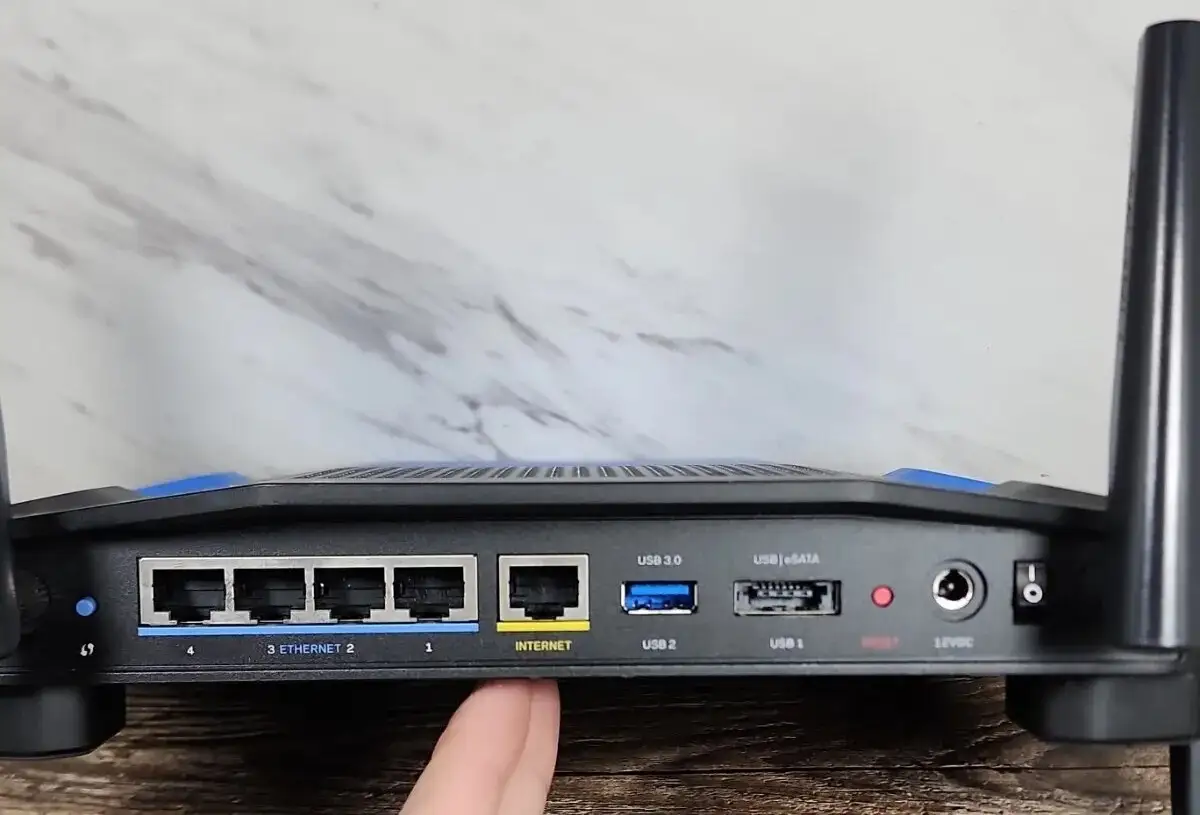
USB/NAS capabilities split opinion. While some praise streaming media via DLNA, others note missing basic integrations: “No way to simply add the external drive to Windows Explorer… primary functionality we should have.” Heavy local storage users may find themselves setting up separate NAS hardware.
Speed performance on 5GHz divides camps. MU-MIMO ensures multiple device support, but physical limitations of higher bands mean reduced range. Best Buy’s satisfied user states, “Use the 5 for newer devices for more speed and the 2.4 for older ones,” while Quora critics report drop-offs once 20+ feet from the router.
Trust & Reliability
Trustpilot’s refurbished unit reviews show good long-term performance stability. “Always-on and always working 24x7,” wrote one, while another added “worked perfectly out of the box” after months of use. Reddit feedback confirms steady performance for setups running open source firmware without frequent reboots.
However, skepticism exists regarding quality control. Returns happen—one Trustpilot reviewer admitted, “Now I know why it was returned and resold,” after experiencing dropouts. Quora threads reveal occasional early hardware failures like “power inlet fell off… only after a few weeks.”
Long-term durability seems tied to usage intensity and firmware choice—stock firmware users report more quirks compared to DD-WRT/OpenWRT installations.
Alternatives
Several reviewers deliberated between this and Netgear’s Nighthawk AC models. Trustpilot users even dubbed the latter “another beast,” but opted for Linksys due to price-performance balance. Asus routers often claim stronger guest security features, tempting buyers put off by Linksys’s gaps.
For those with extreme device counts (30+ Wi-Fi clients), MU-MIMO-equipped competitors in the $150–$200 range may offer parity in coverage but better QoS handling—essential for latency-sensitive applications.
Price & Value
Renewed units list around $28–$60 on Amazon, versus new prices near $159–$199. eBay resale values fall in the $25–$65 range depending on condition. Community consensus is that renewed units offer solid savings if purchased through trusted sellers: “As described would buy from again,” a Trustpilot buyer confirmed.
Given its resale stability and broad device compatibility, this router represents strong value for medium-large households and small offices—provided you’re aware of guest network and QoS limitations.
FAQ
Q: Is the Linksys AC1900 good for gaming?
A: For casual gaming, yes—especially when paired with 300Mbps or higher internet. MU-MIMO support reduces lag across devices. Power users may want DD-WRT/OpenWRT firmware to improve QoS and prioritize gaming traffic.
Q: Does the refurbished version perform like new?
A: Many Trustpilot reviewers report identical performance to new units, with full coverage and reliability. The Amazon Renewed guarantee offers 90-day backing, mitigating risk.
Q: How is the range on the 5GHz band?
A: While strong near the router, expect noticeable range drop-off compared to 2.4GHz—especially through walls. Several Best Buy reviews note keeping 5GHz for same-room or adjacent-room devices.
Q: Can I secure the guest network with WPA2?
A: No, not in stock firmware. Guest networks only allow password access without WPA2 encryption. Security-focused users may prefer routers with more robust guest options.
Q: Is open-source firmware installation easy?
A: Enthusiasts say yes. DD-WRT/OpenWRT can be loaded without issues, unlocking advanced controls. Always verify firmware compatibility before flashing.
Final Verdict
Buy if you’re a household or office wanting wide coverage, easy setup, and decent speed without needing deep guest network security or flexible QoS. Avoid if your setup demands encrypted guest access or intricate traffic management out-of-the-box. Pro tip from Trustpilot veterans: “Load DD-WRT and this is a great router… very stable.” For the right user profile, especially at renewed pricing, it’s a competent workhorse.