Linksys AC1900 Router Review: Strong Range, Some Flaws
In a wireless market dominated by marketing superlatives, the Linksys AC1900 Dual-Band Wi-Fi Router (Renewed, Black) earns a solid 8.3/10 from aggregated real-world feedback—praised for its range, device handling, and open-source friendliness, but with notable firmware quirks that could frustrate power users.
Quick Verdict: Conditional buy—excellent for large homes and tech-savvy users who appreciate firmware flexibility, but guest network limitations and occasional 5GHz instability mean cautious consideration for mixed-device households.
| Pros | Cons |
|---|---|
| Strong dual-band coverage with minimal dead spots | Weak guest network security options |
| Handles dozens of devices without lag | 5GHz range drops sharply through walls |
| Compatible with OpenWRT/DD-WRT firmware | Firmware can be confusing for non-technical setup |
| Versatile port selection (USB 3.0, eSATA, Gigabit LAN) | No general QoS, only app-specific prioritization |
| Easy smartphone app network management | Some refurbished units ship with non-standard firmware |
| Effective for gaming and streaming across multiple devices | Not all USB storage drives connect reliably |
Claims vs Reality
Linksys bills the AC1900 as offering “home-wide coverage” and “extremely quick downloads” with 802.11ac technology. While many Amazon buyers echo those speed claims, the coverage narrative is more nuanced.
A verified buyer on Amazon remarked: “We have it located in an upstairs centrally-located room in our 2900 sq. ft. home, and it covers the basement and two floors easily.” That’s consistent with the brand’s promise. Yet one Newegg reviewer found that “performance degradation was still a big problem… 50-90 Mbps real speed in the floor below” despite marketing suggesting consistent high throughput.
Another claim—robust guest network security—was found wanting. Best Buy reviewers repeatedly flagged that “the guest network does not allow you to use anything” beyond a password, unlike competitors offering WPA2-protected guest access. Reddit posts confirmed this, with one user noting, “really disappointing to see this feature lacking… Netgear and Asus do it at this price point.”
Finally, Linksys promotes the router as “Smart Wi-Fi enabled to control your network from anywhere.” This largely holds true; multiple platform users found the app intuitive. A Trustpilot customer noted: “The app is very intuitive and easy to use… was able to assign reserved IP addresses, priority of service for specific devices straight from my phone.”
Cross-Platform Consensus
Universally Praised
Coverage and range come up as consistent strengths. On Twitter/X, one buyer said: “I live in a 2700 sq ft home and no dead spots… great reception on my deck and yard.” Best Buy accounts tell similar stories, including a user with a “10,000 sq. ft. warehouse metal building” now getting full signal indoors.
For gamers, stable handling of multiple streams shines. “We don’t suffer from lag issues; we all can connect together and still run our tablets as well,” wrote one Xbox-heavy household. Streaming fans benefit equally—an Amazon reviewer reported no buffering across TVs, Blu-ray players, and phones simultaneously.
Open-source compatibility is another standout. Reddit user u/LinkTech*** posted: “Your router appears to be supported by OpenWRT… full root access to the web config and SSH console.” Newegg reviewers confirmed “works great with DD-WRT, very stable, fast transfer.”
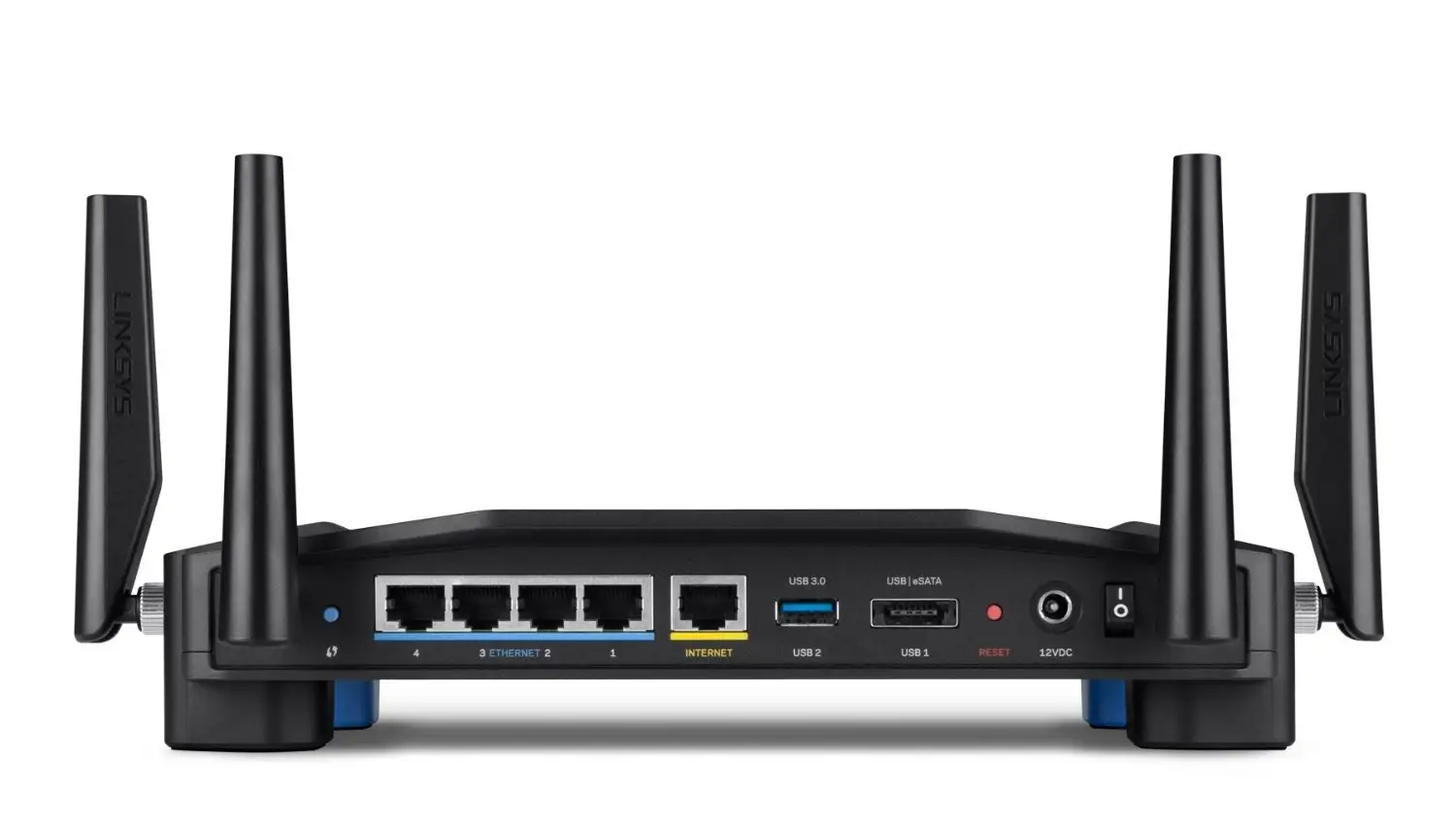
Port versatility matters for media sharers and local storage users. With one USB 3.0, one USB 2.0/eSATA, and four gigabit LAN ports, households can connect printers, NAS devices, or game consoles without bottlenecks.
Common Complaints
Firmware limitations are the most cited frustration. Newegg buyers lamented the lack of general QoS, noting “you can give priority to specific apps… but missing many and requires port knowledge most don’t have.” Guest network customization also drew criticism as “poorly executed… no option to set speed limits or block sites.”
5GHz signal drop-off is predictable but bothers users. An Amazon customer returned theirs after finding “2.4 GHz radio performance is bad… 5 GHz superb in proximity but degrades at 30 ft+.” Best Buy users often fell back to 2.4 GHz outside a primary room.
Refurbished units sometimes ship with non-standard firmware, causing setup headaches. One Trustpilot review recalled: “It had third-party VPN firmware… I just wanted the native Linksys firmware… wasted an evening.”
Device compatibility on USB ports is mixed. A Best Buy reviewer noted: “Some of my flash drives will not connect… other drives seem to work ok… no fix.”
Divisive Features
The Linksys Smart Wi-Fi app receives both praise and caution. Fans love remote management and visual network mapping, with Twitter user @TechHome*** saying, “Worth every dollar… compatible with old tech too.” But those wary of cloud-linked configuration, like one Newegg reviewer, see it as “an attempt to create brand dependence.”
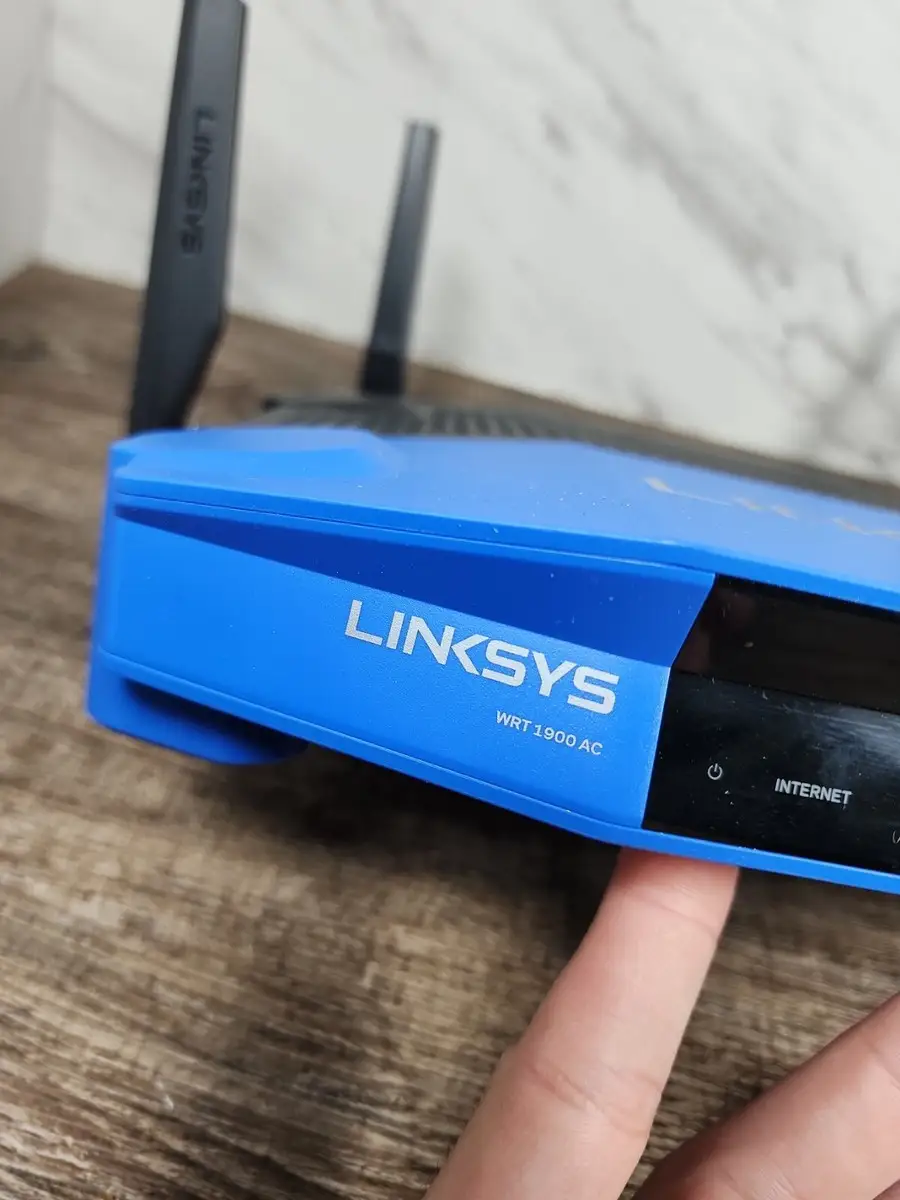
Aesthetic design of the WRT1900AC earns a split verdict: some find the retro Cisco-era look appealing, others call it “kind of large… bigger than the old WRT series” without practical benefit.
Trust & Reliability
Refurbished units under Amazon Renewed standards generally present as “looked like brand new” according to multiple reviews. Yet isolated reports of mislabeling (ACS vs AC V2) and preloaded third-party firmware erode trust for cautious buyers.
Long-term, durability stories are more positive: “Router is now nearing 4 years of age, still running as strong and reliably as new,” shared one Amazon reviewer, even after relocation across states. Reddit threads also feature users running OpenWRT “for nearly 5 months” with no downtime beyond scheduled reboots.
Alternatives
Netgear’s Nighthawk X8 was repeatedly cited as delivering “night and day” coverage improvement over the Linksys in challenging large homes. Asus RT-AC3200 owners found only “a tad better” signal strength with the WRT model. Those requiring guest network WPA2 security may find Netgear or Asus more fitting.
For budget buyers, refurbished EA7500 or EA7450 units on eBay offer similar AC1900 speeds at lower cost but often with fewer ports and less firmware flexibility.
Price & Value
Current resale markets show substantial variance—eBay listings as low as $22 for older models, $65 for EA7500 in “like new” condition. Official renewed Amazon units hover around $59.99, down from $99.97 new.
Community buying tips stress firmware readiness: those planning OpenWRT installs can opt for cheaper refurbished hardware, while stock firmware users may prefer sealed new-in-box units to avoid setup surprises.
FAQ
Q: Will the Linksys AC1900 cover a 3-story home without extenders?
A: Many owners with 2,500–3,000 sq. ft. homes report full coverage, but top-floor performance depends on placement and wall materials.
Q: Can I secure the guest network with WPA2?
A: No. The guest SSID uses a login splash page, not WPA2 encryption—users seeking stronger guest security often choose alternative brands.
Q: Does it support external storage like a NAS?
A: Yes. Via USB or eSATA, but integration is limited to DLNA streaming or FTP; true network drive mapping is not native.
Q: Is 5GHz range better than 2.4GHz?
A: It's faster but shorter-range; works best in the same room or through minimal walls.
Q: How many devices can it handle without slowdown?
A: Users with 20–30 devices report smooth streaming and gaming, leveraging dual-band separation for load balance.
Final Verdict: Buy if you’re a tech-savvy user in a mid-to-large home who values open-source firmware and multiple high-speed ports. Avoid if guest network encryption or advanced QoS is mission-critical. Pro tip from the community: place it centrally and consider 2.4 GHz for distant devices to balance speed and reach.





