Linksys AC1900 Router Review: Strong Coverage, Mixed 5GHz
Faster-than-expected Wi-Fi speeds and whole-house coverage are what many didn’t anticipate from the Linksys AC1900 Wi‑Fi 5 Router (Renewed, Black). Across thousands of reviews, it pulls an impressive 4.6/5 average, but repeated user reports show this isn’t a flawless performer. For some, it “holds up like a boss” with 30+ devices, while others battle 5 GHz dropouts and frustrating guest network limitations. Overall verdict: 8.2/10.
Quick Verdict: Conditional — best for medium-to-large households prioritizing coverage and ease of setup, less ideal for power users needing advanced security or rock-solid 5 GHz stability.
| Pros | Cons |
|---|---|
| Wide coverage, even in multi-story homes | Limited 5 GHz range vs marketing claims |
| Easy, app-based setup and management | Guest network lacks WPA2 security option |
| Handles many devices without slowdown | Some units need periodic reboots |
| Strong improvement over ISP-provided routers | Reports of USB storage incompatibility |
| Affordable in renewed form | Missing advanced features (QoS, SSH) |
Claims vs Reality
Marketing pitches this router’s AC1900 dual-band speeds and MU‑MIMO tech as perfect for large households and multiple HD streams. The spec sheet touts up to 1.9 Gbps combined throughput and “coverage up to 1,500 sq ft,” but in practice many surpassed that range.
A Best Buy reviewer countered the conservative estimate: “With this thing, I get signal even driving away in the car.” For homes with complex layouts, Reddit users noted effective whole-house coverage without extenders, even in 3‑story colonials.
However, the promise of flawless 5 GHz speed isn’t universally realized. One buyer wrote, “The 5 GHz network does not have much of a range, but that is normal for a 5 GHz network,” while another had to disable it altogether after consistent disconnections. In contrast, the 2.4 GHz band impressed with its ability to hold “full bars throughout the house and every corner.”
Linksys also markets a secure guest network, but while WPA2 is standard on the main SSID, multiple reviews point out that the guest option only offers a captive portal-style password prompt. “This is very unsafe… Netgear and Asus routers at this price point have the ability to WPA‑2 protect guest networks,” one user warned.
Cross-Platform Consensus
Universally Praised
Range and stability under heavy loads dominate positive feedback. In a Spectrum household with 22 devices, upgrading to this router “solved all of our problems… now we’re running up to 30 devices and it holds up like a boss.” Parents replacing ISP combo units reported speed jumps from 1–2 Mbps to “in the 90’s with complete Wi‑Fi coverage throughout their home.”
Ease of setup is another major win. Amazon Renewed buyers describe it as “super easy to set up” with the Smart Wi‑Fi app. One owner even claimed, “It took me longer to mount it to the wall than to set it up.” For first‑time router buyers in small apartments, positioning it centrally delivered “full bars anywhere… even halfway down the hall.”
The app’s device labeling, prioritization, and network map earn frequent praise. “I was able to connect all my devices… within 30 minutes,” said one Best Buy review, with several applauding the ability to name devices by MAC address for easier management.
Common Complaints
On the technical side, the most consistent gripe is 5 GHz instability. “My smart phones and tablet devices would occasionally have internet issues… I finally disabled the 5 G,” said one buyer who otherwise kept the unit as an extender. Others classified the range as “normal” but not competitive with certain Netgear models.
The guest network security limitation frustrates privacy-conscious users, as does the absence of granular Quality of Service controls. One noted that the prioritization tool “had unintended consequences, slowing the entire network down” when allocating bandwidth for VoIP.
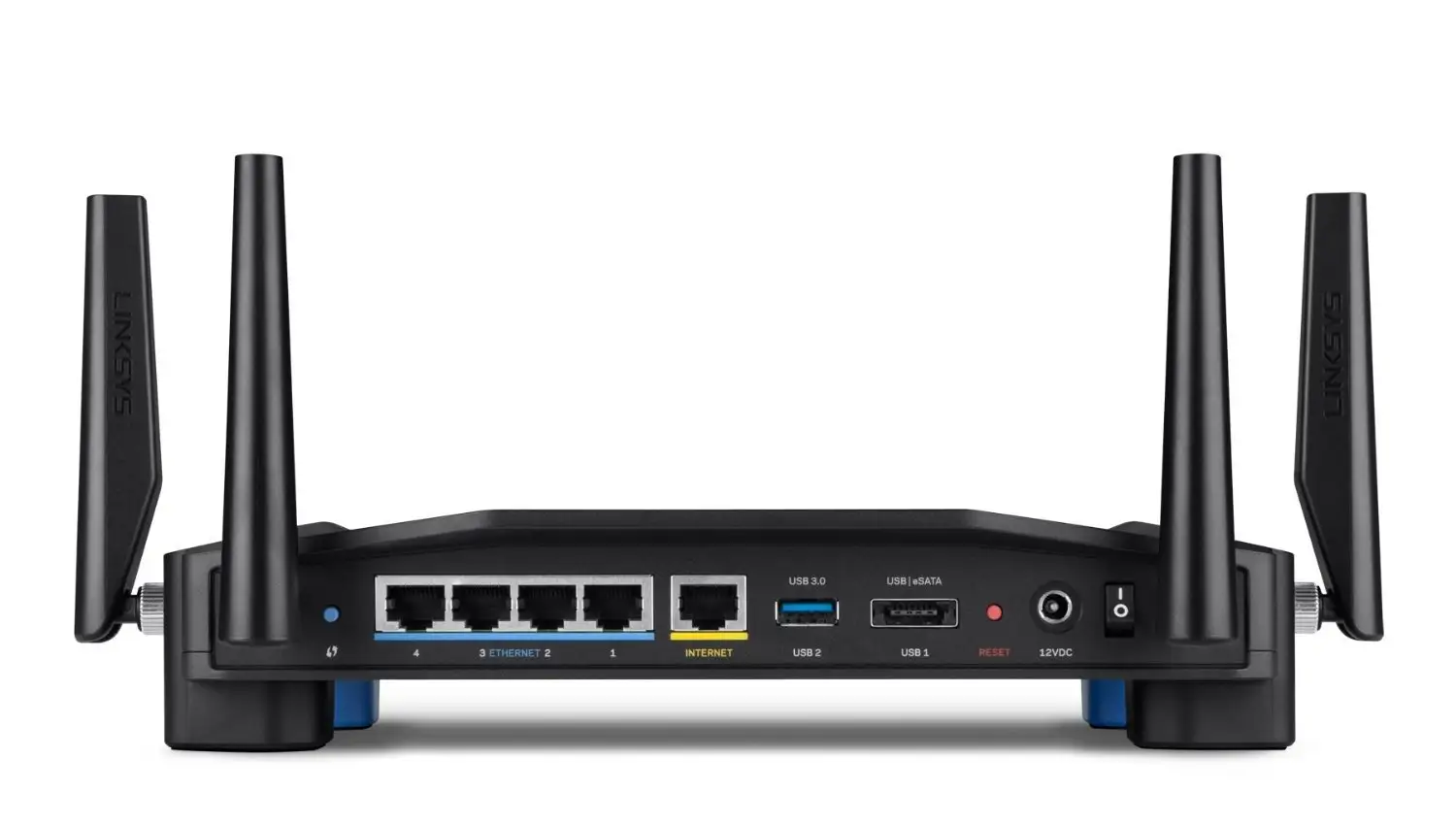
Hardware quirks came up, like the sideways power plug conflicting with in‑wall utility boxes, and occasional reboots: “I’ve had one hiccup where the router needed a reboot in the month that I’ve had it.”
USB storage support is hit-or-miss. While some external hard drives connect fine, “some of my flash drives will not connect to either of the USB ports… no fix,” a buyer reported after contacting support.
Divisive Features
Open-source firmware support (on WRT1900 variants) polarizes. Enthusiasts love flashing DD‑WRT or OpenWRT — “works great with DD‑WRT, very stable” — but casual users find the stock Linksys Smart Wi‑Fi platform limiting and the Smart Wi‑Fi account push intrusive. A Newegg reviewer called it “an attempt to create brand dependence” rather than real value.
MU‑MIMO is another feature that some credit for better multi‑device streaming, while others see no noticeable difference versus cheaper single‑user systems in modest households.
Trust & Reliability
Long-term owners on Reddit and Best Buy often report stable operation over months: “Been using this for about 4 months now and have had no issues whatsoever” is a common refrain. Others keep older EA models as backups, noting the AC1900’s quicker throughput and better coverage.
Refurbished units generally meet expectations, though there are occasional return stories: “This is second unit, after refurbished one had to be returned.” For the successful renewals, Amazon’s “Renewed Guarantee” appears to reassure buyers, and positive resale conditions on eBay suggest sustained demand.
Alternatives
Several users compared this model to Netgear Nighthawk AC series, with one calling the latter “another beast,” but choosing Linksys for price-performance. Netgear and Asus rivals often win on guest network security. In the open-source niche, Ubiquiti setups attract those rejecting Linksys’ Smart Wi‑Fi cloud account requirement.
Those heavily dependent on 5 GHz range might lean toward tri‑band models or mesh systems, though at a higher cost.
Price & Value
Renewed units significantly undercut the original $159.99 MSRP, with Amazon listings around $59.99 for the EA7450 variant and eBay offerings between $38 and $93 depending on model and condition. Given its performance leap over ISP combo devices, many found it “great bang for the buck,” particularly in households retiring rented routers.
The used market remains active, with refurbished AC1900 units holding fair value due to their balance of modern features and affordability.
FAQ
Q: Does the Linksys AC1900 handle many devices well?
A: Yes. Multiple reviews mention stable performance with 20–30 simultaneous devices, from streaming TVs to gaming consoles, without noticeable lag.
Q: Is setup easy for non‑technical users?
A: Very. The Smart Wi‑Fi app guides setup without a CD. One first‑time buyer connected and labeled all devices within 30 minutes.
Q: How good is the 5 GHz range?
A: Mixed. While fast up close, several users report dropouts or reduced range compared to 2.4 GHz, common for this frequency band.
Q: Can I secure the guest network with WPA2?
A: No. The guest network uses a password prompt but does not support WPA2 encryption, which some find insecure.
Q: Does it support open-source firmware?
A: Certain WRT1900 variants of the AC1900 do, and enthusiasts successfully run DD‑WRT or OpenWRT for expanded features.
Final Verdict: Buy if you want a budget‑friendly, easy‑to‑set‑up router with strong multi‑device performance and wide coverage in medium-to-large homes. Avoid if you require advanced guest network security or long-range 5 GHz stability. Pro tip: Place it centrally and use the Smart Wi‑Fi app to label and prioritize devices for best results.





