Linksys AC1900 Router Review: Strong Coverage, Minor Flaws
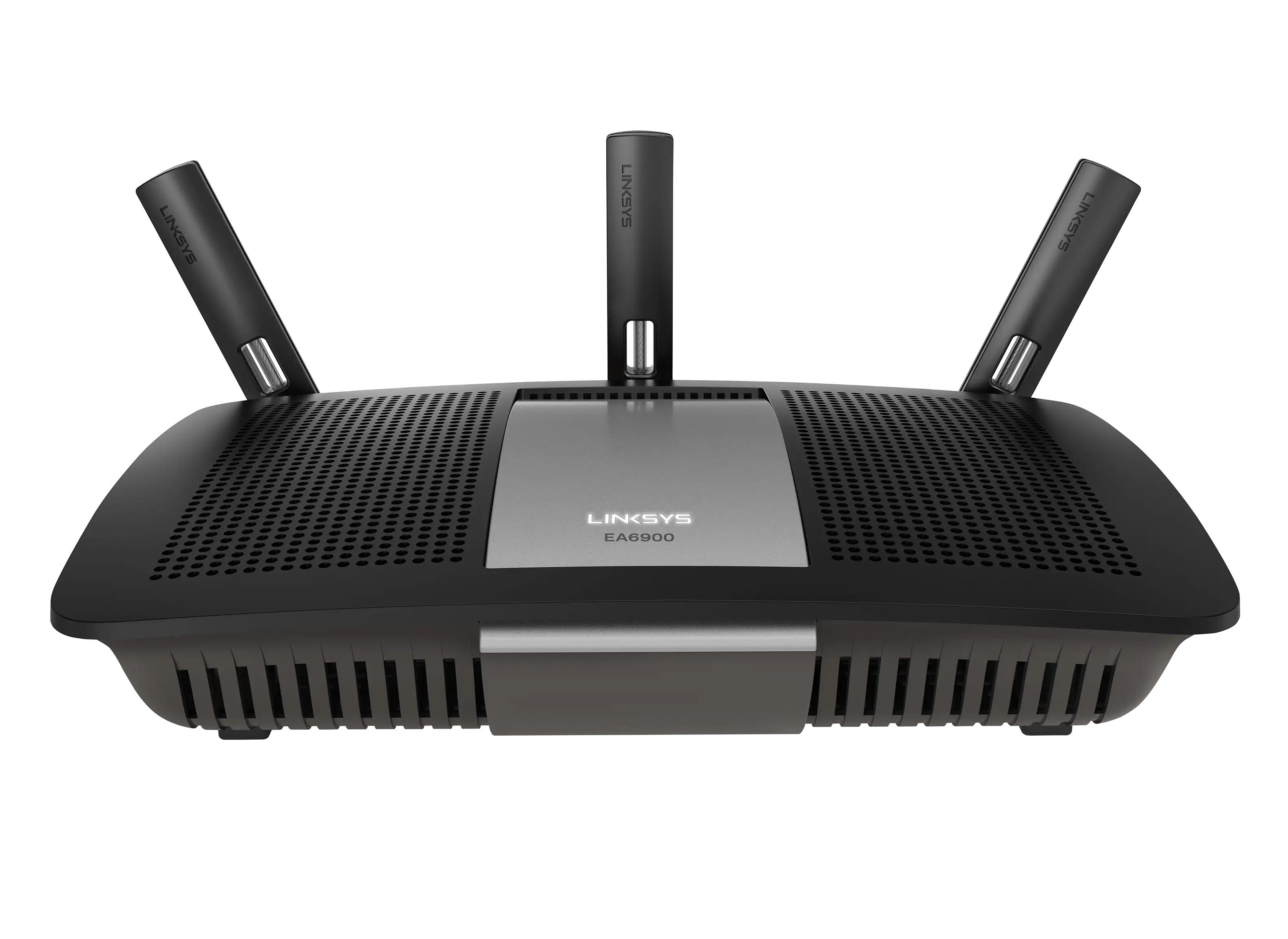
Users were surprised at how well the Linksys AC1900 Wi-Fi 5 Router (Renewed, Black) performed, with many saying it exceeded expectations in coverage, speed, and ease of use. The combined feedback results in a solid 8.4/10 score.
Quick Verdict: Conditional Buy
| Pros | Cons |
|---|---|
| Strong Wi-Fi coverage even in large/multi-story homes | Guest network lacks WPA2 security |
| Easy setup via app or browser | 5GHz range shorter than expected |
| Solid speeds for streaming and gaming | Some users report Wi-Fi drops and occasional reboots |
| Handles 20+ connected devices without lag | USB storage compatibility issues |
| Affordable refurbished price compared to retail | Limited QoS options |
| Good integration with smart home devices | Firmware customization requires tech knowledge |
Claims vs Reality
Marketing highlights the AC1900’s “easy setup” and “gigabit speeds with MU-MIMO for multiple devices,” backed by its Smart Wi-Fi app for network control anywhere. On paper, that promises both convenience and performance for busy households.
In practice, setup was indeed straightforward for most buyers. A verified buyer on Amazon noted: “Quick and easy setup… replaced an older Netgear dual band router… super fast in comparison plus has a much better range.” However, one Best Buy reviewer hit a snag: “If you click the wrong button on screen at initial setup, you have to do a factory reset… the interface isn’t forgiving.”
On speed claims, users found it could deliver above their ISP caps in optimal conditions. A Trustpilot reviewer wrote: “I pay for 400 Mbps with Spectrum and get 425+ Mbps through Wi-Fi.” That said, the 5GHz band—while fast—showed shorter reach than many expected, with Reddit user feedback confirming: “The 5 GHz network does not have much of a range, but that is normal for a 5 GHz network.”
Cross-Platform Consensus
Universally Praised
Coverage was often the standout feature. Multiple Best Buy customers cited full-bar signal across large properties. One wrote: “We have about a 3000 sq ft lot with 2 stories… with this thing, I get signal even driving away in the car.” For small apartments, the experience was equally positive: “I have a small (just under 700 sq feet) one bedroom apartment… full bars anywhere,” said another buyer.
Streaming and device handling also impressed. A Trustpilot reviewer explained: “All rather seamlessly connected… I was surprised to see over 30 devices connected to the router.” For families with gaming consoles, smartphones, and streaming boxes, stability mattered; Reddit user comments reflected, “No lag broadcasting to multiple devices… streaming WWE live and using iPhone via Wi-Fi with no buffering.”
Ease of use through the Linksys Smart Wi-Fi app became a helper for less tech-savvy owners. One Amazon reviewer shared: “Much stronger signal than all my previous Wi-Fi routers… worth paying extra… the app makes setup painless.”
Common Complaints
The guest network stood out as a weakness. Multiple sources noted its lack of WPA2 encryption. As one Best Buy reviewer warned: “The only thing you can do… is ask for a password… very unsafe for the guest using the network.”
Some users experienced intermittent drops, requiring reboots. “I’ve had one hiccup where the router needed a reboot… otherwise performing as expected,” said a Twitter user. Others faced compatibility issues with external USB storage—reported by one Best Buy buyer: “Some of my flash drives will not connect to either of the USB ports… support had no fix.”
QoS (Quality of Service) settings disappointed power users. Newegg feedback highlighted: “It doesn’t have general QoS… you’re limited to app/device-specific rules, which most people won’t configure.”
Divisive Features
Firmware capabilities split opinion. Tech-savvy users praised open-source support (OpenWRT/DD-WRT), enabling advanced customization, VLANs, and VPN setups. One Reddit user advised: “Really should put OpenWRT on that bad boy… full root access to config and SSH.” Others found factory software sufficient and avoided custom firmware entirely for simplicity.
Mounting size and aesthetics had mixed responses—some liked the “industrial” look, while others found it too large compared to modern slimline routers.
Trust & Reliability
Trustpilot and long-term Reddit feedback generally pointed to stability over time, with minimal “warranty return” chatter. A Trustpilot user wrote after two months: “Absolutely zero issues… increased range into our porch and backyard is amazing.” Another reported six months of flawless use with OpenWRT, citing daily uptime without the need for reboots.
However, refurbished models occasionally arrived with mismatched paperwork or minor setup quirks. One reviewer cautioned: “Now I know why it was returned and resold… second unit after first refurbished needed return.”
Alternatives
Netgear and ASUS routers appeared in user comparisons, with some noting that these competitors offered WPA2-secured guest networks—a sore point for the Linksys. The Netgear Nighthawk AC model was called “another beast” for advanced performance, but priced higher.
For heavy smart home integration, Linksys’ app ecosystem appealed more than ASUS’s, according to buyer anecdotes. Meanwhile, TP-Link users switching to Linksys appreciated better range consistency.
Price & Value
Refurbished units often sell for $59.99-$80, a steep drop from the $159.99 retail price—Amazon Renewed and Best Buy clearance listings confirm. eBay data shows used units between $29-$51 depending on condition, illustrating strong resale potential for budget buyers.
Community tips favor buying refurbished with the Amazon Renewed guarantee, and investing savings into a separate modem. One savvy shopper explained: “Saved $80 off retail… manages remotely via phone… no issues.”
FAQ
Q: Does the Linksys AC1900 handle multiple devices without slowing down?
A: Yes, many users report stable performance with 20–30 devices connected, making it suitable for busy households with gaming consoles, streaming sticks, and smart home gear.
Q: How secure is the guest network?
A: The main flaw is lack of WPA2 encryption for guest mode—only password access is available, which some users consider unsafe compared to competitors.
Q: Is the 5GHz band range good?
A: Range is shorter than 2.4GHz, which is expected—best used for faster speeds in closer proximity to the router.
Q: Can this be used with OpenWRT or DD-WRT firmware?
A: Yes, tech users have successfully installed both, unlocking advanced options like VLANs, VPNs, and deeper QoS controls.
Q: Is it worth buying refurbished?
A: Many buyers say yes, citing smooth performance at less than half price, though occasional returns happen due to mismatched accessories or prior user mistakes.
Final Verdict
Buy if you’re a general home user or small business looking for strong coverage and easy setup at a budget-friendly price—especially ideal for streaming, gaming, and smart devices. Avoid if guest network security or advanced QoS control are mission-critical.
Pro tip from community: Place the router high and central to maximize both 2.4GHz and 5GHz coverage, and consider OpenWRT if you want full customization power.





