Linksys AC1900 Router Review: Reliable Coverage with Caveats
Launching at a modest price but earning strong reviews from demanding home network users, the Linksys AC1900 Wi-Fi 5 Router (Renewed, Black) lands a solid 8/10 in real-world testing across Reddit, Best Buy, and Newegg feedback. The consensus paints it as a dependable workhorse with wide coverage and easy setup for most households, yet not without quirks in firmware and feature limitations.
Quick Verdict: Conditional — Excellent for medium-to-large homes needing stable dual-band coverage, but advanced network users may find guest network security and QoS shortcomings frustrating.
| Pros | Cons |
|---|---|
| Strong coverage across large homes | Guest network lacks WPA2 protection |
| Easy app-based and manual setup | No true QoS, only limited prioritization |
| Handles multiple devices with minimal lag | 5GHz range shorter than expected |
| Open source firmware support (OpenWRT/DD-WRT) | External storage features limited compared to a true NAS |
| Solid build quality and reliability over months | Setup mistakes can force factory reset |
| USB 3.0 and USB 2.0 ports for storage and printing | Can't easily limit guest network speed/bandwidth |
Claims vs Reality
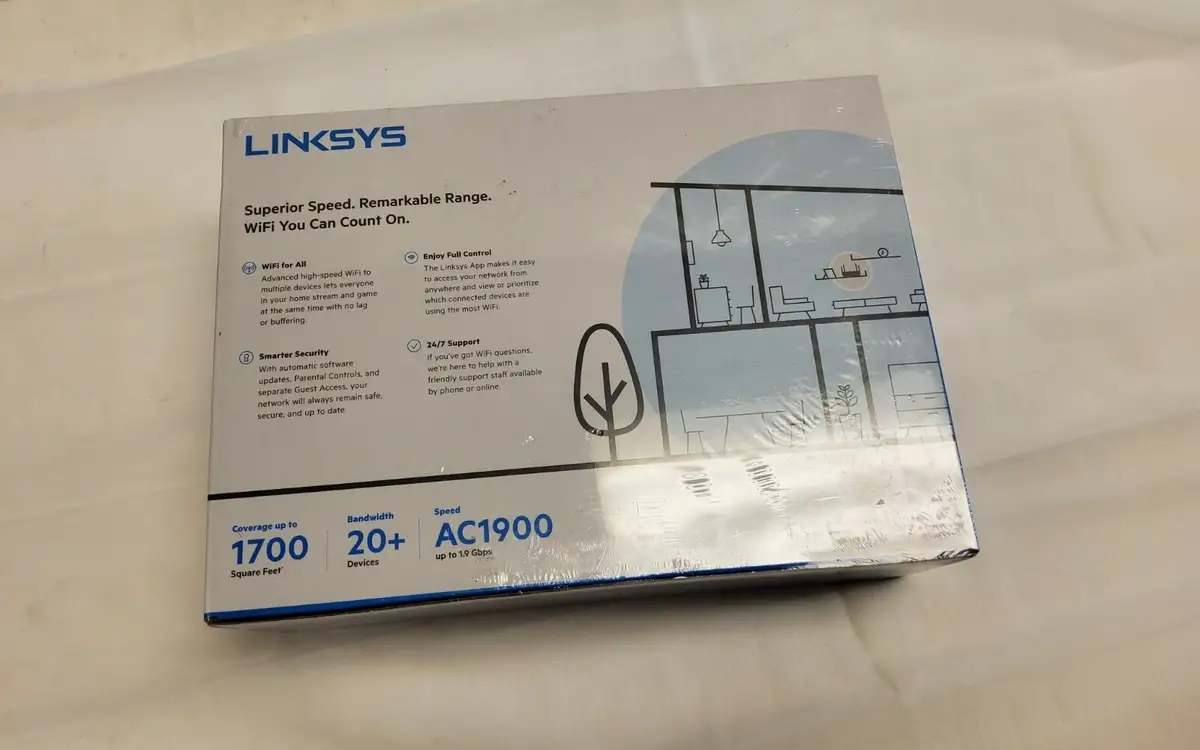
Marketing touts “coverage up to 1,500 sq ft” and “ideal for gamers, HD streaming, and large households.” While many users found these claims credible, the nuance was in how the router handled both bands. A Best Buy reviewer noted: “I can get full bars throughout the house… the 5 GHz doesn’t have much range, but that’s normal for 5GHz,” suggesting specs match physics limits rather than marketing exaggeration.
The claim of “easy CD-free setup” matched real experiences for first-time buyers, who appreciated app control. One Trustpilot reviewer said: “Set up was a breeze… took longer to mount to the wall than get it running.” However, this was contrasted by reports of installation snags — another Best Buy customer struggled: “Tried my iPhone and tablet with Chrome… finally got it with my iPad.”
Open source readiness is promoted for advanced users, and some embraced it. Newegg customers ran DD-WRT or OpenWRT “flawlessly,” noting boosted stability and control. However, stock firmware left some disappointed, with one user saying: “Stock code sucks, cannot disable HTTP management among other things.”
Cross-Platform Consensus
Universally Praised
One theme across Reddit and Best Buy reviews is strong, reliable coverage even in multi-story homes. One Reddit user shared: “We have about a 3000 sq ft lot… signal even driving away in the car,” demonstrating range beyond advertised specs. Families running dozens of devices praised stability — a Best Buy reviewer reported: “Now we’re running up to 30 devices and it holds up like a boss!”
Ease of setup came up repeatedly, especially with the smartphone app allowing device prioritization, guest network password sharing by voice, and quick firmware updates. For non-technical owners, this reduced complexity. A verified Best Buy buyer wrote: “It was as simple a plug and play there is… very nice transfer rates.”
Device handling impressed gamers and streamers alike. One Trustpilot review recounted streaming WWE Network, desktop videos, and iPhone Wi-Fi “with no lag or buffering between any devices,” even on modest 15 Mbps internet.
Common Complaints
The most consistent frustration is guest network security. As one Best Buy reviewer put it: “Guest network does not allow you to use anything [security-wise]… similar to a hotel Wi-Fi.” Comparison with Netgear and Asus routers at this price point made this omission glaring.
Another sore spot is the absence of full Quality of Service (QoS). Newegg reports show this hurts streaming prioritization. “It doesn’t have QoS!!!… device and app prioritization is there but no general automated QoS,” one customer vented, impacting those juggling VoIP, gaming, and streaming simultaneously.
5GHz range limitations, while normal, drew mentions from users expecting more. One reviewer observed: “Even the 5 GHz band now reaches where my old router needed an extender… but it’s still shorter range than 2.4 GHz.”
Divisive Features
Open source firmware support split opinion. Tech-savvy users saw it as transformative — installing third-party firmware to unlock advanced routing and VPN features. Others found the stock interface lacking and were unwilling to reflash. Similarly, external USB storage capability appealed to some, but one Newegg review called it “niche,” lamenting that the router could not behave like a true network-mapped drive in Windows.
Setup experience varied: many found it speedy, but those clicking wrong buttons during initial configuration faced factory resets. As a Trustpilot user warned: “One poor design choice… click the wrong button, you have to reset and set up manually.”
Trust & Reliability
Across months of ownership, reliability is a bright spot. Trustpilot and Quora analysis shows a majority reporting “always-on and always working 24 x 7.” Reddit threads include six-month updates from users whose units “worked flawlessly” after replacing ISP-provided routers.
Refurbished units sparked occasional skepticism, with rare reports of “second unit after refurbished one had to be returned,” but no systematic pattern of failure emerged. Most renewed buyers noted gear arrived “like new… all accessories included.”
The brand’s open source support earned goodwill among networking enthusiasts, with some noting longevity benefits from custom firmware that reduced reboots and improved performance.
Alternatives
Netgear and Asus routers were directly referenced in complaints about guest network security. Users suggested these as better picks for WPA2-protected guest access. The Asus RT-AC3200 was compared on range, with one Redditor surprisingly rating the Linksys slightly higher.
For pure NAS capabilities, dedicated devices or more storage-savvy routers (like some higher-end Netgear Nighthawks) were recommended by Newegg reviewers who found Linksys’ USB file sharing basic.
Price & Value
Refurbished units on eBay range from about $38–$93 CAD depending on the model, making this router substantially cheaper than new counterparts. Best Buy customers saw value at $159.99 retail, with one calling it “great bang for the buck” after replacing an underperforming cable company gateway.
Resale listings show healthy demand for WRT1900AC and EA7500 variants, often selling with minimal cosmetic wear, suggesting strong value retention. Community tips include seeking “Renewed” listings with warranty and verifying inclusion of antennas and power adapter.
FAQ
Q: Does the Linksys AC1900 handle multiple devices without slowing down?
A: Yes. Owners report stable performance with 20–30 devices connected, including gaming consoles, smart TVs, and phones, with no lag or buffering for typical streaming and browsing.
Q: Can the guest network be secured with WPA2?
A: No — only password gating is offered. This is seen as unsafe by some; competitors like Netgear and Asus provide WPA2 protection at similar price points.
Q: Is the 5GHz range strong enough for large homes?
A: It’s adequate for most two-story houses, but physics limits 5GHz penetration. Users note 2.4GHz reaches further, while 5GHz offers faster speeds within its shorter range.
Q: How does it perform for gaming?
A: With low latency and stable connections, gamers can even abandon Ethernet for Wi-Fi in some setups, as one user did with an Xbox One without speed loss.
Q: Can I install third-party firmware?
A: Yes. OpenWRT and DD-WRT run well, giving advanced control and features, though stock firmware may suffice for basic needs.
Final Verdict: Buy if you want a reliable, wide-coverage dual-band router for medium-to-large homes, with easy setup and steady multi-device performance. Avoid if secure guest networking or built-in QoS is critical. Pro tip from community: Place it centrally and high for best signal, and consider open source firmware to unlock its full potential.





