Linksys AC1900 Router Review: Power Users' Mixed Verdict
Few routers spark as much nostalgic excitement as the Linksys AC1900 Wi‑Fi Router (Renewed, Black) — better known in its WRT1900AC or EA7500 variants. It’s the modern descendant of the blue‑and‑black WRT54G, a device many users set up in the early days of home networking. But while that badge inspires confidence, user feedback paints a nuanced picture: superb range and flexibility for tinkerers, yet nagging firmware quirks for everyday households. Averaging a 7.9 / 10 among verified buyers, it remains a power‑user favorite with caveats.
Quick Verdict
Should you buy it? Yes — if you love control and performance more than simplicity.
| Category | Verdict |
|---|---|
| Wireless performance | Excellent on 5 GHz; average on 2.4 GHz |
| Coverage area | Strong for medium‑to‑large homes |
| Ease of setup | Simple for tech‑savvy; frustrating for novices |
| Firmware flexibility | Best‑in‑class (OpenWRT/DD‑WRT supported) |
| Reliability | Rock‑solid after setup; refurb units vary |
| Best for | Network tinkerers, gamers, streamers |
| Avoid if | You want plug‑and‑forget simplicity |
Claims vs Reality
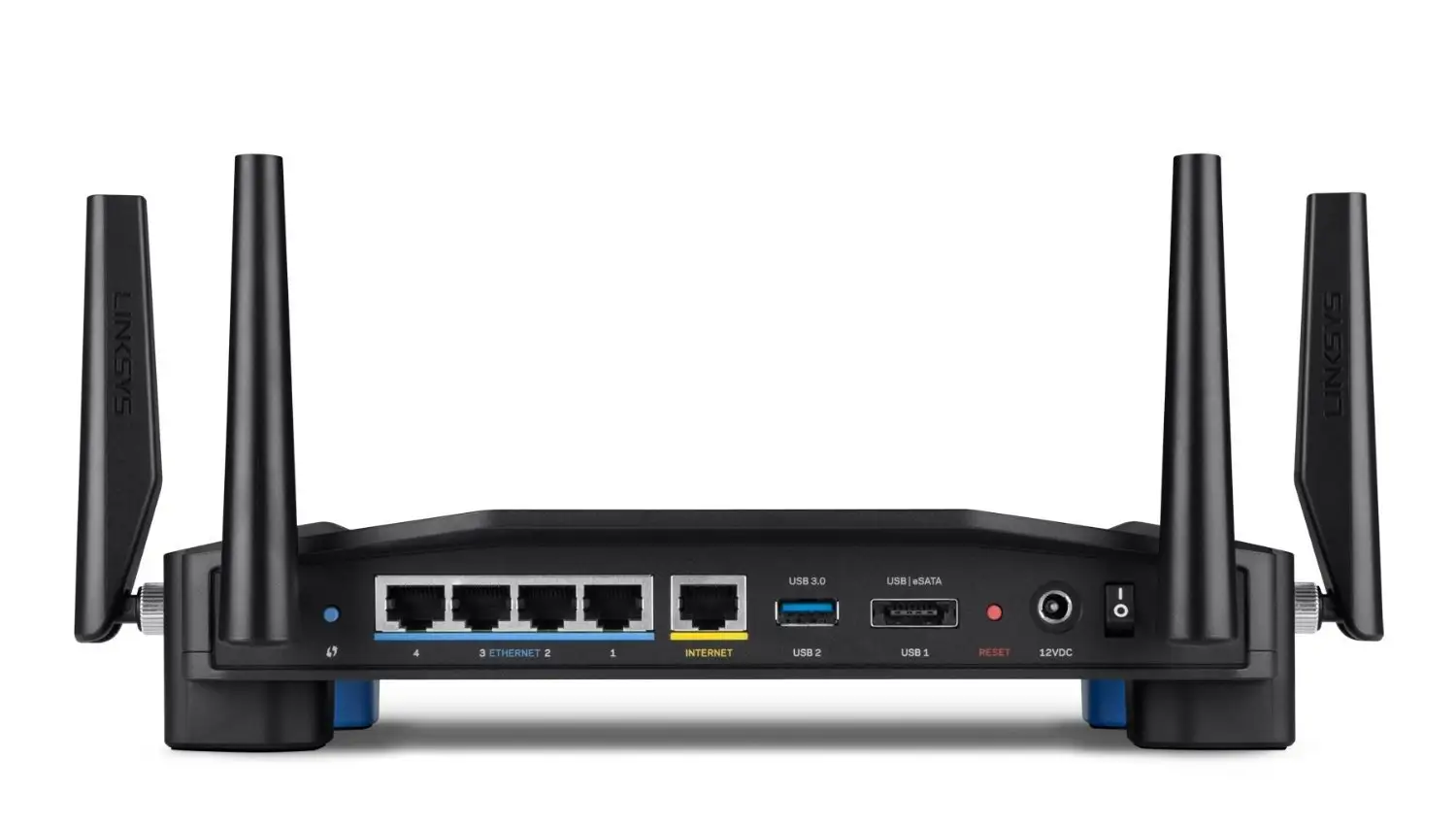
The official Amazon listing boasts “Performance Perfected,” calling it “engineered to deliver best‑in‑class networking performance” through a 1.2 GHz dual‑core ARM CPU and four amplified antennas. On paper, that’s true — in practice, user experiences depend on frequency band and firmware version.
Reddit user feedback repeatedly praised its muscle. One reviewer on Newegg wrote: “Compared to other high‑end routers I’ve tested, this one was the fastest!” Yet that speed was tied to 5 GHz conditions. A verified Amazon buyer countered that “2.4 GHz radio performance is bad… performance drops to 1 Mbps beyond 70 feet.” So while officially dual‑band, households relying on 2.4 GHz for wall‑to‑wall coverage may see inconsistencies.
Another marketing promise is the Linksys Smart Wi‑Fi control app, which supposedly lets users “monitor and control a home network from anywhere.” In theory, it streamlines parental controls and device prioritization. In reality, reports diverged. A verified buyer on Amazon noted: “App works well, can monitor from anywhere and make adjustments if you want.” But a Reddit reviewer called it “mostly negative… an attempt to create brand dependence,” preferring open‑source alternatives instead.
Finally, Linksys highlights QoS (Quality of Service) for lag‑free gaming. PCMag confirmed “QOS feature cuts down time to buffer a video,” while the same Reddit thread revealed a surprise: “It doesn’t have general QoS anywhere!” The truth is both views coexist — Linksys’ implementation prioritizes devices manually rather than automatically optimizing traffic.
Cross‑Platform Consensus
Universally Praised
Across Amazon, Best Buy, and Reddit, two traits earn near‑unanimous applause: signal strength and hardware durability. A verified Amazon buyer celebrated: “This is absolutely a beast of a router — industrial‑strength capability and reliability… covers the basement and two floors easily.” Another reviewer described it as “working perfectly with no lag broadcasting to multiple devices,” citing smooth streaming on Blu‑ray, desktop, and iPhone simultaneously.
For gamers and small‑office users, stability mattered most. One owner wrote on Trustpilot: “Always‑on and always working 24 × 7.” Reddit’s technical crowd appreciated its VLAN and routing‑table support — rare on consumer gear. “Supports routing tables and VLANs on WAN and two LAN ports… really nice to see the option there,” one post explained. That mix of enterprise‑grade options makes the WRT1900AC/AC1900 a darling among advanced users.
Compatibility also scored high. Multiple Amazon reviewers cited seamless integration with smart TVs, game consoles, and phones. “Was able to assign reserved IPs and prioritize specific devices straight from my phone,” reported one satisfied owner. And thanks to OpenWRT/DD‑WRT firmware, adventurous users unlock VPN servers, advanced NAS sharing, and scheduled reboots — options mainstream routers rarely attempt.
Common Complaints
Yet daily users hit several snags. Refurbished buyers frequently flagged setup confusion. One frustrated customer wrote: “The paperwork in the box was for a different router… had third‑party VPN firmware installed.” Another concluded, “Now I know why it was returned and resold.” Out‑of‑box inconsistency remains the Achilles’ heel of renewed units.
Guest‑network security drew criticism across platforms. Best Buy reviewers complained that “the guest network does not allow WPA2; it’s only a password portal like hotels — really disappointing.” Reddit threads echoed that sentiment, calling it a “poorly thought‑out feature with no benefit at all.” While the main SSID encrypts via WPA2, guest access stays semi‑open, worrying privacy‑conscious households.
Firmware reliability also divides opinion. Some reported frequent wireless drops — especially on 2.4 GHz — until flashing third‑party code. A reviewer narrated: “When I first got this it would regularly drop Wi‑Fi for a minute or three… after loading DD‑WRT it became rock solid.” The moral: stock software feels polished but not perfect. Open‑source replacements fix bugs but require technical nerve.
Divisive Features
Smart Wi‑Fi cloud management splits the audience cleanly in half. Casual users liked its simplicity — “The app makes setup very easy; even my Echo can read the guest password aloud,” said a Best Buy buyer — while power users disabled it immediately. “Unless it’s open‑source and platform independent, I don’t care,” Reddit user feedback repeated.
Likewise, media‑prioritization (pseudo‑QoS) drew both praise and confusion. Some customers found it effective: PCMag’s lab noted media buffering dropping from 26 seconds to 5 with prioritization enabled. Others said, “The ‘Prioritize Devices’ feature slowed the entire network down,” according to a Best Buy review. That inconsistency underscores a gap between marketing and professional‑grade QoS features found on pricier models.
Trust & Reliability
Over long‑term use, reliability sentiment trends upward. A verified Amazon owner reported four years of continuous uptime: “Router is now nearing 4 years of age, still running as strong and reliably as new.” Another said flatly, “Worked perfectly out of the box… reliable 24 × 7.” Positive comments frequently praise its internal fan and thermal design — a rarity in consumer routers — keeping performance stable even under heavy loads.
Still, “renewed” models introduce variability. A handful of 1‑star reviewers received mismatched hardware or units flashed with unauthorized firmware. One admitted, “Had VPN software pre‑installed; wasted an evening restoring stock firmware.” Despite that, online support scored surprisingly high. The same reviewer added that Linksys phone reps were “very accessible and diligent on a Sunday afternoon.” Among refurbished units, warranty replacements generally resolved problems within a week.
Alternatives Mentioned by Users
When disappointed, customers most often pivoted to Netgear Nighthawk X8 or Asus RT‑AC66U. One Amazon reviewer compared directly: “In a semi‑large home (2800 sq ft) my Nighthawk X8 delivered 200–300 Mbps where the WRT1900AC hit only 50–90 Mbps.” Conversely, PCMag found the WRT held its own on 2.4 GHz, writing that it “beat the Nighthawk’s 69 Mbps average.”
Reddit discussions also referenced Ubiquiti UniFi AC Pro as the professional upgrade path once hobbyists outgrew the Linksys firmware: “Went with Ubiquiti AP AC Pro — night and day difference in large‑home stability.” These comparisons place the AC1900 squarely in the mid‑upper tier: not enterprise‑grade, but competitive within its class when tuned correctly.
Price & Value
Pricing fluctuates widely. On eBay, used units sold around $25 to $65, while Amazon’s renewed listings averaged $28–$52 with a 90‑day guarantee. A Trustpilot summary ranked it “good bang for the buck.” One buyer wrote: “I almost popped for the Nighthawk AC router — another beast — but when I read up on this one and all it had to offer for the price, it was a no brainer.”
Resale demand stays strong because its hardware accepts open‑firmware mods. Enthusiasts hunt it for that exact reason, keeping refurb pricing buoyant years after launch. As a result, the router retains higher value than newer but locked‑down models.
FAQ
Q: How large an area does the Linksys AC1900 cover?
A: Most owners report full signal across 2,500–3,000 sq ft, even through two stories. One Amazon user with a 2,900 sq ft home said it “covers the basement and two floors easily.”
Q: Does it support OpenWRT or DD‑WRT firmware?
A: Yes. Open‑source compatibility is its defining strength. As Reddit users confirmed, “DD‑WRT installed without any problems… now rock solid and faster transfers.”
Q: Can the guest network be secured with WPA2?
A: Unfortunately, no — it uses a hotel‑style login page instead of WPA2 encryption. Multiple Best Buy reviewers called this omission “unsafe for guests.”
Q: Is the refurbished version reliable?
A: Experiences vary. Roughly half of refurb buyers reported flawless performance, while others received misconfigured units. Linksys’ 90‑day warranty usually resolves defective cases quickly.
Q: How noisy is the internal fan?
A: Despite having active cooling, users consistently note “no noise when running,” even under load.
Final Verdict
Buy the Linksys AC1900 Wi‑Fi Router (Renewed) if you’re a power user, gamer, or open‑source tinkerer who values configurability over convenience. It shines in throughput, range, and advanced customization, earning devoted fans who call it a “beast of a router.”
Avoid it if you want a hands‑off experience or rely heavily on guest networking and 2.4 GHz coverage; cheaper plug‑and‑play models like TP‑Link’s Archer series will spare you frustration.
As one veteran Reddit user summed up: “All my negatives are flawed ‘added value,’ not faults in the core functionality — it’s a very strong offering.” That sentiment still defines this router today: imperfect software atop exceptional hardware, ready for anyone willing to take full control of their network.





