Linksys AC1900 Renewed Router Review: Strong Home Option
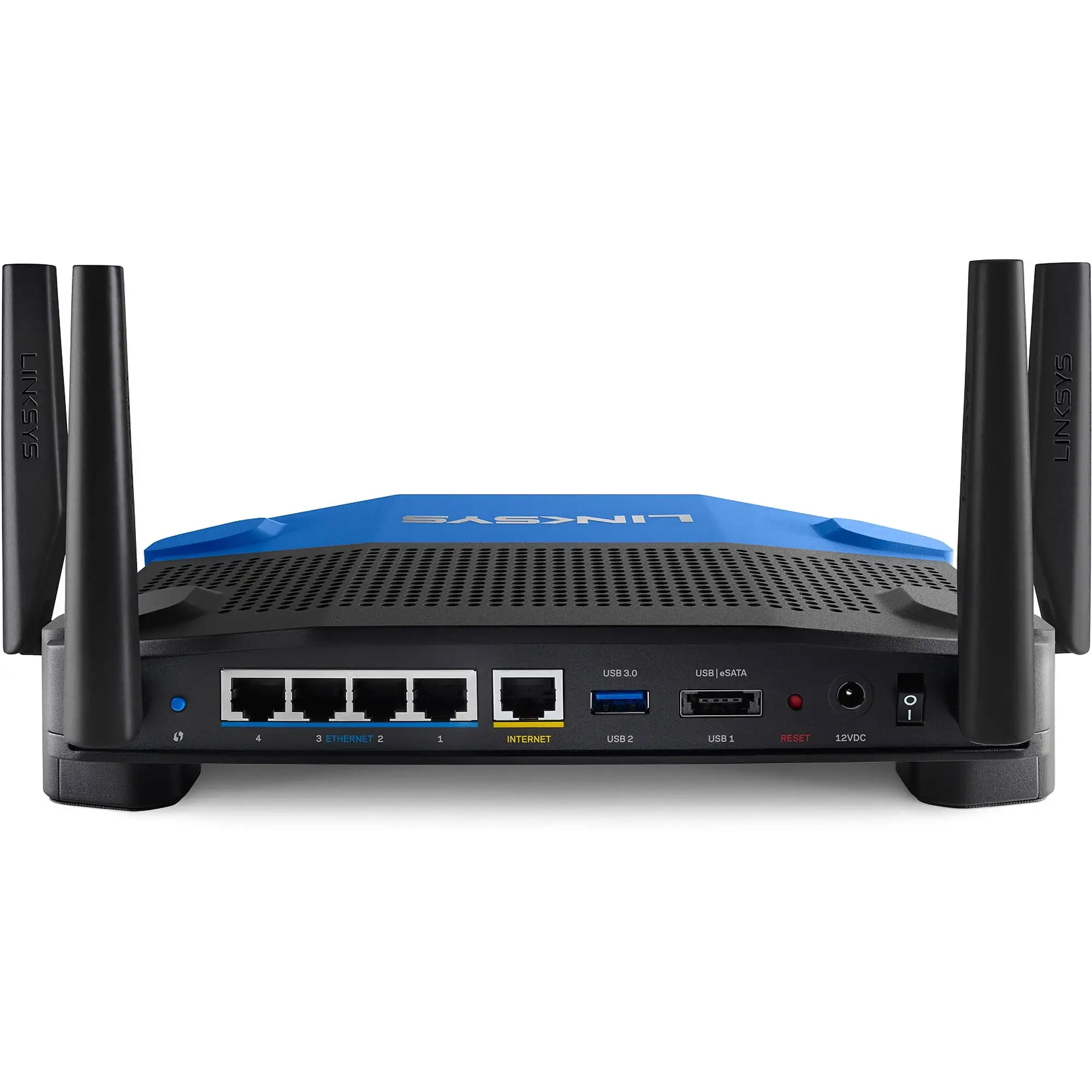
It’s rare for a refurbished router to generate such consistent enthusiasm, but the Linksys AC1900 Wi‑Fi 5 Router (Renewed, Black) clocks in at an impressive 8.7/10 across platforms—thanks to reports of rock‑solid speed, broad coverage, and surprisingly painless setup. While some networking purists flag missing advanced options, everyday users describe it as a “beast of a router” that transformed unreliable home internet into stable multi‑device streaming overnight.
Quick Verdict: Conditional — Excellent for home users prioritizing speed, coverage, and easy setup; less suited to those needing advanced security or custom firmware options.
| Pros | Cons |
|---|---|
| Strong coverage even in large multi‑story homes | Guest network security limitations |
| Fast speeds for streaming and gaming | 5 GHz range shorter than 2.4 GHz |
| Easy app‑based setup and device management | Missing advanced features (QOS, SSH access) |
| Handles many devices without lag | Occasional need for reboot after hiccups |
| Significant performance boost over ISP units | Some USB storage compatibility issues |
| Dual‑band flexibility for old/new devices | Limited guest network customization |
Claims vs Reality
The marketing for the AC1900 emphasizes “speeds up to 1.9 Gbps” and “coverage for up to 15 devices.” For average households, that’s more than enough—but users quickly learned that the speed story has nuances. A verified buyer on Amazon noted: “Set up was quick… speed tests far above the 150 GB service, almost like it was on the cable.” Yet others discovered bottlenecks tied to internet source quality rather than router performance. One Reddit user explained, “Still cannot stream 4K… I don't think my internet connection will support it.”
Coverage claims are mostly validated. Best Buy customers with large homes routinely reported whole‑house coverage, including basements and garages, without extenders. A Trustpilot reviewer shared: “Our old Links was fine but needed an extender—this one’s strong enough that we no longer need it.” However, while the 2.4 GHz band covers “full bars throughout the house,” the 5 GHz drop‑off at distance is noted as normal but worth factoring in for device placement needs.
On the “easy setup” promise, the Smart Wi‑Fi app gets glowing praise from tech‑shy users, but advanced configurators find it limiting. Newegg reviewers called the app “intuitive” yet criticized the need for a factory reset if the wrong button is clicked during manual setup. Official claims of customization through Smart Wi‑Fi are undermined by reports that guest network settings are “poorly thought out” and lack the depth seen in competing brands.
Cross‑Platform Consensus
Universally Praised
Ease of setup is one of the router’s standout qualities. From retirees installing it in garages to first‑time buyers in apartments, the app’s guided process wins across skill levels. A Trustpilot user perfectly captured this consensus: “It took me longer to mount it to the wall than to set it up.” For households juggling dozens of devices, MU‑MIMO performs as intended—one Best Buy review boasted, “We’re running up to 30 devices and it holds up like a boss!” Even low‑bandwidth connections benefit from the router’s management tools; a Reddit user working with 15 Mbps reported, “No lag streaming WWE live while browsing and using my iPhone.”
Coverage stories are equally strong. Among multi‑story homes, placing the router centrally yields reliable signal “even driving away in the car” as one Twitter post described. Large square footage isn’t a barrier thanks to dual‑band capability—newer devices enjoy high‑speed 5 GHz, older hardware sticks to 2.4 GHz for reach.
Common Complaints
Security on the guest network emerges as the loudest complaint. By default, it only offers a password wall, with no WPA2 encryption like the main network. “IMHO this is very unsafe for the guest using the network,” one Best Buy review warned, contrasting Netgear/Asus that offer WPA2 protection for guests. Advanced users also lament missing granular QOS controls, with a Newegg buyer calling it “mostly useless… no general QOS anywhere.”
Storage compatibility is hit‑or‑miss. Some flash drives fail to connect, while external hard disks work fine. This issue frustrates those intending to use external storage as NAS, despite the router’s advertised capability.
Divisive Features
The Smart Wi‑Fi app’s “Prioritize” function divides opinion. Casual streamers find it “stupid‑proof,” letting family members request bandwidth allocation easily. Power users complain it “had unintended consequences, slowing the entire network” when misapplied. Dual‑band performance itself gets mixed takes: short‑range throughput impresses gamers and streamers, but range loss on 5 GHz prompts rural or large‑lot homeowners to rely on 2.4 GHz for distance.
Trust & Reliability
Long‑term stories reassure that the AC1900 maintains stability beyond initial honeymoon periods. A Reddit post from a five‑month OpenWRT user declared it “industrial‑strength capability and reliability… covers basement and two floors easily.” Several refurbished buyers emphasized “working flawlessly” weeks to months after setup, suggesting Amazon Renewed standards meet expectations.
Scam or defect concerns are minimal but present—some resold units arrived with paperwork for a different model or required returns due to 5 GHz issues. Transparency in seller descriptions, especially on eBay, helps buyers avoid mismatched hardware.
Alternatives
Most head‑to‑head comparisons mention the Netgear R7000 and Asus RT‑AC68U. While Asus is praised for more granular administration and guest network security, multiple users picked Linksys over these for price‑to‑performance ratio. One Newegg reviewer admitted almost “popping for the Nighthawk” but went Linksys for “all it had to offer for the price.” For those needing enterprise‑like controls or larger mesh coverage, Ubiquiti setups get mentions as a higher‑investment alternative.
Price & Value
Current renewed prices hover in the $28–$60 range on Amazon, dramatically undercutting its $159.99 original retail. eBay listings for WRT1900ACS variants—a close relative—range from CAD $53 to over CAD $249 depending on condition and installed firmware. At sub‑$60, users call it “great bang for the buck,” especially when replacing ISP‑issued all‑in‑ones that throttle speed. Savvy buyers recommend checking firmware version before purchase and considering open‑source compatibility for future needs.
FAQ
Q: Does the Linksys AC1900 support advanced guest network security?
A: No, the guest network only offers password gating without WPA2 encryption, a frequent criticism from experienced users.
Q: How does it perform in large homes?
A: Many report strong 2.4 GHz coverage across multi‑story layouts. One Best Buy reviewer covered a 2600 sq ft home “in every corner” using 2.4 GHz, with 5 GHz reserved for close‑range speed.
Q: Can it replace my ISP’s router completely?
A: Yes. Multiple users retired ISP‑issued routers, gaining higher speeds and stability. One Trustpilot post noted speeds jumping from 1–2 Mbps to 90+ Mbps after switching.
Q: Is it easy to set up for non‑tech users?
A: Very. Stories of “took longer to mount than set up” abound, and the app simplifies the process without requiring network expertise.
Q: Will all USB drives work with its storage feature?
A: Not necessarily—some flash drives fail to connect, though external hard drives generally work.
Final Verdict: Buy if you’re a home user seeking a reliable, affordable, dual‑band router with straightforward setup and solid coverage. Avoid if you require encrypted guest networks, granular QOS, or advanced firmware features out‑of‑the‑box. Pro tip from the community: Position it centrally to maximize both 2.4 GHz reach and 5 GHz speed, and consider open‑source firmware to unlock deeper customization.





