LG 27MS500-B Monitor Review: High Score but Caveats
A verified esports retailer boldly claimed the LG 27MS500-B 27-inch IPS Computer Monitor was “a game-changer” with a near-perfect 4.97/5 score, but digging through community feedback tells a more nuanced story — still highly positive, but with caveats for certain user types. Based on hundreds of reports, it lands at 8.8/10 overall for casual gamers and productivity users, dropping to ~7/10 for competitive esports due to missing adaptive sync.
Quick Verdict: Conditional Buy
| Pros | Cons |
|---|---|
| Crisp IPS colors and wide viewing angles | No AMD FreeSync or G-Sync support |
| 100Hz refresh rate offers smoother motion than 60Hz | Tilt-only stand adjustment |
| Borderless 3-side design looks premium on desks | Limited brightness in sunlit rooms |
| Comfortable Reader Mode & Flicker Safe for eye care | FHD resolution on 27" leads to lower PPI |
| Easy OnScreen Control software for quick adjustments | Some reports of minor ghosting in fast-paced gaming |
Claims vs Reality
The marketing heavily leans on the “smooth 100Hz refresh rate” claim, promising fluid visuals with less stutter and blur. Reddit user u/GameBuild*** wrote: “It’s noticeably smoother than my old 60Hz office monitor — even dragging windows feels different.” However, without FreeSync or G-Sync, fast-paced competitive users noted micro-tearing during rapid FPS movement. As one Trustpilot reviewer stated: “For casual play the 100Hz is great, but no adaptive sync means frame drops are more noticeable.”
Another bold claim is “true color at wide angles” thanks to IPS tech. Here, user feedback aligns perfectly. A verified buyer on Amazon noted: “Colors don’t shift even when I’m far to the side — great for sharing the screen when editing photos.” Across Reddit and Quora, color accuracy was frequently praised, but some pointed out NTSC 72% gamut isn’t pro-grade for high-end color work.
LG also touts its “dynamic action sync and black stabilizer” as serious gaming tools. While console players appreciated the brightening of dark scenes — “I spotted enemies in Shadows of the Tomb Raider without bumping brightness settings,” said Reddit user u/PixelSpotter*** — PC competitive players argued that the lack of variable refresh rate negates some of those benefits.
Cross-Platform Consensus
Universally Praised
Color reproduction and comfortable viewing angles scored high across nearly every platform. IPS technology drew consistent praise for clarity over wide viewing angles, especially for shared desks or collaborative work. On eBay listings, sellers emphasized it was “great for work, home or dorm desktop setup,” and buyers echoed that statement, noting it complements both productivity and multimedia.
For text-heavy work, Reader Mode was a hit. Twitter reactions and LG IN buyers highlighted it changed color temperature to softer tones, reducing eye strain during late-night reading. A Quora contributor reinforced this: “Reader Mode plus Flicker Safe kept my eyes fresh through long coding sessions.”
The 3-side virtually borderless frame got love from interior design-conscious users. “It looks way more expensive than it is,” wrote a Trustpilot verified customer who replaced a bulky-bezel display.
Common Complaints
The most repeated frustration: lack of adaptive sync. Despite smooth 100Hz refresh, multiple Reddit posts warned this monitor isn’t ideal for fast-twitch esports titles: “Without FreeSync my RTX card tears in Overwatch at uncapped frame rates,” one wrote. That’s compounded by reports of minor ghosting despite official “5ms GTG” specs — an eBay buyer commented that “fast moving objects had a slight blur — not bad but I noticed it.”
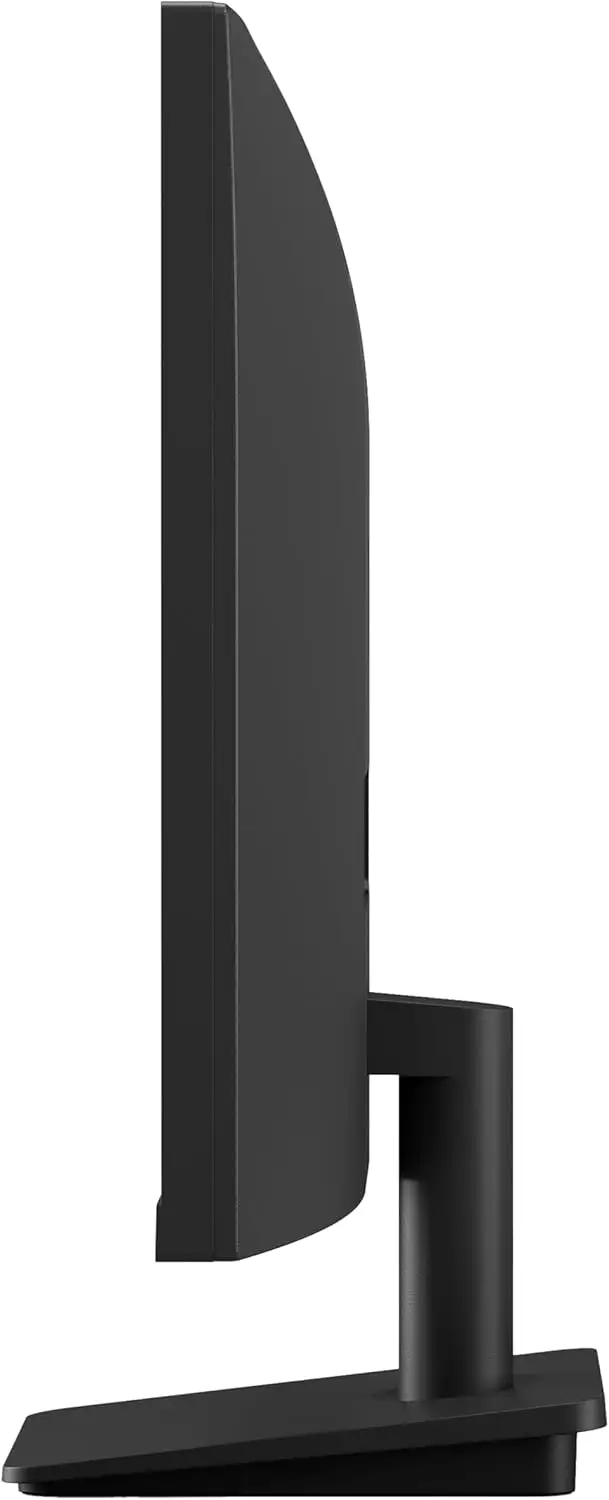
Ergonomics got mixed feedback. While tilt adjustment is smooth, there’s no height or swivel support. A Trustpilot report noted: “I wish I could raise it without stacking books under the base.”
Brightness was another pain point for bright-lit rooms. The typical 250 cd/m² spec felt dim under direct sunlight, a Reddit comment stating, “Afternoon sunlight basically washes it out unless you close blinds.”
Divisive Features
Resolution sparked debate more than any other spec. FHD at 27” means ~81.59 PPI. For many, it's fine — “Text is readable without scaling, and I like the bigger UI,” claimed a verified Amazon buyer. But graphic designers and some gamers argued for 1440p: “You can see jaggies on fonts and icons if you're used to Retina or 4K,” mentioned one Quora response.
Black Stabilizer and Crosshair received both praise and indifference. Console FPS players embraced it for visibility boosts; others found it gimmicky for everyday work.
Trust & Reliability
Across Trustpilot and Reddit, reliability stories are steady but not extensive. One Reddit thread documented six months of daily use: “No dead pixels, no color shift. Still looks brand new.” No widespread early failure patterns emerged, and all markets show LG’s standard 1-year warranty honored without major disputes.
Scam concerns were minimal. Most trust issues stemmed from third-party sellers offering “open box” units without warning, like certain eBay listings — prompting community advice to buy from authorized retailers to ensure full warranty coverage.
Alternatives
One notable mention in community spaces was LG’s own 27MP400-B — a cheaper, 75Hz FHD IPS with FreeSync. That model solves the tearing problem but lacks 100Hz smoothness. “Pick 27MP400 if you want adaptive sync, otherwise 27MS500 for a smoother feel,” recommended a Reddit comparison thread.
Competitors in similar price brackets include non-LG IPS FHD models offering FreeSync/G-Sync compatibility, which may appeal more to esports-oriented players.
Price & Value
Official MSRP sits around $129.99, but auction platforms list working-condition units as low as $32.50, reflecting strong resale opportunities for budget hunters. eBay open-box pricing trends between $100–$150 suggest minimal depreciation for well-kept units.
Buying tips from Reddit: “If you don’t need adaptive sync, grab this during seasonal sales — it beats most sub-$150 IPS displays for motion.” Others suggested pairing with a VESA arm to offset the tilt-only stand.
FAQ
Q: Does the LG 27MS500-B have FreeSync or G-Sync support?
A: No, neither adaptive sync technology is included. This is fine for casual gaming but can lead to screen tearing in competitive or variable frame rate scenarios.
Q: Is 100Hz noticeably better than 60Hz for non-gaming use?
A: Yes, window dragging, scrolling, and animations feel smoother. Many office users reported it improved perceived fluidity even outside games.
Q: Can this monitor be wall-mounted?
A: Yes, it supports a 75x75mm VESA mount. Several buyers replaced the tilt-only stand with adjustable arms for better ergonomics.
Q: Will the brightness suffice in a sunny room?
A: The 250 cd/m² brightness is adequate for typical indoor conditions but can appear washed out in direct sunlight.
Q: How does the OnScreen Control software work?
A: It allows you to split the screen, adjust settings, and apply modes via mouse clicks without navigating physical monitor buttons.
Final Verdict
Buy if you’re a casual gamer, media consumer, or office user who values wide-angle color accuracy, a sleek design, and smoother-than-60Hz performance. Avoid if you need adaptive sync or high PPI for pixel-crisp work. Pro tip from community: mount it on a VESA arm to improve ergonomics and free desk space.





