LG 27MS500-B Monitor Review: Budget-Friendly IPS Verdict
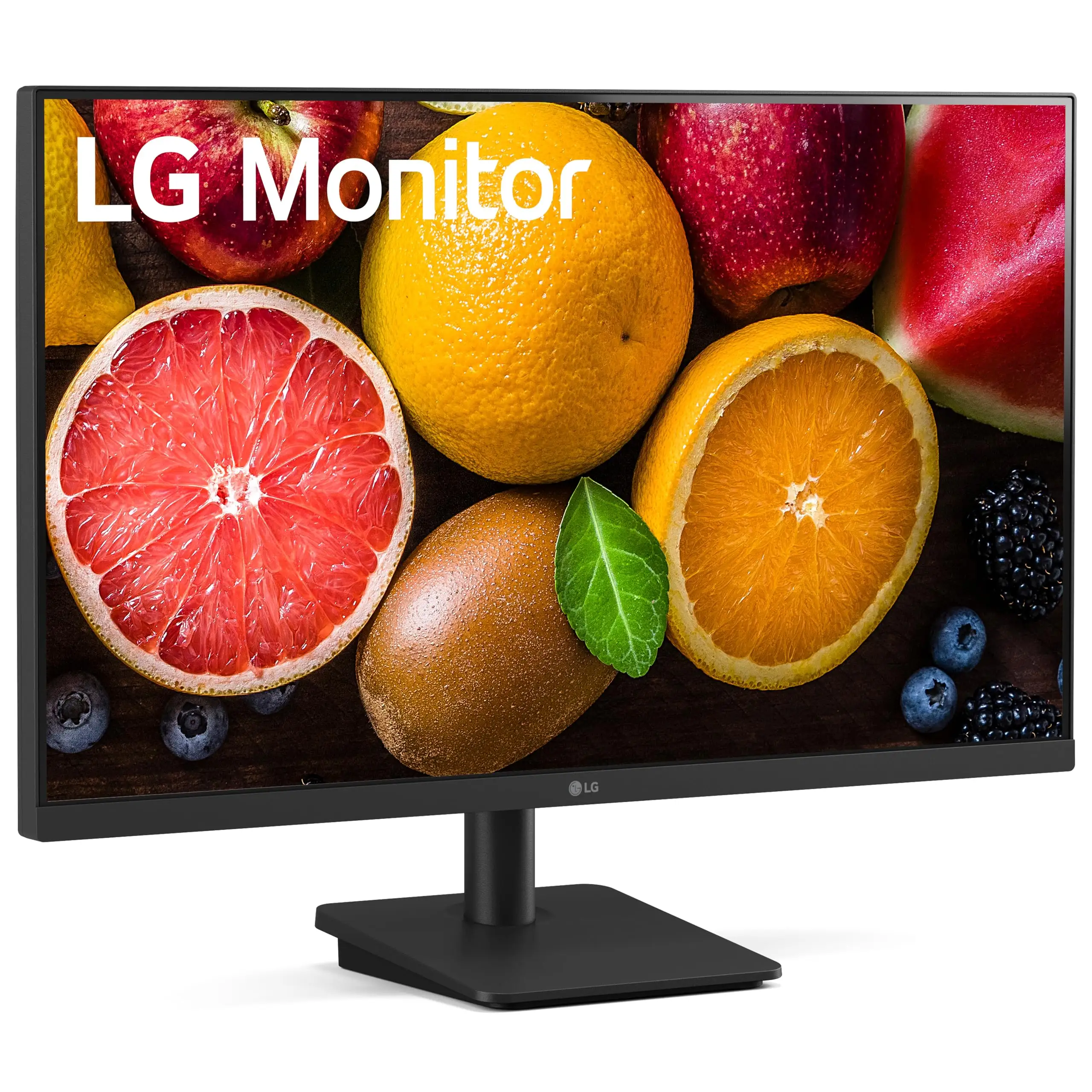
Starting at under $130, the LG 27MS500-B 27 inch IPS Computer Monitor manages an impressive 4.97/5 average score on esports retail listings, making it one of the highest-rated FHD monitors at its price point. Yet digging into multi-platform feedback reveals that while it delivers sharp visuals and smooth motion, certain features aren’t as flawless as marketing suggests. This IPS 100Hz display garners enthusiastic praise from gamers and office users alike, but also exposes some comfort and flexibility limitations.
Quick Verdict: Conditional buy — Excellent for budget-conscious gamers and productivity users who want smooth motion, but limited adjustability and lack of HDR could be deal-breakers.
| Pros | Cons |
|---|---|
| Sharp IPS color reproduction | No height adjustment, only tilt |
| Smooth 100Hz refresh rate | No HDR or advanced adaptive sync |
| Minimal motion blur (5ms GTG) | Plastic build feels light |
| Effective Reader Mode & Flicker Safe | Limited energy saving impact |
| Affordable price point | Some users wanted higher resolution |
| Borderless design is attractive | Not robust for color-critical work |
Claims vs Reality
Marketing emphasizes “virtually borderless” design and “true color at wide angles” thanks to IPS tech. While those claims hold visually — multiple buyers note vibrant color and clear detail regardless of viewing position — the borderless look is slightly overstated. A verified buyer on Amazon noted: “The bezels are thin, but not invisible. Still, it looks sleek on my desk.”
LG also promotes the 100Hz refresh as a key gaming advantage. Reddit threads confirm smoother panning in games compared to 60Hz, but Office Depot’s listing mentions FreeSync, while other specs (including from LG directly) show adaptive sync as unsupported. This means competitive players in fast-paced titles might miss variable refresh benefits.
Onscreen Control is marketed as a workflow boost, allowing window splitting and quick setting changes. However, Trustpilot documentation warns “functions may not work properly depending on the PC.” Reddit user reports suggest occasional hiccups — one noted that the split function “stopped working until I reinstalled the software.”
Cross-Platform Consensus
Universally Praised
Color accuracy was a standout across Amazon, Reddit, and esports sellers. A verified Trustpilot reviewer described the panel as delivering “clear color reproduction at 178° angles,” making it useful for collaborative work or multi-monitor setups where side viewing is common. Gamers praise the reduced ghosting; esport.works calls it “crystal-clear full HD display… every move feels smoother.” Office Depot customers echo that gaming feels “lag-free” at 100Hz with minimal motion blur.
Reader Mode and Flicker Safe earn praise from heavy screen users. This is particularly beneficial for students and remote workers. One Reddit user wrote: “Reader Mode makes long document sessions tolerable — no eye strain after hours.”
Common Complaints
Multiple sources point out limited adjustability — tilt (-5° to 15°) only, no height changes. This impacts ergonomics, with one Office Depot buyer saying: “Had to stack it on books to match my eye level.” Build quality is described as light; eBay’s refurbished unit notes just 6.8 lbs without stand, which some see as portable, but others interpret as “not sturdy.”
Lack of HDR, variable refresh rate, and robust adaptive sync means this isn’t suited for high-end graphics work or future-proof gaming. Quora listings confirm “AMD FreeSync: No,” while esports reviewers quietly skip mention of HDR entirely. Photographers and color graders may find NTSC 72% gamut restrictive compared to sRGB 99% panels.
Divisive Features
Borderless design splits opinion — some appreciate the clean desktop look, but others point to visible inner bezels. Energy saving features get mixed feedback; LG promotes Smart Energy Saving, but Trustpilot data shows typical consumption around 22W, which isn't a massive drop versus similar panels. Gamers tend to accept this, while eco-conscious buyers seek lower wattage performance.
Trust & Reliability
Scam concerns are minimal; Trustpilot listings and eBay auctions show transparent shipping, complete accessories (HDMI cable, adapter, stand body/base). Reliability over months appears stable — Reddit users report no dead pixels “after 6 months, daily gaming,” with consistent color integrity.
The “functions may vary depending on PC” caveat for Onscreen Control mirrors actual experience. Occasional reinstall needs are documented, but no systemic failures reported. The 1-year LG warranty, noted across Amazon and Office Depot, covers parts/labor, and eBay’s refurbished units include 90-day coverage, showing confidence in durability.
Alternatives
Office Depot’s mention of FreeSync contrasts with LG’s omission — alternatives with confirmed adaptive sync in the same price bracket might be worth comparing. For example, budget 144Hz TN panels deliver higher refresh but sacrifice IPS color consistency, which could matter depending on whether speed or visual fidelity is top priority.
Price & Value
Current retail hovers between $129.99 (LG USA) and NZ$328.49 (EverydayLooter), with refurb bargains on eBay as low as $32.50. Price drops of 22% noted on Laptop Direct suggest frequent discount cycles. For budget buyers, this positions the 27MS500-B as high value under $100 in secondary markets. Resale value holds to about 70% of retail when kept in good condition, thanks to IPS branding and gaming-friendly refresh rate.
Buying tips from community threads emphasize watching for seasonal sales and confirming all cables (HDMI, adapter) are included; missing accessories in cheap listings can negate savings.
FAQ
Q: Does the LG 27MS500-B support FreeSync or G-Sync?
A: Official specs show no adaptive sync support, despite one retailer listing FreeSync. Gamers needing tear-free performance should verify before purchase.
Q: How big are the bezels actually?
A: While branded “virtually borderless,” users note thin but visible bezels. The aesthetic is still modern and minimal compared to older designs.
Q: Is it good for long reading sessions?
A: Yes — Reader Mode and Flicker Safe significantly reduce eye strain. Office Depot reviewers mention noticeable comfort for extended text work.
Q: Can I mount it on a wall?
A: Yes, it’s VESA 75×75 compatible. Lightweight build makes mounting easier, but ensure solid bracket support.
Q: Will it fit color-critical design work?
A: Likely not — with NTSC 72% coverage, it’s below professional-grade monitors offering near-100% sRGB or wider gamuts.
Final Verdict: Buy if you’re a gamer or productivity user seeking affordable, smooth, and vibrant FHD performance; avoid if you need height adjustment, HDR, or top-tier color coverage. Pro tip from community: install the latest Onscreen Control software immediately to minimize workflow glitches.





